
zodvboz C60
C60 Smart Activity Tracker User Manual
Model: C60 | Brand: zodvboz
1. Introduction
This manual provides comprehensive instructions for the setup, operation, and maintenance of your zodvboz C60 Smart Activity Tracker. The C60 is an ultra-thin fitness band designed to monitor your health and activity, offering features such as sleep tracking, multiple sport modes, step counting, calorie tracking, and smart notifications. It is compatible with both Android and iOS devices and features an IP67 waterproof rating.

Image: The zodvboz C60 Smart Activity Tracker, showcasing its sleek black design and digital display.
2. What's Included
Upon unboxing your C60 Smart Activity Tracker, please ensure all the following components are present:
- Smartwatch (C60 unit)
- Silicone Band
- User Manual
- Charger Cable (Magnetic)
- Watch Box
3. Setup Guide
3.1. Initial Charging
Before first use, fully charge your C60 Smart Activity Tracker. Connect the magnetic charger cable to the charging points on the back of the device and plug the USB end into a compatible power source (e.g., computer USB port, USB wall adapter). A full charge typically takes approximately 2.5 hours. The device is designed to last up to 7-10 days on a single charge with typical usage.
3.2. App Installation and Pairing
To unlock the full functionality of your C60 tracker, you need to install the companion application on your smartphone.
- Download the App: Search for "Da Fit" in your smartphone's app store (available on both iOS App Store and Google Play Store).
- Install and Open: Install the "Da Fit" app and open it.
- Create Account (Optional): Follow the on-screen prompts to create an account or log in.
- Enable Bluetooth: Ensure Bluetooth is enabled on your smartphone.
- Pair Device: In the Da Fit app, navigate to the device section (usually indicated by a watch icon or "Add Device"). The app will search for nearby devices. Select "C60" from the list to pair.
- Confirm Pairing: A pairing request may appear on your C60 tracker. Confirm the pairing on both the tracker and your smartphone.
The C60 is compatible with Android 5.0 and iOS 9.0 devices or newer.

Image: Visual representation of the C60's battery life and its compatibility with both iOS and Android operating systems.
4. Operating Your C60 Smart Activity Tracker
4.1. Navigating the Display
The C60 features a 1.1-inch AMOLED touch color screen. You can navigate through different functions by swiping left, right, up, or down, and tapping to select options. The display is designed for clear visibility even in bright sunlight.
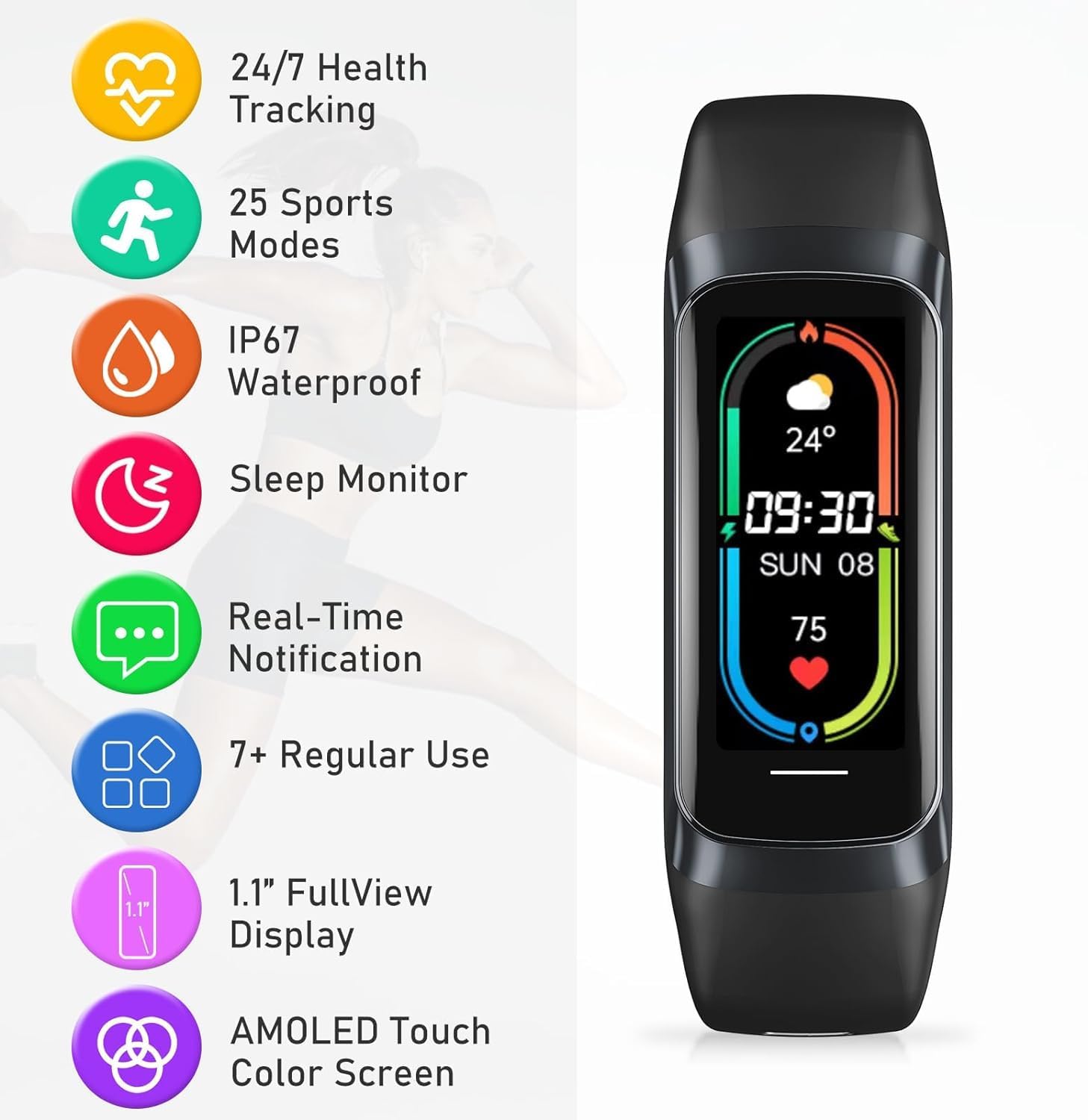
Image: An overview of the C60's key features, including its display type and various tracking capabilities.
4.2. Smart Notifications
Once paired with your smartphone, the C60 can display real-time alerts for incoming calls, text messages, and notifications from various applications directly on your wrist. Configure which app notifications you wish to receive through the Da Fit app settings.

Image: Demonstrates the smart notification capabilities of the C60, including reminders and remote controls.
4.3. Activity and Sport Tracking
The C60 offers multi-sport activity tracking with over 25 dedicated sport modes. It precisely monitors various sports states, including step counts, calorie burn, and distance. Select the desired sport mode on your tracker before starting an activity for accurate data collection.

Image: Illustrates the extensive range of 25 professional sports modes supported by the C60 tracker.
4.4. Health Monitoring
The C60 provides comprehensive health and wellness monitoring:
- Heart Rate Monitoring: Continuously tracks your heart rate throughout the day.
- Sleep Quality Tracker: Intelligently monitors sleep quality, recording and distinguishing between awake, light, and deep sleep phases to help you maintain good sleep habits.
- Health and Wellness Reminders: Customizable reminders for hydration and activity to help you maintain a healthy routine.

Image: Focuses on the C60's sleep monitoring capabilities, showing how it tracks different sleep stages.
4.5. Customizable Watch Faces
Personalize your C60 with over 70 stylish and downloadable watch faces available through the Da Fit app. This allows you to reflect your personal style and preferences directly on your wrist.

Image: Showcases the wide variety of customizable watch faces available for the C60's AMOLED display.
4.6. Water Resistance
The C60 Smart Activity Tracker boasts an IP67 waterproof rating and a 3ATM waterproof grade, allowing for water resistance up to 30 meters. This means you can swim, shower, and sweat without worry, making it suitable for various water-related activities.

Image: The C60 tracker being used in water, illustrating its rugged and durable waterproof design.
5. Maintenance
- Cleaning: Regularly clean your C60 tracker and band with a soft, damp cloth. Avoid using harsh chemicals or abrasive materials.
- Drying: After exposure to water, ensure the device is thoroughly dry before charging to prevent damage to the charging contacts.
- Battery Care: To prolong battery life, avoid fully discharging the battery frequently. Charge the device when the battery level is low.
- Storage: Store the tracker in a cool, dry place when not in use for extended periods.
6. Troubleshooting
| Problem | Possible Cause | Solution |
|---|---|---|
| Device not turning on | Low battery | Charge the device for at least 30 minutes. |
| Cannot pair with smartphone | Bluetooth off, app issue, device out of range | Ensure Bluetooth is on, restart the app and phone, bring devices closer, try re-pairing. |
| Notifications not appearing | App permissions, notification settings | Check app notification permissions on your phone and settings within the Da Fit app. |
| Inaccurate activity data | Improper wearing, software glitch | Ensure the tracker is worn snugly on your wrist. Restart the device and app. |
| Screen is fuzzy/unresponsive | Software issue, physical damage | Restart the device. If the issue persists, contact customer support. |
7. Specifications
| Feature | Detail |
|---|---|
| Brand | zodvboz |
| Model Name | C60 |
| Display Type | AMOLED Touch Color Screen |
| Screen Size | 1.1 Inches (as per product title) / 1.83 Inches (as per specifications) - Note: There is a discrepancy in provided data. |
| Memory Storage Capacity | 300 MB |
| Operating System | iOS 9+, Android 4.4+ |
| Compatible Devices | Smartphone |
| Special Features | Touchscreen, Multisport Tracker, Activity Tracker, Alarm Clock, Pedometer |
| Water Resistance | IP67, 3ATM (up to 30 meters) |
| Battery Type | Lithium Polymer |
| Battery Capacity | 230 Amp Hours |
| Battery Average Life | 7-10 days |
| Charging Time | 2.5 Hours |
| Connectivity Technology | Bluetooth |
| Item Weight | 50 g |
8. Warranty and Support
The zodvboz C60 Smart Activity Tracker comes with a 3-year warranty. For any product-related inquiries, technical assistance, or warranty claims, please contact zodvboz dedicated customer support. Refer to the contact information provided in your product packaging or on the official zodvboz website.
Ask a question about this manual
Ask about setup, troubleshooting, compatibility, parts, safety, or missing instructions. Manuals+ will review the question and use this page’s manual context to help answer it.