1. Introduction
Thank you for purchasing the Diyeeni Digital Alarm Clock Speaker. This device combines a digital alarm clock, FM radio, and speaker with Bluetooth 5.0 connectivity and memory card playback. Its portable design and 1600mAh battery make it suitable for various uses, including travel, reading, and sports. Please read this manual carefully to ensure proper use and optimal performance of your device.
2. Product Overview
2.1 Key Features
- Bluetooth 5.0 Connectivity: Enjoy wireless audio streaming from compatible devices.
- Dual Alarm Clock: Set two independent alarms for flexible scheduling.
- FM Radio: Tune into your favorite FM stations (87.5MHz-108MHz).
- Memory Card Playback: Supports memory cards up to 32GB for direct music playback.
- Portable Design: Compact and lightweight with a built-in 1600mAh battery for on-the-go use.
- Clear LED Display: Easy-to-read digital time display.
- Mirror Function: The screen can also serve as a mirror.
- Dimmable Display: Adjust display brightness for comfort.
2.2 Product Components and Controls
Familiarize yourself with the various parts and controls of your Digital Alarm Clock Speaker.
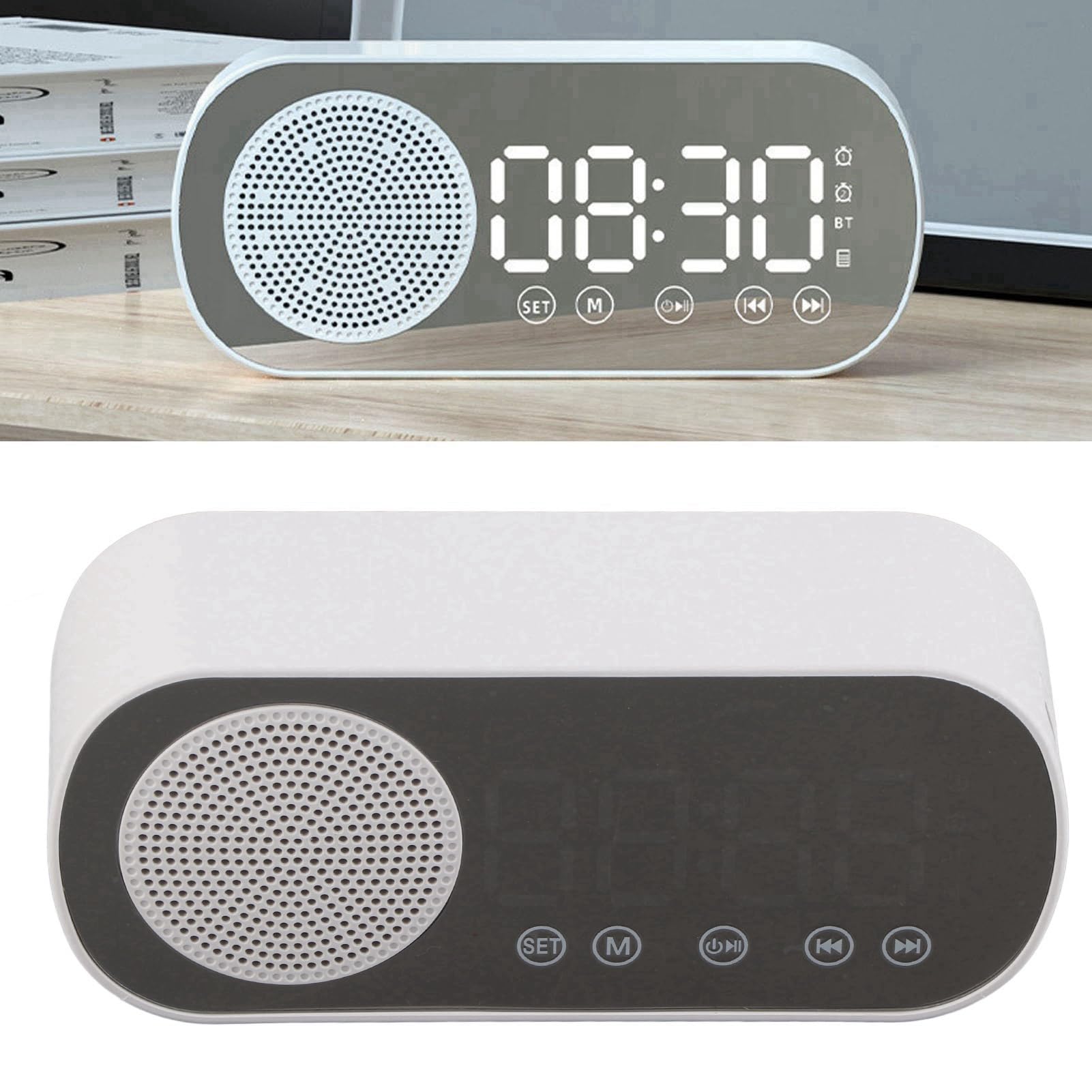
Figure 1: Front view of the Diyeeni Digital Alarm Clock Speaker.

Figure 2: Overview of the Diyeeni Digital Alarm Clock Speaker highlighting its key functions.

Figure 3: Portability and mirror function of the device.
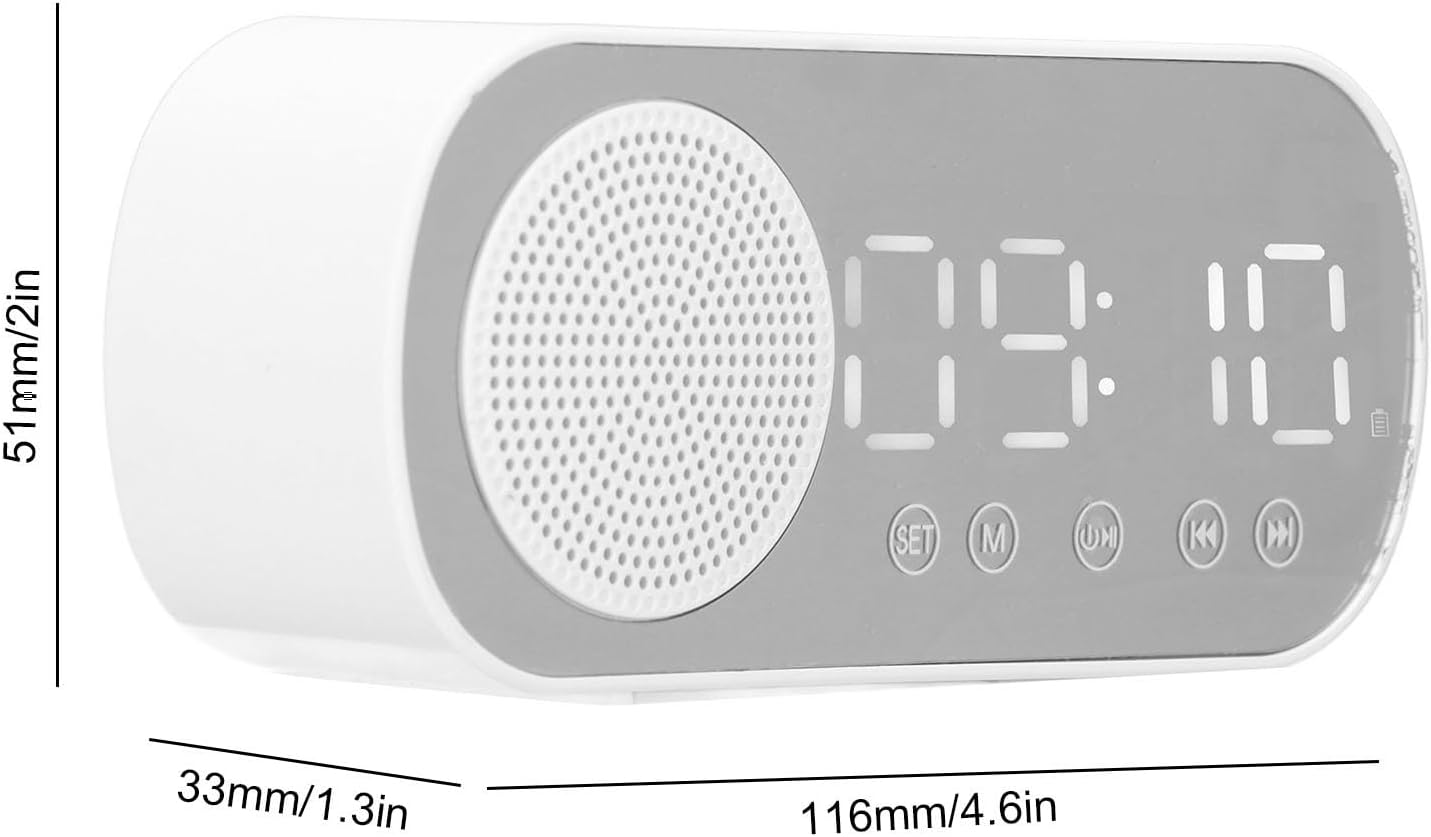
Figure 4: Product dimensions for reference.
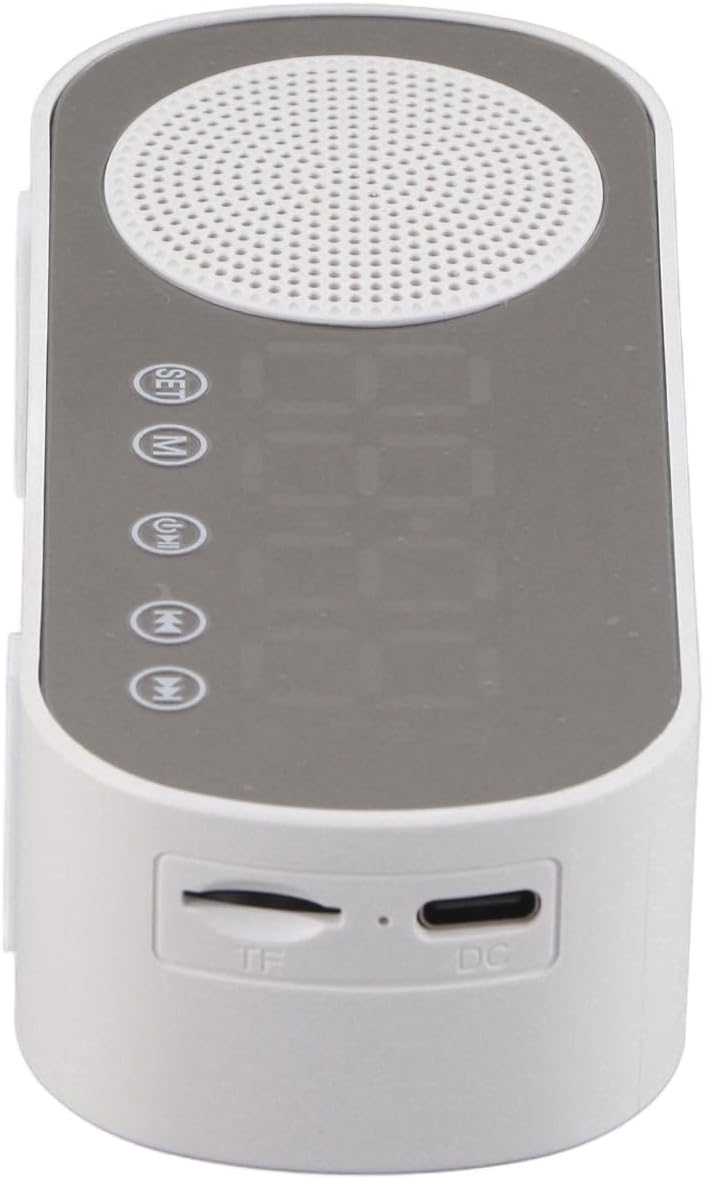
Figure 5: Top view showing the TF card slot and DC charging port.
3. Setup
3.1 Initial Charging
Before first use, fully charge the device. Connect the provided charging cable to the DC port on the device and the other end to a USB power adapter (not included). The charging indicator will show the charging status.
3.2 Power On/Off
- To power on, press and hold the Power button.
- To power off, press and hold the Power button again.
3.3 Setting the Time
- In clock mode, press the SET button to enter time setting mode.
- Use the +/- buttons (or similar navigation buttons) to adjust the hour.
- Press SET again to move to minute adjustment, then use +/- to set minutes.
- Press SET to confirm and exit time setting.
4. Operating Instructions
4.1 Mode Selection
Press the M (Mode) button to cycle through available modes: Bluetooth, FM Radio, Memory Card Playback, and Clock/Alarm mode.
4.2 Bluetooth Pairing
- Switch the device to Bluetooth mode. The display will show "BT" and an indicator will flash, indicating it's ready for pairing.
- Enable Bluetooth on your smartphone or other device and search for "Diyeeni Speaker" (or similar name).
- Select the device to pair. Once connected, a confirmation sound will play, and the "BT" indicator will stop flashing.
4.3 FM Radio Operation
- Switch to FM Radio mode.
- Press the Play/Pause button to auto-scan and save available FM stations.
- Use the Previous/Next buttons to navigate through saved stations.
- Adjust volume using the Volume knob or buttons.
4.4 Memory Card Playback
- Insert a memory card (TF card, max 32GB) into the TF slot on the side of the device.
- The device will automatically switch to Memory Card Playback mode and begin playing audio files.
- Use the Play/Pause and Previous/Next buttons to control playback.
4.5 Setting Alarms
- In clock mode, press and hold the Alarm 1 or Alarm 2 button to enter alarm setting mode.
- Use the +/- buttons to adjust the alarm hour, then press the alarm button again to set minutes.
- Continue pressing the alarm button to select alarm sound (e.g., FM radio, buzzer) and volume.
- Press the alarm button one last time to confirm and activate the alarm. An alarm icon will appear on the display.
- To turn off a sounding alarm, press any button. To disable an alarm, press the corresponding alarm button briefly until the alarm icon disappears.
4.6 Display Brightness (Dimmer)
Press the Snooze/Dimmer button (or similar) repeatedly to cycle through different brightness levels for the LED display.
5. Maintenance
5.1 Cleaning
- Wipe the device with a soft, dry cloth.
- Do not use abrasive cleaners, waxes, or solvents as they may damage the surface.
5.2 Battery Care
- To prolong battery life, avoid fully discharging the battery frequently.
- Charge the device regularly, even if not in use for extended periods.
6. Troubleshooting
| Problem | Possible Cause | Solution |
|---|---|---|
| Device does not power on. | Low battery or no charge. | Connect the device to a power source using the charging cable and allow it to charge. |
| No sound from speaker. | Volume too low; device not connected; incorrect mode. | Increase volume. Ensure Bluetooth is paired or memory card is inserted correctly. Check mode selection. |
| Bluetooth pairing fails. | Device too far; Bluetooth not enabled on source; incorrect pairing procedure. | Ensure devices are within range. Enable Bluetooth on your source device. Re-enter pairing mode on the speaker. |
| FM radio reception is poor. | Weak signal; interference. | Reposition the device for better reception. Avoid placing near other electronic devices that may cause interference. |
| Alarm does not sound. | Alarm not set or disabled; volume too low. | Verify alarm settings and ensure the alarm icon is visible. Increase alarm volume. |
7. Specifications
- Brand: Diyeeni
- Model Number: Diyeeniv5x3kuw2ne
- Material: ABS (Acrylonitrile Butadiene Styrene)
- Color: White
- Product Size: Approx. 116 x 51 x 33mm / 4.6 x 2 x 1.3in
- Battery: Built-in Lithium Battery, 1600mAh Capacity
- Bluetooth Version: 5.0
- Play Modes: Bluetooth, Memory Card (Maximum Support 32G)
- FM Radio Frequency: 87.5MHz-108MHz
- Features: Digital Clock, Dual Alarm Clock, FM Radio, Speaker, Mirror Function, Dimmable Display
- Item Weight: 5.8 ounces
8. Warranty and Support
For warranty information and customer support, please refer to the documentation included with your purchase or contact the retailer/manufacturer directly. Keep your purchase receipt as proof of purchase for any warranty claims.