
1. Introduction
The Generic HT8088A Tennis Ball Machine is designed to assist players in practicing and improving their tennis skills. This machine offers various programmable features, adjustable settings, and portability to support diverse training needs for all skill levels.
2. Safety Information
- Always ensure the machine is placed on a stable, level surface before operation.
- Keep hands, hair, and loose clothing clear of the ball feeding mechanism and wheels during operation.
- Do not attempt to retrieve balls from the machine while it is running. Turn off the power first.
- Use only standard tennis balls with the machine. Do not use wet, damaged, or non-standard balls.
- Keep children and pets at a safe distance from the machine during use.
- Do not expose the machine to rain or extreme weather conditions.
- Ensure the battery is charged using only the provided recharger.
3. Package Contents
Verify that all components are present in the package:
- HT8088A Tennis Ball Machine Unit
- Remote Control
- Lithium Battery + Recharger Set
- Instruction Manual / Warranty Card
4. Setup
- Unpacking: Carefully remove all components from the packaging.
- Battery Connection: Connect the provided lithium battery to the machine. Ensure a secure connection.
- Charging: Before first use, fully charge the battery using the included recharger. The charging indicator will show when charging is complete.
- Positioning: Place the tennis ball machine on a flat, stable surface on the tennis court.
- Ball Hopper: The machine features a foldable design. Open the ball hopper to its full capacity for use. It can hold over 120 tennis balls.

Image: The HT8088A machine shown in its folded state for storage and open state for use, illustrating its mutual conversion capability. The open state allows for greater ball capacity.
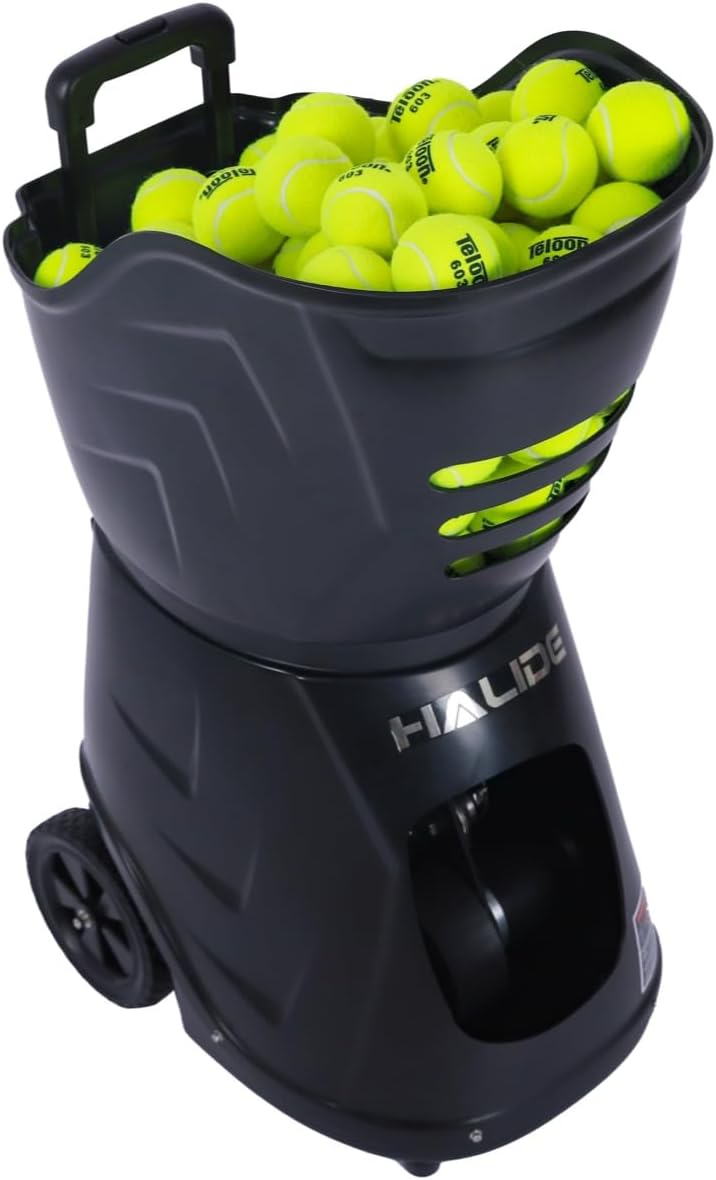
Image: A close-up view of the HT8088A Tennis Ball Machine with its hopper filled with tennis balls, ready for operation.
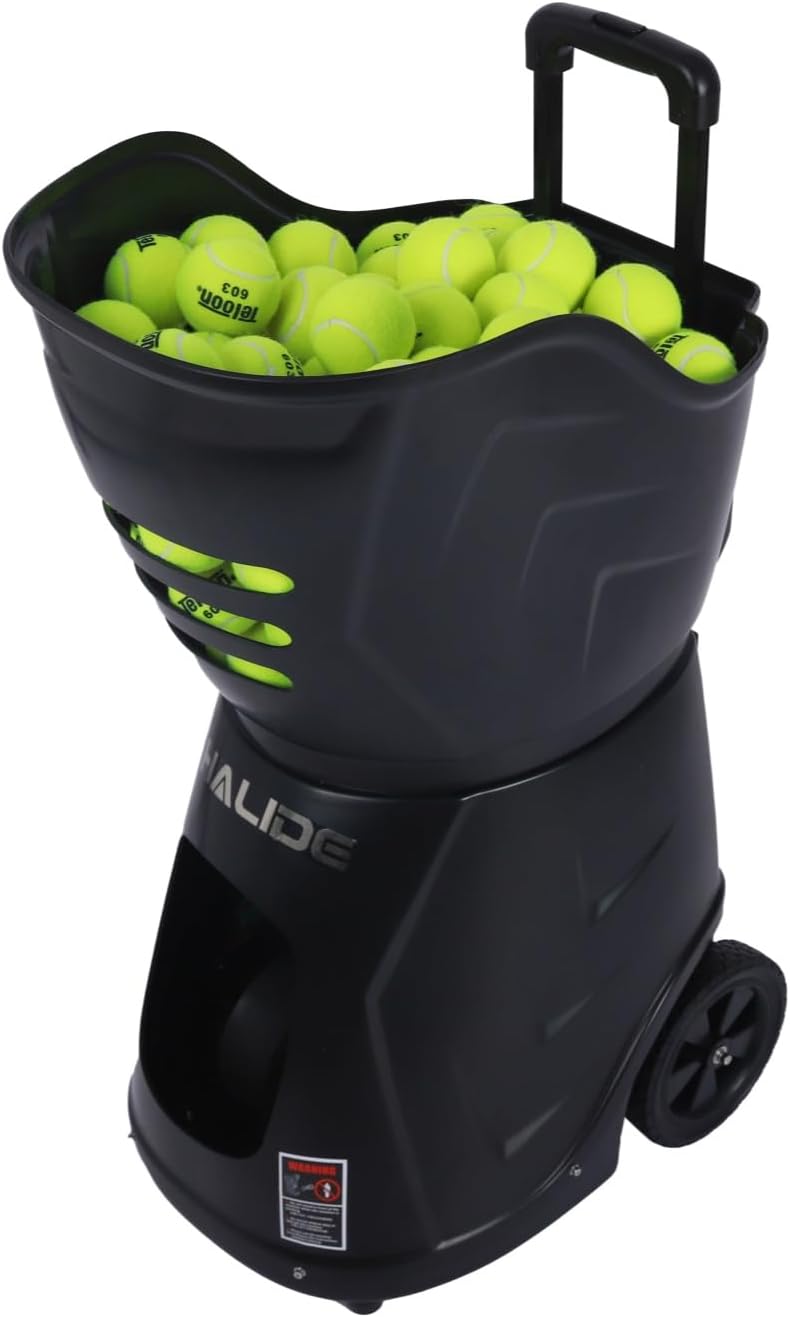
Image: The HT8088A Tennis Ball Machine in its compact, folded state, highlighting its portability and ease of storage.
5. Operating Instructions
The HT8088A Tennis Ball Machine can be controlled via its integrated control panel or a dedicated mobile application (APP control).
5.1 Power On/Off
Locate the power switch on the machine. Press to turn the unit ON or OFF. Ensure the battery is connected and charged.
5.2 App Control (Recommended)
The machine features APP control for convenient adjustment of settings. Refer to the included manual for instructions on downloading and connecting the app via Bluetooth.
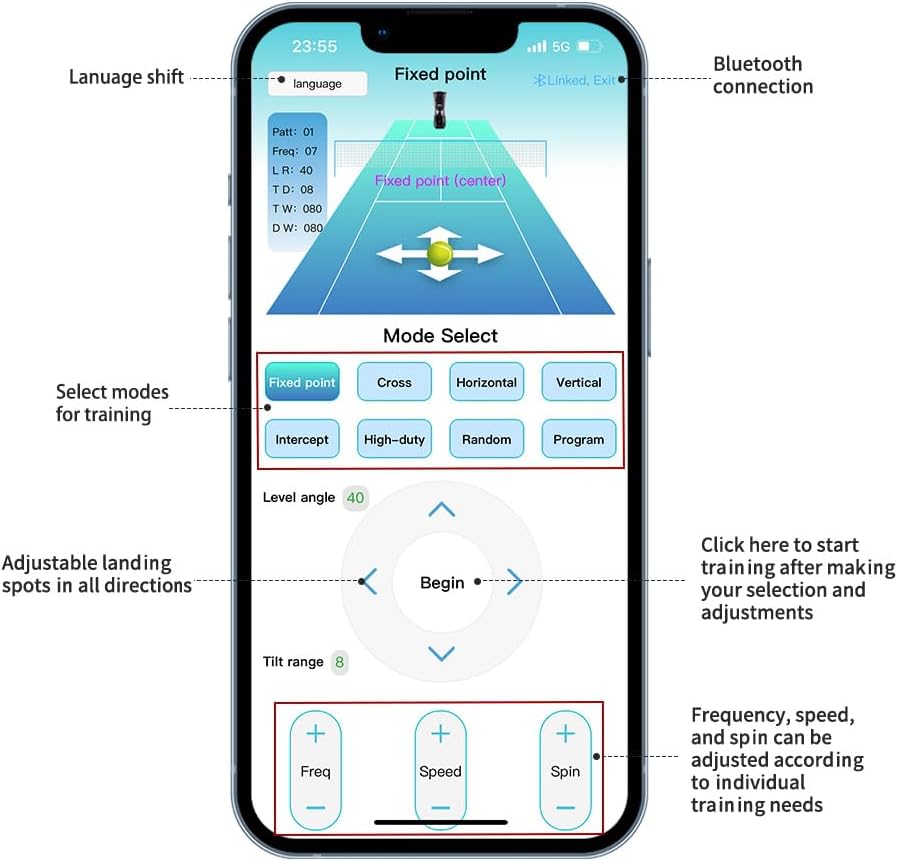
Image: A smartphone screen displaying the HT8088A control app. It shows options for language shift, Bluetooth connection status, mode selection (Fixed point, Cross, Horizontal, Vertical, Intercept, High-duty, Random, Program), adjustable landing spots, and controls for frequency, speed, and spin.
5.3 Training Modes and Settings
The HT8088A offers a variety of training modes and adjustable parameters:
- Programmable Landing Points: The machine supports 28 programmable landing points, allowing for customized drills and simulation of match scenarios.
- Speed Control: Adjustable ball speed from 20 to 140 km/h (12-87 MPH).
- Spin Control: Customizable topspin and backspin levels.
- Oscillation Modes:
- Horizontal Oscillation: 5 kinds of horizontal movement.
- Vertical Oscillation: 3 kinds of vertical movement.
- Random Shots: Delivers balls to various points randomly.
- Cross-Line Drills: 6 kinds of cross-line patterns.
- Fixed-Point Training: Delivers balls to a single, consistent spot.
- Frequency: Adjustable ball serving frequency from 1.8 to 8 seconds per ball.

Image: A diagram illustrating the 28 programmable landing points on a tennis court, along with a screenshot of the app's programming interface. This feature allows users to customize ball paths and save training plans.

Image: Multiple diagrams depicting different training programs: fixed-point, six types of cross-line, two-line/three-line/horizontal cycling, vertical cycling, topspin/backspin, and lob ball trajectories.

Image: A tennis court diagram illustrating the vertical (40 points) and horizontal (60 points) fine-tuning capabilities for precise ball placement.
5.4 Starting and Stopping Training
Once settings are configured via the app or control panel, initiate the training session. To stop, use the app or the machine's power switch.
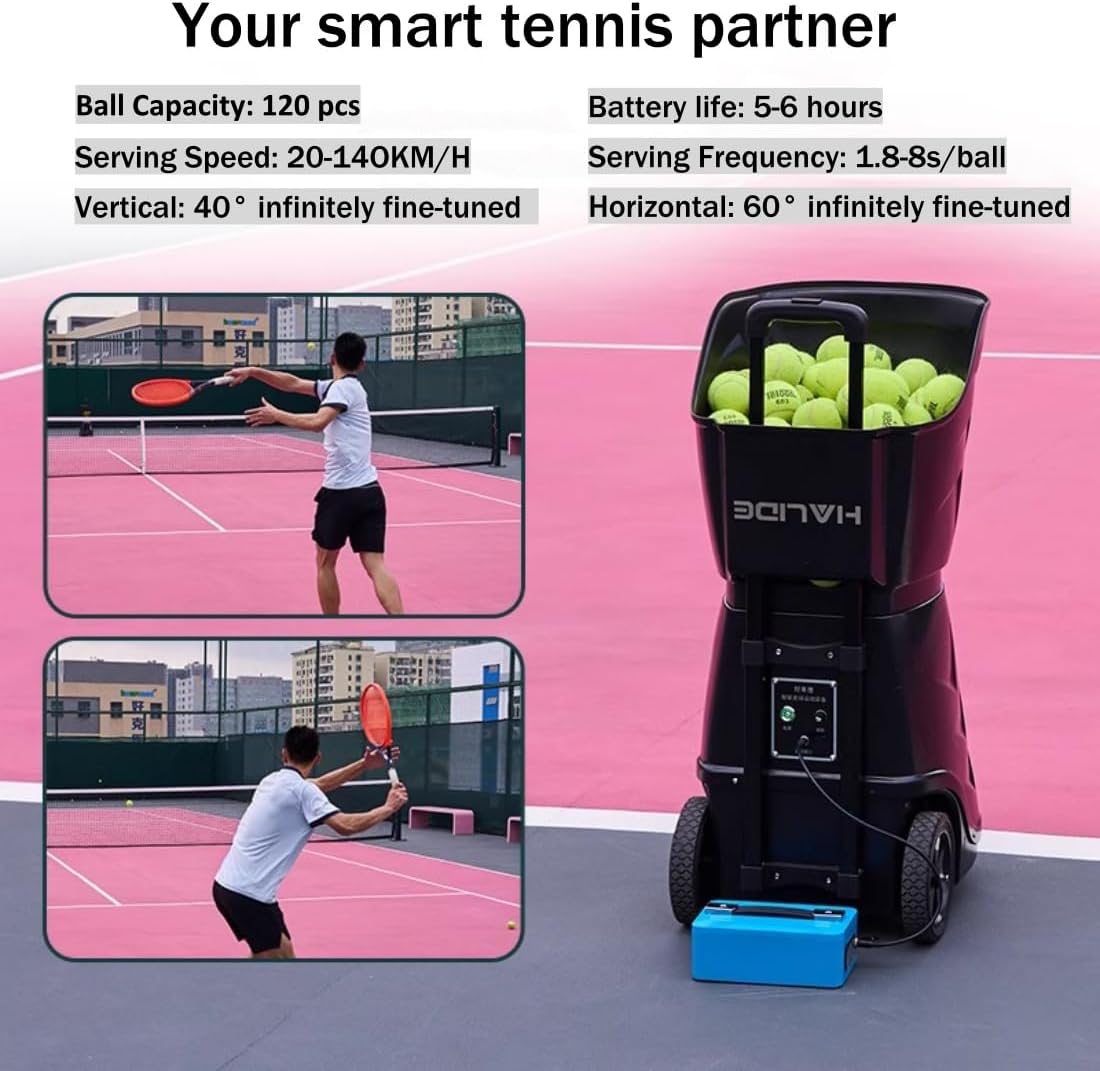
Image: The HT8088A Tennis Ball Machine on a court, with a player practicing. Key specifications like ball capacity (120 pcs), battery life (5-6 hours), serving speed (20-140 KM/H), serving frequency (1.8-8s/ball), vertical (40°), and horizontal (60°) fine-tuning are displayed.
6. Maintenance
- Cleaning: Regularly wipe down the exterior of the machine with a damp cloth. Ensure no moisture enters internal components.
- Ball Hopper: Keep the ball hopper clean and free of debris. Remove any foreign objects that may obstruct ball feeding.
- Battery Care: Charge the battery fully after each use. If storing for an extended period, charge the battery every 3 months to maintain its lifespan.
- Storage: Store the machine in a dry, cool place, away from direct sunlight and extreme temperatures. The machine can be folded for compact storage.
7. Troubleshooting
| Problem | Possible Cause | Solution |
|---|---|---|
| Machine does not power on | Battery not charged or connected; Power switch off | Charge battery; Ensure battery is securely connected; Turn power switch ON |
| Balls not feeding consistently | Hopper empty; Ball jam; Damaged balls | Refill hopper; Turn off machine and clear jam; Use only standard, undamaged balls |
| App not connecting to machine | Bluetooth off; Machine not in pairing mode; App issue | Ensure Bluetooth is enabled on device; Restart machine and app; Consult app instructions for pairing |
| Inconsistent ball trajectory | Incorrect settings; Worn balls; Machine not level | Adjust speed/spin settings; Use new balls; Ensure machine is on a level surface |
8. Specifications
| Feature | Specification |
|---|---|
| Model Number | HT8088A |
| Brand | Generic |
| Material | Plastic + Metal |
| Color | Black |
| Item Weight | 16.33 kg (36 lbs) |
| Ball Capacity | 120+ balls |
| Serving Speed | 20-140 km/h (12-87 MPH) |
| Serving Frequency | 1.8-8 seconds/ball |
| Programmable Landing Points | 28 points |
| Oscillation Modes | Horizontal (5 types), Vertical (3 types), Random, Cross-line (6 types), Fixed-point |
| Spin Control | Topspin, Backspin |
| Battery Life | 5-6 hours (external lithium battery) |
| Control Method | Remote Control, Mobile APP |
| Open Size | 36cm x 49cm x 85cm |
| Folded Size | 46cm x 49cm x 50cm |
9. Warranty and Support
The HT8088A Tennis Ball Machine includes an instruction manual and warranty card. Please refer to the warranty card for specific terms and conditions regarding coverage and duration.
For technical support, troubleshooting assistance, or warranty claims, please contact the manufacturer or your retailer with your product model number (HT8088A) and proof of purchase.