
1. Introduction
This manual provides detailed instructions for the safe and effective operation of your QUANSHENG UV-5R Plus Two Way Radio. Please read this manual thoroughly before using the device to ensure proper functionality and to prevent damage.
The QUANSHENG UV-5R Plus is a multi-functional communication device featuring VHF/UHF dual-band transmission, NOAA weather forecast channels, FM radio, and various advanced communication capabilities. It is designed for reliable use in diverse environments.
2. Package Contents
Verify that all items are present in your package:
- 2 x QUANSHENG UV-5R Plus Radio Units
- 2 x High Gain Antennas
- 2 x 2200mAh Li-ion Batteries
- 2 x Desk Docks (Charging Cradles)
- 2 x Belt Clips
- 2 x Hand Strings
- 2 x User Manuals

Image: Standard Package Contents. This image displays the typical items included in the QUANSHENG UV-5R Plus package: two radio units, two batteries, two antennas, two charging docks, two belt clips, two hand straps, and two user manuals.
3. Product Overview
Familiarize yourself with the components and controls of your UV-5R Plus radio.

Image: Radio Components. This diagram labels the key parts of the QUANSHENG UV-5R Plus radio, including the antenna, indicator light, jack light, power/volume switch, LCD screen, menu/confirm key, up key, speaker, down key, exit key, microphone, keypad, transmitting key, side key 1, side key 2, programming jacks, and Type-C charging port.
3.1. Key Components
- Antenna: For transmitting and receiving signals.
- Indicator: Status light.
- Jack Light: Illumination for ports.
- Power/Volume Switch: Turns the radio on/off and adjusts volume.
- LCD Screen: Displays frequency, channel, and other operational information.
- Menu (Confirm Key): Accesses and confirms menu selections.
- Up Key: Navigates menus or adjusts values upwards.
- Speaker: Outputs audio.
- Down Key: Navigates menus or adjusts values downwards.
- Exit Key: Exits menus or functions.
- Microphone: For voice input during transmission.
- Keypad: For entering frequencies, channels, and accessing functions.
- Transmitting Key (PTT): Press to transmit, release to receive.
- Side Key 1: Programmable function key.
- Side Key 2: Programmable function key.
- Programming Jacks: For connecting to a computer for programming.
- Type C Charging Port: For direct charging via USB-C.
3.2. Dimensions

Image: Radio Dimensions. This image illustrates the physical dimensions of the QUANSHENG UV-5R Plus radio: approximately 28cm (11.02 inches) in height with antenna, 11.5cm (4.53 inches) without antenna, 5.5cm (2.17 inches) in width, and 3.9cm (1.54 inches) in depth.
4. Setup
4.1. Battery Installation
To install the 2200mAh Li-ion battery:
- Align the battery with the grooves on the back of the radio.
- Slide the battery upwards until it clicks into place securely.
- Ensure the battery is firmly attached before use.

Image: High Capacity Battery. This image shows the QUANSHENG UV-5R Plus radio alongside its high-capacity 2200mAh Li-ion battery, emphasizing its long standby time. The battery is designed for easy installation and removal.
4.2. Antenna Attachment
Screw the high gain antenna clockwise into the antenna connector on the top of the radio until it is finger-tight. Do not overtighten.
4.3. Charging the Battery
The radio can be charged using the included desk dock or directly via the USB-C port.
- Using the Desk Dock: Place the radio (with battery installed) into the charging cradle. Ensure the charging contacts align. The indicator light on the dock will show charging status.
- Using USB-C: Connect a USB-C cable to the Type-C charging port on the side of the radio and to a compatible USB power source (e.g., USB charger, computer, power bank, car charger).

Image: Type-C Charging. This image demonstrates various methods for charging the QUANSHENG UV-5R Plus radio via its USB-C port, including USB charging, computer charging, power bank charging, and car charger use. It also shows the radio itself and a USB-C cable.
A red light indicates charging, and a green light indicates charging is complete.
5. Operating Instructions
5.1. Power On/Off and Volume
Rotate the Power/Volume Switch (04 in diagram) clockwise to turn the radio on and increase volume. Rotate counter-clockwise to decrease volume and turn the radio off.
5.2. Frequency and Channel Mode
The radio operates in both Frequency Mode (VFO) and Channel Mode (MR). To switch between these modes, press the F+ Button 3 on the keypad.
- Frequency Mode (VFO): Allows direct entry of frequencies for transmission and reception.
- Channel Mode (MR): Uses pre-programmed channels. The UV-5R Plus supports 200 memory channels.
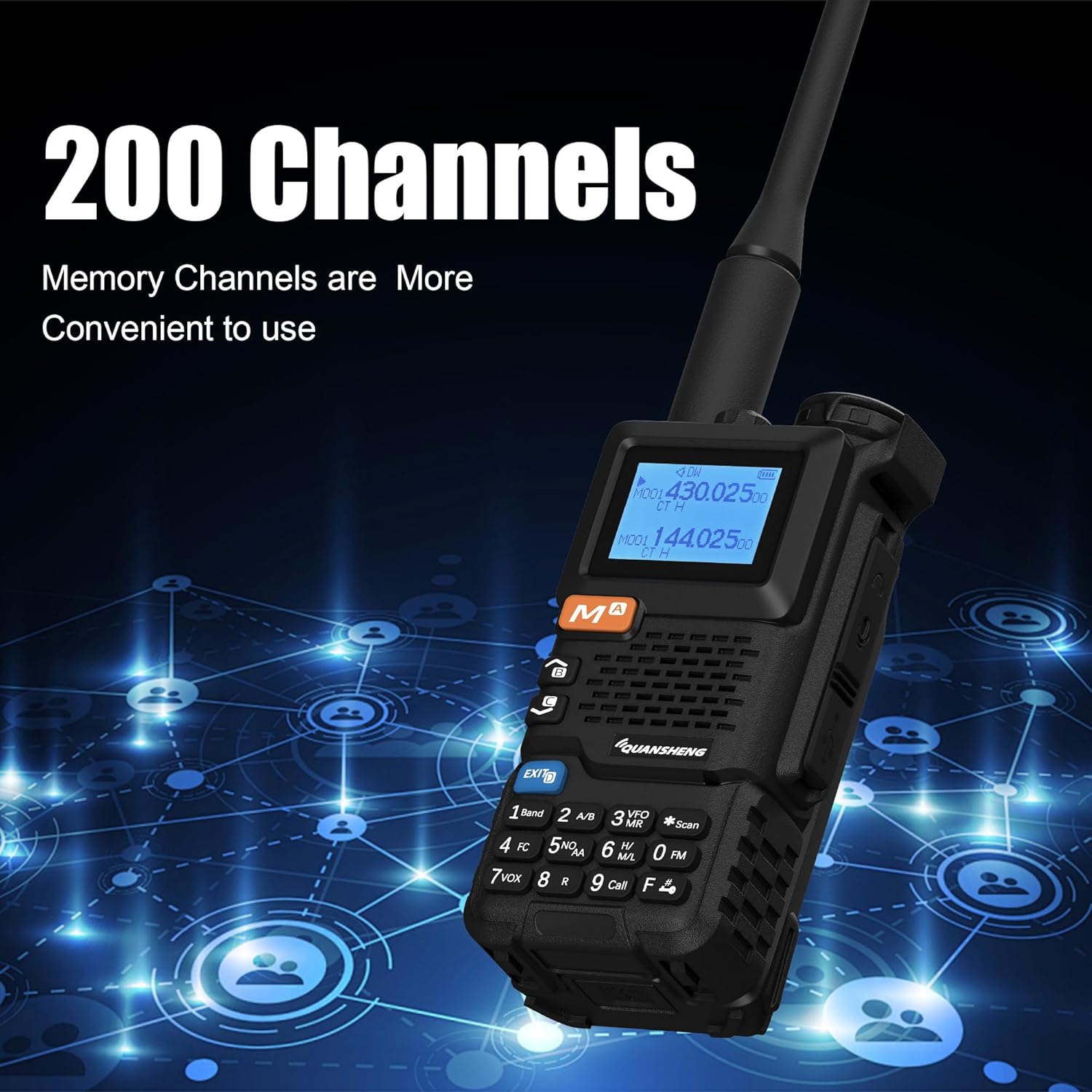
Image: 200 Memory Channels. This image highlights the radio's capability to store 200 memory channels, making it convenient for users to access frequently used frequencies.
5.3. Transmitting and Receiving
To transmit, press and hold the Transmitting Key (PTT) (13 in diagram) and speak into the microphone (11 in diagram). Release the PTT key to return to receive mode.
5.4. Frequency Range
The radio supports the following frequency ranges:
- VHF/UHF Transmit and Receive: 136-174MHz, 350-390MHz, 400-470MHz
- FM Radio: 76.000-108.000MHz
- Air Band Receiving: (Specific range not provided, but mentioned in description)

Image: Frequency Range. This image shows the QUANSHENG UV-5R Plus radio's display, indicating its operational frequency ranges for VHF/UHF (136-174MHz, 350-390MHz, 400-470MHz) and FM radio (76.000-108.000MHz).
5.5. Wireless Frequency Copy
The UV-5R Plus features a wireless frequency copy function, allowing it to replicate frequencies from other radios, including other Quansheng UV-K6/UV-K5/UV-K5(8) radios. This can be done with a one-touch operation.

Image: One-Touch Copy Frequency. This image visually represents the radio's one-touch frequency copy feature, showing two radios and arrows indicating the transfer of frequency information.
5.6. NOAA Weather Forecast
Access 10 USA NOAA weather forecast channels to stay informed about weather conditions. Refer to the radio's menu for specific NOAA channel selection.
5.7. FM Radio
The radio includes an FM broadcast receiver. Tune into FM stations within the 76.000-108.000MHz range.
5.8. Scrambler Function
The 10-Group Scrambler function provides enhanced privacy for your communications. Consult the menu settings to activate and configure the scrambler.
5.9. Scanning Functions
The radio supports Frequency, DCS, and CTCSS scanning. Use the scan feature to find active frequencies or tones.
5.10. DTMF and 1750 Tone
The radio supports DTMF (Dual-Tone Multi-Frequency) and 1750Hz tone signaling for various applications, such as repeater access.
5.11. VOX (Voice Operated Transmission)
Activate VOX mode to transmit automatically when you speak, without needing to press the PTT button. Adjust VOX sensitivity in the menu.
5.12. Cross-band Communication
The radio supports cross-band communication, allowing it to relay signals between different frequency bands (e.g., VHF to UHF).
5.13. Emergency Alert
The radio features auto/manual emergency alert functions for safety during outdoor activities or emergencies. Refer to the menu for configuration.
6. Maintenance
6.1. Cleaning
Wipe the radio's surface with a soft, damp cloth. Do not use harsh chemicals or solvents. Ensure the radio is dry before use or charging.
6.2. Battery Care
- Charge the battery fully before first use.
- Avoid overcharging or completely draining the battery.
- Store batteries in a cool, dry place when not in use.
- Do not dispose of batteries in fire or expose them to extreme temperatures.
6.3. Storage
When storing the radio for extended periods, remove the battery and store both the radio and battery in a dry, temperature-controlled environment.
7. Troubleshooting
If you encounter issues with your radio, try the following basic troubleshooting steps:
- No Power: Ensure the battery is fully charged and correctly installed. Check the power/volume switch.
- Cannot Transmit/Receive: Verify the antenna is securely attached. Check the selected frequency/channel. Ensure you are within range of other radios or repeaters.
- Poor Audio Quality: Adjust the volume. Check the microphone and speaker for obstructions.
- Charging Issues: Ensure the charger and cable are properly connected. Check for damage to the charging port or battery contacts.
For persistent issues, please contact customer support.
8. Specifications
| Brand | QUANSHENG |
| Model Number | UV-5R Plus |
| Number of Channels | 200 |
| Frequency Stability | ±1ppm |
| Modulation Mode | FM: 11KOF3E(12.5KHz), 16K0F3E(25KHz) |
| Transmitting Power | ≤5W |
| Battery Capacity | 2200mAh Li-ion |
| Working Temperature | -20℃ to +60℃ |
| Antenna Impedance | 50Ω |
| Audio Power | ≥0.5W |
| Audio Distortion | ≤10% |
| Emission Current | ≤1.5A |
| Maximum Frequency Deviation | ≤5KHz (25KHz), ≤2.5KHz (12.5KHz) |
| Modulation Distortion | ≤5% |
| Stray Power | ≤7.5uW |
| Adjacent Channel Power | 70dB (25KHz), 60dB (12.5KHz) |
| Special Features | AM, Air Band, FM, One Key Copy Frequency, USB-C Charging, DTMF, Scrambler, NOAA Weather Forecast, VOX, Cross-band Communication, Emergency Alert |
| Water Resistance Level | Not Water Resistant |
9. Warranty Information
The QUANSHENG UV-5R Plus Two Way Radio comes with a 1-Year Warranty from the date of purchase. This warranty covers manufacturing defects under normal use. It does not cover damage caused by misuse, accidents, unauthorized modifications, or natural disasters.
Please retain your proof of purchase for warranty claims.
10. Customer Support
For technical assistance, troubleshooting, or warranty inquiries, please contact QUANSHENG customer support through the retailer where you purchased the product or refer to the official QUANSHENG website for contact information.
When contacting support, please have your product model number (UV-5R Plus) and purchase details ready.