
1. Introduction
The ZYKYCX Portable Ammonia Gas Detector is a precision instrument designed for accurate measurement of ammonia (NH3) gas concentrations, along with ambient temperature and humidity. This device is essential for monitoring air quality in various environments, including agricultural settings like poultry and pig farms, livestock facilities, industrial sites, and for general ambient air quality assessment. Its high sensitivity and comprehensive display ensure reliable and timely detection of ammonia leaks, contributing to safer working and living conditions.

Figure 1.1: Ammonia is a toxic gas requiring detection for safety in industrial spaces, farms, and stables.

Figure 1.2: The detector is suitable for a wide range of applications, from agricultural to industrial settings.
2. Key Features
- High Sensitivity NH3 Detection: Accurately measures NH3 levels from 0-200 PPM with a resolution of 0.1 PPM and an accuracy of +/-5%. Equipped with a high-quality electrochemical ammonia sensor for rapid and precise detection.
- Visual & Audible Alarm System: Features adjustable high/low ammonia limits. When NH3 levels exceed set values, the detector provides audible beeps, vibration alerts, and a flashing indication light. Alarm frequency increases with higher concentrations.
- Wide Application Range: Ideal for use in poultry farms, pig farms, livestock monitoring, ambient air ammonia testing, and industrial ammonia monitoring.
- Rechargeable Battery: Built-in 2500 mAh rechargeable battery provides approximately 16 hours of operation on a full charge. Includes a Type-C charging cable. Features auto/manual power-off for battery conservation.
- Multi-Function Display: A 2.8-inch LCD color screen displays ammonia gas concentration, ambient temperature (℃/℉), and relative humidity (RH%). Adjustable brightness ensures clear readings in various lighting conditions.
- User-Friendly Operation: Simple 3-second press of the power button to activate. Displays maximum NH3 value and records up to 1,000 data groups. Includes a stand and clip for convenient use.
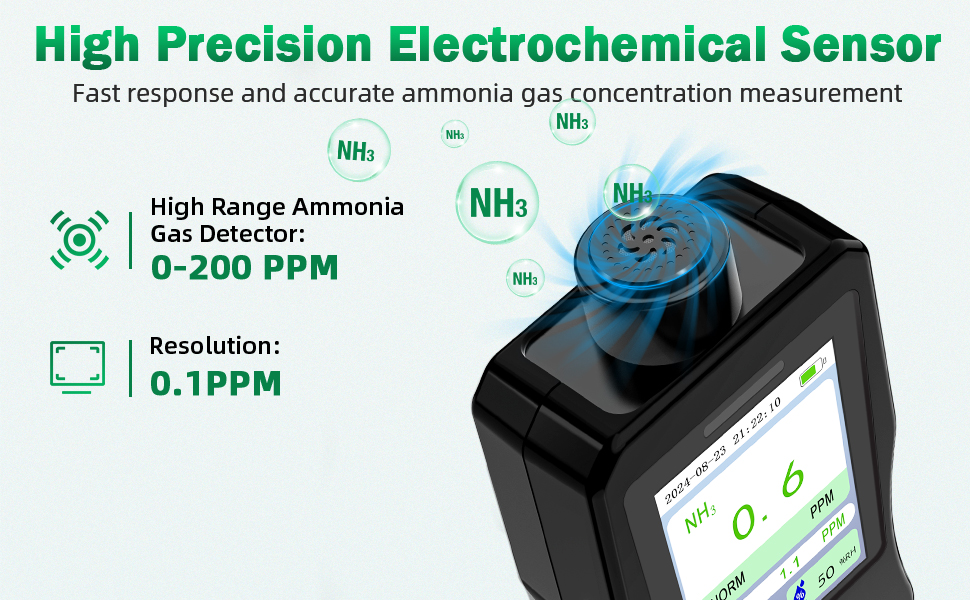
Figure 2.1: The detector features a high-precision electrochemical sensor for accurate and rapid ammonia detection.

Figure 2.2: This device functions as a 3-in-1 air quality monitor, providing readings for ammonia, humidity, and temperature.
3. Product Overview and Components
The ZYKYCX Portable Ammonia Gas Detector is designed for ease of use and portability. Familiarize yourself with the device's components and included accessories.

Figure 3.1: The Ammonia Gas Detector, including the main unit, USB Type-C charging cable, and power adapter.
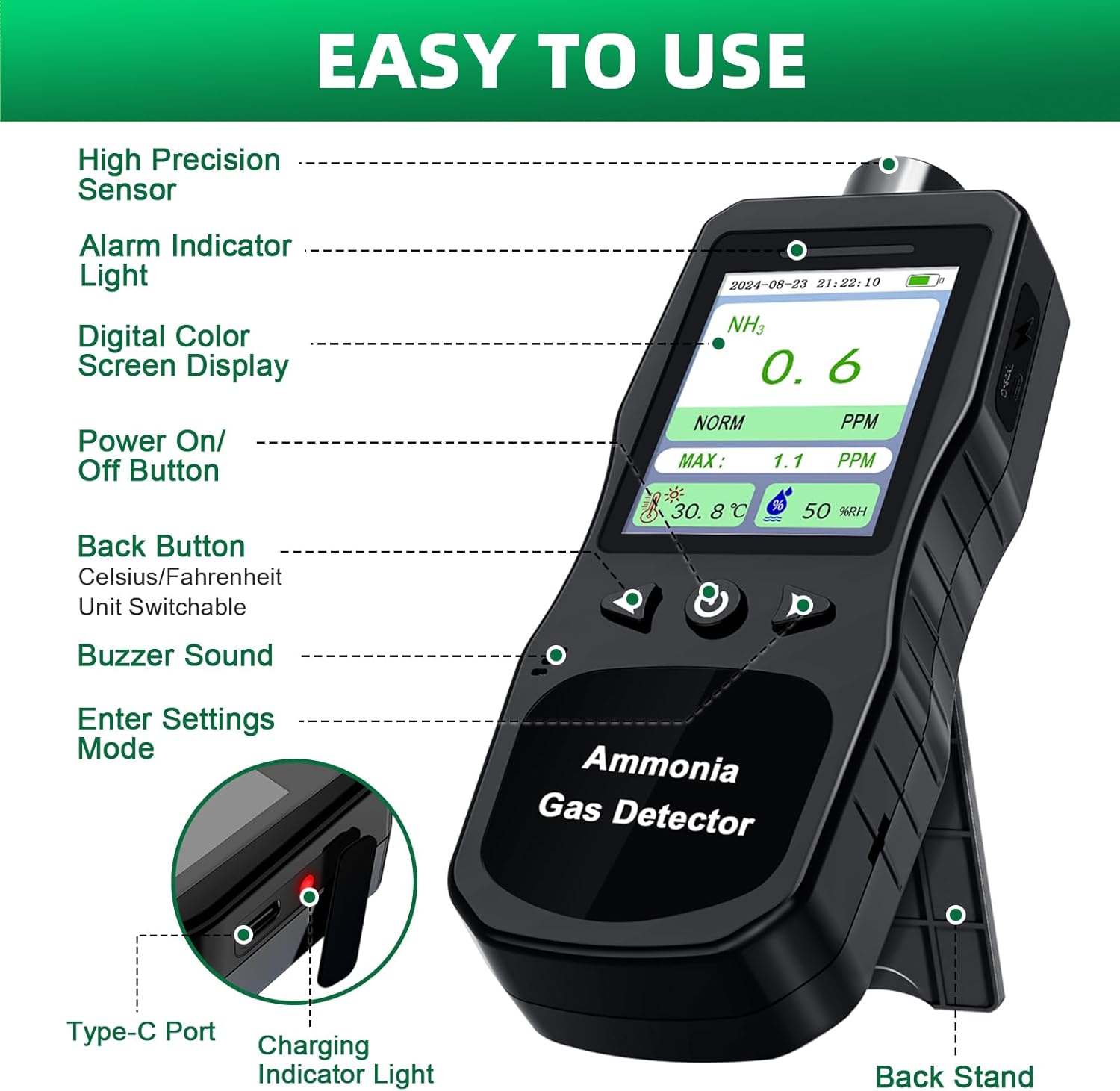
Figure 3.2: Labeled components of the ZYKYCX Ammonia Gas Detector for easy identification.
Package Contents:
- ZYKYCX Portable Ammonia Gas Detector (Model: ZY-N4000-Black)
- USB Type-C Charging Cable
- Power Adapter (USB Charger)
- Carrying Case
- Back Clip (Crocodile Clip)
- User Manual (this document)

Figure 3.3: The detector is easy to carry with the included crocodile clip and comes with a complete set of accessories.
4. Setup and Charging
4.1 Initial Charging
Before first use, fully charge the device. Connect the provided Type-C charging cable to the detector's Type-C port and the other end to the power adapter. Plug the adapter into a standard wall outlet. The charging indicator light will illuminate during charging and turn off when fully charged.
A full charge provides approximately 16 hours of continuous operation.

Figure 4.1: Charging the ZYKYCX Ammonia Gas Detector using the Type-C cable.
4.2 Powering On/Off
- To Power On: Press and hold the power button (⏻) for approximately 3 seconds until the screen illuminates.
- To Power Off: Press and hold the power button (⏻) for approximately 3 seconds until the screen turns off.
5. Operating Instructions
5.1 Basic Measurement Display
Upon powering on, the device will automatically begin measuring. The 2.8-inch LCD color screen displays the current ammonia (NH3) concentration in PPM, along with ambient temperature (in ℃ or ℉) and relative humidity (RH%). The screen also shows the maximum NH3 value detected since the last reset.
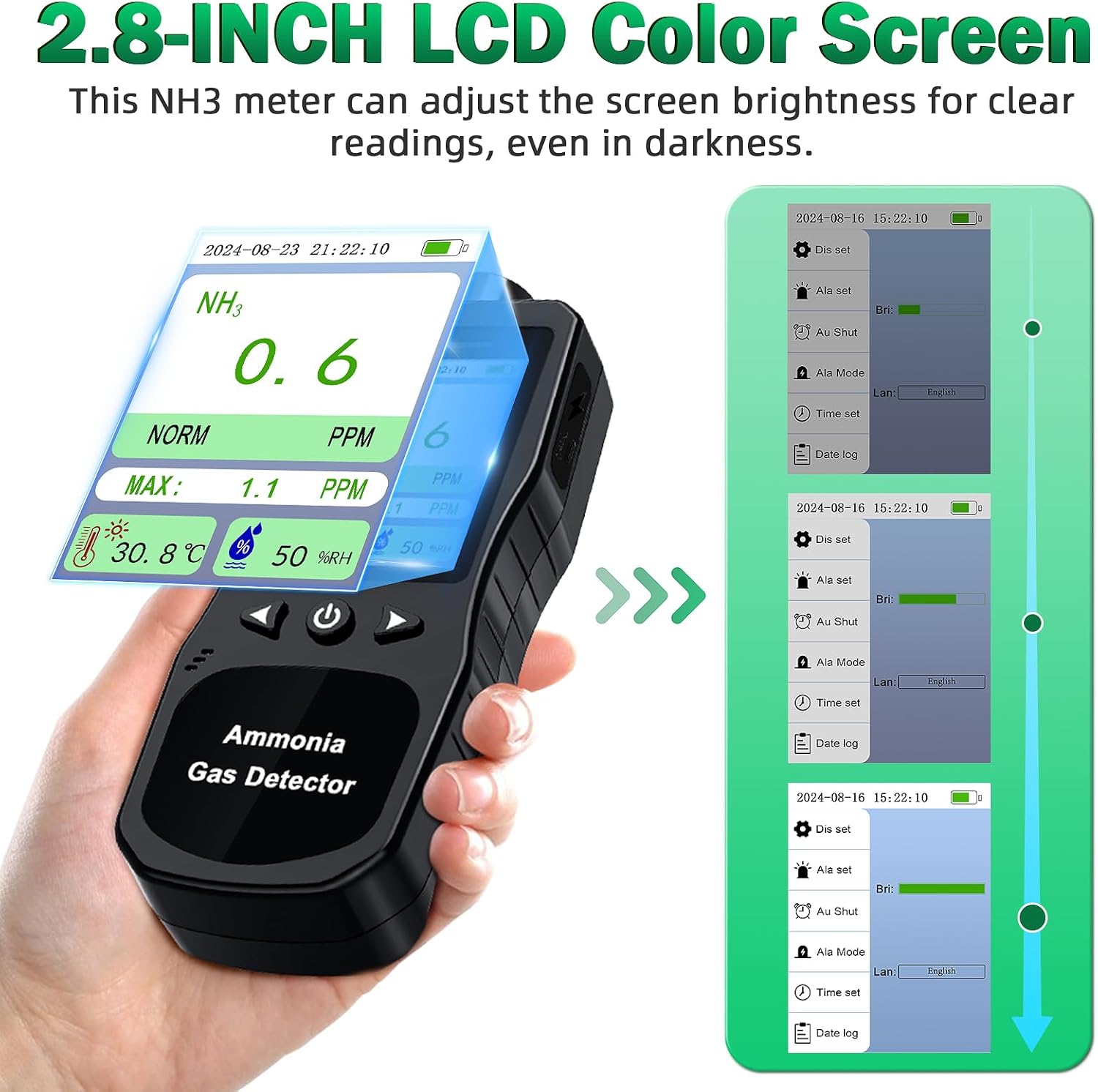
Figure 5.1: The 2.8-inch LCD color screen provides clear readings of NH3, temperature, and humidity. Brightness is adjustable.
5.2 Alarm Functions
The detector is equipped with visual, audible, and vibration alarms to alert users to elevated ammonia levels. You can set high and low alarm limits through the device settings.
- Visual Alarm: The NH3 value on the screen will turn red, and an indication light will flash.
- Audible Alarm: The device will emit a series of beeps. The frequency of beeps increases as the ammonia concentration rises.
- Vibration Alarm: The device will vibrate to provide a tactile alert.
When the ammonia level exceeds the set alarm threshold, all three alarm types will activate simultaneously.

Figure 5.2: The detector provides comprehensive audible, visual, and vibration alerts when ammonia levels exceed set limits.
5.3 Navigating Settings and Data Log
Use the navigation buttons (up/down arrows and enter button) to access and adjust device settings, such as alarm thresholds, temperature units (℃/℉), auto-shutdown time, and to review the data log.
- Data Log: The device can record up to 1,000 groups of data, allowing you to track ammonia levels over time. Access this feature through the "Date log" option in the settings menu.
- Auto Shutdown: Configure the auto-shutdown time to conserve battery life when the device is idle.

Figure 5.3: Example of the data log interface, showing recorded ammonia levels over time.

Figure 5.4: The auto-shutdown setting helps conserve battery life by automatically turning off the device after a set period of inactivity.
6. Maintenance
6.1 Cleaning
To maintain accuracy and prolong the life of your detector:
- Wipe the device exterior with a soft, dry cloth.
- Do not use abrasive cleaners, solvents, or corrosive chemicals.
- Avoid getting moisture into the sensor opening or charging port.
6.2 Storage
When not in use for extended periods, store the detector in a cool, dry place, away from direct sunlight and extreme temperatures. It is recommended to store the device in its provided carrying case to protect it from dust and physical damage.
6.3 Battery Care
To optimize battery life, avoid fully discharging the battery frequently. Recharge the device when the battery indicator shows low power. If storing for a long time, charge the battery to about 50% every 3-6 months.
7. Troubleshooting
| Problem | Possible Cause | Solution |
|---|---|---|
| Device does not power on. | Battery is depleted. | Charge the device using the provided Type-C cable and power adapter. |
| Inaccurate readings. | Sensor obstruction or contamination; extreme environmental conditions. | Ensure the sensor opening is clear. Clean the device as per maintenance instructions. Allow the device to stabilize in the environment for a few minutes. |
| Alarm not activating. | Alarm limits set too high; alarm function disabled in settings. | Check and adjust alarm thresholds in the settings menu. Ensure alarm mode is enabled. |
| Screen is dim or unreadable. | Brightness setting is low; battery is low. | Adjust screen brightness in settings. Charge the device. |
| Device not charging. | Cable or adapter faulty; charging port damaged. | Try a different Type-C cable and power adapter. Ensure the cable is fully inserted. If the issue persists, contact customer support. |
8. Specifications
| Parameter | Value |
|---|---|
| Brand | ZYKYCX |
| Model Number | ZY-N4000-Black |
| NH3 Detection Range | 0-200 PPM |
| Resolution | 0.1 PPM |
| Accuracy | ±5% FS |
| Sensor Type | Electrochemical |
| Temperature Range | -40℃ to 99℃ (-40℉ to 210℉) |
| Humidity Range | 0-99% RH |
| Operating Humidity | ≤85% RH |
| Power Source | Battery Powered (2500 mAh Lithium Ion) |
| Battery Life | Approx. 16 hours (full charge) |
| Charging Port | USB Type-C |
| Display | 2.8-inch LCD Color Screen |
| Data Storage | Up to 1,000 data groups |
| Product Dimensions | 1.2"D x 2.6"W x 6.9"H (175.7 x 67.4 x 30.5 mm) |
| Item Weight | 7.68 ounces (approx. 218g) |
| Material | ABS+PC |
| Alarm Type | Visual, Audible, Vibration |
9. Warranty and Support
ZYKYCX products are manufactured to high-quality standards. For warranty information, technical support, or service inquiries, please refer to the contact information provided with your purchase or visit the official ZYKYCX website. Please retain your proof of purchase for warranty claims.
Note: Unauthorized disassembly or modification of the device will void the warranty.