
YEBOS T2S
YEBOS Stylus Pen T2S User Manual
Model: T2S | Brand: YEBOS
1. Introduction
This manual provides comprehensive instructions for the YEBOS Stylus Pen T2S, designed for use with compatible Apple iPad models. It covers setup, operation, maintenance, and troubleshooting to ensure optimal performance and longevity of your device. The YEBOS T2S offers precise input, tilt sensitivity, and palm rejection for a natural writing and drawing experience.
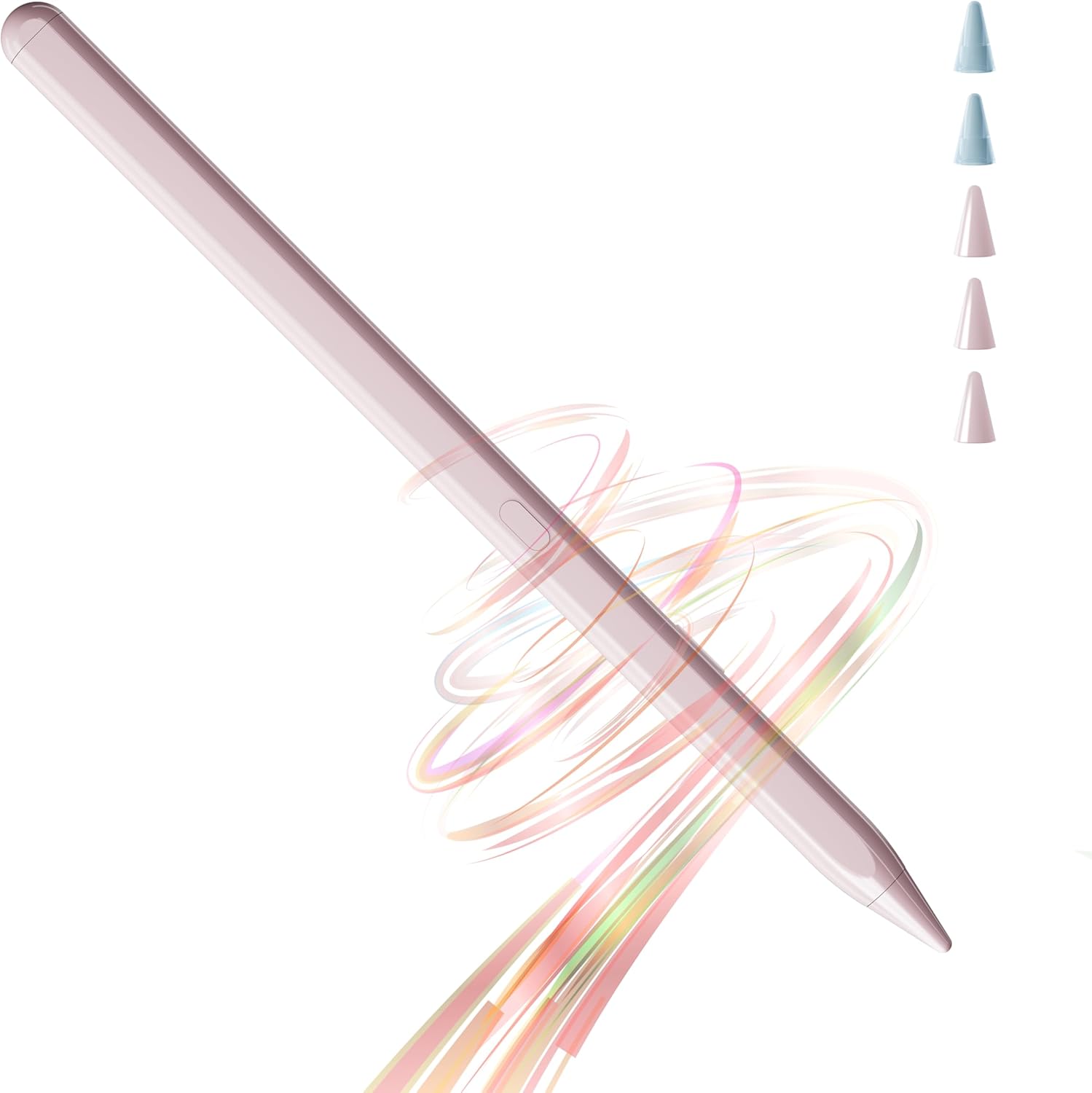
Figure 1: YEBOS Stylus Pen T2S
2. Compatibility
The YEBOS Stylus Pen T2S is exclusively compatible with Apple iPad models released between 2018 and 2025. Please verify your iPad model before use to ensure full functionality.
- iPad 6th, 7th, 8th, 9th, 10th, 11th Generation
- iPad Air 3rd, 4th, 5th, 6th Generation
- iPad Pro 11-inch 1st, 2nd, 3rd, 4th Generation
- iPad Pro 12.9-inch 3rd, 4th, 5th, 6th Generation
- iPad Mini 5th, 6th Generation
Note: The iPad 10th Gen does not support magnetic adsorption. This stylus is not compatible with any iPhone models or iPad models not listed above (e.g., iPad 1st/2nd/3rd/4th/5th Gen, iPad Pro 9.7"/10.5", iPad Mini 1/2/3/4).

Figure 2: Compatible iPad Models (2018-2025)
To check your iPad model, navigate to Settings > General > About on your device.

Figure 3: Locating Your iPad Model
3. Setup and Charging
3.1 Package Contents
Upon unboxing, please ensure all items are present:
- YEBOS Stylus Pen T2S
- 3 Smooth Tips
- 2 Durable Tips
- USB-C Charging Cable
- Product Manuals

Figure 4: Packaging List
3.2 Initial Charging
Before first use, fully charge the stylus pen. The YEBOS T2S features ultra-fast charging via its Type-C port.
- Connect the provided USB-C charging cable to the stylus.
- Plug the other end of the cable into a compatible USB power adapter (not included).
- A full charge takes approximately 45 minutes.
- The stylus can be used for 15-18 hours on a full charge.

Figure 5: USB-C Charging Port
3.3 Power On/Off
The YEBOS T2S is designed for immediate use without complex pairing. Simply turn it on and begin writing.
- To power on: Press the power button located on the stylus.
- To power off: Press and hold the power button until the indicator light turns off.

Figure 6: Instant Use - No Pairing Needed
4. Operating Instructions
4.1 Basic Usage
The YEBOS T2S provides a smooth and precise writing experience, ideal for various tasks on your iPad.
- Writing and Drawing: Use the stylus directly on your iPad screen for note-taking, sketching, and detailed artwork.
- Navigation: Navigate your iPad's interface with ease, tap on apps, scroll, and select items.
Video 1: Demonstration of YEBOS Stylus Pen features including smooth writing, zero lag, tilt sensitivity, and palm rejection.
4.2 Key Features
- Palm Rejection: Rest your palm comfortably on the iPad screen while writing or drawing without interfering with the stylus input. This mimics the natural feel of writing on paper.
- Tilt Sensitivity: Adjust the thickness of your lines by tilting the stylus. This feature allows for varied strokes, enhancing your drawing and writing capabilities. Note: This stylus does not support pressure sensitivity.
- Magnetic Adsorption: The stylus can magnetically attach to compatible iPad models (iPad Pro 12.9"/11" (excluding iPad Pro M4), iPad Air 5/4 (excluding iPad Air M2), iPad Mini 6) for convenient storage and portability.
- Yebos Note App: Enhance your experience with the Noteyebos app, developed by Yebos. It's a free note-taking and painting application available on the Apple App Store.

Figure 7: Palm Rejection in Use

Figure 8: Tilt Sensitivity
Figure 9: Magnetic Adsorption
5. Maintenance
5.1 Replacing Stylus Tips
The YEBOS T2S comes with five replacement tips (3 smooth, 2 durable) to ensure long-lasting use.
- Gently twist the old tip counter-clockwise to remove it.
- Select a new tip (smooth or durable) and align it with the stylus.
- Twist the new tip clockwise until it is securely fastened. Do not overtighten.
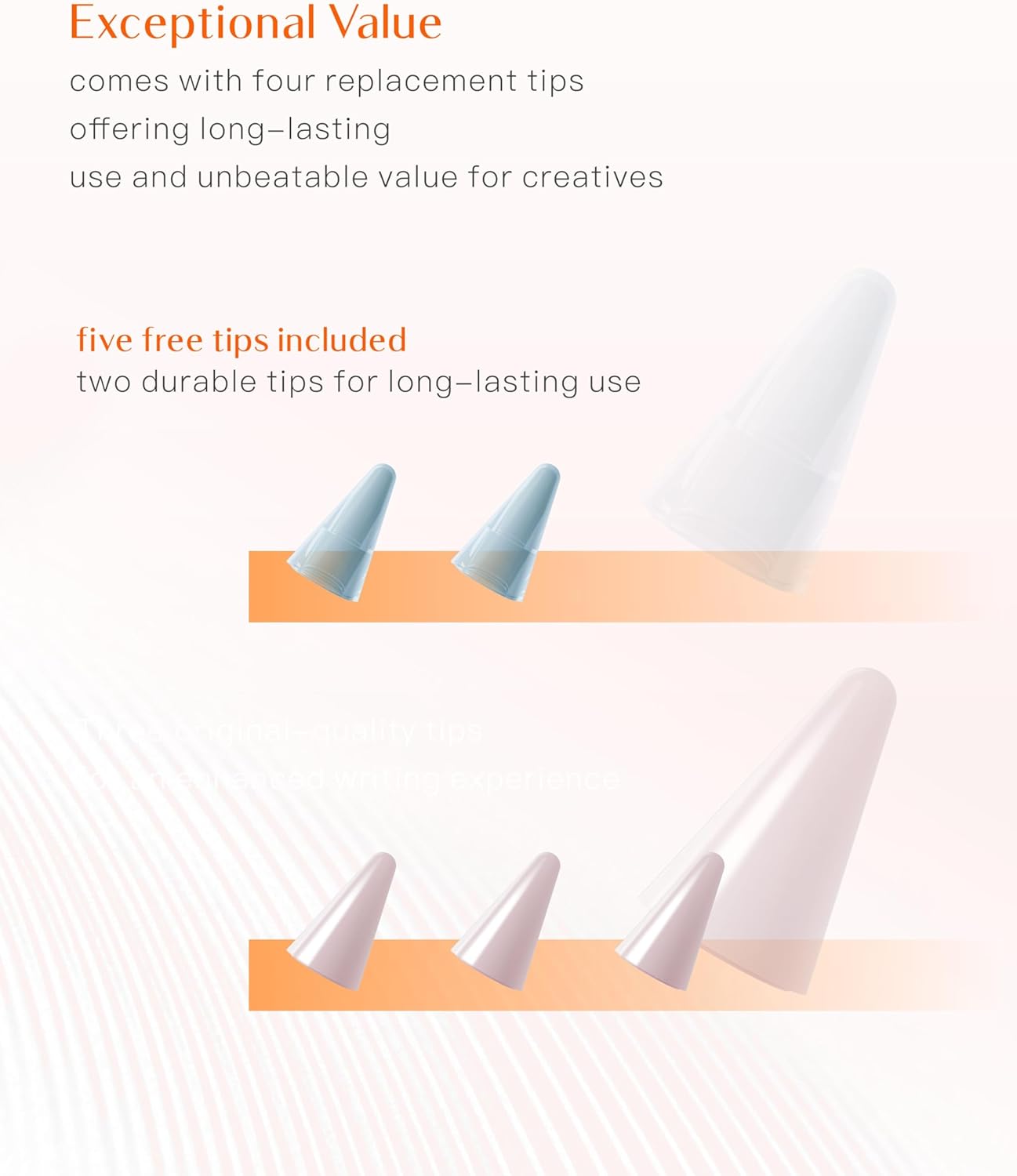
Figure 10: Stylus Tips
5.2 Cleaning and Storage
- Wipe the stylus body with a soft, dry, lint-free cloth. Avoid using abrasive cleaners or solvents.
- Store the stylus in a cool, dry place, away from direct sunlight and extreme temperatures.
- When not in use, attach the stylus magnetically to your compatible iPad or store it in a protective case to prevent damage.
6. Troubleshooting
| Problem | Possible Cause | Solution |
|---|---|---|
| Stylus not responding. | Low battery; Stylus is off; Incompatible iPad model. | Charge the stylus; Press the power button to turn on; Verify iPad compatibility (refer to Section 2). |
| Lag or inaccurate input. | Stylus tip worn out; Screen protector interference; iPad software issue. | Replace the stylus tip; Ensure screen protector is stylus-friendly; Restart your iPad. |
| Palm rejection not working. | iPad settings; Incompatible app. | Ensure "Only Draw with Apple Pencil" (or similar) is enabled in iPad settings if applicable; Use apps that support palm rejection. |
| Stylus not magnetically attaching. | Incompatible iPad model. | Magnetic adsorption is only supported on specific iPad models (refer to Section 4.2). |
7. Product Specifications
- Model: T2S
- Brand: YEBOS
- Color: 20 Hours Pink (for this variant)
- Material: Aluminum
- Product Dimensions: 0.39 x 0.39 x 6.61 inches
- Item Weight: 0.494 ounces (14 Grams)
- Battery Type: 1 Lithium Polymer battery (included)
- Battery Life (Average Standby): 20 Hours
- Charging Time: Approximately 45 minutes for full charge
- Compatible Devices: Tablet (specifically Apple iPad models 2018-2025)
- Features: Tilt Sensitivity, Palm Rejection, Magnetic Adsorption (on compatible models), No Pairing Required
- ASIN: B0D8DQYF68
- Date First Available: June 6, 2023
8. Warranty and Support
YEBOS is committed to providing high-quality products and dedicated customer support.
- Warranty: While specific warranty terms may vary by region or retailer, YEBOS products are generally backed by a quality assurance commitment. Some reviews indicate a 2-year warranty. Please retain your purchase receipt for warranty claims.
- Customer Service: For any questions, technical assistance, or support needs, please contact YEBOS Official customer service.
- Online Resources: Visit the official YEBOS store on Amazon for additional product information and updates: YEBOS Official Store.
Related documentsT2S


Ask a question about this manual
Ask about setup, troubleshooting, compatibility, parts, safety, or missing instructions. Manuals+ will review the question and use this page’s manual context to help answer it.