Introduction
This manual provides essential information for the safe and efficient use of your Sony XR77A95L BRAVIA XR A95L 77-inch QD-OLED 4K HDR Smart TV. Please read these instructions thoroughly before operating the television and retain them for future reference. This unit is a manufacturer-refurbished product, fully tested to deliver reliable performance.
Important Safety Information
Always follow basic safety precautions when using this television to reduce the risk of fire, electric shock, and injury. Keep the television away from water and moisture. Ensure proper ventilation. Do not block ventilation openings. Use only attachments/accessories specified by the manufacturer. Refer all servicing to qualified service personnel.
What's in the Box
Upon unpacking, verify that all the following items are present:
- Sony BRAVIA XR A95L 77 inch QD-OLED 4K HDR Smart TV
- Table-top stand
- AC Power Cord
- Quick Setup Guide
- Operating Instructions (this manual)
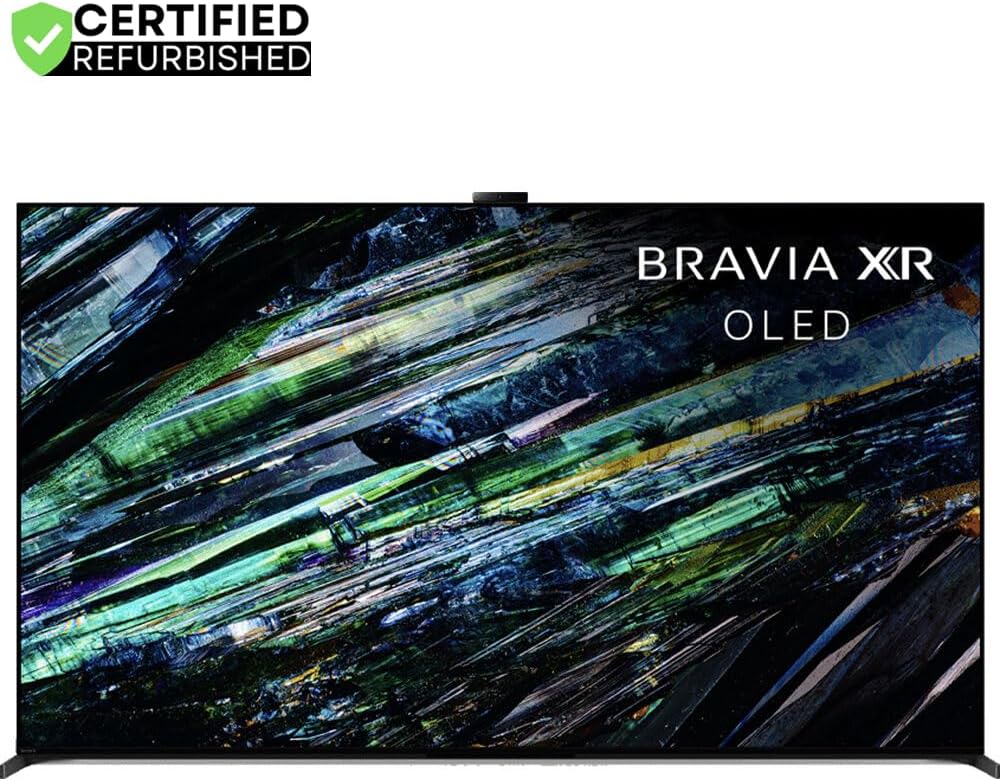
Image: Front view of the Sony BRAVIA XR A95L 77-inch QD-OLED 4K HDR Smart TV.
Setup
1. Stand Installation
Carefully place the TV screen-down on a soft, flat surface. Attach the table-top stand to the designated mounting points on the back of the TV using the provided screws. Ensure the stand is securely fastened before proceeding.

Image: Close-up view of the TV stand attached to the bottom corner of the television.
2. Connecting Cables
Connect your external devices (e.g., Blu-ray player, game console, soundbar) to the appropriate HDMI, USB, or other input ports on the TV. Refer to the port diagram below for guidance.

Image: Rear view of the Sony TV displaying various input and output ports, including HDMI and USB.
3. Power Connection
Connect the AC power cord to the TV's power input, then plug the other end into a wall outlet. The TV is designed for standard household power.
4. Initial Setup (Google TV)
Upon first power-on, the TV will guide you through the initial setup process for Google TV. This includes selecting your language, connecting to a Wi-Fi network, signing in with your Google account, and tuning channels if applicable. Follow the on-screen instructions.

Image: The Sony TV screen showing the Google TV interface with various streaming application icons.
Operating Instructions
Basic TV Functions
- Power On/Off: Press the power button on the remote control or the TV.
- Channel Selection: Use the CH +/- buttons or the number pad on the remote.
- Volume Control: Use the VOL +/- buttons.
- Input Selection: Press the INPUT button to switch between connected devices (HDMI, etc.).
Smart TV Features (Google TV)
Your Sony BRAVIA XR TV features Google TV, providing access to a vast library of streaming services, apps, and personalized content recommendations. Use the remote's navigation buttons to browse the interface.
- Home Screen: Access personalized content, apps, and settings.
- Voice Control: Use the built-in microphone on your remote to search for content, control playback, and manage smart home devices with Google Assistant. The TV also works with Alexa.
- Chromecast Built-In: Cast content from your compatible mobile devices directly to the TV.

Image: The Google TV home screen displayed on the Sony television, showing various content categories and app icons.
Picture and Sound Settings
Your TV is equipped with advanced processing technologies for optimal picture and sound quality.
- Cognitive Processor XR: This processor intelligently analyzes and optimizes picture and sound in real-time for a more immersive experience.
- XR OLED Contrast Pro: Delivers pure blacks and lifelike brightness for stunning contrast.
- XR Triluminos Max: Produces a wider spectrum of vibrant and accurate colors.
- Acoustic Surface Audio+: Sound emanates directly from the screen, matching the action.
- Dolby Atmos & 360 Spatial Sound: Provides immersive, multi-dimensional audio.

Image: A close-up of the Sony Cognitive Processor XR chip, highlighting its advanced technology.

Image: A vibrant display of various fruits, demonstrating the wide color gamut of XR Triluminos Max technology.

Image: A split screen showing a nebula, illustrating the deep blacks and bright highlights achieved with XR OLED Contrast Pro.
Maintenance
Cleaning the TV
- Screen: Gently wipe the screen with a soft, dry microfiber cloth. For stubborn smudges, lightly dampen the cloth with water or a screen-cleaning solution specifically designed for electronics. Do not spray liquid directly onto the screen.
- Cabinet: Wipe the TV cabinet with a soft, dry cloth. Avoid using abrasive cleaners, waxes, or solvents.
Software Updates
Your TV may receive automatic software updates via its internet connection. Ensure the TV is connected to the internet to receive the latest features and performance improvements. You can also manually check for updates in the TV's settings menu.
Troubleshooting
If you encounter issues with your TV, refer to the following common solutions:
| Problem | Possible Solution |
|---|---|
| No Power | Check if the power cord is securely connected to both the TV and the wall outlet. Test the outlet with another device. |
| No Picture/Sound | Ensure the correct input source is selected. Check all cable connections to external devices. Try restarting the TV. |
| Remote Not Working | Replace the batteries in the remote control. Ensure there are no obstructions between the remote and the TV's IR sensor. |
| Network Connection Issues | Verify your Wi-Fi router is on and functioning. Reconnect to the Wi-Fi network in the TV's settings. Try restarting your router. |
For more detailed troubleshooting or persistent issues, please consult the Sony support website or contact customer service.
Specifications
| Feature | Detail |
|---|---|
| Brand | Sony |
| Model Number | CRTE99SNXR77A95L |
| Screen Size | 76.8 Inches (77-inch class) |
| Display Technology | Quantum Dot OLED |
| Resolution | 4K (3840 x 2160) |
| Refresh Rate | 120 Hz |
| Aspect Ratio | 16:9 |
| Product Dimensions (DxWxH) | 16.25"D x 67.63"W x 40"H |
| Item Weight | 81.3 Pounds |
| Connectivity Technology | Bluetooth, Wi-Fi |
| Special Features | Cognitive Processor XR; XR Contrast Booster; XR Triluminos Pro; XR Clear Image; XR Surround, Dolby Atmos; 360 Spatial Sound; Chromecast Built-In; Works with Alexa; Ambient Optimization Pro |
| Speaker Type | Acoustic Surface Audio+ |
Warranty and Support
Warranty Information
This manufacturer-refurbished unit is backed by a 90-day manufacturer warranty. Additionally, this product bundle includes a 2-year extended protection plan for enhanced peace of mind. Please refer to the specific terms and conditions provided with your extended protection plan for full details.
Image: The Sony BRAVIA XR A95L 77-inch TV, accompanied by a graphic indicating a 2-year premium protection plan.
Customer Support
For technical assistance, troubleshooting, or warranty claims, please contact Sony customer support or refer to the official Sony support website. Have your model number (XR77A95L) and serial number ready when contacting support.


