
Introduction
Welcome to the user manual for your new Itel S9 Pro Wireless In-Ear Earbuds. This guide provides detailed instructions on how to set up, operate, maintain, and troubleshoot your device to ensure an optimal audio experience. Please read this manual carefully before using the earbuds.
Product Overview
The Itel S9 Pro earbuds are designed for immersive sound and convenient wireless listening. Key features include:
- Extended Playtime: Up to 40 hours of total playtime with the charging case, and 6 hours of non-stop playback on a single charge.
- Enhanced Audio: Features heavy bass optimized by DSP (Digital Signal Processing) and 10mm dynamic drivers for powerful sound.
- Clear Communication: Equipped with 2-Mic Environmental Noise Cancellation (ENC) for clear voice calls.
- Fast Charging: Type-C fast charging provides 120 minutes of playback from just a 10-minute charge.
- Low Latency: Ultra-low 45ms audio latency for synchronized audio and video.
- Water Resistance: IPX5 water resistance protects against sweat and light splashes.
- Intuitive Controls: Touch controls for easy management of music and calls.
- Comfortable Design: Rounded tips earpiece shape and full in-ear form factor for a secure and comfortable fit.
- Connectivity: Bluetooth V5.4 for stable and efficient wireless connection.
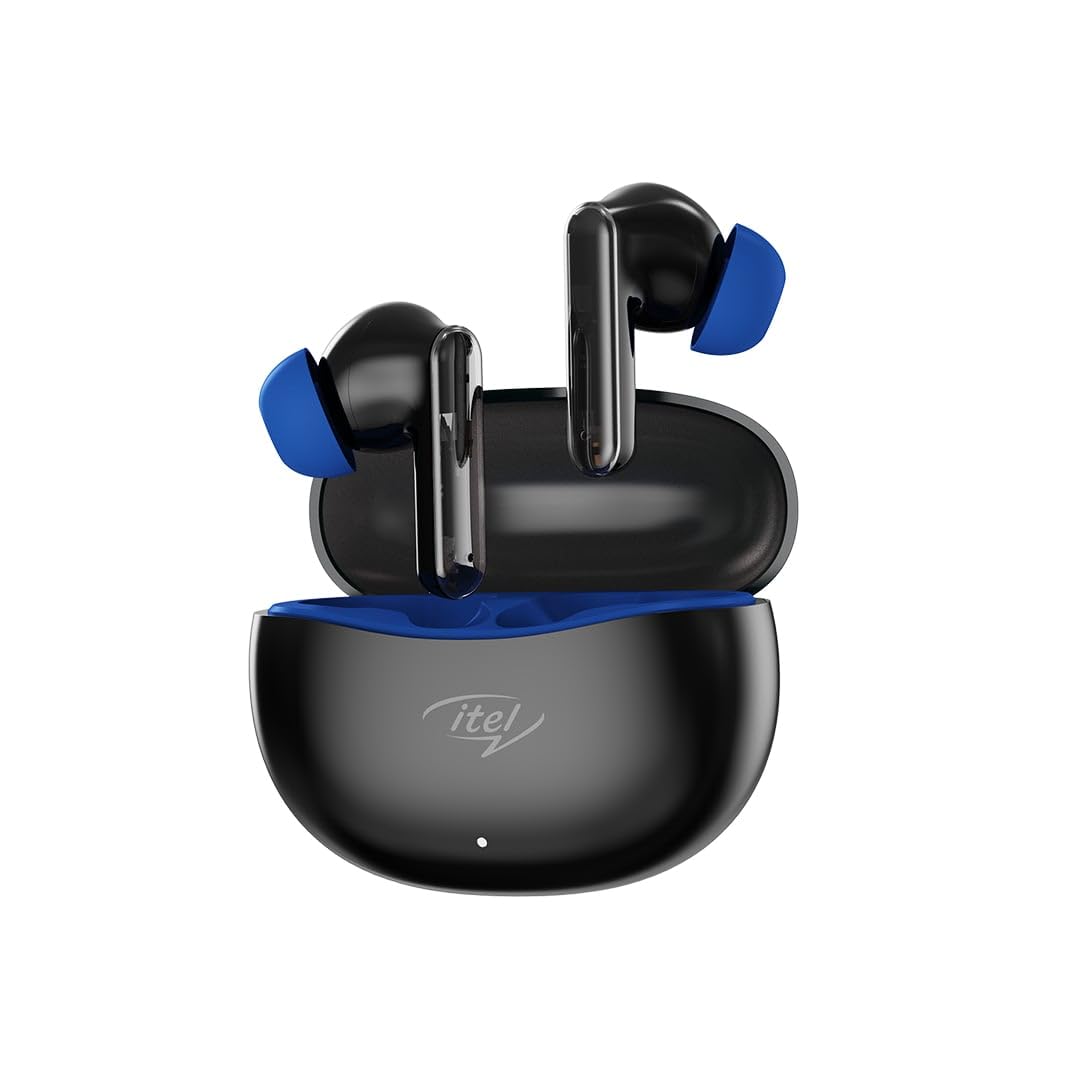
Image: The Itel S9 Pro Wireless In-Ear Earbuds, black with blue ear tips, resting in their open charging case.
Setup
1. Charging the Earbuds and Case
Before first use, fully charge the earbuds and the charging case.
- Place the earbuds into the charging case. Ensure they are correctly seated.
- Connect the provided USB Type-C charging cable to the charging port on the case and the other end to a USB power adapter (not included) or a computer's USB port.
- The indicator light on the charging case will show the charging status. Once fully charged, the indicator will change or turn off depending on the model.
2. Pairing with a Device
Follow these steps to pair your Itel S9 Pro earbuds with your Bluetooth-enabled device:
- Open the charging case. The earbuds will automatically enter pairing mode, and their indicator lights will flash (usually blue and red alternately).
- On your device (smartphone, tablet, laptop), enable Bluetooth.
- Search for available Bluetooth devices. You should see "Itel S9 Pro" in the list.
- Select "Itel S9 Pro" to connect. Once connected, the earbud indicator lights will stop flashing or flash slowly.
- If pairing fails, turn off Bluetooth on your device, place the earbuds back in the case, close it, and then repeat the steps.
Operating Instructions
Power On/Off
- Power On: Open the charging case, and the earbuds will automatically power on. Alternatively, press and hold the touch area on both earbuds for 3 seconds.
- Power Off: Place the earbuds back into the charging case and close the lid. Alternatively, disconnect them from Bluetooth, and they will power off automatically after a few minutes, or press and hold the touch area on both earbuds for 5 seconds.
Touch Controls
The Itel S9 Pro earbuds feature intuitive touch controls. The functions may vary slightly depending on your device and application.
| Action | Function |
|---|---|
| Single tap (Left/Right earbud) | Play/Pause music, Answer/End call |
| Double tap (Right earbud) | Next track |
| Double tap (Left earbud) | Previous track |
| Triple tap (Left/Right earbud) | Activate Voice Assistant |
| Press and hold (Left/Right earbud, 2 seconds) | Reject incoming call |
| Press and hold (Left earbud, 2 seconds) | Volume Down |
| Press and hold (Right earbud, 2 seconds) | Volume Up |
Maintenance
- Cleaning: Regularly clean the earbuds and charging case with a soft, dry, lint-free cloth. Do not use harsh chemicals or abrasive materials.
- Storage: When not in use, store the earbuds in their charging case to protect them and keep them charged.
- Water Resistance: The earbuds are IPX5 water resistant, meaning they can withstand light splashes and sweat. Do not submerge them in water or expose them to heavy rain. Ensure they are dry before placing them back in the charging case.
- Temperature: Avoid exposing the earbuds to extreme temperatures (hot or cold) as this can affect battery life and performance.
Troubleshooting
If you encounter any issues with your Itel S9 Pro earbuds, refer to the following common solutions:
- Earbuds not pairing: Ensure both earbuds are charged. Place them back in the case, close the lid, then open it again to re-enter pairing mode. Check your device's Bluetooth settings and try reconnecting.
- Only one earbud working: Ensure both earbuds are charged. Try placing both earbuds back in the case, closing the lid, and then reopening it. If the issue persists, try resetting the earbuds (refer to the manufacturer's specific reset instructions if available, or try forgetting the device on your phone and re-pairing).
- No sound: Check the volume level on both your device and the earbuds. Ensure the earbuds are properly connected to your device.
- Charging issues: Ensure the charging cable is securely connected to both the case and the power source. Try a different charging cable or power adapter. Clean the charging contacts on the earbuds and inside the case.
- Poor sound quality: Ensure the earbuds are properly seated in your ears. Try different ear tip sizes for a better seal. Check for any obstructions in the earbud nozzles.
Specifications
| Feature | Detail |
|---|---|
| Model Name | S9 Pro |
| Connectivity Technology | Wireless (Bluetooth) |
| Bluetooth Version | 5.4 |
| Audio Driver Type | Dynamic Driver (10mm) |
| Audio Latency | 45 Milliseconds |
| Noise Control Features | Environmental Noise Cancellation (ENC) |
| Control Method | Touch |
| Water Resistance Level | IPX5 Water Resistant |
| Earpiece Shape | Rounded tips |
| Form Factor | Full in-ear |
| Material | Plastic |
| Item Weight | 22 g |
| Product Dimensions | 120 x 10 x 10 cm |
| Recommended Uses | Calling, Exercising, Music Listening |
What's in the Box
The Itel S9 Pro Wireless In-Ear Earbuds package includes:
- Itel S9 Pro Wireless In-Ear Earbuds (Left and Right)
- Charging Case
- USB Type-C Charging Cable
Note: Other accessories like a power adapter or additional ear tips may be sold separately or included depending on the region.
Warranty and Support
For warranty information and customer support, please refer to the documentation included with your purchase or visit the official Itel website. Keep your proof of purchase for warranty claims.
Product Video Overview
A video overview of the Itel S9 Pro Earbuds would be embedded here if a direct URL to an official seller video was provided in the product data. This video would typically cover key features, design, and compatibility.
Video Placeholder: Official Product Video
If an official seller video URL (m3u8 format) were available, it would be embedded here with a maximum width of 420px.


