
1. Product Overview
The Itel Buds Ace 2 are True Wireless Stereo (TWS) earbuds designed to deliver a premium audio experience with advanced features for daily use. These earbuds offer extended battery life, clear call quality, and a durable, comfortable design.

Image: Itel Buds Ace 2 TWS Earbuds in their open white charging case.
2. What's in the Box
Please check the package contents to ensure all items are present:
- Itel Buds Ace 2 TWS Earbuds (Left and Right)
- Charging Case
- USB Type-C Charging Cable
- Extra Ear Tips (various sizes)
- User Manual (this document)
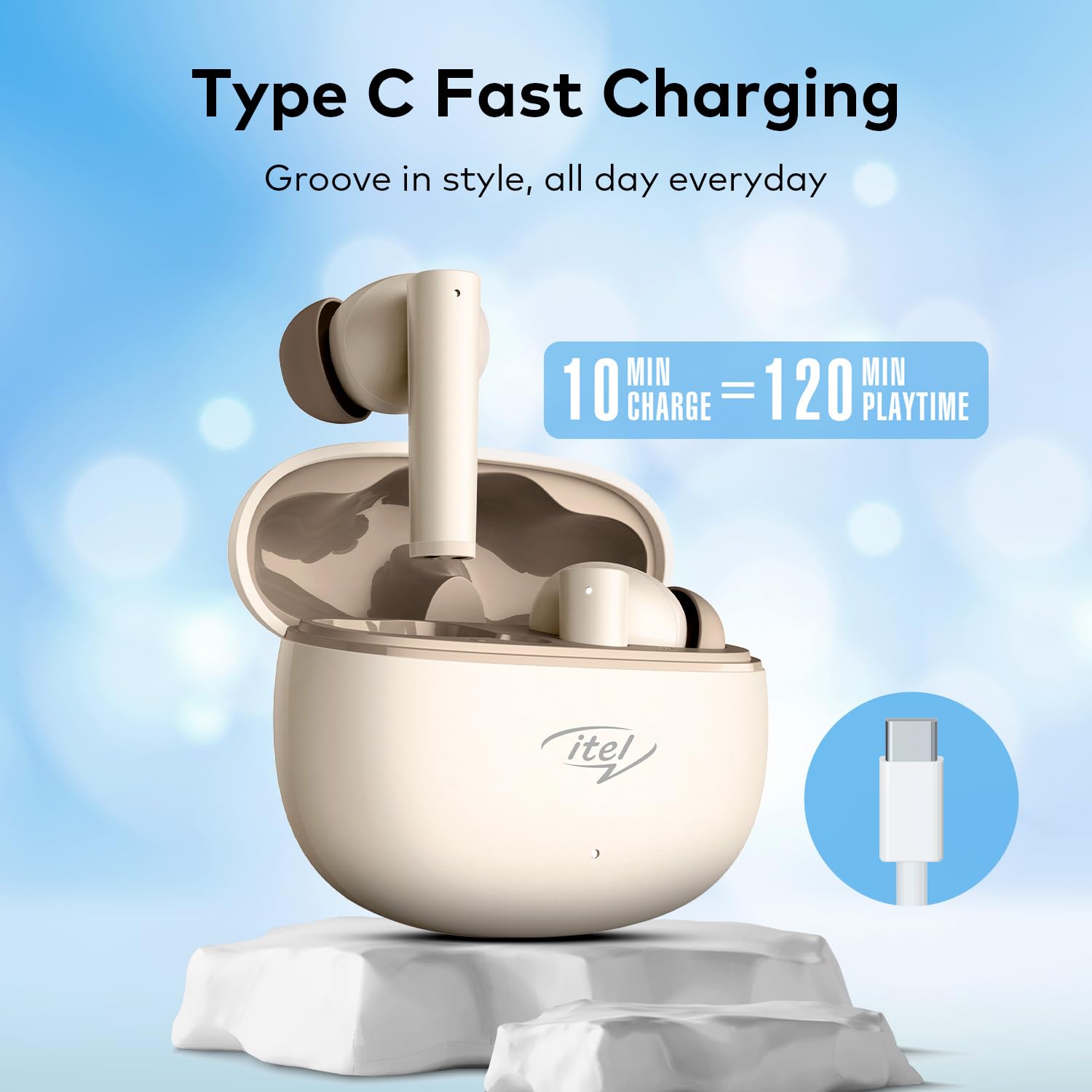
Image: The Itel Buds Ace 2 earbuds, charging case, and USB Type-C cable laid out.
3. Product Features
- 13mm Bass Boost Drivers: Experience rich and powerful audio with enhanced bass for an immersive listening experience.
- 360° Deep Bass with DSP: Digital Signal Processing (DSP) technology optimizes sound for a comprehensive deep bass effect.
- Quad Mic ENC: Environmental Noise Cancellation (ENC) with four microphones ensures crystal-clear call quality by reducing background noise.
- 50 Hours Playtime: Enjoy extended listening sessions with up to 50 hours of total playtime (including charges from the case).
- Fast Charging: A quick 10-minute charge provides up to 120 minutes of playback.
- Type-C Charging: Convenient and universal Type-C port for charging the case.
- IPX5 Water Resistance: Designed to withstand splashes and sweat, making them suitable for workouts and outdoor activities.
- Bluetooth 5.3 Connectivity: Provides a stable, reliable, and efficient wireless connection with compatible devices.
- Touch Control: Intuitive touch sensors on the earbuds allow for easy management of music playback, calls, and voice assistant activation.
- Ergonomic Design: Secure and comfortable fit for prolonged wear during various activities.

Image: A close-up view of an earbud, emphasizing the 13mm Bass Boost Drivers for premium audio.

Image: The Itel Buds Ace 2 charging case with a Type-C cable, illustrating the fast charging capability: 10 minutes charge for 120 minutes playtime.

Image: The Itel Buds Ace 2 charging case being splashed with water, indicating its IPX5 water resistance.
4. Setup and Pairing
4.1 Initial Charging
- Open the charging case and place both earbuds inside.
- Connect the provided USB Type-C cable to the charging port on the case and a power source.
- The indicator light on the case will show charging status. Ensure the earbuds and case are fully charged before first use.
4.2 Power On/Off
- Power On: Open the charging case, and the earbuds will automatically power on. Alternatively, long-press the touch area on both earbuds for 3 seconds.
- Power Off: Place the earbuds back into the charging case and close the lid. They will automatically power off and begin charging. Alternatively, long-press the touch area on both earbuds for 5 seconds.
4.3 Bluetooth Pairing
- Ensure the earbuds are charged and powered on.
- Open the charging case. The earbuds will enter pairing mode, indicated by a flashing LED light on one of the earbuds.
- On your device (smartphone, tablet, etc.), enable Bluetooth.
- Search for available Bluetooth devices and select "Itel Buds Ace 2" from the list.
- Once connected, the LED indicator on the earbuds will stop flashing, and your device will confirm the connection.
- If pairing fails, turn off the earbuds, disable Bluetooth on your device, and repeat the steps.
Video: A brief product overview demonstrating unboxing, pairing, and key features of the Itel Buds Ace 2.
5. Operating Instructions
5.1 Wearing the Earbuds
Gently insert the earbuds into your ears and rotate them slightly to find a comfortable and secure fit. Ensure the ear tips create a good seal for optimal sound quality and bass response.
5.2 Touch Controls
The Itel Buds Ace 2 feature intuitive touch controls on each earbud. The specific functions may vary slightly, but common controls include:
- Play/Pause: Single tap on either earbud.
- Next Track: Double tap on the right earbud.
- Previous Track: Double tap on the left earbud.
- Answer/End Call: Single tap on either earbud during an incoming call.
- Reject Call: Long press on either earbud during an incoming call.
- Activate Voice Assistant: Triple tap on either earbud.
6. Maintenance and Care
To ensure the longevity and optimal performance of your Itel Buds Ace 2 earbuds, follow these maintenance guidelines:
- Cleaning: Regularly clean the earbuds and charging case with a soft, dry, lint-free cloth. Do not use harsh chemicals or abrasive materials.
- Ear Tips: Remove ear tips and clean them with mild soap and water. Ensure they are completely dry before reattaching.
- Charging Port: Keep the Type-C charging port free from dust and debris.
- Storage: When not in use, store the earbuds in their charging case to protect them from damage and keep them charged.
- Water Resistance: While IPX5 rated, avoid submerging the earbuds in water or exposing them to heavy rain. Dry them thoroughly if they get wet.
- Temperature: Avoid exposing the earbuds to extreme temperatures (hot or cold) or direct sunlight for extended periods.
7. Troubleshooting
If you encounter any issues with your Itel Buds Ace 2, try the following solutions:
| Problem | Solution |
|---|---|
| Earbuds not pairing with device |
|
| No sound from one or both earbuds |
|
| Charging issues |
|
| Earbuds keep disconnecting |
|
7.1 Resetting the Earbuds
If you experience persistent issues, a factory reset may resolve them:
- Place both earbuds into the charging case.
- Keep the lid open.
- Press and hold the reset button (usually a small button inside the case or a touch area on the earbuds) for approximately 10-15 seconds until the indicator lights flash, indicating a successful reset.
- Remove the earbuds and try pairing them again with your device.
8. Specifications
| Feature | Detail |
|---|---|
| Model Name | Buds Ace 2 |
| Connectivity Technology | Bluetooth |
| Bluetooth Version | 5.3 |
| Audio Driver Size | 13mm |
| Battery Life (Total) | Up to 50 Hours |
| Fast Charging | 10 min charge = 120 min playtime |
| Charging Port | USB Type-C |
| Water Resistance | IPX5 |
| Microphones | Quad Mic with ENC |
| Control Type | Touch Control |
| Material | Plastic |
| Item Weight | 22 g |
9. Warranty and Support
For warranty information, technical support, or service inquiries, please refer to the warranty card included in your product packaging or visit the official Itel website. Keep your proof of purchase for warranty claims.
