
1. Introduction
This manual provides essential information for the safe operation, maintenance, and care of your Pride Mobility Baja Raptor 2 3-Wheel Scooter. Please read this manual thoroughly before operating your scooter to ensure proper use and to maximize its lifespan. Keep this manual for future reference.

Figure 1: Front-side view of the Pride Mobility Baja Raptor 2 3-Wheel Scooter, showcasing its matte black finish and three-wheel design.
2. Setup and Initial Preparation
Before your first ride, ensure the scooter is properly set up and charged.
2.1 Unpacking and Assembly
Carefully remove all components from the packaging. Refer to the included assembly guide for detailed instructions on attaching the seat, tiller, and other accessories. Ensure all connections are secure.
2.2 Battery Charging
The Baja Raptor 2 is equipped with two 12V batteries. Fully charge the batteries before initial use. Connect the charger to the scooter's charging port and then to a standard wall outlet. The charging indicator will show when charging is complete. Avoid overcharging or completely draining the battery to prolong its life.
Important: Always use the charger provided by Pride Mobility.
3. Operating Instructions
Familiarize yourself with the controls and safety features before operating the scooter.
3.1 Controls Overview
The tiller houses the main controls, including the ignition, speed adjustment, horn, and lighting controls.

Figure 2: Digital display showing speed, battery level, and mileage on the scooter's dashboard.
- Ignition Key: Turns the scooter on and off.
- Speed Control Dial: Adjusts the maximum speed.
- Throttle Lever: Press to move forward or backward.
- Battery Indicator: Displays remaining battery charge.
- Headlights/Taillights: Controls for illumination.
- Horn Button: Activates the horn for safety.
3.2 Driving the Scooter
- Insert the key and turn it to the "ON" position.
- Adjust the speed control dial to your desired maximum speed.
- Gently press the throttle lever to begin moving. Release the lever to engage the automatic braking system.
- Steer using the tiller.
- For optimal comfort, the 20"x18" memory foam seat offers limited recline and manual adjustment, along with adjustable armrests.
3.3 Safety Guidelines
- Always wear appropriate safety gear.
- Observe all local traffic laws and regulations.
- Do not operate the scooter under the influence of alcohol or medication.
- Avoid sudden stops or turns, especially at high speeds.
- Be aware of your surroundings and pedestrians.
- The scooter has a weight capacity of 400 lbs. Do not exceed this limit.
4. Maintenance
Regular maintenance ensures the longevity and reliable performance of your scooter.
4.1 Battery Care
- Charge batteries regularly, even if the scooter is not in use, to maintain optimal performance.
- Store the scooter and batteries in a cool, dry place.
- Inspect battery terminals for corrosion and clean if necessary.
4.2 Cleaning
Wipe down the scooter with a damp cloth and mild detergent. Avoid using abrasive cleaners or direct water spray, which can damage electronic components.
4.3 General Checks
- Periodically check tire pressure and inflate to recommended levels.
- Inspect all cables and connections for wear or damage.
- Ensure all fasteners are tight.

Figure 3: Under-seat storage area, providing convenient space for personal items.
5. Troubleshooting
This section addresses common issues you might encounter with your Baja Raptor 2 scooter.
| Problem | Possible Cause | Solution |
|---|---|---|
| Scooter does not turn on. | Battery discharged, key not fully inserted, circuit breaker tripped. | Charge batteries, ensure key is fully inserted and turned, check and reset circuit breaker. |
| Scooter moves slowly or has reduced range. | Low battery charge, underinflated tires, excessive weight. | Fully charge batteries, check and inflate tires to correct pressure, reduce load. |
| Motor makes unusual noise. | Loose components, foreign object, motor issue. | Inspect for loose parts or obstructions. If noise persists, contact customer support. |
If you encounter an issue not listed here or if the suggested solutions do not resolve the problem, please contact Pride Mobility customer support.
6. Specifications
| Feature | Detail |
|---|---|
| Product Dimensions | 69 x 27.12 x 28 inches (assembled); 59"D x 27.12"W x 28"H |
| Item Model Number | Pride Mobility Baja Raptor 2 3-wheel |
| Batteries | 2 x 12V batteries (included) |
| Manufacturer | Pride Mobility |
| Color | Matte Black (shroud 7 colors option) |
| Item Weight | 318.8 Pounds |
| Weight Capacity | 400 Lbs |
| Top Speed | Up to 14 miles per hour |
| Range (220 Lbs rider) | Up to 31 miles (at low speed) |
| Range (400 Lbs rider) | Up to 19 miles |
| Seat Size | 20"x18" limited recline memory foam seat |
| Suspension | Full suspension with premium shock absorbency |
| Drive System | Rear-wheel drive, sealed transaxle, 24-volt DC motor |
7. Warranty and Support
7.1 Warranty Coverage
Your Pride Mobility Baja Raptor 2 scooter comes with comprehensive warranty coverage:
- Lifetime Limited Warranty on the Frame.
- 2-Year Limited Warranty on Electronics.
- 2-Year Limited Warranty on Drivetrain.
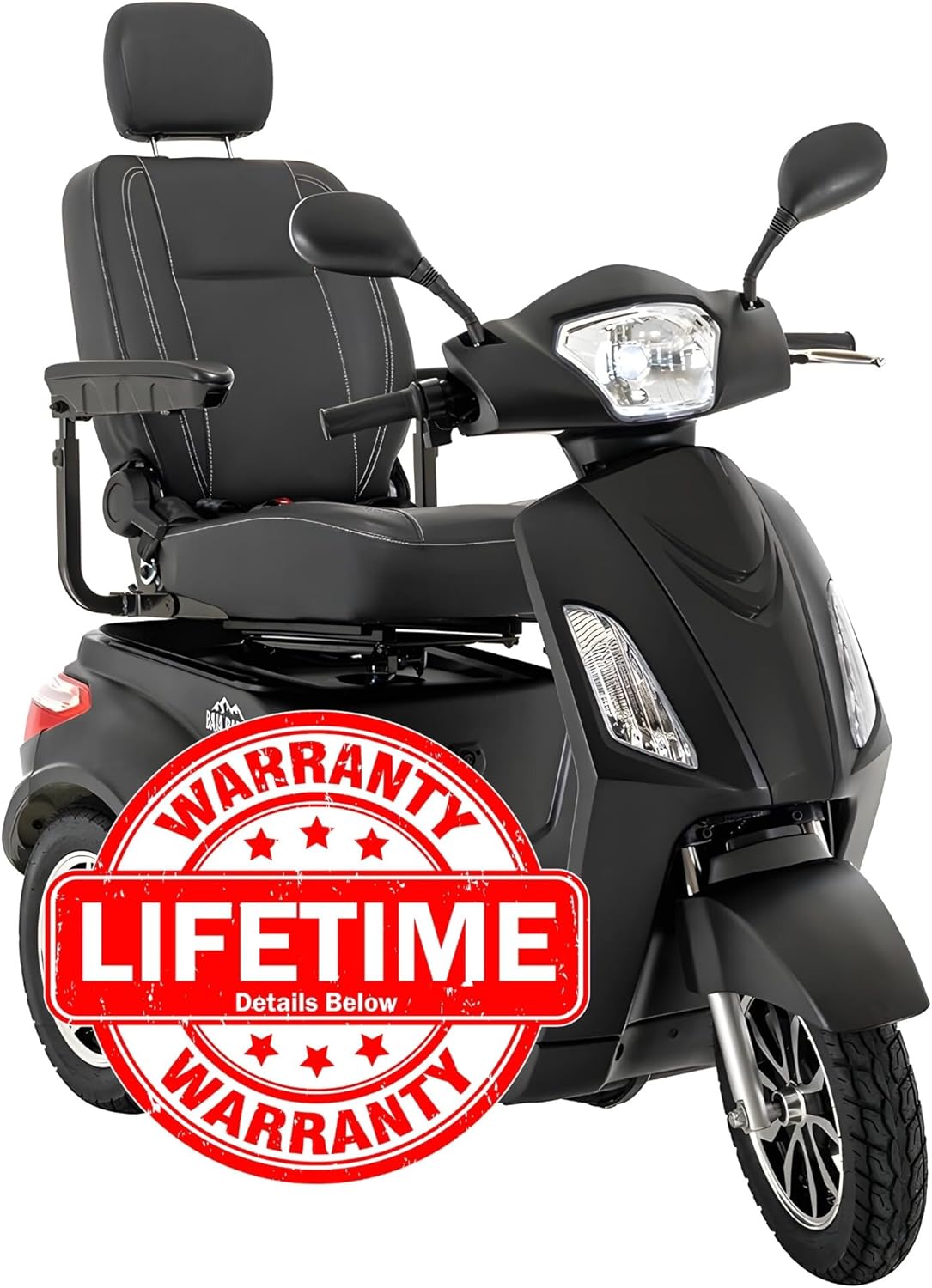
Figure 4: Visual representation of the Lifetime Warranty coverage for the scooter's frame.
7.2 In-Home Service
A 1-Year In-Home Service is provided. If any issues arise with your scooter within the first twelve months, contact HV Supply to arrange for a technician visit for diagnosis and repair.
7.3 Return and Replacement Policy
- If the item is received damaged, notify HV Supply within 3 business days for a free replacement.
- For order refusals or returns unrelated to damage, a 25% restocking fee of the original item price plus a $115.00 back freight charge will apply.
7.4 Customer Support
For further assistance, technical support, or warranty claims, please contact Pride Mobility or your authorized dealer. Refer to your purchase documentation for specific contact details.


