
EZVALO EZL2414A_6S
Contents
EZVALO Under Cabinet Lights User Manual
Model: EZL2414A_6S
Introduction
The EZVALO Under Cabinet Lights provide versatile and efficient lighting solutions for various indoor spaces. Featuring rechargeable batteries, motion sensing capabilities, adjustable color temperatures, and remote control operation, these lights are designed for convenience and enhanced visibility in areas such as kitchens, closets, and hallways.

Image: A set of six EZVALO under cabinet lights, showcasing their sleek design, along with the included remote control and visual representations of the three available color temperatures.
What's Included
Verify that all components are present in the package:
- 6 x 9-inch LED Closet Lights
- 12 x Adhesive Iron Sheets
- 1 x Remote Control
- 1 x USB-C Charging Cable
- 1 x Instruction Manual (this document)
Product Features
Long Battery Life
Each light is equipped with a 2000mAh rechargeable battery. In Auto Mode, the battery can last 20-45 days based on 11-12 daily 20-second activations. In Always-On Mode, it provides up to 10 hours of continuous illumination at maximum brightness.

Image: An internal view of the light, highlighting the 2000mAh battery and its extended usage duration.
Smart Motion Detection with Dual Modes
The lights feature an upgraded PIR sensor with two automatic modes:
- Day Mode: Detects motion and activates the light in both bright and low-light environments.
- Night Mode: Activates the light only in low-light conditions when motion is detected.
Both modes automatically turn off after 20 seconds of no movement to conserve energy. The sensor has a 120-degree detection angle and a range of up to 10 feet.

Image: A visual representation of the motion sensor's 120-degree detection angle and 10-foot range in a kitchen setting.

Image: A split image illustrating the difference between Day Mode (motion detection anytime) and Night Mode (motion detection only in dark environments) on a staircase.
Customizable & Eye-Friendly Lighting
Adjust the lighting to suit your needs with three brightness levels (30LM, 60LM, 100LM) and three color temperatures:
- Soft Warm White: 3000K
- Balanced Natural White: 4200K
- Bright Cool White: 5700K
The eye-friendly lighting is designed to reduce strain, creating a comfortable environment for various activities.
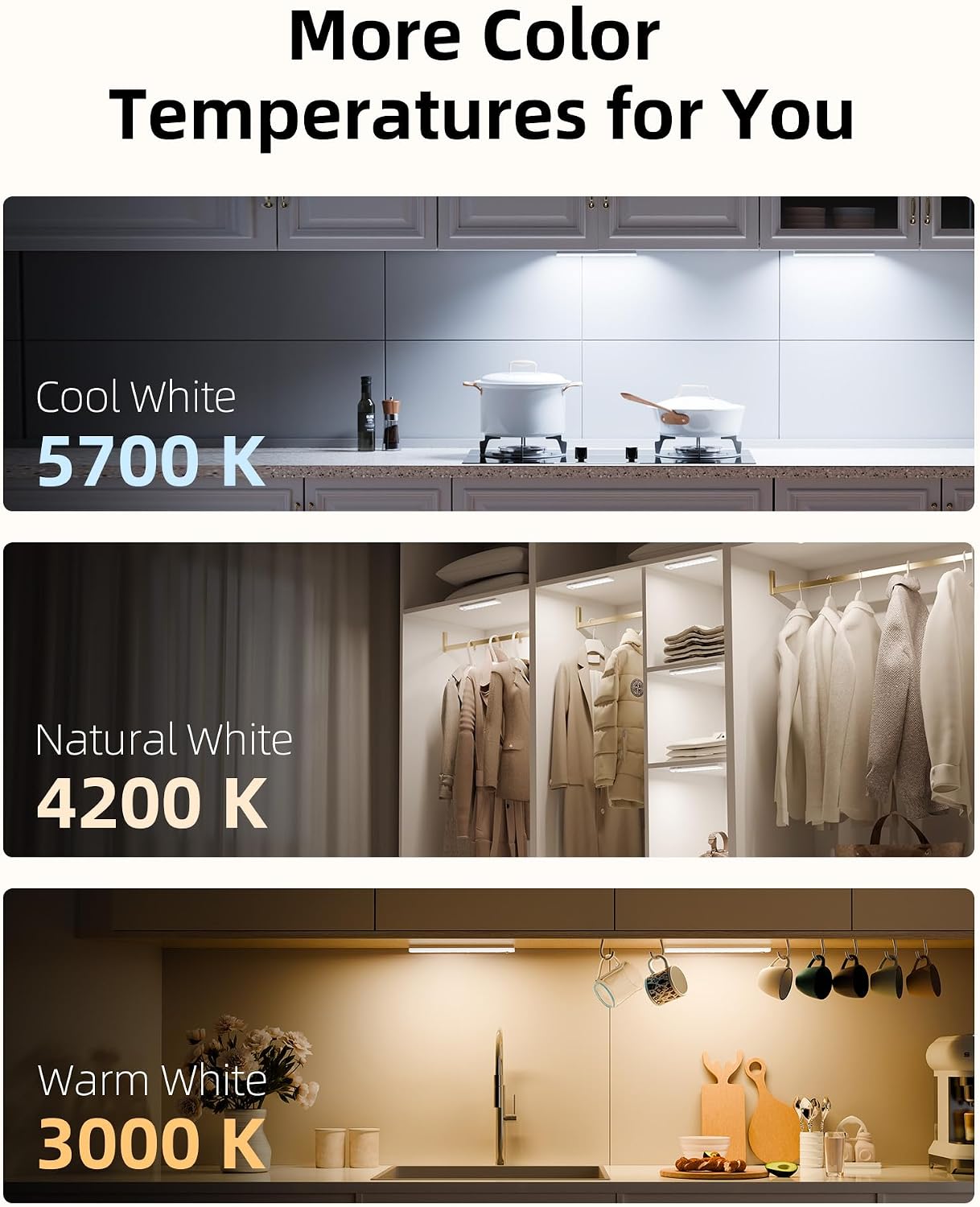
Image: Three distinct scenes demonstrating the visual effect of Cool White (5700K), Natural White (4200K), and Warm White (3000K) light temperatures in different settings.
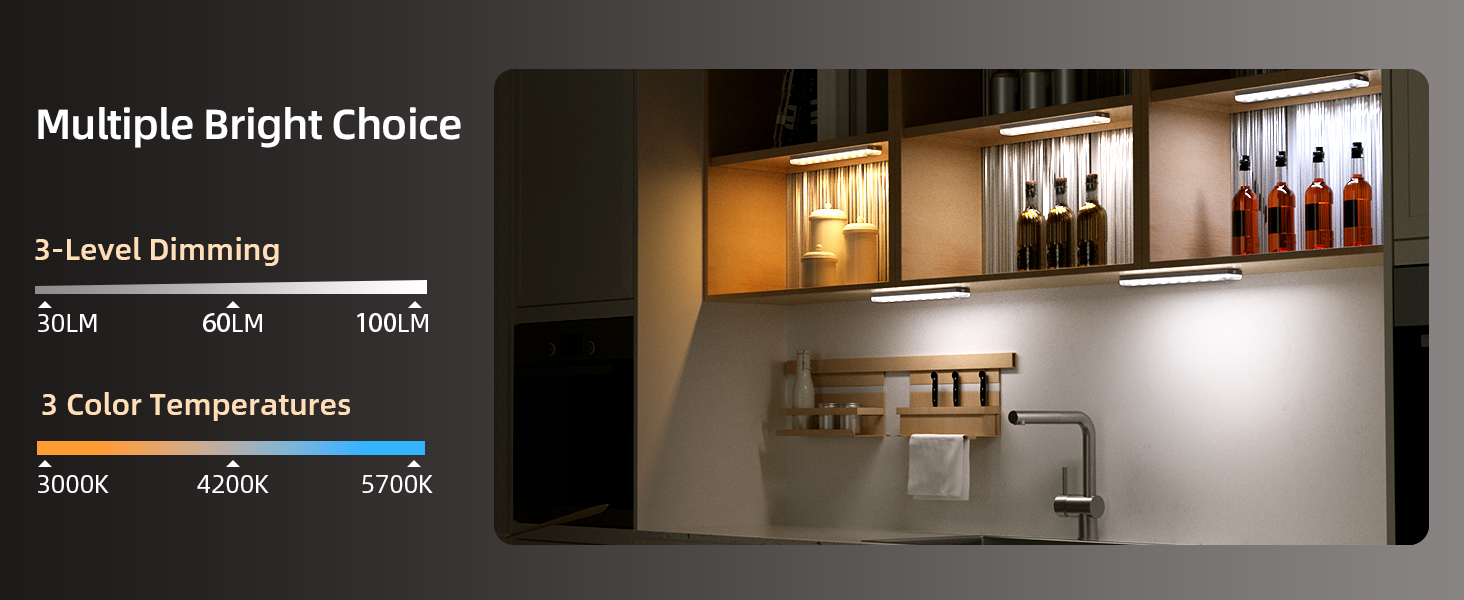
Image: A graphic illustrating the three brightness levels and three color temperature options available for the lights.
Remote Control & Timer Features
Control the lights using either the built-in buttons or the included remote control. The remote allows you to:
- Set lights to Always On/Off
- Adjust brightness levels
- Switch between color temperatures
- Utilize a timer function with six options (15, 20, 30, 45, 60, 120 minutes)

Image: A detailed view of the light unit's physical controls and a diagram explaining the various functions of the remote control.

Image: A hand holding the remote control, demonstrating its use to adjust the under cabinet lights in a kitchen.
Easy Installation
Installation is quick and simple, requiring no tools or electricians. The lights feature built-in strong magnets for direct attachment to metal surfaces. For non-metal surfaces, use the provided 3M adhesive-backed metal plates.

Image: A visual guide illustrating how to install the lights using both adhesive and magnetic methods on different surface types.
Setup & Installation
Initial Charging
Before first use, fully charge all lights using the provided USB-C charging cable. The magnetic design allows for easy detachment and reattachment for charging.
Installation Steps (Adhesive Method)
- Clean Surface: Ensure the desired smooth surface is clean and dry.
- Apply Adhesive Plate: Peel the backing from the 3M adhesive-backed metal plate and firmly stick it to the cleaned surface.
- Attach Light: The light will magnetically attach to the installed metal plate.
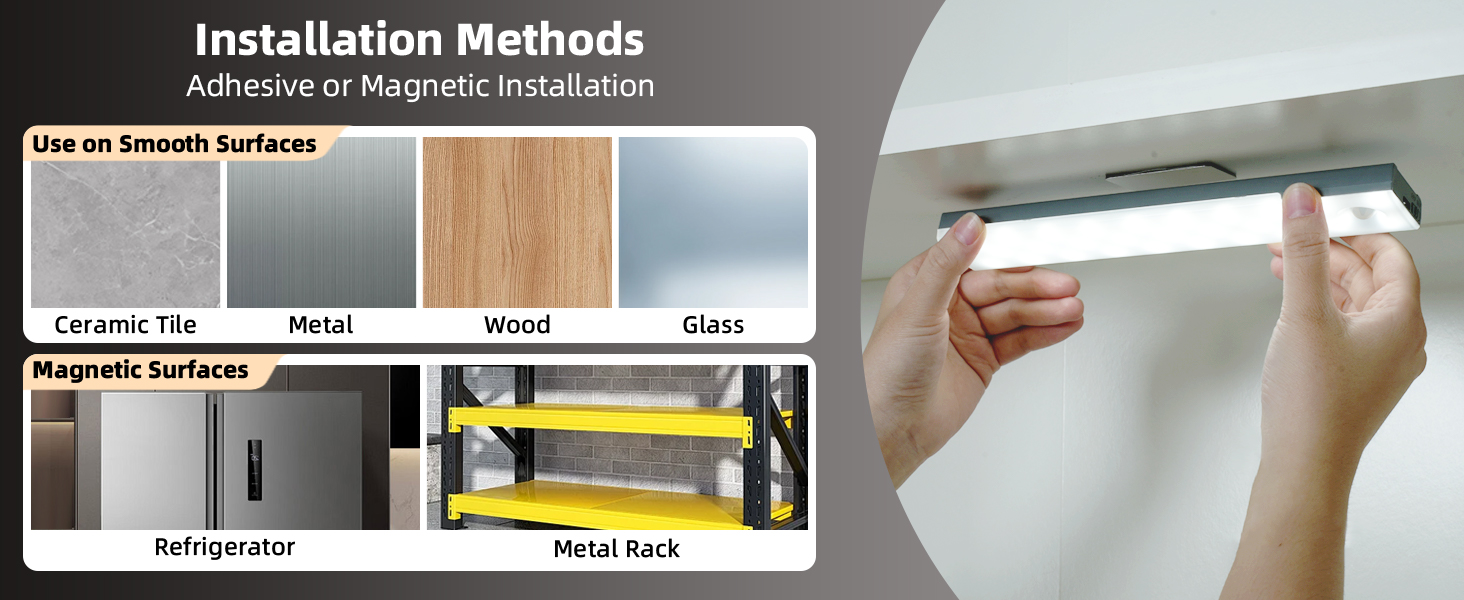
Image: A three-step visual guide for adhesive installation and a diagram showing the recommended minimum installation distance between lights.
Important Installation Note for Auto Mode:
To ensure proper motion sensing and prevent mutual interference, maintain a minimum installation distance of 20 inches (50 cm) between two lights when operating in "AUTO" mode.
Operating Instructions
Using Built-in Buttons
Each light unit has integrated buttons for basic control:
- Power Button: Press to cycle through Always-On Mode, Day Mode, Night Mode, and Power Off.
- Dimming Switch: Adjusts brightness levels.
- Color Temperature Button: Cycles through 3000K, 4200K, and 5700K color temperatures.
Using the Remote Control
The remote control offers comprehensive control over all lights simultaneously (within range):
- ON/OFF: Turns lights on or off.
- Dimming (+/-): Increases or decreases brightness.
- Color Temperature Buttons: Dedicated buttons for 3000K (warm), 4200K (natural), and 5700K (cool).
- Mode Selection: Buttons for "Day Mode", "Night Mode", and "Always-On Mode".
- Timer Functions: Set lights to turn off automatically after 15, 20, 30, 45, 60, or 120 minutes. A "Cancel" button is also available.
Video: A demonstration of the EZVALO under cabinet lights in use, highlighting their ability to brighten dark corners and automatic activation. This video showcases the practical application of the motion sensor feature.
Maintenance
- Cleaning: Wipe the lights with a soft, dry cloth. Do not use abrasive cleaners or immerse in water.
- Charging: Recharge the lights when the brightness diminishes or the indicator light signals low battery. Ensure the charging port is clean and dry before connecting the USB-C cable.
- Storage: If storing for an extended period, charge the lights fully and store them in a cool, dry place. Recharge every 3-6 months to maintain battery health.
Troubleshooting
| Problem | Possible Cause | Solution |
|---|---|---|
| Light does not turn on. | Low battery; Incorrect mode; Sensor obstructed. | Charge the light; Check mode setting (Always-On, Day, Night); Ensure sensor is clear. |
| Motion sensor not working. | Incorrect mode (e.g., Always-On); Too much ambient light (in Night Mode); Lights too close together. | Switch to Day or Night Mode; Ensure sufficient darkness for Night Mode; Maintain 20-inch distance between lights. |
| Remote control not responding. | Remote battery low; Obstruction between remote and light; Out of range. | Replace remote battery; Ensure clear line of sight; Operate within 10 feet of lights. |
| Lights flicker or dim unexpectedly. | Low battery. | Recharge the lights fully. |
Specifications
| Attribute | Detail |
|---|---|
| Brand | EZVALO |
| Model Name | EZL2414A_6S |
| Item Model Number | EZL2414A |
| Power Source | Battery Powered |
| Battery Capacity | 2000mAh (per light) |
| Light Source Type | LED (62 LEDs per light) |
| Brightness | Up to 100 Lumens |
| Color Temperatures | 3000K (Warm), 4200K (Natural), 5700K (Cool) |
| Control Method | Remote, Touch (Built-in Buttons) |
| Motion Sensor Range | Up to 10 ft (3 meters) |
| Motion Sensor Angle | 120 degrees |
| Auto-Off Time | 20 seconds (after no motion) |
| Product Dimensions | 9.06"L x 1.5"W x 0.67"H |
| Item Weight | 1.57 pounds (total for 6 pack) |
| Installation Type | Surface Mount (Magnetic, Adhesive) |
| Indoor/Outdoor Usage | Indoor |
| Water Resistance Level | Not Water Resistant |
Warranty & Support
EZVALO products come with a limited warranty. For detailed warranty information, technical support, or customer service inquiries, please refer to the contact information provided on the product packaging or visit the official EZVALO website.
Manufacturer: EZVALO
Ask a question about this manual
Ask about setup, troubleshooting, compatibility, parts, safety, or missing instructions. Manuals+ will review the question and use this page’s manual context to help answer it.