
Introduction
This manual provides essential instructions for the safe and efficient use of your QIXZOCV Portable Rechargeable Battery. Designed to power outdoor digital signage displays, this battery offers portability and extended operation. Please read this manual thoroughly before using the product and retain it for future reference.
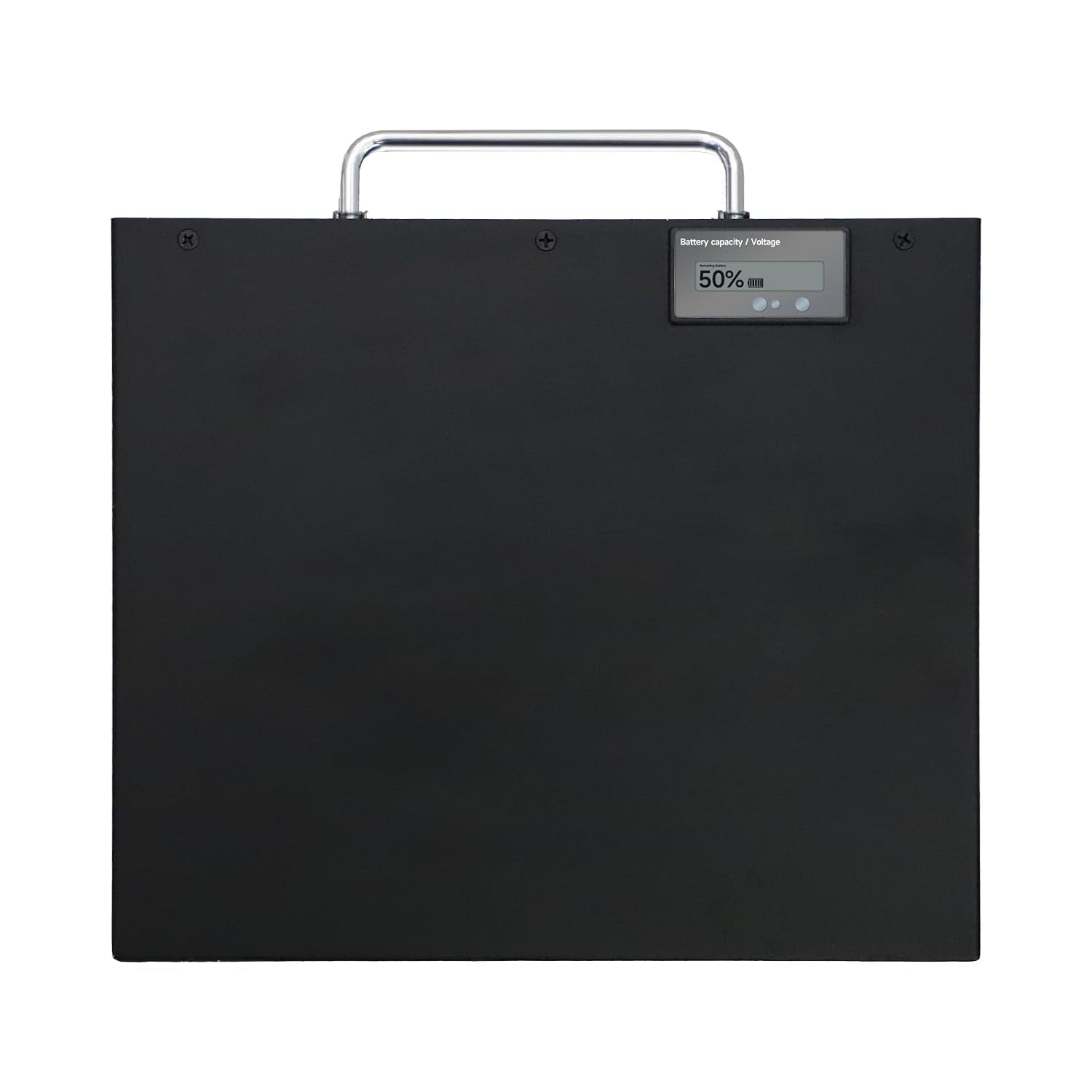
Image: The QIXZOCV Portable Rechargeable Battery, a compact black unit with charging ports.
Safety Information
To ensure safe operation and prevent damage, observe the following precautions:
- Do not expose the battery to extreme temperatures, direct sunlight, or fire.
- Avoid contact with water or other liquids.
- Do not disassemble, puncture, or modify the battery.
- Use only the provided or approved charging cable and adapter.
- Keep out of reach of children and pets.
- If the battery shows signs of damage, swelling, or leakage, discontinue use immediately.
Package Contents
Verify that all items are present in your package:
- QIXZOCV Portable Rechargeable Battery
- Power Adapter / Charging Cable
- User Manual (this document)
- (Note: Digital signage display and other accessories are sold separately or included with the display purchase.)
Product Overview
Familiarize yourself with the battery's components:
- Power Button: Press and hold to turn the battery ON/OFF.
- Power Output Port: Connects to the digital signage display.
- Charging Input Port: Connects to the power adapter for charging.
- LED Indicators: Display battery charge level and charging status.
Setup
Follow these steps to prepare your portable battery for use with an outdoor digital signage display:
- Initial Charge: Before first use, fully charge the battery. Connect the charging cable to the battery's charging input port and the power adapter to a suitable power outlet. The LED indicators will show charging progress.
- Connect to Display: Once fully charged, disconnect the charging cable. Connect the battery's power output port to the power input port of your outdoor digital signage display using the appropriate cable (usually supplied with the display).
- Secure Placement: Ensure the battery is placed in a stable and secure location, away from direct weather exposure, even if the signage is outdoor-rated.

Image: An outdoor digital signage display, illustrating the typical application for the portable battery.
Operating Instructions
To operate the battery with your digital signage:
- Power On: With the battery connected to the digital signage display, press and hold the Power Button on the battery for 3-5 seconds until the LED indicators illuminate. The digital signage display should power on.
- Check Battery Level: Briefly press the Power Button to check the current battery charge level via the LED indicators.
- Power Off: To turn off the battery and the connected display, press and hold the Power Button for 3-5 seconds until the LED indicators turn off.
Charging Instructions
Recharge the battery when the LED indicators show a low charge level:
- Disconnect: Disconnect the battery from the digital signage display.
- Connect Charger: Plug the provided power adapter into a wall outlet and connect the charging cable to the battery's charging input port.
- Charging Indicators: The LED indicators will typically blink or change color to show that charging is in progress. They will usually become solid or turn green when fully charged.
- Charging Time: Charging time varies depending on the remaining battery level. Avoid overcharging by disconnecting once fully charged.
Maintenance
Proper maintenance ensures the longevity and performance of your battery:
- Cleaning: Use a soft, dry cloth to clean the battery's exterior. Do not use harsh chemicals or abrasive materials.
- Storage: If storing the battery for an extended period, charge it to approximately 50-70% capacity. Store in a cool, dry place, away from direct sunlight and extreme temperatures. Recharge every 3-6 months to prevent deep discharge.
- Battery Health: Avoid fully discharging the battery frequently, as this can reduce its overall lifespan.
Troubleshooting
| Problem | Possible Cause | Solution |
|---|---|---|
| Battery not turning on. | Battery is fully discharged. | Charge the battery for several hours. |
| Battery not charging. | Faulty charging cable/adapter or power outlet. | Ensure connections are secure. Try a different power outlet or charging cable/adapter if available. |
| Digital signage display not powering on with battery. | Battery is low or off; incorrect connection. | Ensure battery is charged and turned on. Verify the connection cable between the battery and display is secure and correct. |
Specifications
(Note: Specific battery specifications are not provided in the product data. General information is listed below.)
- Model: B0D8BJQ2MD
- Battery Type: Rechargeable Lithium-ion (typical for portable power)
- Input: [e.g., 12V/3A] (Actual value depends on specific model)
- Output: [e.g., 12V/5A] (Actual value depends on specific model)
- Capacity: [e.g., 20000mAh] (Actual value depends on specific model)
- Operating Temperature: [e.g., 0°C to 45°C]
- Manufacturer: Marvel Technology CO.,LTD
Warranty and Support
QIXZOCV products are manufactured under stringent quality control standards. For assistance with installation, product issues, or warranty inquiries, please contact our customer support.
- Customer Support: If you need assistance or have any issues, please feel free to contact us. We aim to reply within 6-8 hours.
- Contact Seller: You can reach QIXZOCV Direct through the Amazon platform: QIXZOCV Direct Seller Page.
- Bulk/Custom Orders: For specific requirements beyond standard versions or for bulk orders, please reach out to us.

Image: QIXZOCV Brand Logo.