
Maclean MC-421
Maclean MC-421 TV Wall Mount Instruction Manual
Model: MC-421
Product Overview
The Maclean MC-421 is a universal wall mount designed for LCD, LED, and OLED televisions. It supports TVs with screen diagonals ranging from 32 to 90 inches and a maximum weight of 80 kg. This mount features an adjustable tilt function, allowing for optimal screen positioning to achieve the best viewing angle. It is compatible with various TV brands including Sony, LG, Samsung, Philips, Sharp, Panasonic, Toshiba, Grundig, Pioneer, JVC, Benq, Sanyo, NEC, Hyundai, and Hitachi, provided they adhere to the specified VESA standards and weight limits.
Safety Information
- Ensure the wall structure can safely support the combined weight of the mount and your television. Consult a professional if unsure.
- Do not exceed the maximum load capacity of 80 kg (176 lbs).
- Always use appropriate safety gear during installation, including eye protection.
- Verify VESA compatibility of your TV with the mount before installation.
- Keep all small parts and packaging materials out of reach of children.
- Follow all installation steps carefully to prevent injury or damage to property.
Package Contents
Please check that all components are present before beginning installation:
- Maclean MC-421 TV Wall Mount (Main bracket and TV brackets)
- Set of mounting screws for wall and TV attachment
- Integrated spirit level
- Installation Instructions

Image: All components included in the Maclean MC-421 TV Wall Mount package.
Specifications
| Model | MC-421 |
| Brand | Maclean |
| Material | Powder-coated Steel |
| Color | Black |
| Compatible TV Sizes | 32 - 90 inches |
| Maximum Load Capacity | 80 kg (176 lbs) |
| VESA Compatibility | 100x200, 200x200, 200x300, 300x200, 200x400, 400x200, 300x300, 300x400, 400x300, 400x400, 600x300, 600x400 mm |
| Tilt Adjustment | +15° to -15° |
| Distance to Wall | 68 mm |
| Horizontal Spacing (Min/Max) | 100 mm / 600 mm |
| Vertical Spacing (Min/Max) | 200 mm / 400 mm |
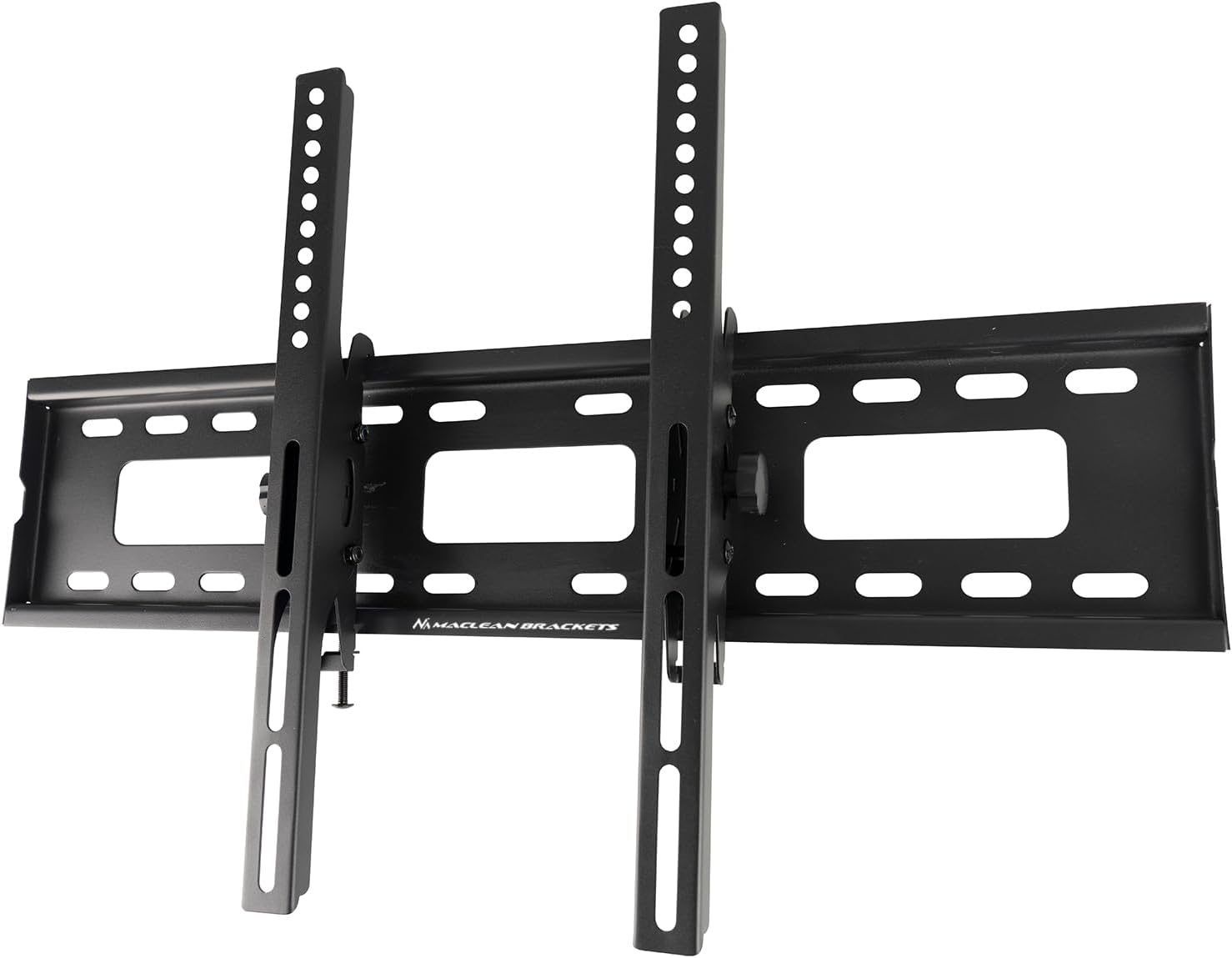
Image: Detailed technical drawing showing dimensions and tilt range of the MC-421 mount.
Setup and Installation
Proper installation is crucial for the safety and stability of your television. Please read all instructions before proceeding.
Step 1: Prepare the Wall and Mount
- Identify the ideal mounting location on your wall. Ensure there are no hidden electrical wires or plumbing.
- Locate wall studs if mounting on drywall, or use appropriate anchors for concrete/brick walls.
- Hold the main wall plate against the wall at the desired height and use the integrated spirit level to ensure it is perfectly horizontal. Mark the drilling points.
- Drill pilot holes at the marked locations.
Step 2: Attach the Wall Plate
- Secure the main wall plate to the wall using the provided mounting screws. Ensure it is firmly attached and level.

Image: The main wall plate and TV brackets of the MC-421 mount.
Step 3: Attach Brackets to TV
- Carefully place your TV face down on a soft, clean surface.
- Identify the VESA mounting holes on the back of your TV.
- Attach the two vertical TV brackets to the back of your television using the appropriate screws from the provided kit. Ensure they are securely fastened and aligned with the VESA pattern.
Step 4: Mount the TV to the Wall Plate
- With assistance, carefully lift the television and hook the TV brackets onto the main wall plate.
- Ensure the TV brackets are securely seated on the wall plate.
- Engage any safety locks or screws to prevent the TV from accidentally disengaging from the mount.

Image: The MC-421 mount supporting a large television, highlighting its capacity.

Image: Side profile of the mounted TV, illustrating the 68mm distance from the wall.
Operating the Tilt Function
The Maclean MC-421 allows for easy tilt adjustment to optimize your viewing experience.
- To adjust the tilt angle, locate the tilt adjustment knobs or screws on the side of the TV brackets.
- Loosen these knobs/screws slightly to allow the TV to tilt.
- Carefully tilt the television to your desired angle, within the +15° to -15° range.
- Once the desired angle is achieved, tighten the tilt adjustment knobs/screws firmly to secure the TV in place.

Image: The tilting design of the MC-421 mount, allowing for angle adjustments.
Maintenance
- Regularly inspect the mount and all fasteners to ensure they remain secure. Tighten any loose screws.
- Clean the mount with a soft, dry cloth. Avoid abrasive cleaners or solvents.
- Do not hang anything from the mount or the television.
Troubleshooting
| Problem | Possible Cause | Solution |
|---|---|---|
| TV is not level after installation. | Wall plate not installed level. | Carefully remove the TV, then adjust the wall plate using the spirit level until it is perfectly horizontal before re-mounting the TV. |
| TV feels unstable or wobbly. | Screws are loose; wall anchors are insufficient; wall structure is weak. | Ensure all screws are tightened. If using wall anchors, verify they are appropriate for your wall type and installed correctly. If the wall structure is weak, consult a professional. |
| Cannot tilt the TV. | Tilt adjustment knobs/screws are too tight. | Loosen the tilt adjustment knobs/screws slightly to allow movement. Re-tighten once the desired angle is set. |
| Missing parts. | Packaging error. | Contact Maclean customer support with your purchase details. |
Warranty and Support
The Maclean MC-421 TV Wall Mount comes with a manufacturer's warranty of 2 years.
For technical support, missing parts, or warranty claims, please contact Maclean customer service. Refer to your purchase documentation for specific contact information or visit the official Maclean website.
Manufacturer: Maclean
Country of Origin: China
Ask a question about this manual
Ask about setup, troubleshooting, compatibility, parts, safety, or missing instructions. Manuals+ will review the question and use this page’s manual context to help answer it.