
DEKOPRO DKCD20XL02B-AZ01-GS
DEKO PRO 20V Cordless Drill
User Instruction Manual
1. Introduction
Thank you for choosing the DEKO PRO 20V Cordless Drill. This powerful and versatile tool is designed for a wide range of drilling and driving tasks in various materials, making it ideal for DIY projects and home repairs. Please read this manual carefully before operating the drill to ensure safe and efficient use. Keep this manual for future reference.

Figure 1.1: The DEKO PRO 20V Cordless Drill kit, including the drill, battery, charger, and a comprehensive set of drill and screwdriver bits.
2. Product Components and Package Contents
Familiarize yourself with the components of your DEKO PRO Cordless Drill and verify all items are present in the package.

Figure 2.1: Key components of the DEKO PRO 20V Cordless Drill, including the 3/8" keyless chuck, torque adjustment ring, 2-speed gear switch, speed on/off control trigger, forward/reverse switch, LED worklight, battery pack, and battery pack release button.
2.1 Package Contents
- 1 x 20V Cordless Drill
- 1 x 1.5 AH Lithium-ion Battery
- 1 x Battery Charger
- 10 x Bits (SL3, SL4, SL5, SL6, SL7, PH0, PH1, PH2, PH2)
- 1 x Magnetic Bits Holder (60 mm)
- 10 x Screwdriver Bits
- 6 x Tipped Brad Point Drill Bits
- 4 x Nut Drivers
- 1 x User Manual (this document)

Figure 2.2: Visual representation of all items included in the DEKO PRO 20V Cordless Drill kit.
3. Setup
3.1 Charging the Battery
Before first use, fully charge the 20V 1.5 AH lithium-ion battery. The battery features indicator lights to show its charge status.
- Connect the charger to a standard power outlet.
- Slide the battery pack onto the charger until it clicks into place.
- Observe the indicator lights on the battery:
- Red lights indicate charging in progress.
- Green lights indicate a full charge.
- Once fully charged, disconnect the charger from the power outlet and remove the battery.

Figure 3.1: Battery charge indicators showing discharged (red lights) and fully charged (green lights) states.
3.2 Attaching and Removing the Battery Pack
- To Attach: Align the battery pack with the base of the drill handle and slide it in until it clicks securely into place.
- To Remove: Press the battery pack release button located at the front of the battery and slide the battery pack off the drill.
3.3 Installing and Changing Drill Bits
The drill features a 3/8" keyless chuck for quick and easy bit changes.
- Ensure the drill is off and the forward/reverse switch is in the center (locked) position.
- Grip the rear collar of the chuck firmly with one hand and rotate the front collar counter-clockwise with the other hand until the chuck jaws are open wide enough for the bit.
- Insert the desired drill bit or screwdriver bit into the chuck, ensuring it is seated as far as possible.
- Rotate the front collar clockwise to tighten the chuck jaws securely around the bit. Hand-tighten firmly.

Figure 3.2: Step-by-step guide for easily installing a drill bit into the keyless chuck.
4. Operating Instructions
4.1 Variable Speed Control
The drill features a variable speed trigger and a 2-speed gear switch for optimal control across different applications.
- Speed On/Off Control Trigger: The drill speed is controlled by the amount of pressure applied to the trigger. Pressing lightly results in lower speed, while pressing fully increases the speed.
- 2-Speed Gear Switch:
- Position 1 (Low Speed, 0-350 RPM): Ideal for driving screws and applications requiring high torque and precise control.
- Position 2 (High Speed, 0-1350 RPM): Suitable for drilling into wood, metal, and other materials where faster rotation is needed.
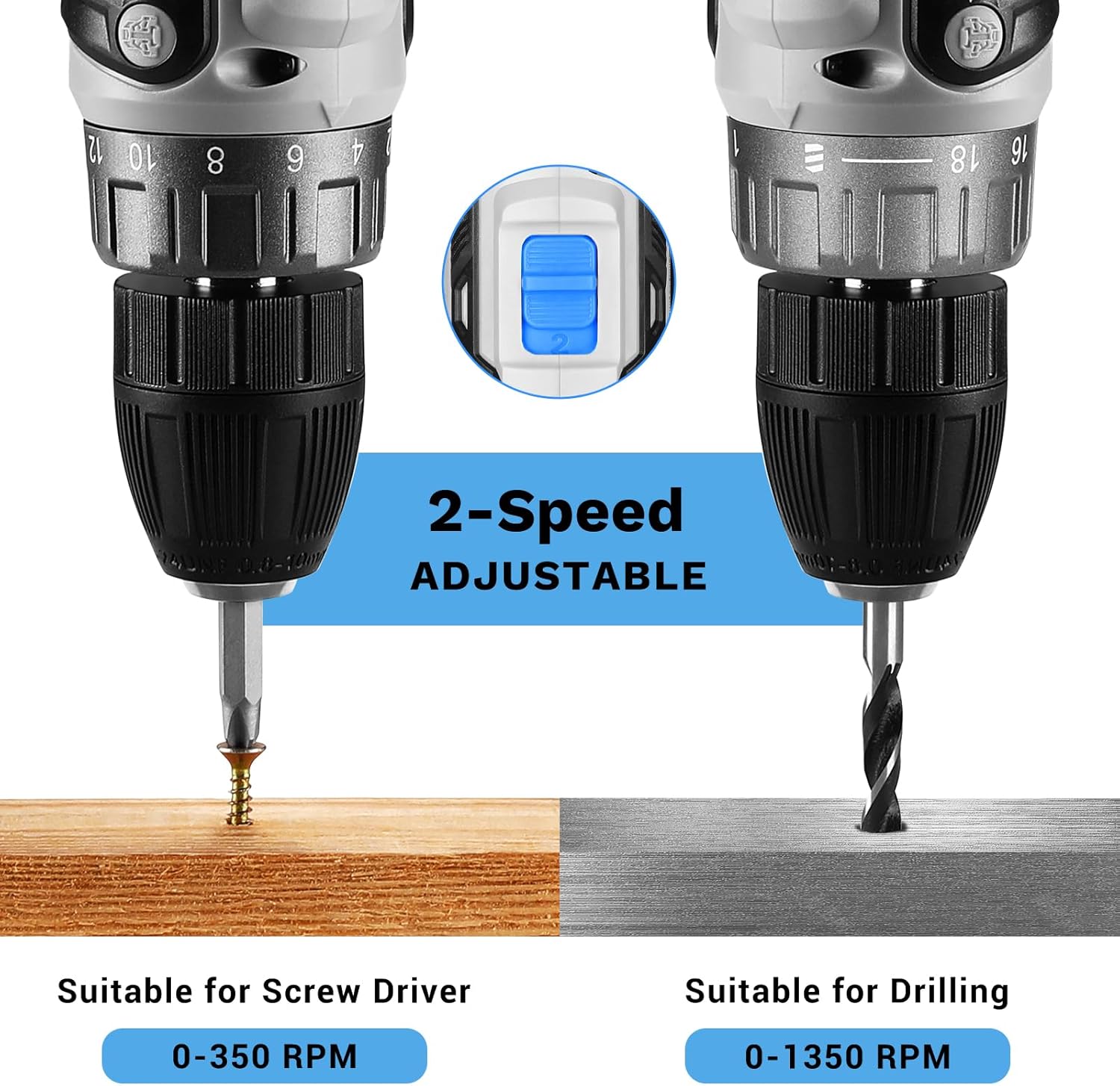
Figure 4.1: The 2-speed adjustable settings, demonstrating low speed (0-350 RPM) for screwdriving and high speed (0-1350 RPM) for drilling.
4.2 Torque Adjustment Ring
The torque adjustment ring allows you to set the amount of rotational force (torque) the drill applies. This prevents over-driving screws or damaging materials.
- The ring has 18+1 settings. Numbers 1-18 are for driving screws, with higher numbers indicating greater torque.
- The drill symbol setting is for drilling applications, providing maximum torque.
- Rotate the ring to select the appropriate torque setting for your task. Start with a lower setting and increase if needed.
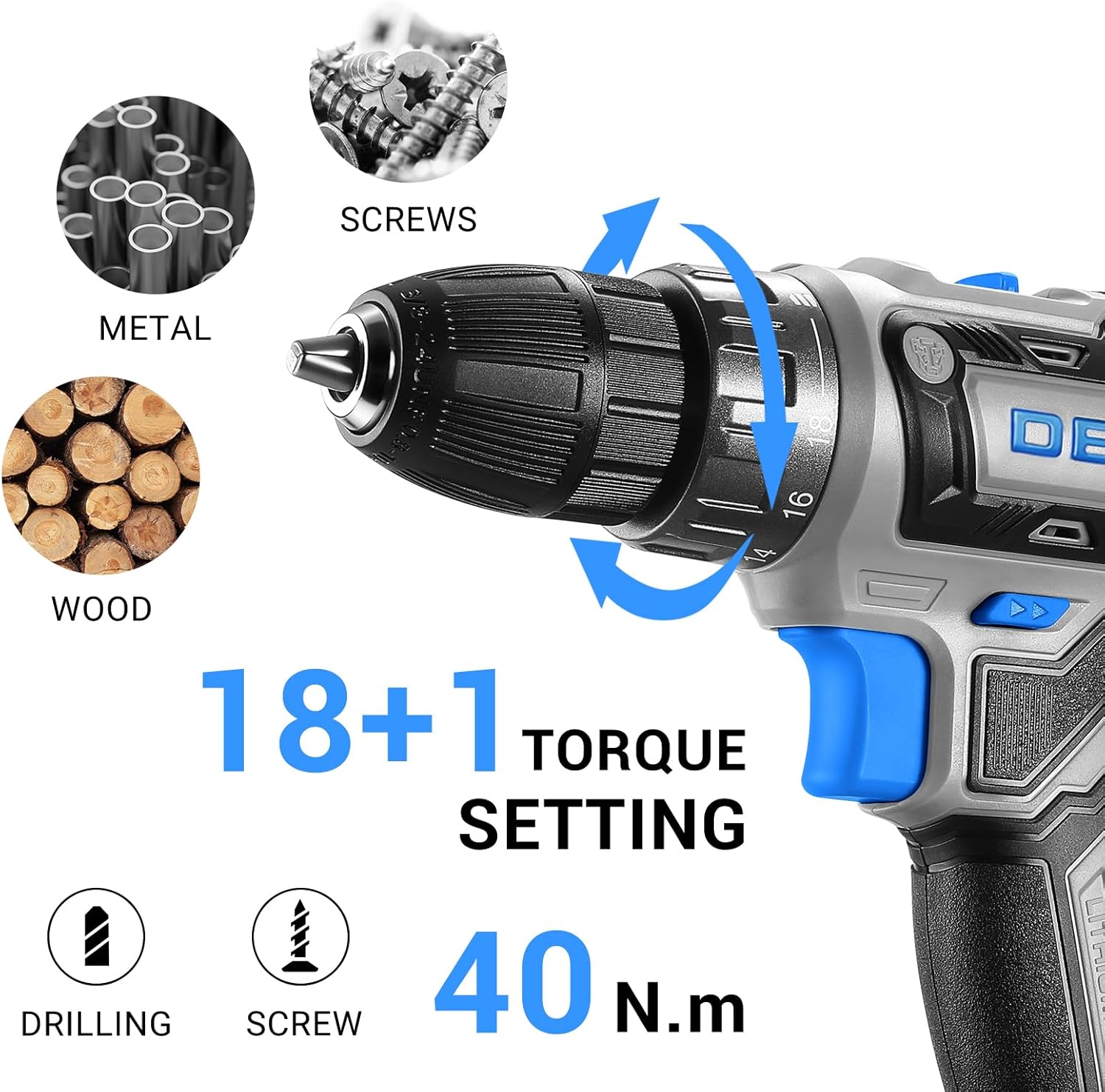
Figure 4.2: The 18+1 torque setting ring, allowing precise control for various materials and tasks like drilling and screwdriving.
4.3 Forward/Reverse Switch
The forward/reverse switch controls the direction of rotation and also acts as a trigger lock.
- Push the switch to the left for forward rotation (for driving screws and drilling).
- Push the switch to the right for reverse rotation (for removing screws or backing out bits).
- Place the switch in the center position to lock the trigger, preventing accidental starts. Always engage the lock when changing bits or storing the drill.

Figure 4.3: Detailed view of the LED light, variable speed trigger, and the forward/reverse button for directional control.
4.4 LED Worklight
The integrated LED worklight illuminates your work area, improving visibility in dimly lit spaces. It activates automatically when the trigger is pressed.
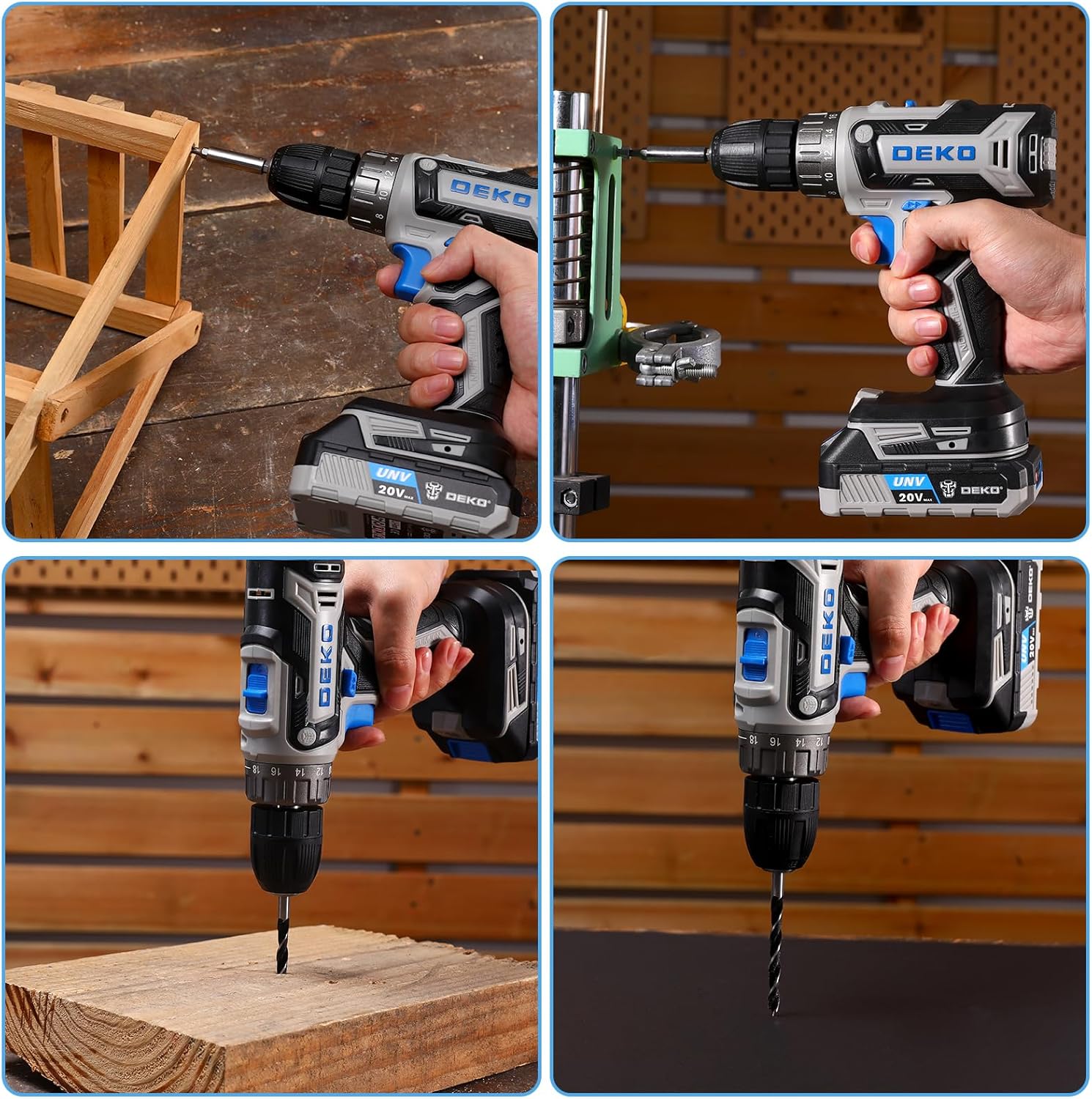
Figure 4.4: The LED worklight in action, providing illumination for precise work.
4.5 General Usage Tips
- Always wear appropriate safety gear, including eye protection, when operating the drill.
- Secure your workpiece to prevent it from moving during drilling or driving.
- Apply steady, even pressure. Do not force the drill.
- For drilling, start with a pilot hole if necessary, especially in hard materials or near edges.
- When driving screws, select the correct bit type and size to prevent stripping the screw head.
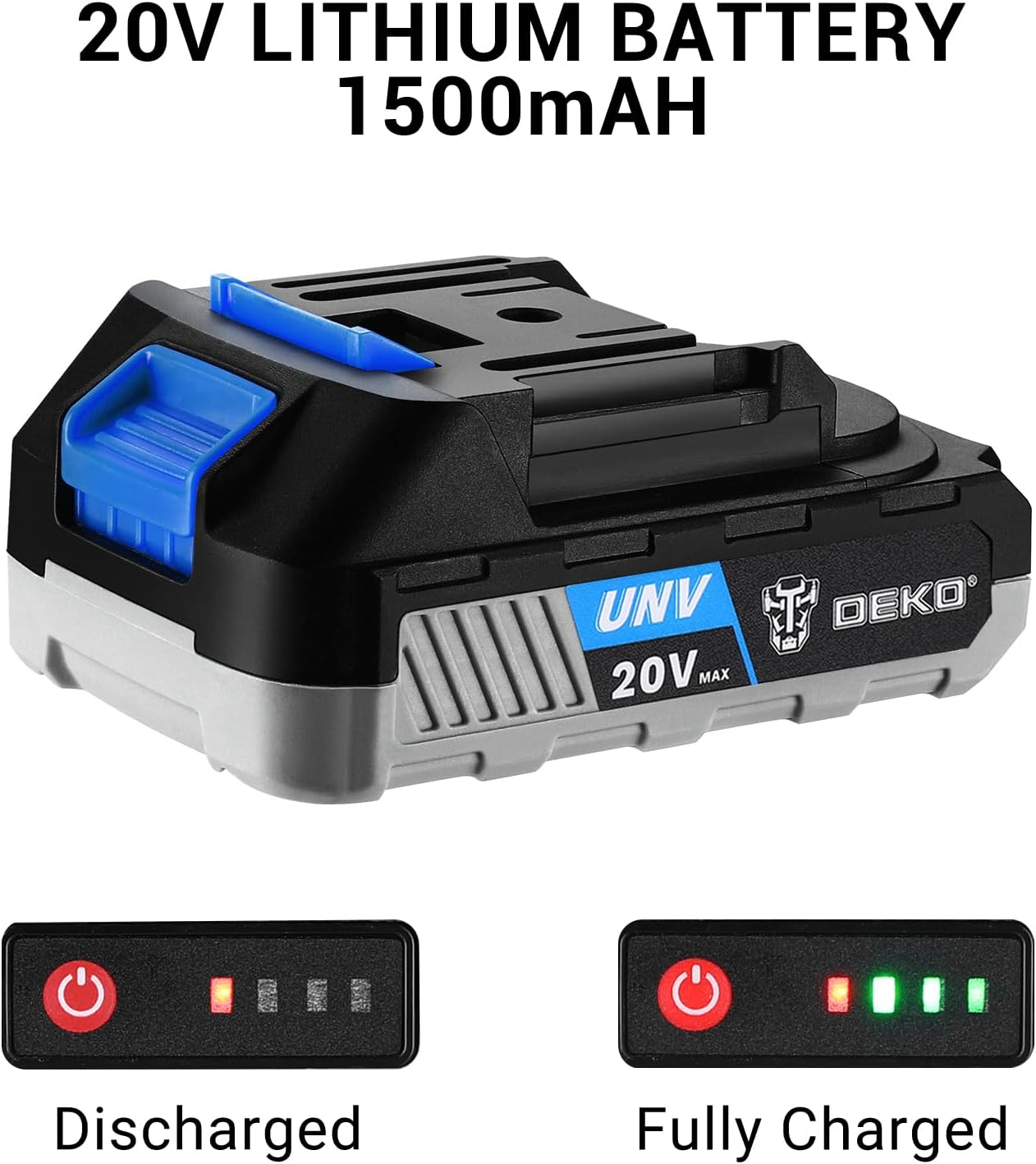
Figure 4.5: Examples of various applications for the DEKO PRO Cordless Drill, including driving screws and drilling into different materials.
5. Maintenance
Regular maintenance ensures the longevity and optimal performance of your drill.
5.1 Cleaning
- After each use, wipe down the drill with a clean, damp cloth. Do not use harsh chemicals or abrasive cleaners.
- Use compressed air to clear dust and debris from ventilation openings and the chuck area.
- Ensure the drill is dry before storing.
5.2 Storage
- Store the drill and battery in a cool, dry place, away from direct sunlight and extreme temperatures.
- Keep out of reach of children.
- Remove the battery from the drill before long-term storage.
5.3 Battery Care
- Do not overcharge or deep discharge the battery.
- Charge the battery fully before storing for extended periods (e.g., over a month).
- If storing for very long periods, recharge the battery every 3-6 months to maintain its health.
- Do not expose the battery to water or extreme heat.
6. Troubleshooting
If you encounter issues with your DEKO PRO Cordless Drill, refer to the following common problems and solutions.
| Problem | Possible Cause | Solution |
|---|---|---|
| Drill does not turn on. | Battery is not charged or not properly inserted. Forward/reverse switch is in the center (locked) position. | Ensure battery is fully charged and securely attached. Move the forward/reverse switch to the left or right. |
| Drill lacks power or stops during use. | Battery is low on charge. Overload protection activated. | Recharge the battery. Reduce pressure on the drill or use a lower speed setting. Allow the drill to cool down. |
| Bit wobbles or falls out. | Chuck not tightened properly. Bit shank is damaged or incorrect size. | Re-tighten the chuck firmly. Use a bit with a proper, undamaged shank. |
| Drill overheats. | Continuous heavy use. Blocked ventilation slots. | Allow the drill to cool down. Avoid prolonged heavy use. Clean ventilation slots. |
If the problem persists after trying these solutions, please contact DEKOPRO customer support.
7. Specifications
| Feature | Specification |
|---|---|
| Brand | DEKOPRO |
| Model Number | DKCD20XL02B-AZ01-GS |
| Voltage | 20 Volts |
| Power Source | Battery Powered |
| Battery Capacity | 1.5 Amp Hours (Lithium Ion) |
| Maximum Rotational Speed | 1350 RPM |
| Low Speed (Gear 1) | 0-350 RPM |
| High Speed (Gear 2) | 0-1350 RPM |
| Number of Speeds | 2 |
| Maximum Torque | 350 Inch Pounds (approx. 40 N.m) |
| Torque Settings | 18+1 (Drill Mode) |
| Chuck Type | 3/8" Keyless Chuck |
| Item Weight | 3.74 pounds (approx. 1.7 Kilograms) |
| Product Dimensions | Approx. 2"L x 2"W x 2"H (Compact Design) |
| Wattage | 300 watts |
8. Warranty and Support
DEKOPRO stands behind the quality of its products. For warranty information, technical support, or any questions regarding your DEKO PRO 20V Cordless Drill, please contact DEKOPRO customer service through the retailer where you purchased the product or visit the official DEKOPRO website for contact details.
Please retain your proof of purchase for warranty claims.
Ask a question about this manual
Ask about setup, troubleshooting, compatibility, parts, safety, or missing instructions. Manuals+ will review the question and use this page’s manual context to help answer it.