
PowerSmart DB8016
PowerSmart Push Electric Lawn Mower
Model: DB8016 User Manual
1. Safety Instructions
Always read and understand all safety instructions before operating the lawn mower. Failure to follow these instructions can result in serious injury or death.
1.1 General Safety
- Keep children, bystanders, and pets at a safe distance from the operating area.
- Wear appropriate personal protective equipment (PPE), including eye protection, hearing protection, and sturdy footwear.
- Inspect the area for objects that could be thrown by the blade before mowing. Remove all debris.
- Do not operate the mower in wet conditions or on steep slopes.
1.2 Electrical Safety
- Ensure the power cord is in good condition and free from cuts or damage.
- Use only an extension cord rated for outdoor use and of appropriate gauge for the mower's power requirements.
- Always disconnect the power supply before cleaning, servicing, or when the mower is unattended.
- Avoid accidental starting. Ensure the switch is in the OFF position before plugging in the mower.
1.3 Operation Safety
- Never place hands or feet near rotating parts.
- Mow across the face of slopes, never up and down. Exercise extreme caution when changing direction on slopes.
- Do not pull the mower backward unless absolutely necessary. If you must, look down and behind before and while moving backward.
2. Product Overview
Familiarize yourself with the components of your PowerSmart electric lawn mower.

Figure 2.1: Key Components of the PowerSmart Electric Lawn Mower. This diagram illustrates the main parts of the mower, including the foam grip for comfortable handling, the start lever and safety lock-off switch for operation, the power cord with plug, the grass catcher for clippings, the rear wheels, and the height adjustment lever.
- Foam Grip: Provides comfortable handling during operation.
- Start Lever: Engages the motor when pulled.
- Safety Lock-Off Switch: Prevents accidental starting; must be pressed before pulling the start lever.
- Power Cord with Plug: Connects the mower to an electrical outlet.
- Grass Catcher: Collects grass clippings during mowing.
- Rear Wheel: Provides stability and mobility.
- Height Adjustment Lever: Allows for quick and easy adjustment of cutting height.
3. Assembly
Follow these steps to assemble your lawn mower before first use.
3.1 Handle Assembly
- Unfold the lower handle section and secure it into position.
- Attach the upper handle section to the lower section using the provided knobs and bolts. Ensure the handle is securely fastened.
- Adjust the handle height to a comfortable operating position using the quick release levers.
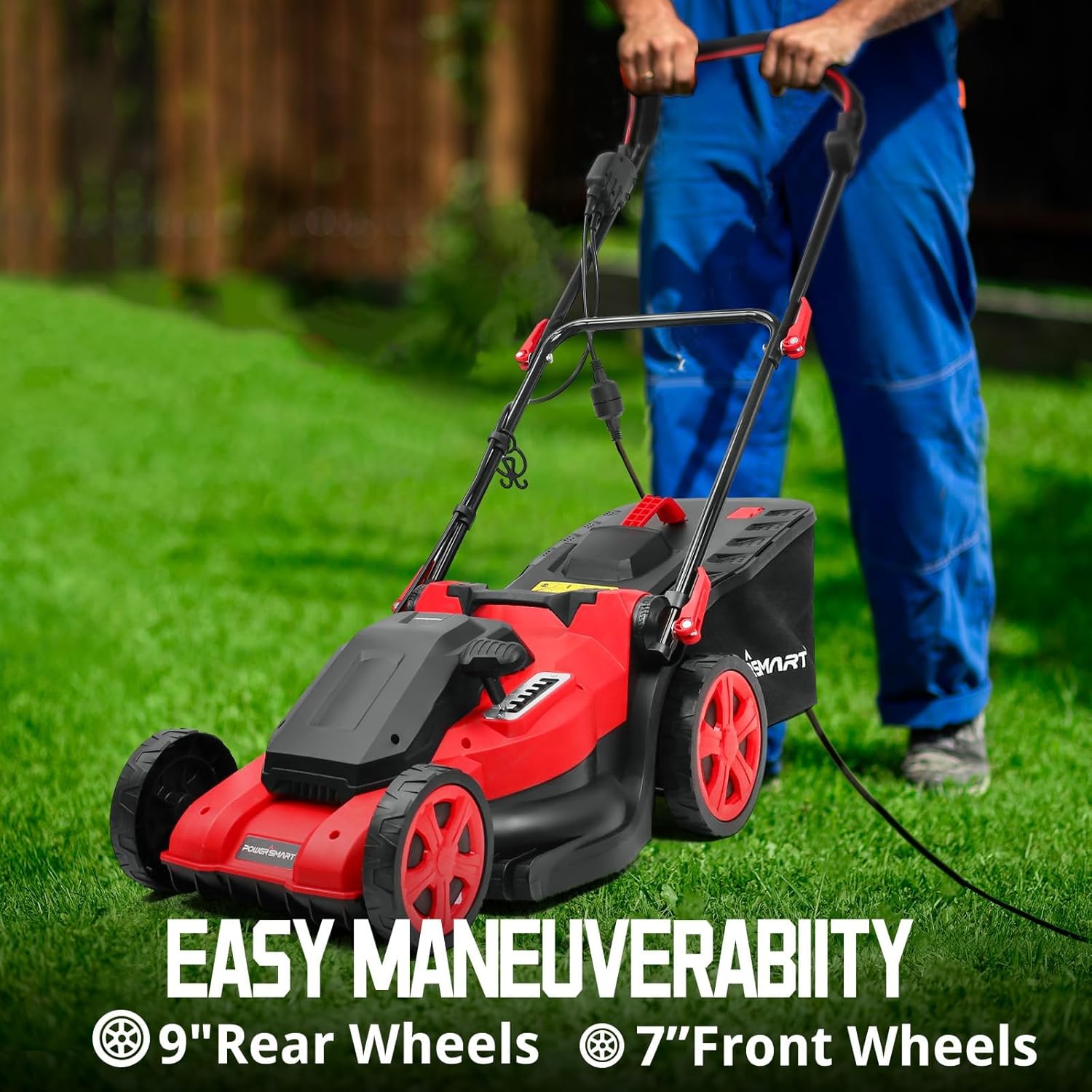
Figure 3.1: Assembled PowerSmart Lawn Mower in use. The image shows the mower with its handles fully extended and ready for operation, demonstrating its maneuverability.
3.2 Grass Catcher Assembly
- Assemble the grass catcher bag by attaching the fabric bag to the frame, if not pre-assembled.
- Lift the rear discharge flap of the mower.
- Hook the grass catcher onto the mower's frame, ensuring it is securely seated.

Figure 3.2: PowerSmart Lawn Mower with Grass Collection Bag. This image highlights the large 45-liter grass collection bag, designed for efficient clipping collection.
4. Operation
Proper operation ensures efficient mowing and extends the life of your lawn mower.
4.1 Starting and Stopping
- Connect the power cord to a suitable outdoor extension cord, then plug into a grounded outlet.
- Press and hold the safety lock-off switch.
- Pull the start lever towards the handle. The motor will start.
- To stop the mower, release the start lever. The motor will shut off automatically.
4.2 Adjusting Cutting Height
The mower features 6 cutting height adjustments, from 1.0 inch to 3.0 inches.
- Ensure the mower is turned off and unplugged.
- Locate the height adjustment lever on the side of the mower deck.
- Pull the lever outwards and move it forward or backward to select the desired cutting height.
- Ensure all wheels are set to the same height for an even cut.

Figure 4.1: Cutting Depth Adjustment. This image shows the lever used to select one of six cutting heights, from 1.0 to 3.0 inches, allowing for precise lawn care.
4.3 Mowing Techniques (2-in-1 System)
Your PowerSmart mower supports both mulching and bagging functions.

Figure 4.2: 2-in-1 Mulching and Bagging System. This visual demonstrates the dual functionality of the mower, allowing users to choose between collecting clippings in the bag or finely cutting and returning them to the lawn as mulch.
- Bagging: For collecting grass clippings, ensure the grass catcher is properly installed. Empty the bag regularly to maintain optimal performance.
- Mulching: For mulching, remove the grass catcher and ensure the mulching plug (if applicable) is inserted into the rear discharge opening. Mulching returns finely cut grass clippings to the lawn, providing natural nutrients.
- For best results, avoid cutting more than one-third of the grass blade length at a time.
5. Maintenance
Regular maintenance ensures the longevity and optimal performance of your lawn mower.
5.1 Cleaning
- Always disconnect the power cord before cleaning.
- Clean the exterior of the mower with a damp cloth. Do not use water jets or high-pressure washers directly on the motor or electrical components.
- Remove grass clippings and debris from the underside of the mower deck and around the blade.
5.2 Blade Care
- Inspect the blade regularly for sharpness and damage. A dull blade can tear grass, leading to an unhealthy lawn.
- If the blade is dull, it can be sharpened by a qualified service center or replaced.
- When handling the blade, wear heavy-duty gloves to prevent injury.
5.3 Storage

Figure 5.1: Collapsible Design for Storage. The mower's foldable handles allow for significant space saving, making storage convenient in garages or sheds.
- Clean the mower thoroughly before storing.
- Fold the handles for compact storage.
- Store the mower in a dry, well-ventilated area, away from direct sunlight and extreme temperatures.
6. Troubleshooting
This section provides solutions to common issues you might encounter.
| Problem | Possible Cause | Solution |
|---|---|---|
| Mower does not start | No power supply; Safety switch not engaged; Loose connection | Check power cord and outlet; Ensure safety lock-off button is pressed and start lever is pulled; Secure all connections. |
| Mower stops during operation | Overload; Grass too thick; Loose grip on handle | Reduce load by raising cutting height or taking smaller passes; Ensure firm grip on handle. |
| Uneven cut | Cutting height not uniform; Dull blade | Ensure all wheels are set to the same cutting height; Sharpen or replace blade. |
| Excessive vibration | Bent or unbalanced blade; Loose components | Inspect blade for damage and replace if necessary; Check and tighten all fasteners. |
| Poor grass collection | Grass catcher full; Discharge chute clogged; Cutting height too low | Empty grass catcher; Clear any blockages; Increase cutting height. |
7. Specifications
Technical specifications for the PowerSmart DB8016 Electric Lawn Mower.
| Feature | Specification |
|---|---|
| Brand | PowerSmart |
| Model Number | DB8016 |
| Power Source | Electric (Corded) |
| Motor | 13.5 Amp, 120V AC, 60Hz |
| Cutting Width | 17 Inches |
| Cutting Height Positions | 6 (1.0" to 3.0") |
| Grass Bag Capacity | 12 Gallons (approx. 45 Liters) |
| Operation Mode | Push Mower |
| Item Weight | 27.5 Pounds |
| Product Dimensions | 56"D x 16.9"W x 37.8"H |
8. Warranty and Support
PowerSmart products are designed and manufactured to high quality standards. This product comes with a limited warranty against defects in materials and workmanship.
8.1 Warranty Information
Please refer to the warranty card included with your product for specific terms, conditions, and duration of coverage. Keep your proof of purchase for warranty claims.
8.2 Customer Support
For technical assistance, replacement parts, or warranty service, please contact PowerSmart Customer Support. Contact details can typically be found on the product packaging or the official PowerSmart website.
When contacting support, please have your model number (DB8016) and purchase date available to expedite service.
Related documentsDB8016


Ask a question about this manual
Ask about setup, troubleshooting, compatibility, parts, safety, or missing instructions. Manuals+ will review the question and use this page’s manual context to help answer it.