
Introduction
The V2A Kids Digital Sports Watch (Model DK8217) is a multi-functional timepiece designed for children aged 5-13. This watch features a durable, waterproof design suitable for daily activities and includes functions such as a calendar, stopwatch, countdown timer, and LED backlight. Its robust construction is built to withstand the energetic lifestyle of young users.

Image: V2A Kids Digital Sports Watch, Purple variant.
Setup
Before first use, ensure the watch is properly set to the current time and date. The watch features several buttons for navigation and setting adjustments.
Button Functions Overview

Image: Functional Overview of Watch Buttons.
- LIGHT Button: Activates the LED backlight for viewing in low-light conditions.
- MODE Button: Cycles through different modes: Time Display, Stopwatch, Alarm, and Date.
- START Button: Used to start/stop functions in Stopwatch mode or adjust settings.
- RESET Button: Used to reset functions or confirm settings.
Setting Time and Date
- From the normal time display, press the MODE button repeatedly until the time setting mode is activated (usually indicated by flashing digits).
- Use the START button to adjust the flashing digit (e.g., hours, minutes).
- Press the RESET button to move to the next digit or setting (e.g., from hours to minutes, then to date).
- Repeat steps 2 and 3 until all desired settings (time, date, day) are configured.
- Press the MODE button to exit the setting mode and return to the normal time display.
Operating Instructions
Using the LED Backlight
To illuminate the watch face in dark environments, press the LIGHT button located on the upper left side of the watch. The backlight will activate for a few seconds.
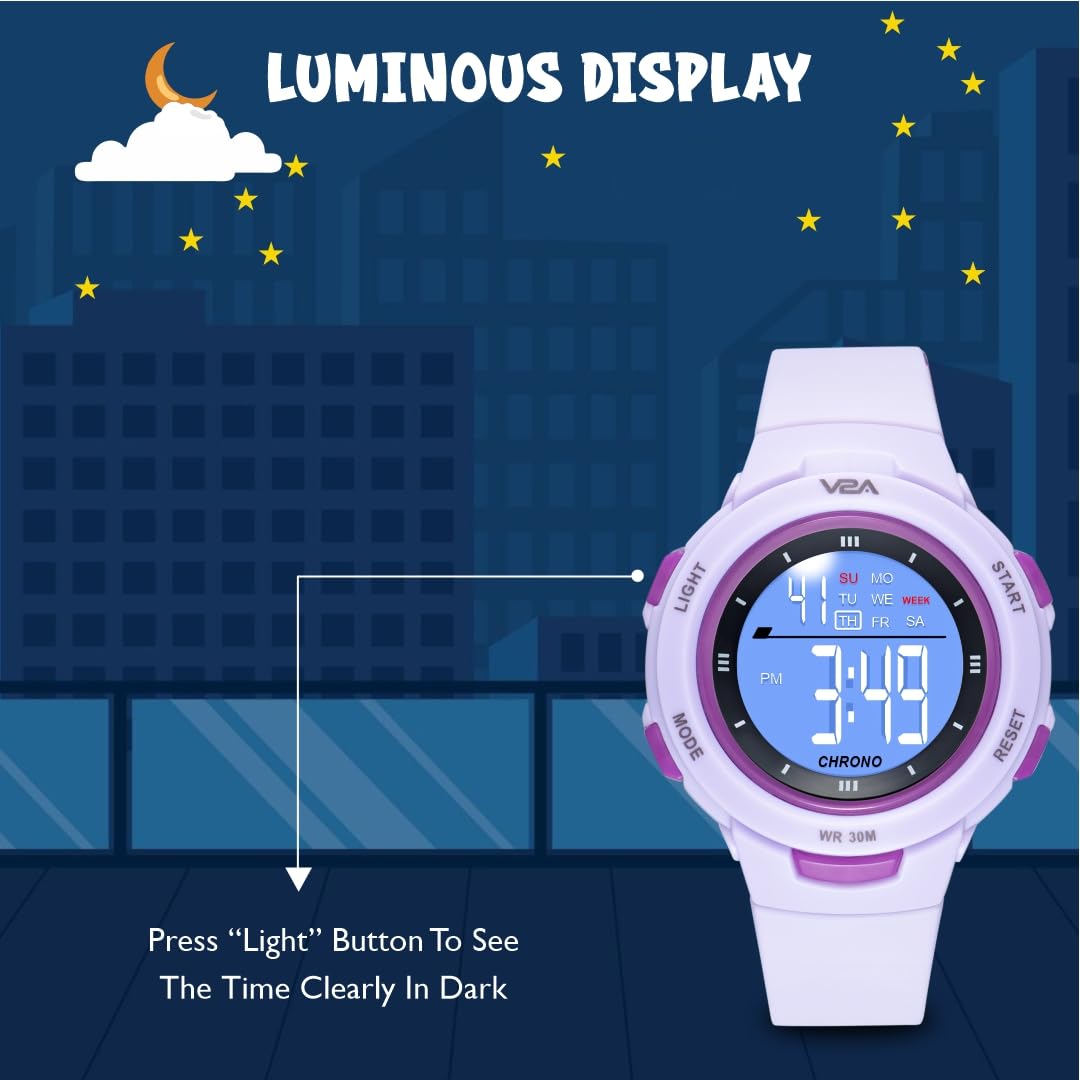
Image: Luminous Display in a dark environment.
Using the Stopwatch
- Press the MODE button until the stopwatch display appears (usually '00:00:00').
- Press the START button to begin timing.
- Press the START button again to pause timing.
- To resume, press START again.
- To reset the stopwatch to zero, press the RESET button while the stopwatch is paused.
Setting and Using the Alarm
- Press the MODE button until the alarm setting display appears.
- Use the START button to adjust the hour, and the RESET button to switch between hour and minute settings.
- Once the desired alarm time is set, press MODE to exit.
- To turn the alarm on or off, press the START button while in alarm mode. An alarm icon will typically appear on the display when active.
Water Resistance Guidelines
The V2A Kids Digital Sports Watch features 30-meter (3 ATM) water resistance. This means it is suitable for daily use and can withstand:

Image: 30 ATM Water Resistance features.
- Rain exposure
- Accidental splashes
- Hand washing
Important: This watch is NOT suitable for water-related work, including showering, swimming, snorkeling, or diving. Do not press any buttons while the watch is wet or submerged, as this can compromise the water resistance seal.
Maintenance
Cleaning Your Watch
To keep your watch clean, wipe it regularly with a soft, dry cloth. For stubborn dirt, a slightly damp cloth can be used, followed by immediate drying. Avoid using chemical cleaners or abrasive materials, as these can damage the watch's finish or seals.
Battery Replacement
The watch is powered by one nonstandard battery (included). When the display dims or functions become erratic, it may be time to replace the battery. It is recommended to have battery replacement performed by a qualified watch technician to ensure the water resistance seal is maintained.
General Care
- Avoid exposing the watch to extreme temperatures (hot or cold) for prolonged periods.
- Keep the watch away from strong magnetic fields, which can affect its accuracy.
- Protect the watch from strong impacts or drops.
Troubleshooting
If you encounter issues with your V2A Kids Digital Sports Watch, please refer to the following common solutions:
- Display is blank or dim: The battery may be low or depleted. Consider replacing the battery.
- Time is incorrect: Re-set the time and date following the instructions in the 'Setup' section. Ensure you are in the correct AM/PM setting.
- Buttons are unresponsive: Ensure the watch is not wet. If the issue persists, try pressing the buttons firmly. If still unresponsive, a reset may be required (consult support if no external reset button is visible).
- Water appears inside the watch: This indicates a breach in the water resistance. Stop using the watch immediately and contact customer support. Do not attempt to open the watch yourself.
For issues not covered here, please contact V2A customer support.
Specifications
Detailed specifications for the V2A Kids Digital Sports Watch DK8217:

Image: Product Parameters.
| Feature | Detail |
|---|---|
| Model Name | DK8217 |
| Display Type | Digital |
| Movement Type | Quartz |
| Case Material | Acrylonitrile Butadiene Styrene (ABS) |
| Band Material | Thermoplastic Polyurethane (TPU) |
| Case Diameter | 41 Millimetres |
| Case Thickness | 14 Millimetres |
| Band Width | 16 Millimetres |
| Item Weight | 34 Grams |
| Water Resistance Depth | 30 Metres (3 ATM) |
| Special Features | Alarm, Night Light, Stopwatch, Time Display, Calendar |
| Battery | 1 Nonstandard Battery (included) |

Image: Case Size Chart for reference.
Warranty
The V2A Kids Digital Sports Watch comes with a 1-Year Domestic Warranty from manufacturing defects. Please note that the battery, plating, and waterproofing are not covered under this warranty. For warranty claims, please retain your proof of purchase.
Support
For any questions, technical assistance, or support regarding your V2A Kids Digital Sports Watch, please contact Vian International customer care:
- Phone: +91-9315666060
- Operating Hours: Monday - Saturday, 11:00 AM to 6:00 PM (IST)
- Manufacturer: Vian International, V2A Tower, KH NO 1218, Rithala, Delhi-110085