
1. Important Safety Instructions
Please read all instructions carefully before using the HealthRelife 4D Massage Chair HR606. Retain this manual for future reference.
General Safety Warnings
- Do not exceed the maximum weight capacity of 300 lbs (136 kg).
- Ensure the chair is placed on a flat, stable surface to prevent tipping.
- Follow the manufacturer's instructions for safe operation of adjustable mechanisms.
- Keep children and pets away from the chair during operation.
- Do not use the chair if you have any medical conditions that may be aggravated by massage, such as heart disease, pregnancy, or severe osteoporosis. Consult a physician before use.
Electrical Safety
- Plug the chair into a grounded electrical outlet.
- Do not operate the chair with wet hands or in damp environments.
- Unplug the chair from the power outlet when not in use or before cleaning.
- Do not attempt to repair or modify the chair yourself. Contact qualified service personnel for assistance.
2. Product Overview
The HealthRelife 4D Massage Chair HR606 offers a comprehensive full-body massage experience with advanced features designed for ultimate relaxation and therapeutic benefits. It incorporates a 55-inch S+L track, 4D massage rollers, multiple auto modes, and various massage techniques.
Key Features:
- 55-inch S+L Track: Conforms to the natural curves of the body from neck to hips, providing extensive massage coverage.
- 4D Massage Rollers: Offers depth and speed adjustments for a personalized massage experience.
- 20 Auto Modes & 11 Massage Techniques: A wide variety of pre-programmed and manual options to suit different needs.
- 40 Airbags Massage: Compresses shoulders, arms, feet, and buttocks to relieve pain and improve circulation.
- Zero Gravity Reclining: Positions the body to minimize spinal pressure for deeper relaxation.
- Yoga Stretch Function: Gently stretches the body to improve flexibility and relieve tension.
- AI Body Scan: Customizes the massage to your body's unique contours.
- APP Control: Convenient control via a mobile application.
- Negative Oxygen Ions: Enhances the environment during massage.
- Waist and Back Graphene Heating: Provides soothing warmth to relax muscles.
- Foot Roller Massage: Stimulates reflexology points on the feet.
- Wireless Charging: Conveniently charge your mobile devices.
- Bluetooth Speaker: Enjoy music or audio during your massage.
Product Dimensions and Features Overview
The following image illustrates the key dimensions and features of the massage chair.
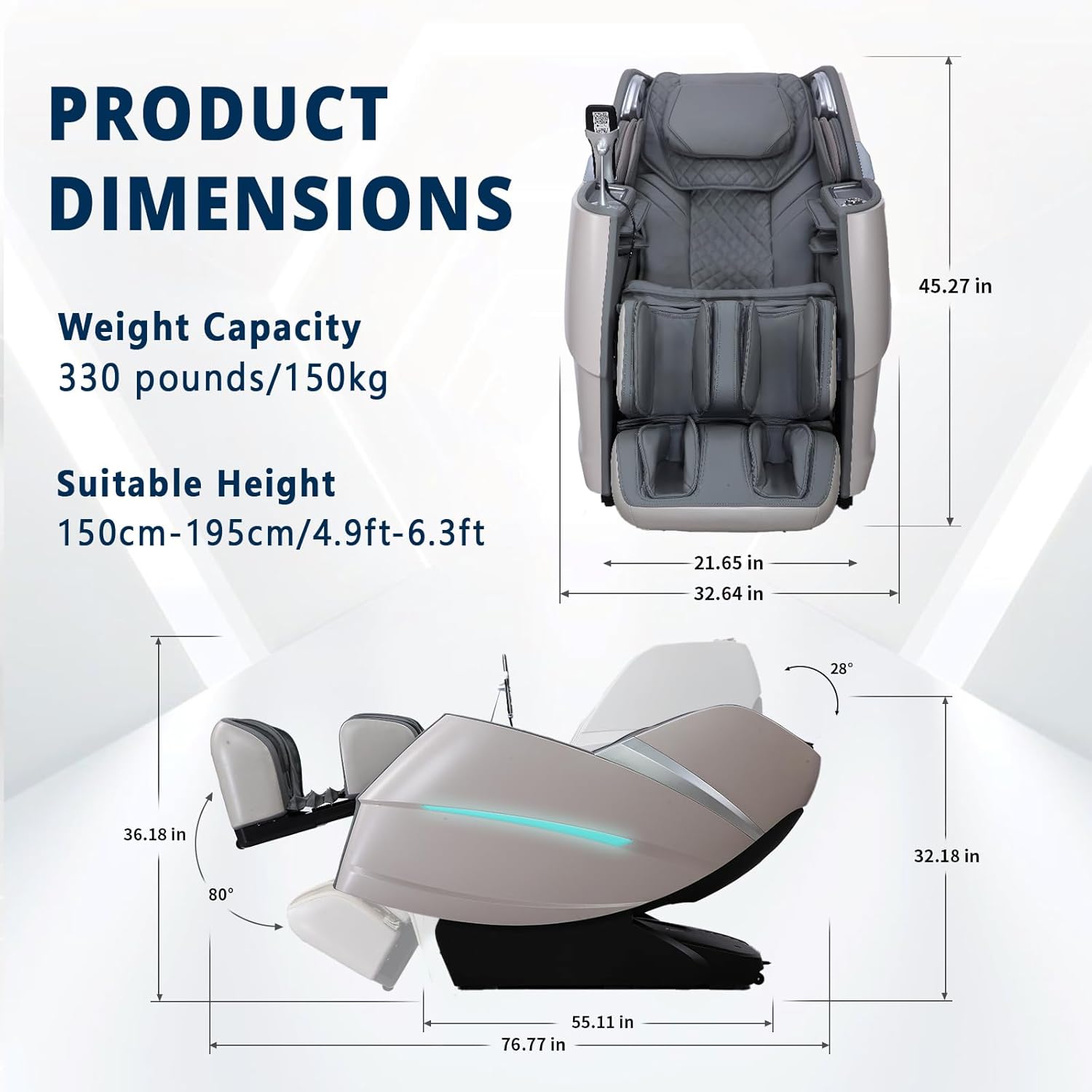
Image: HealthRelife 4D Massage Chair HR606 showing overall dimensions, weight capacity (330 lbs / 150 kg), and suitable height range (150cm-195cm / 4.9ft-6.3ft).
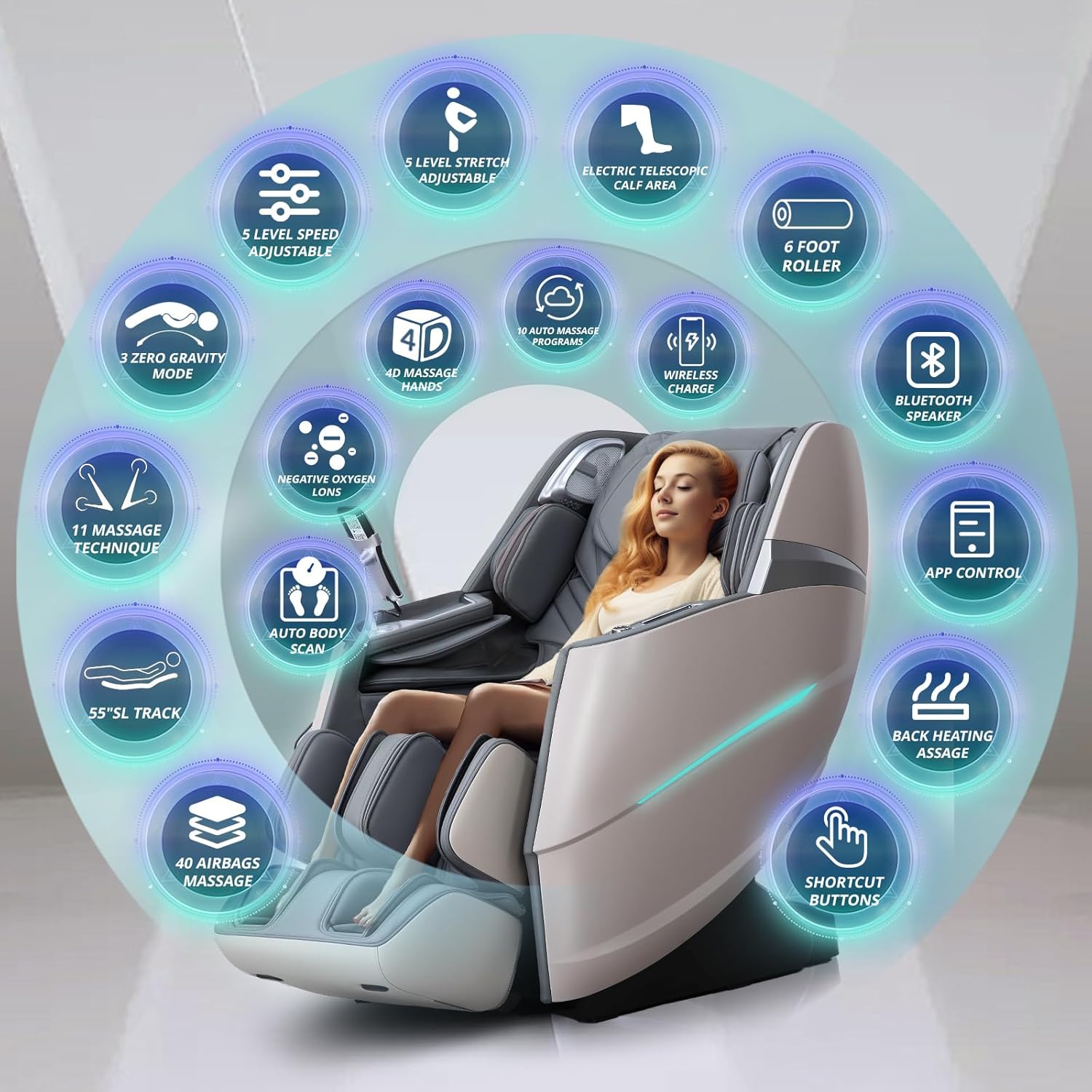
Image: Overview of over 31 massage experiences, including 11 techniques and 20 auto programs, highlighting features like 5-level stretch, 4D massage hands, 40 airbags, and app control.
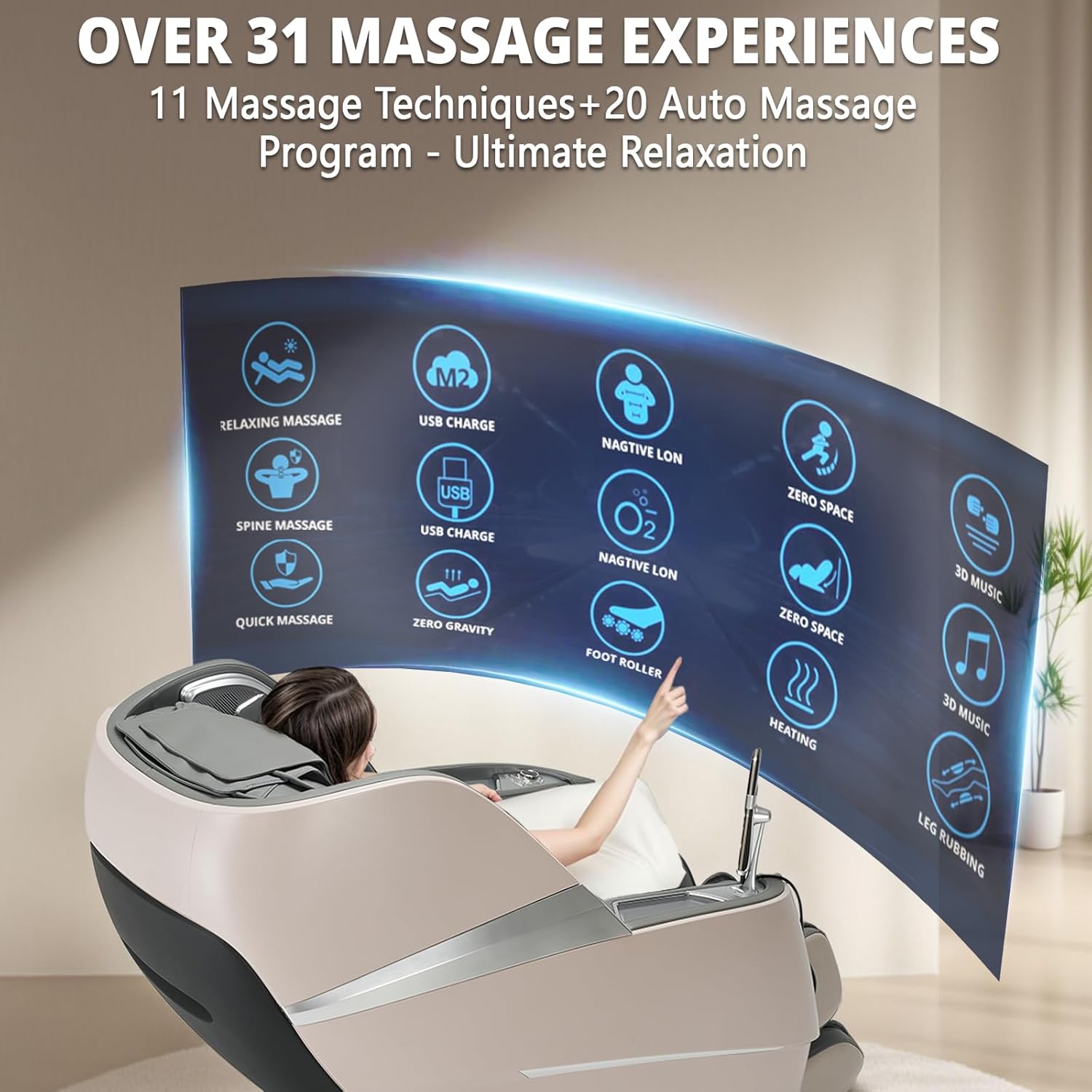
Image: Illustration of the three control methods: APP Control, Hand Controller, and Shortcut Buttons on the armrest.
3. Setup and Installation
The HealthRelife 4D Massage Chair HR606 requires some assembly. Please follow these steps carefully. It is recommended to have two people for assembly due to the chair's weight and size.
Unboxing and Initial Placement
- Cut off the packing tape with scissors.
- Snap the disassembly port or lift the outer case from the bottom to remove the outer box.
- Remove the top board and foam packaging.
- Remove the calf section and take out the accessory bag. Remove any remaining foam and bags.
- Open the host packaging bag. Be careful to put it away properly. Avoid obstructing transportation when lifting the massage chair.
- Lift the chair to the planned position. Pay attention to the front armrests and the notch in the back cover for safe handling.
- Remove the calf protection foam.
- Remove the left and right calf covers by unscrewing one fixing screw on each. Open the calf cover.
Connecting Components
- Insert the air tube into its designated port.
- Attach the calf section to the main chair holder and install the fixing screws.
- Zip up the leg and cushion zippers to secure the calf section.
Hand Controller Setup
- Open the accessory bag and take out the internal accessories, including the instruction manual, screw kit, power cord, and hand controller bracket.
- Remove the hand controller bracket and its screws from the packaging.
- Place the hand controller bracket onto the bracket mounting holes on the chair's armrest. Pay attention to aligning the screw holes properly.
- Install the hand controller bracket using three small screws.
- Install the decorative cover of the hand controller bracket. Ensure the outside of the first snap is properly secured.
- Remove the hand controller from its box.
- When installing the hand controller, pay attention to properly aligning the hand controller plug and jack. Avoid damaging the hand controller.
- Plug in the hand controller cable and screw the knob to secure it. Place the hand controller on the bracket.
Power Connection
- Plug in the power cord to the chair's power inlet and then into a suitable wall outlet. Turn on the main power switch located near the power inlet.
Installation Video Guide
Video: A step-by-step guide on how to unbox and assemble the HealthRelife A606 Massage Chair, including connecting the calf section and hand controller, and powering on the unit.
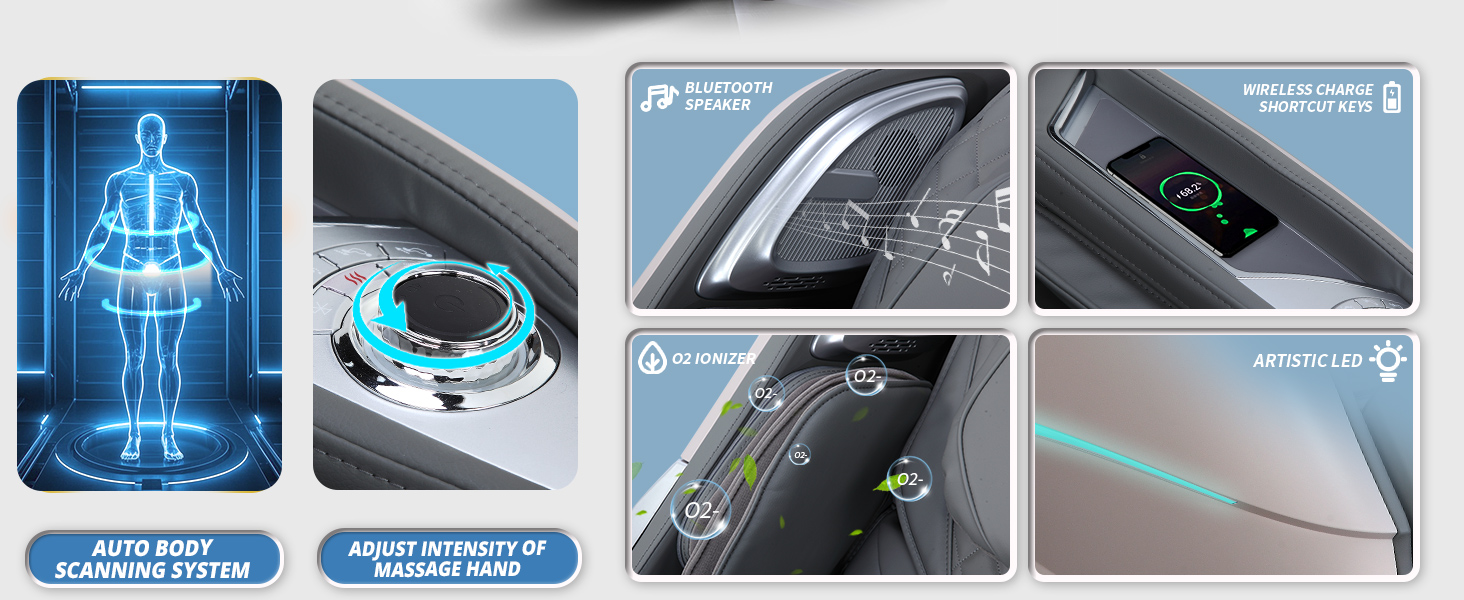
Image: Diagram illustrating the product dimensions and recommended door clearance (33.4 inches) for moving the massage chair into a room.
4. Operating Instructions
The HealthRelife 4D Massage Chair HR606 offers multiple ways to control your massage experience. Familiarize yourself with the hand controller, armrest shortcut buttons, and the mobile application.
Powering On/Off
- Ensure the main power switch at the back of the chair is in the 'ON' position.
- Press the power button on the hand controller or the armrest shortcut panel to turn the chair on or off.
Using the Hand Controller and Shortcut Buttons
The hand controller provides detailed control over all massage functions. The armrest shortcut buttons offer quick access to frequently used features.
- Auto Programs: Select from 20 pre-set automatic massage programs, such as 'Comfortable Massage', 'Relax Massage', 'Yoga Stretch', 'Back & Waist Massage', and 'Neck & Shoulder Massage'.
- Manual Techniques: Choose from 11 massage techniques, including kneading, tapping, shiatsu, and more, and adjust intensity and speed.
- Zero Gravity Mode: Activate one of the two zero-gravity positions (135° and 118°) for a weightless sensation.
- Heating Function: Turn on the waist and back graphene heating for added comfort.
- Airbag Massage: Adjust the intensity of the 40 airbags located in the shoulders, arms, feet, and buttocks.
- Foot Roller Massage: Control the foot rollers for a stimulating foot massage.
- Leg Extension: The calf massage position can be adjusted to fit the user's height.
Mobile APP Control
Download the 'Robot Massage' application on your smartphone to control the chair via Bluetooth. The app allows for comprehensive customization and monitoring of your massage.
- Bluetooth Connection: Open the app, search for available devices, and connect to your massage chair.
- Customization: Adjust massage intensity, speed, roller intensity, air pressure, and shoulder position.
- DIY Mode: Create and save your personal massage settings for a tailored experience.
Additional Features
- Wireless Charging: Place your compatible smartphone on the designated charging pad on the armrest.
- Bluetooth Speaker: Connect your device to the chair's Bluetooth speakers to enjoy audio during your massage.
- Negative Oxygen Ions: Activate the negative oxygen ion function for an enhanced relaxation environment.
Feature Overview Videos
Video: Demonstrates the HealthRelife Massage Chair's full body zero gravity feature, 4D massage, app control, and other key functionalities.
Video: Highlights the 4D massage, zero gravity, SL-track, foot massage, and other advanced features of the A606 HealthRelife 4D Massage Chair.
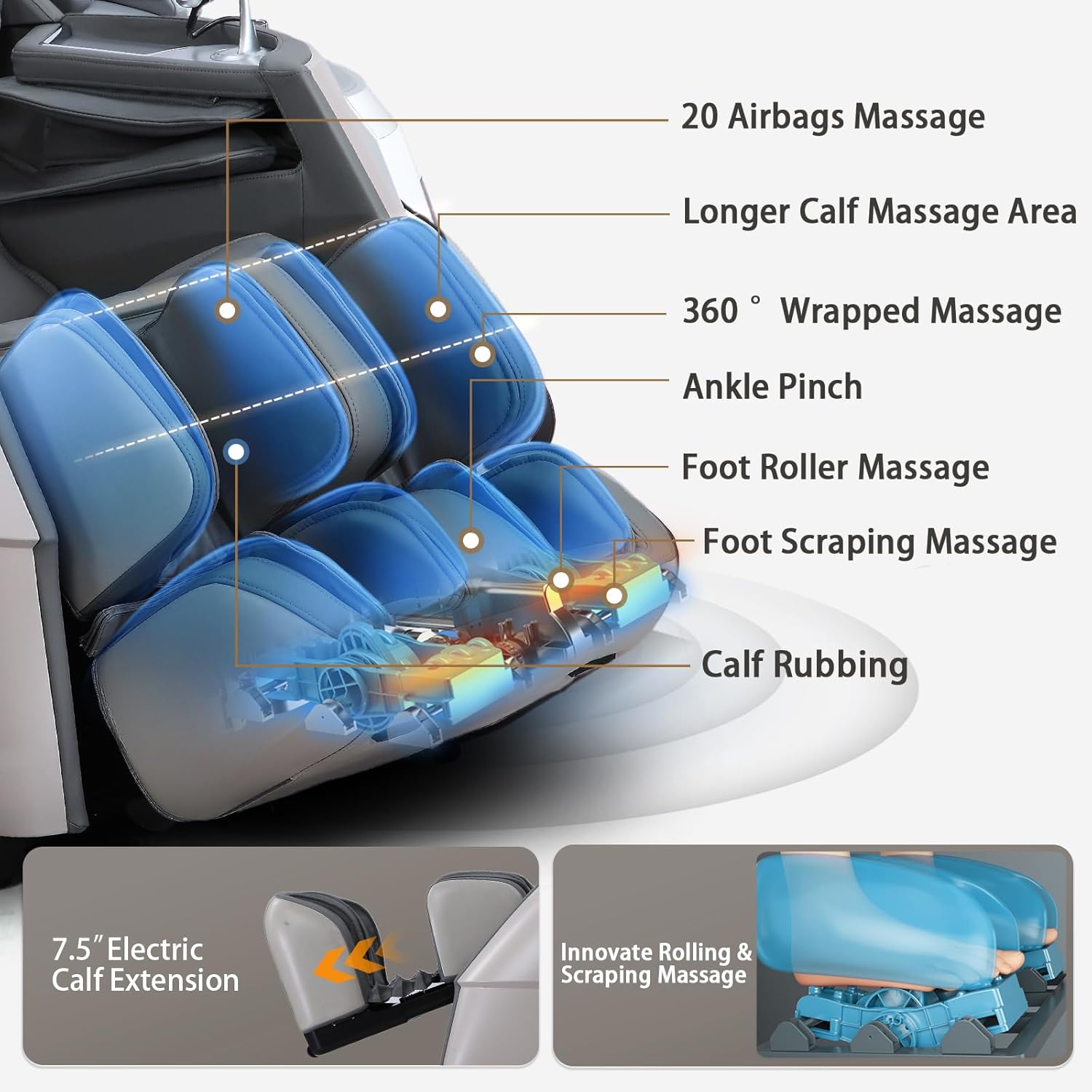
Image: Illustrates the 4D full body airbag massage system, showing the location of 4 shoulder airbags, 16 arm and palm airbags, 8 leg airbags, and 8 foot airbags.
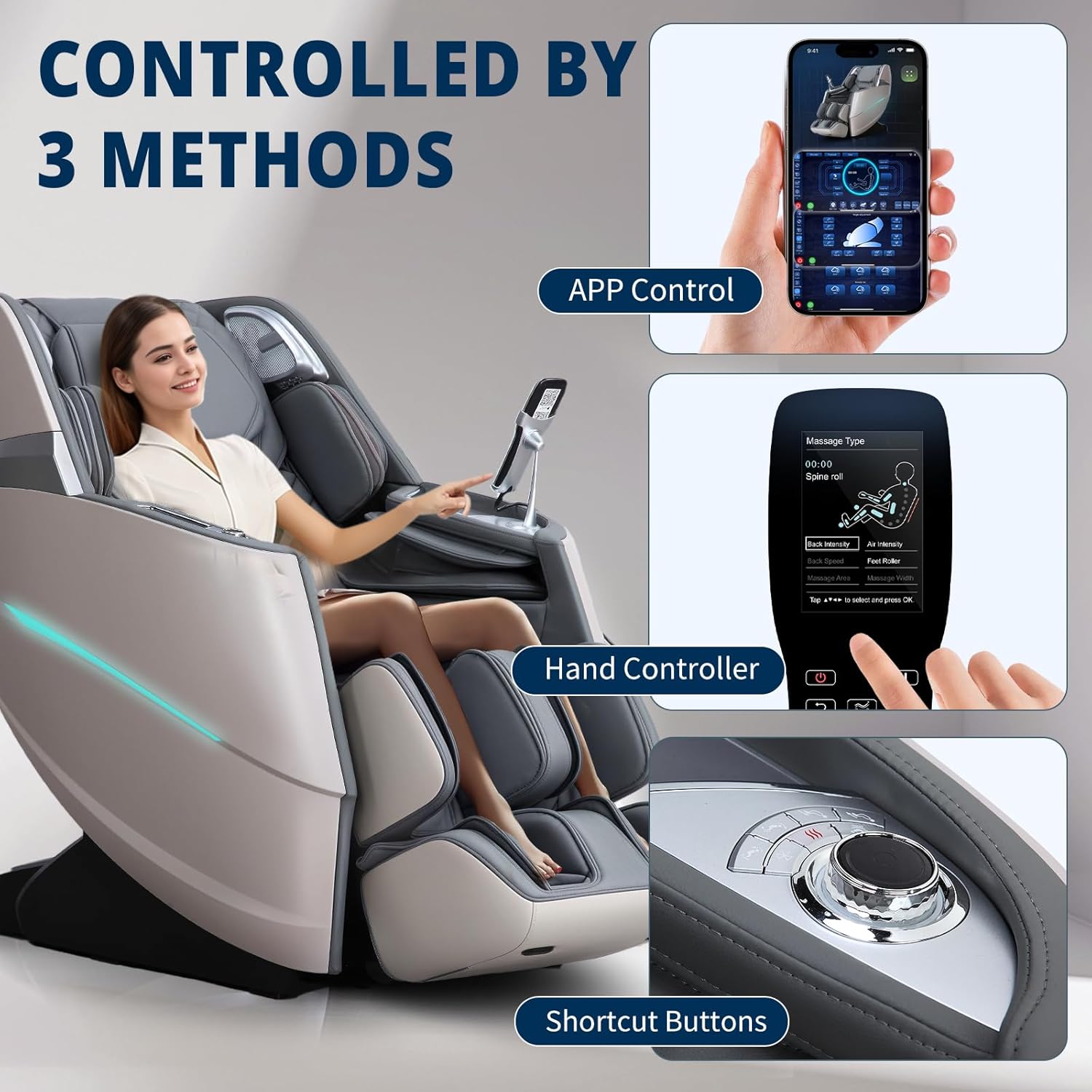
Image: Depicts the 55-inch SL-track from neck to feet and the 4D massage hand mechanism, showing how it conforms to the body's curves.
5. Maintenance
Proper maintenance ensures the longevity and optimal performance of your HealthRelife 4D Massage Chair HR606.
Cleaning Instructions
- Always unplug the chair before cleaning.
- Wipe the exterior surfaces with a soft, damp cloth. Do not use abrasive cleaners, solvents, or harsh chemicals.
- For leather surfaces, use a specialized leather cleaner and conditioner as needed.
- Keep the chair dry and avoid spilling liquids on it.
Storage and General Care
- Store the chair in a cool, dry place away from direct sunlight and extreme temperatures.
- Avoid placing heavy objects on the chair.
- Regularly inspect the power cord for any damage. If damaged, discontinue use and contact customer support.
- Ensure adequate space around the chair for proper ventilation and movement during reclining.
6. Troubleshooting
If you encounter any issues with your HealthRelife 4D Massage Chair HR606, please refer to the following common problems and solutions. If the problem persists, contact customer support.
| Problem | Possible Cause | Solution |
|---|---|---|
| Chair does not power on. | Power cord not properly connected; Main power switch off; Power outlet malfunction. | Check power cord connection; Ensure main power switch is ON; Try a different power outlet. |
| Massage rollers are not moving. | Massage program not selected; Safety sensor activated. | Select an auto program or manual massage mode; Ensure no obstructions are blocking the rollers. |
| Airbag massage is weak or not working. | Airbag intensity set too low; Air tube connection loose. | Increase airbag intensity via controller; Check air tube connections. |
| Remote control or APP not responding. | Battery low (remote); Bluetooth not connected (APP); Signal interference. | Replace remote batteries; Reconnect Bluetooth in APP; Move closer to the chair. |
| Unusual noise during operation. | Normal operational sounds; Loose component; Obstruction. | Some mechanical sounds are normal. Check for loose parts or obstructions. If noise is excessive, contact support. |
If you have any questions about your massage chair that are not covered here, please contact the HealthRelife customer support team for prompt assistance.
7. Specifications
Below are the technical specifications for the HealthRelife 4D Massage Chair HR606.
| Feature | Detail |
|---|---|
| Brand | HealthRelife |
| Model Name | HR606 |
| Color | Grey |
| Product Dimensions | 35"D x 32"W x 35"H |
| Item Weight | 189 pounds |
| Material | Metal frame, Foam cushioning |
| Special Feature | Ergonomic |
| Age Range (Description) | Adult |
| Reclining Position Count | 5 |
| Is Customizable | Yes |
| Indoor/Outdoor Usage | Indoor |
8. Warranty and Support
HealthRelife is committed to providing high-quality products and customer satisfaction.
Warranty Information
The HealthRelife 4D Massage Chair HR606 comes with a 3-year guarantee. This warranty covers manufacturing defects and ensures the performance and reliability of your massage chair. Please retain your proof of purchase for warranty claims.
Customer Support
For any questions, concerns, or assistance with your HealthRelife massage chair, please contact our dedicated customer support team. We are committed to resolving any issues to your satisfaction.
Contact details (e.g., phone number, email, website) would typically be provided here by the manufacturer.