
Amico KFM52PLY3B04R1
Amico 52-inch Low Profile Ceiling Fan with Light and Remote Control
Model: KFM52PLY3B04R1
Introduction
This manual provides detailed instructions for the safe installation, operation, and maintenance of your Amico 52-inch Low Profile Ceiling Fan with Light and Remote Control. Please read this manual thoroughly before installation and retain it for future reference.

Image: The Amico 52-inch ceiling fan in silver, featuring three blades, an integrated light, and a remote control. Separate fan blades are shown to highlight their reversible design with different finishes.
Important Safety Information
Always follow basic safety precautions when installing and operating electrical appliances to reduce the risk of fire, electric shock, and personal injury.
- WARNING: To reduce the risk of electric shock, ensure electricity has been turned off at the circuit breaker or fuse box before beginning installation.
- All wiring must be in accordance with national and local electrical codes.
- Do not use this fan with a dimmer switch or fan speed controller not specifically designed for ceiling fans.
- Ensure the installation location can support the weight of the fan (approximately 9.88 pounds).
- Do not expose the fan directly to rain if used outdoors.
Package Contents
Verify that all components are present before beginning installation:
- Ceiling Fan Motor Assembly
- Fan Blades (3)
- Remote Control
- Receiver
- Mounting Bracket
- Hardware Pack (screws, wire nuts, washers)
- LED Light Kit
- Instruction Manual
Setup and Installation
This section provides step-by-step instructions for installing your ceiling fan. It is recommended to have two people for installation.
1. Prepare for Installation
- Turn off power at the circuit breaker.
- Remove existing fixture.
- Ensure the outlet box is securely mounted and capable of supporting the fan's weight.

Image: Illustration of the easy installation process, showing hands attaching the fan motor housing to the ceiling bracket, emphasizing a 30-minute installation time and reduced electrician fees.
2. Mount the Bracket and Wire the Fan
- Attach the mounting bracket to the outlet box using the provided screws.
- Connect the fan's electrical wires to the household wiring according to the wiring diagram in the full manual. Ensure all connections are secure with wire nuts.
- Insert the remote control receiver into the mounting bracket.
3. Attach Fan Blades and Light Kit
- Attach the fan blades to the motor housing. Note that the blades are reversible with different finishes (nickel and oak grain). Choose the desired side.
- Connect the LED light kit wires to the fan motor assembly.
- Secure the light kit to the fan assembly.

Image: A close-up view of the replaceable LED light kit, highlighting its design for brighter and more even lighting, and indicating that replacements are readily available.
4. Final Steps
- Ensure all screws are tightened and connections are secure.
- Restore power at the circuit breaker.
- Test the fan and light using the remote control.
Operating Instructions
Your Amico ceiling fan is controlled by the included remote control. The fan and light can be operated independently.
Remote Control Functions

Image: The remote control for the Amico ceiling fan, illustrating its various functions including light customization, 6-speed adjustment, quiet operation, timer settings, and reversible motor control.
- Fan Speed (1-6): Adjust the fan speed from low (1) to high (6).

Image: Visual representation of the fan's 6 adjustable speeds, categorized into Low (1-2), Medium (3-4), and High (5-6) wind levels, suitable for room sizes between 12ft x 12ft and 18ft x 18ft.
- Light On/Off: Toggle the light on or off.
- Light Color Temperature (3CCT): Cycle through 3000K (Warm White), 4000K (Natural White), and 6000K (Cool White).

Image: Display of the customizable light feature, showing the three available color temperatures (3000K, 4000K, 6000K) and the dimmable range from 10% to 100% brightness.
- Light Dimming: Adjust the light brightness from 10% to 100%.
- Timer (1H/2H/4H): Set the fan to turn off automatically after 1, 2, or 4 hours.

Image: A visual guide to the fan's timer setting, showing options for 1, 2, and 4 hours, which helps avoid leaving the fan running unnecessarily.
- Reversible DC Motor: Change the direction of the fan blades for summer (downward airflow for cooling) or winter (upward airflow for heat circulation).

Image: Illustration of the reversible DC motor, showing airflow patterns for summer (strong wind, rapid cooling) and winter (balancing indoor heating and cooling), controlled via the remote.
Memory Function
The fan remembers your last light brightness and color temperature settings. To activate: Select your desired light settings, then turn off the light and wait for at least 10 seconds. When the light is turned on again, it will retain these settings. If the light is turned on within 10 seconds of being turned off, the color temperature may switch.
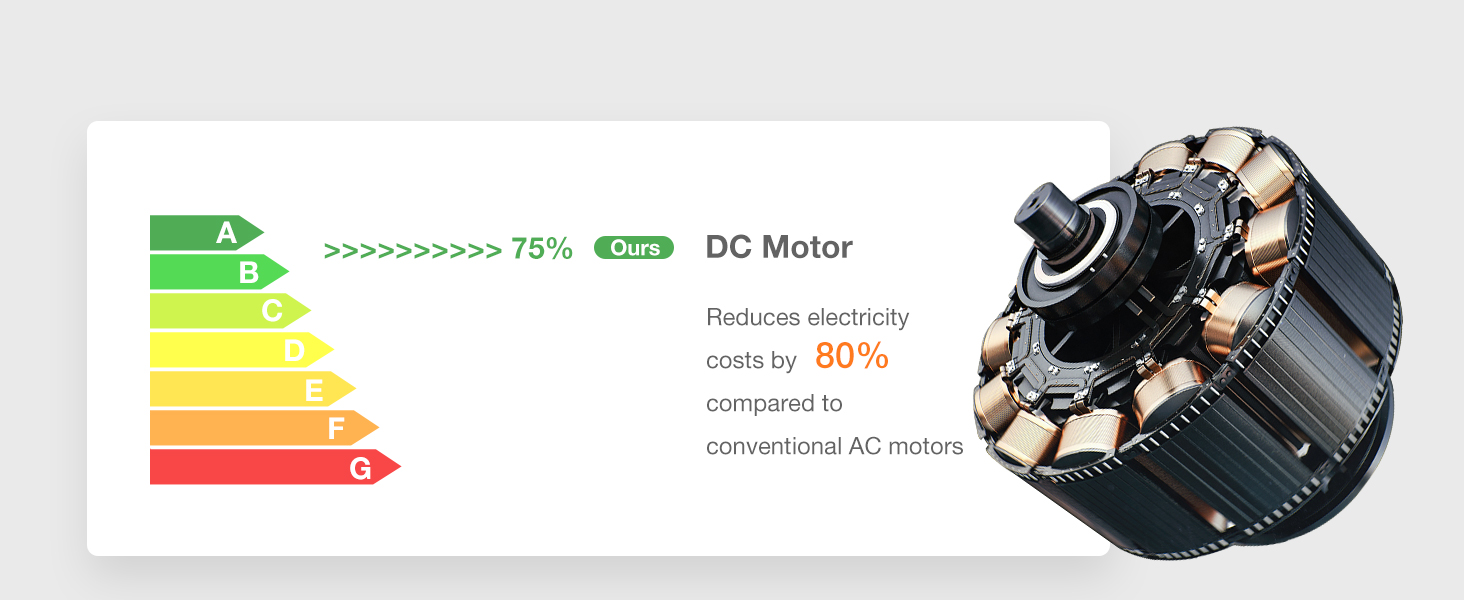
Image: A three-step visual guide explaining the light's memory function: 1) Select desired color and brightness, 2) Turn off and wait over 10 seconds, 3) Turn on, and settings are retained. A note clarifies behavior if turned on within 10 seconds.
Wall Switch Control
The remote control can be fixed to a wall and used as a wall switch. This fan is suitable for conventional on/off wall switches. NOTE: Do not connect to a dimmer switch or a fan's gear switch, as this can damage the fan.

Image: A comparison showing suitable conventional wall switches for controlling the fan and light (on/off) versus incompatible dimmer switches or fan gear switches, which should not be used.
Maintenance
Regular maintenance ensures optimal performance and longevity of your ceiling fan.
- Cleaning: To clean the fan, wipe with a soft, damp cloth. Do not use abrasive cleaners or solvents.
- Blade Cleaning: Dust the fan blades regularly to prevent dust buildup, which can affect performance.
- Tighten Screws: Periodically check and tighten all screws on the fan and mounting bracket.
- No Lubrication Needed: The motor is permanently lubricated and does not require oiling.
Troubleshooting
If you experience issues with your fan, refer to the following common problems and solutions:
| Problem | Possible Cause | Solution |
|---|---|---|
| Fan does not start | No power to the fan; loose wire connections; remote control battery low. | Check circuit breaker; ensure all wires are securely connected; replace remote control battery. |
| Fan makes noise | Loose screws; fan blades unbalanced; motor hum. | Tighten all screws; ensure blades are properly installed and balanced; motor hum is normal for DC motors at certain speeds. Image: A graphic demonstrating the fan's quiet operation, indicating its noise level is around 35dB, comparable to falling leaves, and significantly quieter than a whisper or normal conversation. |
| Light does not work | Loose wire connection; LED light kit issue. | Check light kit wiring; contact support if LED light kit is faulty. |
| Remote control not working | Low battery; incorrect pairing. | Replace remote battery; refer to the full manual for remote pairing instructions. |
Specifications
| Feature | Detail |
|---|---|
| Model Name | KFM52PLY3B04R1 |
| Brand | Amico |
| Size | 52 inch |
| Color | Silver |
| Product Dimensions | 51.97"D x 51.97"W x 15.75"H |
| Item Weight | 9.88 pounds |
| Power Source | AC |
| Voltage | 120 Volts |
| Wattage | 45 watts |
| Special Features | 3 Color Temperature, 6 Speeds, Dimmable, Reversible, Timer |
| Control Method | Remote Control |
| Installation Type | Flush Mount |
| Indoor/Outdoor Usage | Indoor (Damp Rated for covered outdoor spaces, not direct rain exposure) |
| Energy Efficiency | Energy Star rated, High efficiency (DC Motor reduces electricity costs by 80% compared to conventional AC motors) |

Image: Detailed diagram illustrating the dimensions of the 52-inch ceiling fan, including the 52-inch diameter, 9.3-inch height, and blade length of 22.3 inches.

Image: A showroom depiction of the ceiling fan installed in a living room, indicating suitability for room sizes between 12ft x 12ft and 18ft x 18ft, and ceiling heights of 8-10 ft.

Image: Visual representation of the fan's damp rating, showing its use in covered outdoor areas such as porches, balconies, and patios, with a clear warning against direct exposure to rain.
Warranty and Support
Amico provides a comprehensive warranty and dedicated customer support for your product.
- Whole Fan Warranty: 2 years
- Motor Warranty: 10 years
- Satisfaction Guarantee: 24-month worry-free warranty.
- Technical Support: 24-hour technical support is available.
- Contact: If you have any issues during using or installing the fan, or if your LED light board or remote control are damaged or lost, please contact Amico customer service.

Image: Warranty information graphic, stating a 2-year warranty for the entire fan and a 10-year warranty for the motor. It also advises contacting support for issues with the LED light board or remote control.
Related documentsKFM52PLY3B04R1


Ask a question about this manual
Ask about setup, troubleshooting, compatibility, parts, safety, or missing instructions. Manuals+ will review the question and use this page’s manual context to help answer it.