
AINAVI b47d897a-0ddd-42ff-8f23-b04b055e8d0d
AINAVI 8.8 Inch Touch Screen CarPlay Radio User Manual
Model: b47d897a-0ddd-42ff-8f23-b04b055e8d0d
1. Introduction
This manual provides comprehensive instructions for the installation, operation, and maintenance of your AINAVI 8.8 Inch Touch Screen CarPlay Radio. This unit is designed to upgrade the multimedia capabilities of specific BMW models while retaining original vehicle functions. Please read this manual thoroughly before installation and use to ensure proper operation and to prevent damage.

Image 1.1: AINAVI 8.8 Inch Touch Screen CarPlay Radio with Apple CarPlay interface.
2. Compatibility
This multimedia player is exclusively designed for the following BMW models with the CCC system and 10-Pin LVDS connector:
- BMW 3 Series: E90, E91, E92, E93 (2005-2008)
- BMW 5 Series: E60, E61, E63, E64 (2005-2008)
Important: This unit is NOT compatible with CIC systems (4-Pin LVDS) or NBT systems (6-Pin LVDS).
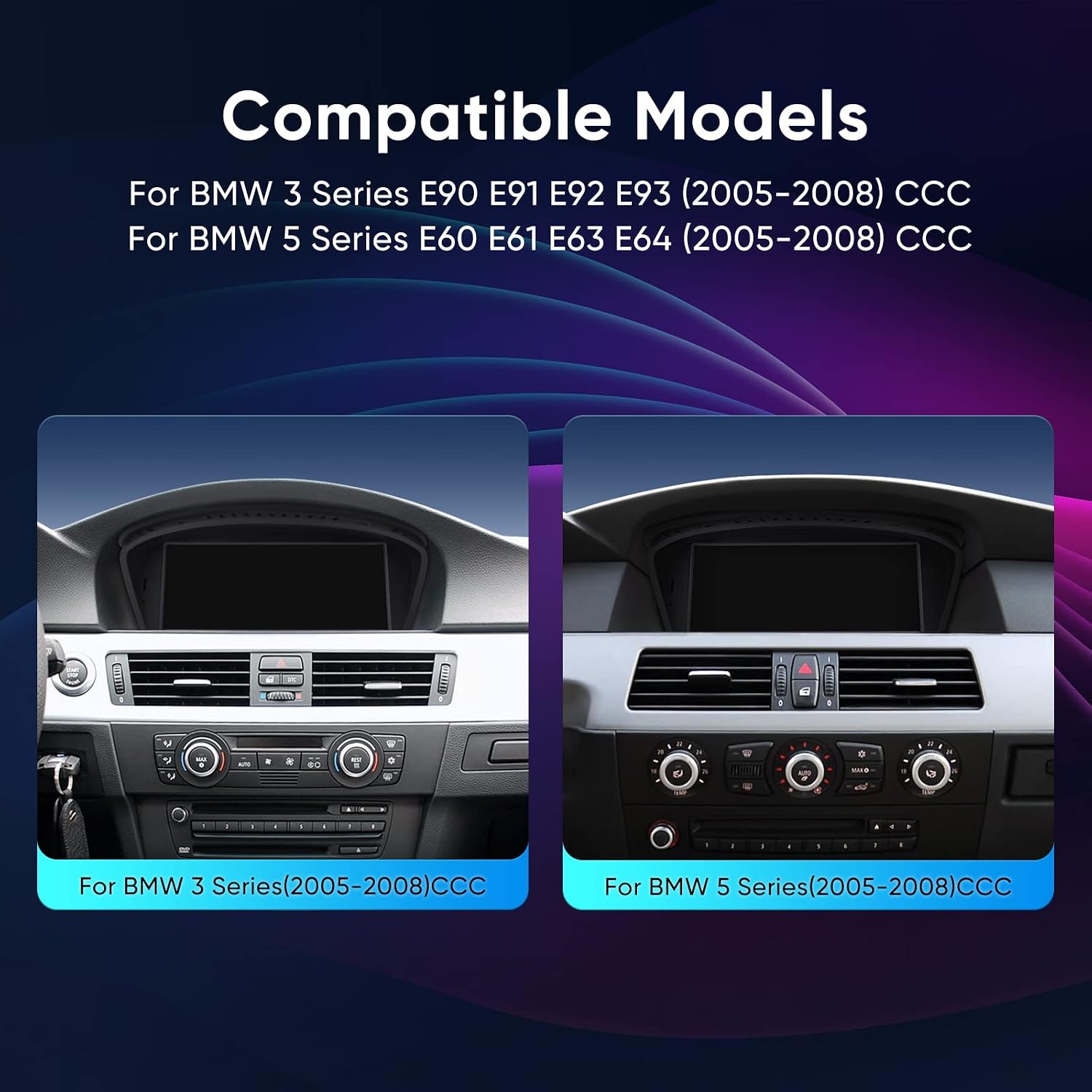
Image 2.1: Visual representation of compatible BMW 3 Series and 5 Series dashboards.
2.1 Pre-Installation Check: Audio AUX
Ensure your vehicle has the original Audio AUX function. If your car has Audio AUX, the device is compatible. If your car does NOT have Audio AUX, this product is not suitable.
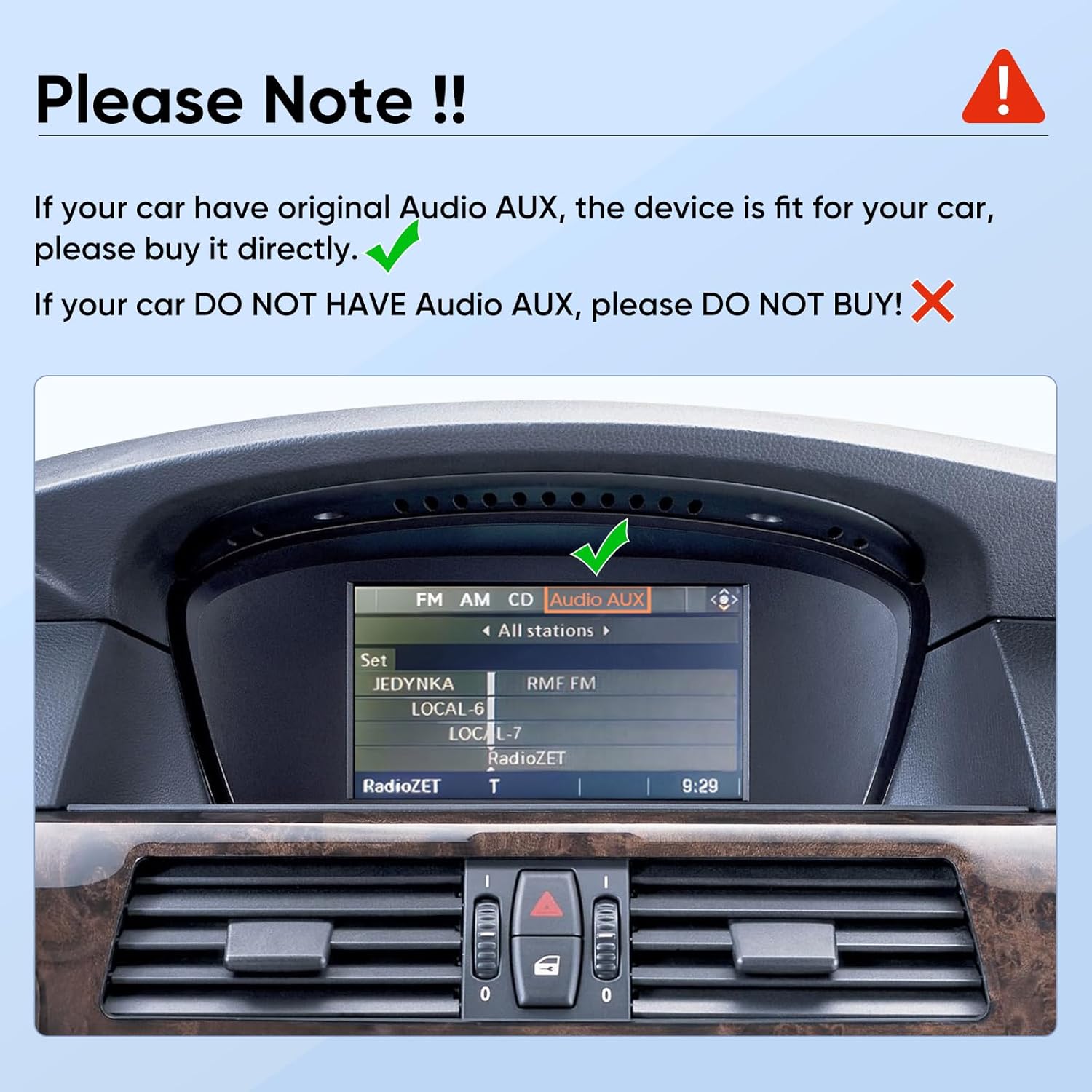
Image 2.2: BMW iDrive screen displaying 'Audio AUX' as an available option.
2.2 Pre-Installation Check: Identify iDrive System
Before purchasing or installing, it is crucial to identify your car's original iDrive system (CCC, CIC, or NBT) by checking the LVDS port. Remove the original screen to access the port.
| System Type | LVDS Pin Count |
|---|---|
| CCC System | 10 Pins |
| CIC System | 4 Pins |
| NBT System | 6 Pins |

Image 2.3: Visual guide for identifying BMW iDrive system types by their LVDS connector pins.
3. Features
- 8.8 Inch HD LCD Display: 1280x480 resolution for an enhanced visual experience.
- Built-in Wireless CarPlay & Wired Android Auto: Seamless smartphone integration for navigation, calls, messages, and music.
- Dual System Operation: Retains original car CD system functions while adding Linux system capabilities.
- Original Feature Retention: Compatible with iDrive Knob control, original Bluetooth, Radio, OEM rear camera, Radar, and steering wheel controls. Displays vehicle information like speed, fuel level, and oil pressure.
- Bluetooth 5.1: Enhanced transmission rate and effective working distance for audio streaming, automatic phone book transfer, and hands-free calls.
- Dual WiFi Band: Supports both 2.4GHz and 5GHz WiFi for reliable internet connectivity.
- DSP Processing & 16-band EQ: Provides high-quality audio.
- AHD 720P Backup Camera Support: Offers clearer backup camera display than CVBS cameras.

Image 3.1: Overview of original BMW system features retained by the AINAVI unit.
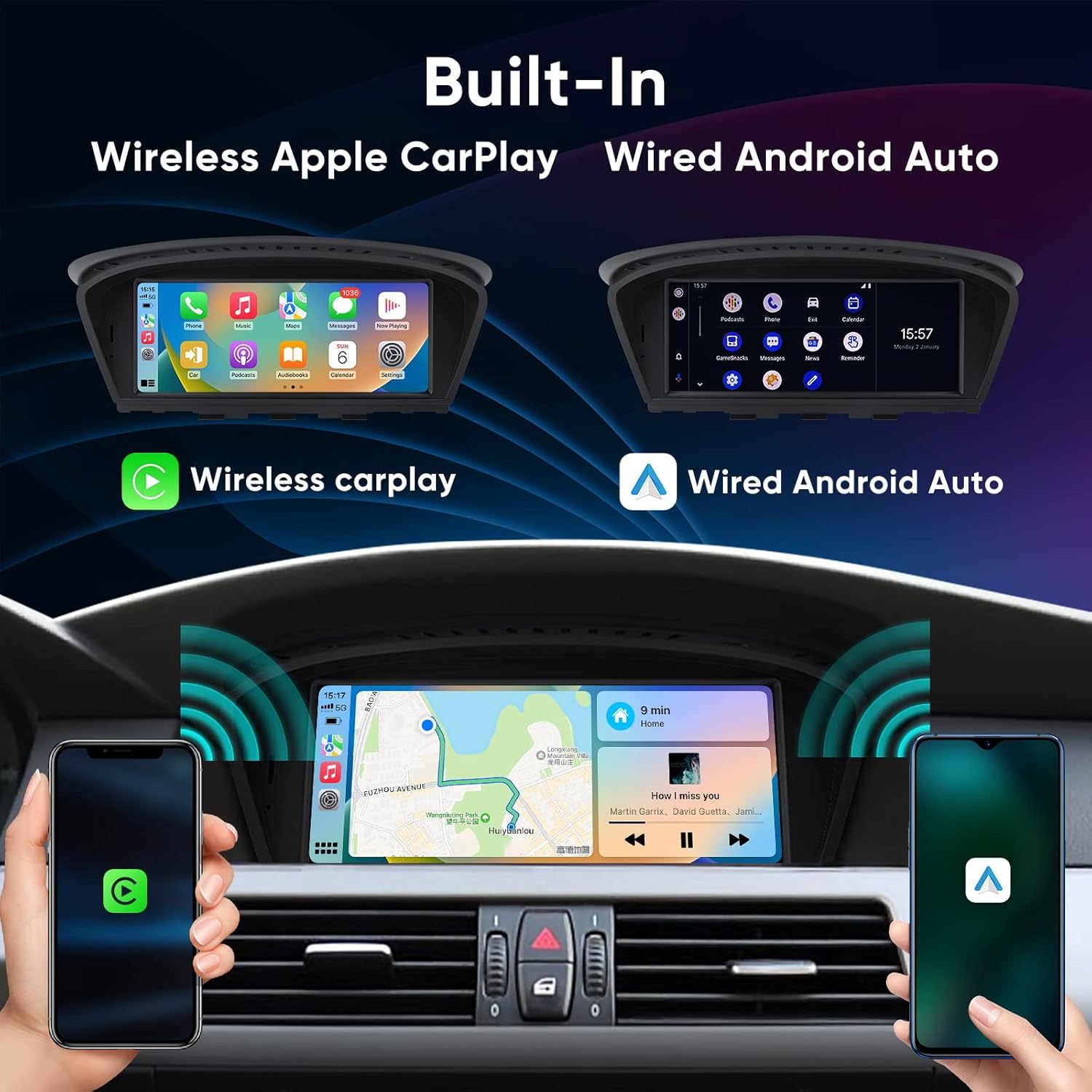
Image 3.2: Demonstration of Wireless Apple CarPlay and Wired Android Auto functionality.
4. What's in the Box
Verify that all components are present before beginning installation:
- 8.8" Head Unit (1)
- ISO Wiring Harness Cable (1)
- Audio Extension Cable (1)
- USB Cable (1)
- Installation Instruction (1)

Image 4.1: Product dimensions and included accessories.
5. Setup and Installation
Professional installation is recommended. Refer to the included installation instruction manual for detailed steps. Ensure the vehicle's battery is disconnected before starting any electrical work.
5.1 Wiring Diagram
Follow the wiring diagram carefully to connect the head unit to your vehicle's electrical system and peripherals.

Image 5.1: Wiring diagram for the AINAVI 8.8 Inch Touch Screen CarPlay Radio.
- ISO Wiring Harness 1
- ISO Wiring Harness 2
- 360-DET
- CAM-PWR (Aftermarket Backup Camera)
- 5V-OUT
- GND
- CCD-CVBS, Back-up Camera Input
- DVR- CVBS, DVR Camera Input
- ACC-OUT
- AUX-OUT
- USB2
- USB1
- LVDS Port
6. Operating Instructions
6.1 Basic Operation
The unit features an 8.8-inch touch screen for direct interaction. You can also use the original iDrive controller for navigation and selection within the system, retaining familiar controls.
6.2 CarPlay and Android Auto
Connect your smartphone wirelessly via Bluetooth for Apple CarPlay or wired for Android Auto. Once connected, you can access compatible apps for navigation, communication, and entertainment directly on the unit's display.
6.3 System Switching
The unit supports dual system operation, allowing you to switch between the original BMW vehicle system and the CarPlay/Android Auto interface. This ensures all original functionalities remain accessible.

Image 6.1: Demonstration of system switching between original vehicle interface and CarPlay.
7. Maintenance
To ensure the longevity and optimal performance of your AINAVI multimedia player, follow these maintenance guidelines:
- Screen Cleaning: Use a soft, lint-free cloth to gently wipe the screen. For stubborn smudges, slightly dampen the cloth with water or a screen-safe cleaner. Avoid harsh chemicals or abrasive materials.
- Temperature Control: Avoid exposing the unit to extreme temperatures, both hot and cold, for extended periods.
- Software Updates: Periodically check for available software updates from AINAVI to ensure the system runs efficiently and has the latest features and bug fixes.
- Cable Connections: Ensure all cables are securely connected. Loose connections can lead to intermittent issues.
8. Troubleshooting
If you encounter issues with your AINAVI CarPlay Radio, refer to the following common problems and solutions:
- No Power:
- Check all power connections and fuses.
- Ensure the vehicle's ignition is on.
- No Sound:
- Verify the Audio AUX connection is correctly configured and selected in the original BMW system.
- Check volume levels on both the AINAVI unit and the original car stereo.
- CarPlay/Android Auto Not Connecting:
- For wireless CarPlay, ensure Bluetooth is enabled on your iPhone and paired with the unit.
- For wired Android Auto, ensure a high-quality USB cable is used and your Android phone's settings allow for USB data transfer.
- Restart both your phone and the head unit.
- Screen Not Responding:
- Perform a soft reset of the unit (refer to the detailed installation manual for specific instructions).
- Ensure the screen is clean and free of debris.
- Original iDrive Functions Not Working:
- Ensure the system is switched to the original BMW interface.
- Check all LVDS and CAN bus connections.
If the problem persists after attempting these solutions, please contact customer support.
9. Specifications
| Feature | Detail |
|---|---|
| Screen Size | 8.8 inches (23 cm diagonal) |
| Resolution | 1280 x 480 |
| Display Type | HD LCD, IPS Technology, 2.5D Touch Screen |
| Connectivity | Wireless/Wired CarPlay & Android Auto, Bluetooth 5.1, Dual WiFi (2.4GHz/5GHz), USB |
| Controller Type | Linux |
| Audio Output Mode | Stereo |
| Video Encoding | H.264, H.265/HEVC, MPEG-4 |
| Color | Black |
| Item Weight | 3.37 pounds |
| Package Dimensions | 11.85 x 7.91 x 7.17 inches |
| Model Number | b47d897a-0ddd-42ff-8f23-b04b055e8d0d |
10. Support and Warranty
For installation assistance, technical support, or warranty inquiries, please contact AINAVI customer service. You can typically reach support through your purchase platform or directly via the manufacturer's contact information.

Image 10.1: AINAVI Customer Support contact details.
Contact Information:
- Phone: +1 (833) 858-5016
- Working Hours: 01:00 PM to 00:00 AM PST
- Email: info@ainavi.com
When contacting support, please have your product model number (b47d897a-0ddd-42ff-8f23-b04b055e8d0d) and purchase details readily available.
Ask a question about this manual
Ask about setup, troubleshooting, compatibility, parts, safety, or missing instructions. Manuals+ will review the question and use this page’s manual context to help answer it.