
1. Introduction
This manual provides essential information for the safe and effective use of your MERACH Under Desk Elliptical Machine MR-E34B1. Please read it thoroughly before operation and retain it for future reference.
Important Safety Warning:
Avoid using this device with other electronic medical devices like pacemakers. Do not use it if you have steel plates or other surgical fixtures in your body. These safety precautions are essential for ensuring proper use.

Image 1.1: The MERACH Under Desk Elliptical Machine MR-E34B1 with its remote control.
2. Package Contents
Verify that all items are present in the package:
- Under Desk Elliptical Machine x1
- Power Cord x1
- AAA Batteries x2
- Remote Controller x1
- User Manual x1
3. Product Overview
The MERACH MR-E34B1 is a compact, electric under-desk elliptical designed for low-impact exercise. It features a quiet motor, adjustable speed settings, and remote control operation.
Key Components:
- Pedals: Anti-slip design with raised dots for foot comfort and circulation. Supports both forward and backward motion.
- Main Unit: Houses the motor, control panel, and display.
- LCD Display: Shows real-time data such as time, distance, speed, count, and calories.
- Remote Control: Allows adjustment of modes, speed, and direction without bending down. Includes a storage compartment on the main unit.
- Anti-Slip Base Mat: Ensures stability during use.
- Portable Handle: For easy transportation.
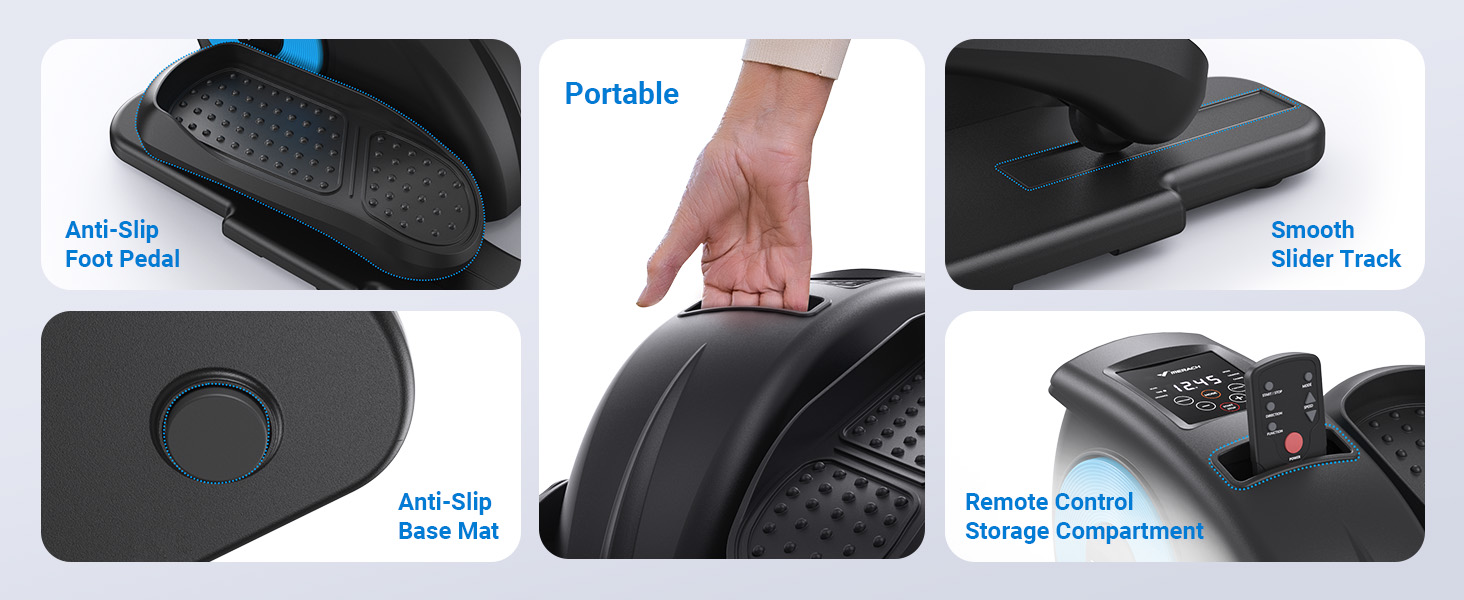
Image 3.1: Detailed view of the elliptical's features including pedals, handle, and remote storage.

Image 3.2: Internal view highlighting the quiet motor technology.
4. Setup
The MERACH Under Desk Elliptical Machine MR-E34B1 comes fully assembled and is ready for immediate use.
- Unpack: Carefully remove the elliptical machine from its packaging.
- Position: Place the machine on a flat, stable surface, such as under a desk or in front of a chair/sofa. Ensure there is enough space for comfortable leg movement.
- Power Connection: Connect the power cord to the elliptical machine and then to a standard electrical outlet.
- Remote Control Batteries: Insert the two AAA batteries into the remote control.
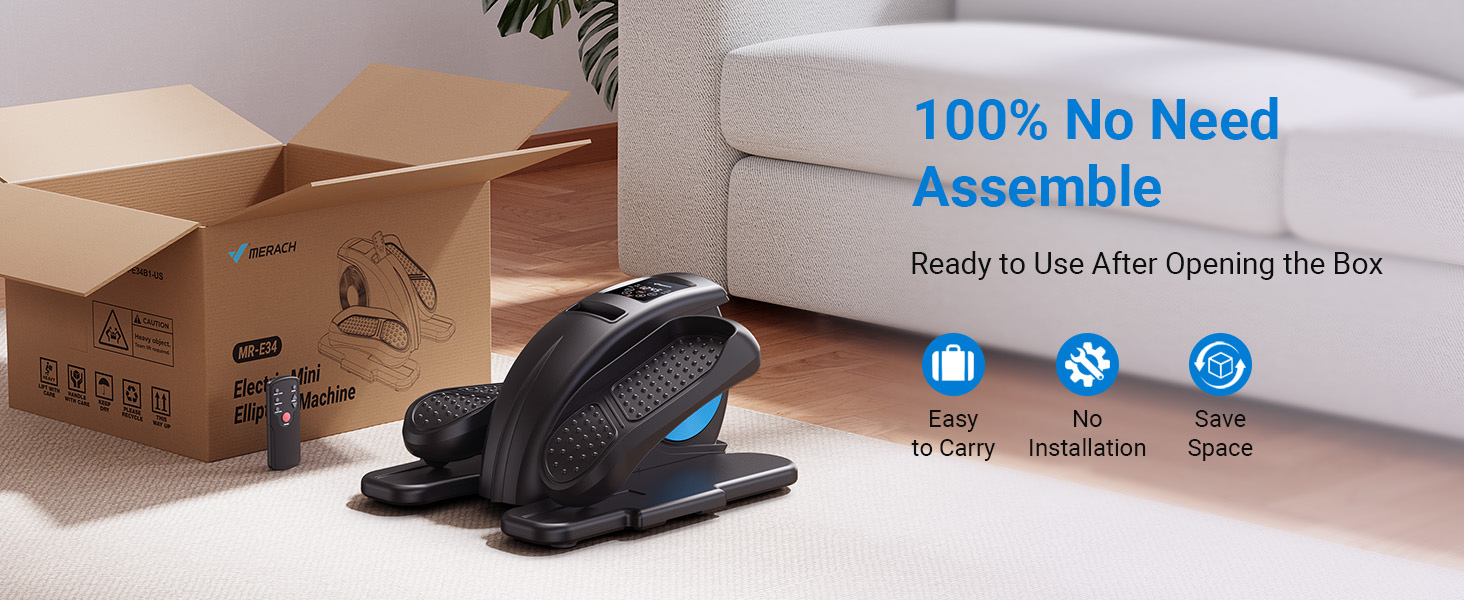
Image 4.1: The elliptical machine is ready to use out of the box.
5. Operating Instructions
The elliptical offers both manual and automatic modes, controlled via the remote or the main unit's panel.
5.1 Manual Mode
In Manual Mode, you can freely adjust the speed and rotation direction.
- Press the 'MODE' button on the remote or main unit to select Manual Mode (indicated by 'HR' on the display).
- Use the '+' and '-' buttons to adjust the speed level (1-12).
- Press the 'DIRECTION' button to switch between forward and backward pedal motion.
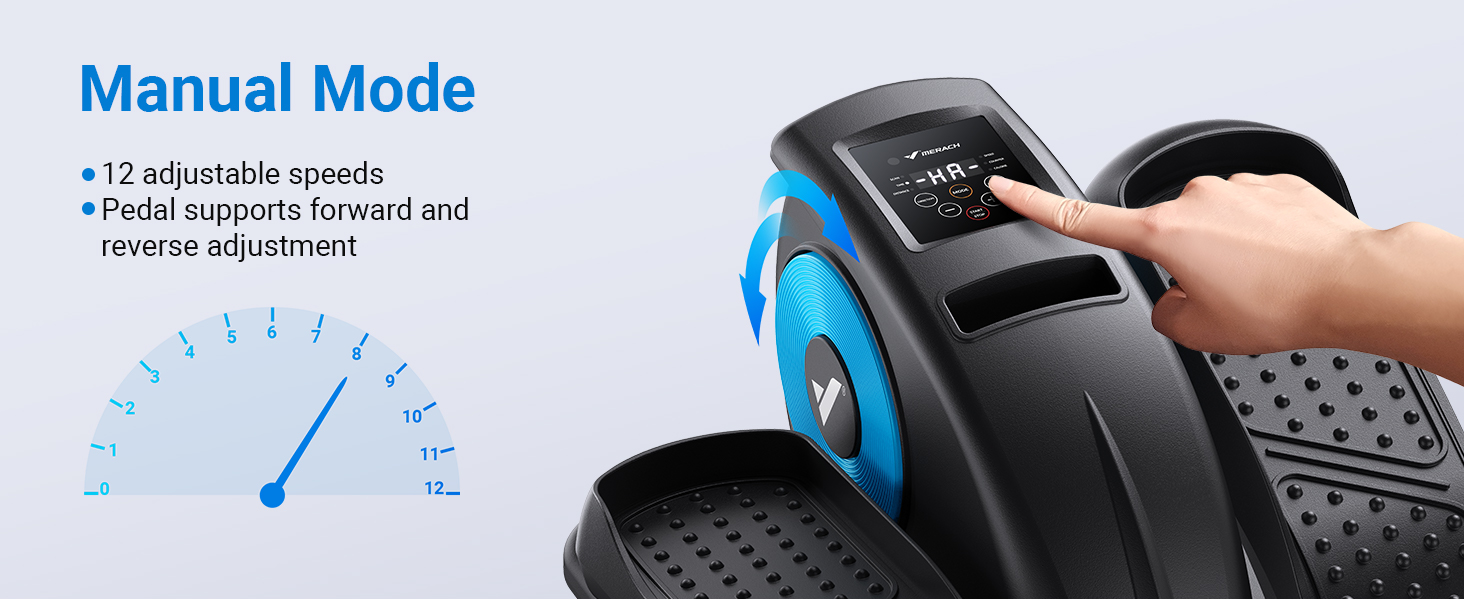
Image 5.1: Manual Mode display and controls.
5.2 Automatic Modes
The elliptical features 12 pre-programmed automatic modes (P1-P12) that automatically adjust speed and direction for varied workouts.
- Press the 'MODE' button repeatedly until an Auto Mode (P1-P12) is displayed.
- The system will automatically cycle through speed and direction changes for a 15-minute duration.
- Modes P1-P4 are for Assistance Training, P5-P8 for Functional Training, and P9-P12 for Rehabilitative Training.
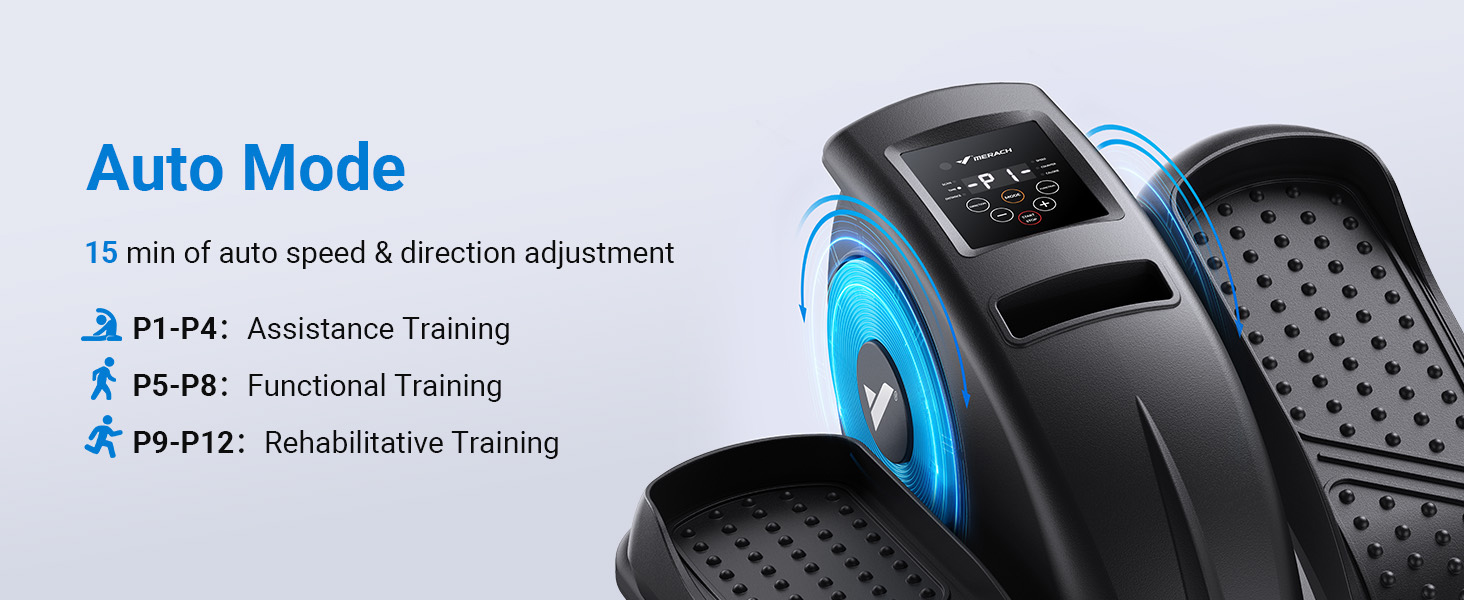
Image 5.2: Auto Mode display and program types.
5.3 Using the Remote Control
The remote control allows convenient operation without needing to reach the main unit.
- START/STOP: Powers the machine on/off or starts/stops the exercise.
- MODE: Switches between Manual Mode and the 12 Automatic Modes.
- DIRECTION: Changes the pedal rotation direction (forward/backward) in Manual Mode.
- SPEED +/-: Adjusts the speed level in Manual Mode.

Image 5.3: Remote control in use, showing display data.
6. Maintenance
Regular maintenance ensures the longevity and optimal performance of your elliptical machine.
- Cleaning: Wipe the machine with a soft, damp cloth after each use. Avoid abrasive cleaners or solvents.
- Storage: Store the elliptical in a cool, dry place away from direct sunlight when not in use. Its compact size and portable handle make storage easy.
- Battery Replacement: Replace the AAA batteries in the remote control when the display becomes dim or unresponsive.
7. Troubleshooting
If you encounter issues with your MERACH elliptical, refer to the following common solutions:
| Problem | Possible Cause | Solution |
|---|---|---|
| Machine does not power on. | Power cord not connected properly; Power outlet not working. | Ensure power cord is securely plugged in. Test the outlet with another device. |
| Remote control is unresponsive. | Batteries are dead or incorrectly inserted. | Replace AAA batteries. Check battery polarity. |
| Pedals are not moving smoothly. | Obstruction; Machine needs cleaning. | Check for any foreign objects obstructing the pedals. Clean the machine. |
| Unusual noise during operation. | Loose components; Internal issue. | Ensure all visible parts are secure. If noise persists, contact customer support. |
If the problem persists after attempting these solutions, please contact MERACH customer support.
8. Specifications
| Feature | Detail |
|---|---|
| Model Name | MR-E34B1 |
| Brand | MERACH |
| Product Dimensions | 24.7D x 39.2W x 44.5H Centimetres |
| Item Weight | 6.3 kg (13.9 lbs) |
| Colour | Black |
| Material | Alloy Steel |
| Display Type | LCD |
| Resistance Mechanism | Magnetic |
| Number of Resistance Levels | 12 |
| Maximum Weight Recommendation | 300 Pounds |
| Batteries Included | Yes (AAA Batteries x2 for Remote) |
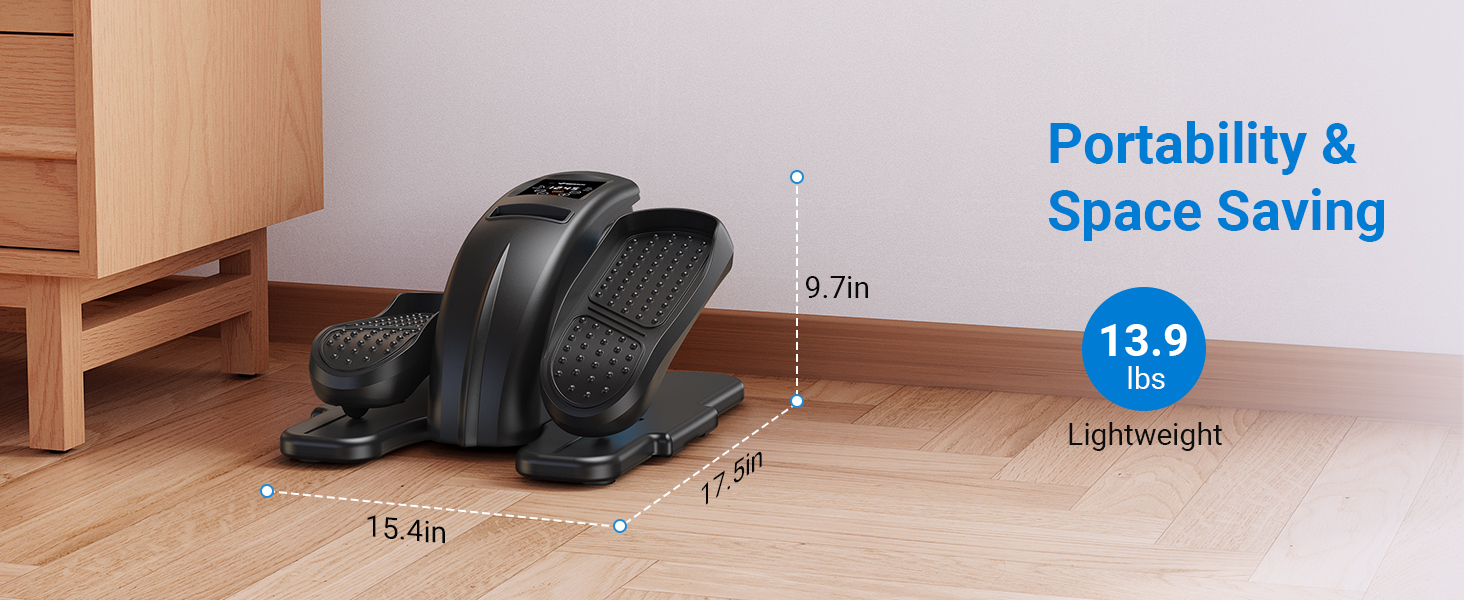
Image 8.1: Product dimensions and weight.
9. Warranty and Support
MERACH is committed to providing quality assurance services for every customer.
- Warranty: 12 Months Warranty.
- Customer Service: Replies within 48 hours.
- Returns: 30-Day Free Return.
For any inquiries or support, please contact MERACH customer service through your purchase platform or the official MERACH website.

Image 9.1: MERACH Warranty Service overview.