
1. Introduction
Thank you for choosing the Brilvibera A19 LED Outdoor Wall Light with Motion Sensor and Remote Control. This product bundle includes two outdoor wall light fixtures, two A19 LED bulbs, and one remote control. These lights are designed for outdoor use, featuring motion sensing capabilities, dimmable LED bulbs, and weather resistance. This manual provides essential information for safe installation, operation, and maintenance of your new lighting system.
2. Safety Information
Please read all safety instructions carefully before installation and use. Failure to follow these instructions may result in electric shock, fire, or other hazards.
- Electrical Safety: Always turn off power at the circuit breaker before installing, servicing, or cleaning the fixture. Ensure all wiring connections are secure and comply with local electrical codes.
- Qualified Electrician: If you are unsure about wiring or installation, consult a qualified electrician.
- Grounding: Ensure the fixture is properly grounded to avoid potential electric shock.
- Bulb Compatibility: Use only E26 base bulbs with a maximum wattage of 100W. The included A19 LED bulbs are specifically designed for this fixture.
- Outdoor Use: This product is designed for outdoor use and is weather-resistant. However, avoid submerging the fixture in water.
- Heat: LED bulbs can generate heat. Allow bulbs to cool before handling.
3. Package Contents
Verify that all components are present in your package:
- 2 x Outdoor Wall Light Fixtures (with E26 socket and integrated motion sensor)
- 2 x A19 Dimmable LED Bulbs
- 1 x Remote Control
- Mounting Hardware (screws, wire nuts, etc.)
4. Setup and Installation
Follow these steps for proper installation of your Brilvibera outdoor wall lights.
4.1 Mounting the Fixture
- Turn off Power: Before starting, ensure the power to the installation area is turned off at the circuit breaker.
- Prepare Mounting Surface: Ensure the wall surface is clean, dry, and structurally sound.
- Attach Mounting Plate: Secure the sturdy mounting plate to the wall using the provided hardware.
- Wiring Connections: Connect the fixture's wires to your household wiring (live, neutral, ground) according to local electrical codes. Use the provided wire nuts to secure connections.
- Secure Fixture: Carefully align the fixture with the mounting plate and secure it in place with the provided screws.

Image: The outdoor wall light fixture being installed, showing the mounting plate and the ease of installation. The image highlights 'INSTALL 5 MINUTE' and 'Easy to hook up Sturdy Mounting Plate'.
4.2 Installing the A19 LED Bulb
The fixture features an open bottom design for easy bulb replacement without tools.
- Insert Bulb: Screw the A19 LED bulb into the E26 socket at the bottom of the fixture.
- Do Not Force: Ensure the bulb is screwed in gently until snug. Do not overtighten.
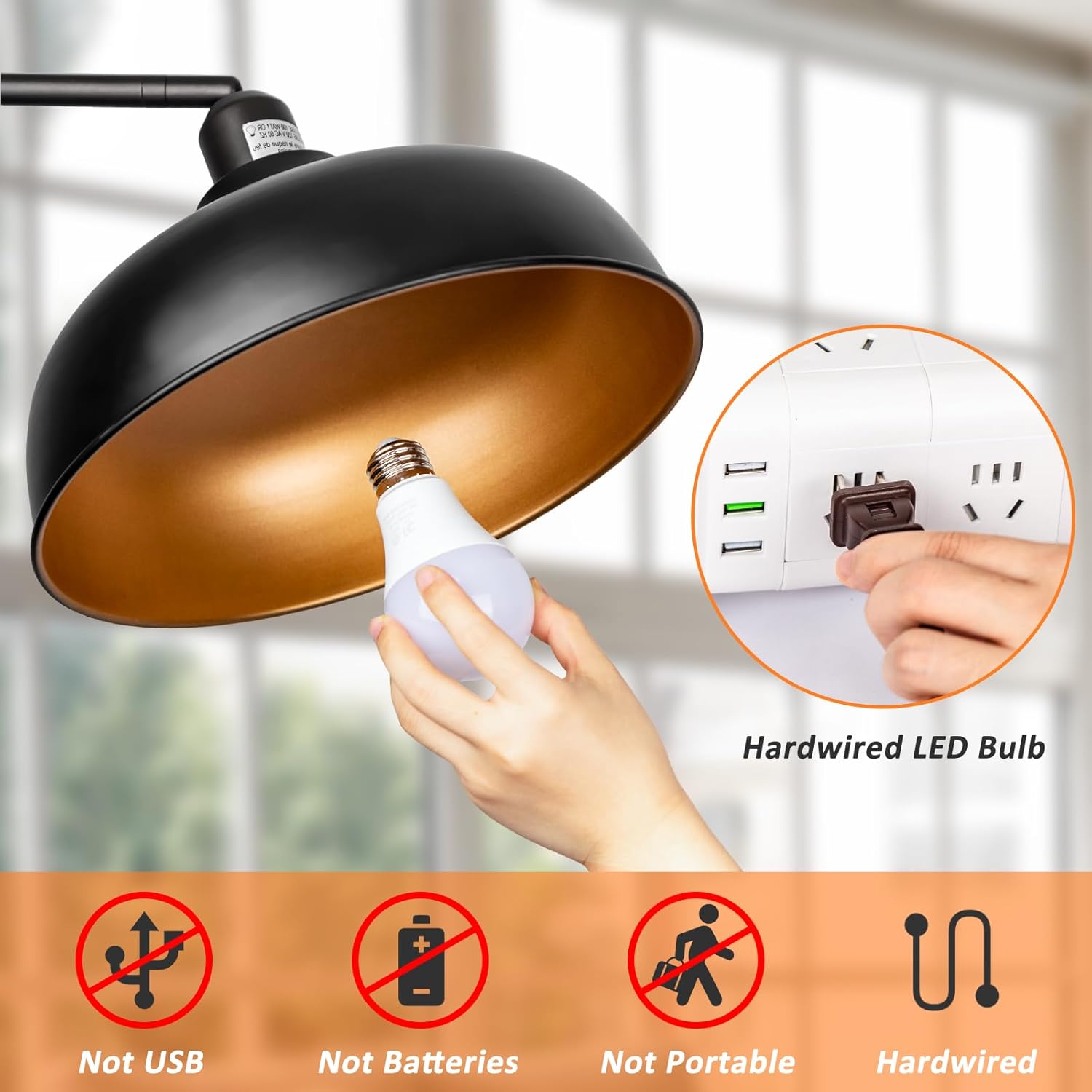
Image: A hand screwing an A19 LED bulb into the fixture. Text indicates 'Hardwired LED Bulb' and clarifies it is 'Not USB', 'Not Batteries', and 'Not Portable'.
5. Operating Instructions
Your Brilvibera outdoor wall lights offer versatile control options via the integrated tact switch and the included remote control.
5.1 Motion Sensor Operation and Mode Switching
The integrated tact switch on the fixture allows for easy mode selection and brightness adjustment for the motion sensor functionality.
- Mode Switching: Press the tact switch once to cycle between the two main modes:
- Motion-only Mode: The light remains off when no motion is detected and illuminates to 100% brightness when motion is sensed.
- Dusk to Dawn Mode: The light maintains a low brightness level from dusk until dawn.
- Brightness Adjustment (Standby Modes): Press and hold the tact switch to adjust the low brightness level in standby modes (e.g., Dusk to Dawn mode) between 15% and 50%.
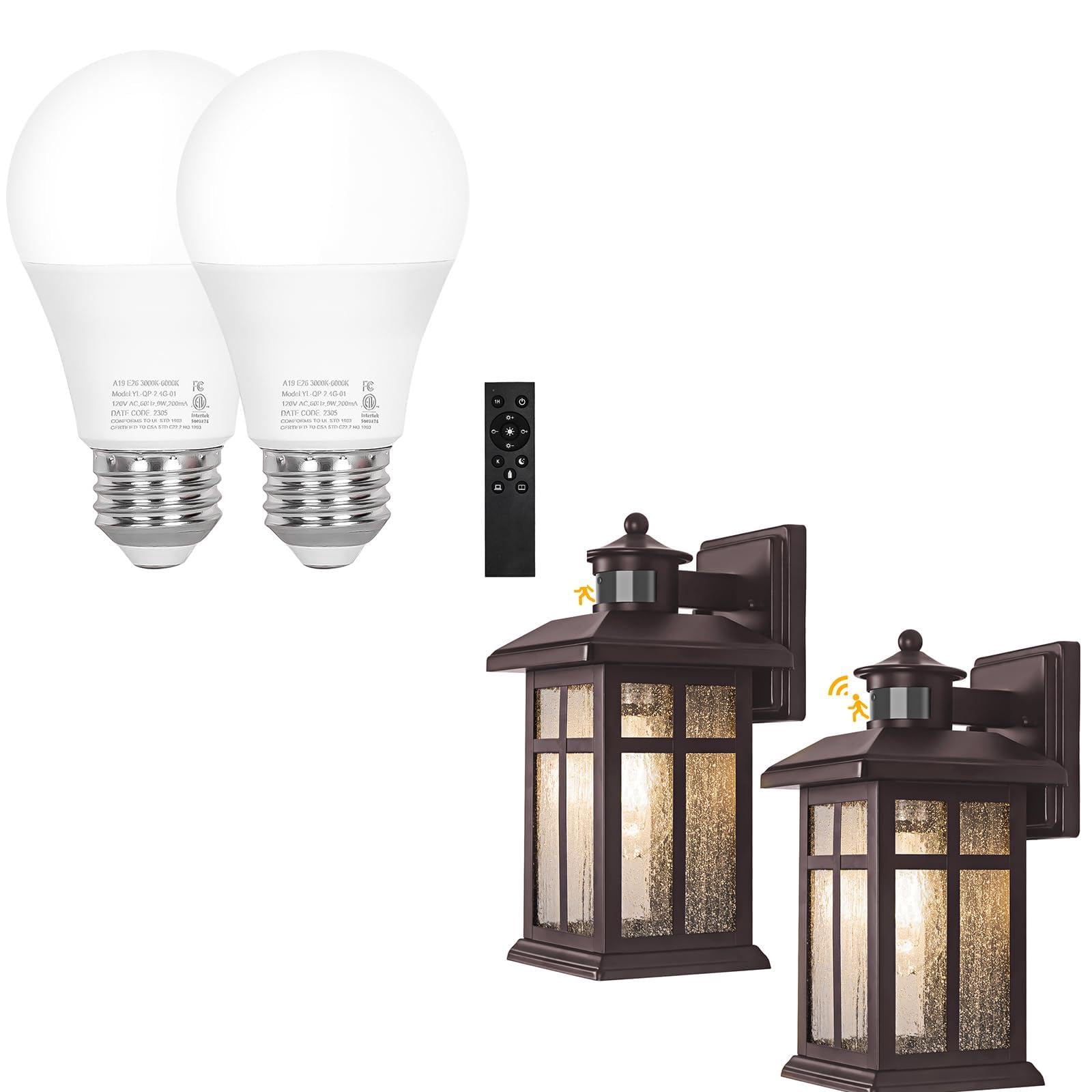
Image: An illustration demonstrating the 'One-click Mode Switching' feature. It shows pressing the tact switch to toggle between 'Dusk to Dawn mode' and 'Motion-only mode', and pressing and holding to adjust low-level brightness between 15% and 50%.
5.2 Motion Detection Range
The motion sensor has a detection distance of up to 40 feet and a wide detection angle of 220 degrees, effectively covering a large area for cars, animals, and people.

Image: A visual representation of the motion sensor's detection capabilities, showing a 220-degree angle and a 40-foot detection range for cars, animals, and people.
5.3 Remote Control Operation
The included remote control allows you to manage both A19 LED bulbs within a range of up to 50 feet, offering comprehensive control over brightness, color temperature, and preset modes.

Image: The remote control positioned between two A19 LED bulbs, illustrating its ability to control both lights simultaneously within a 49-foot range.
Remote Control Functions:
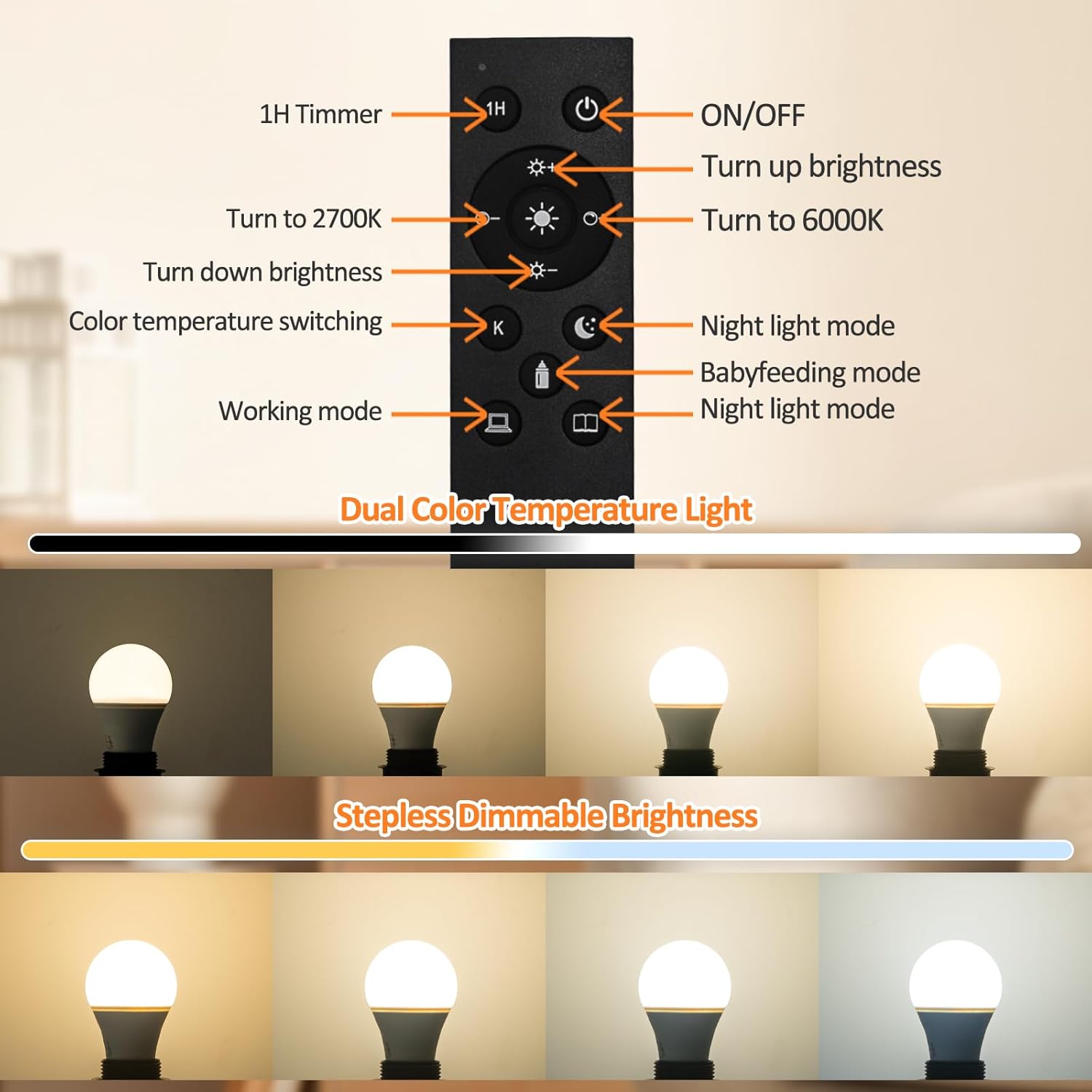
Image: A detailed diagram of the remote control, labeling each button's function (e.g., ON/OFF, brightness up/down, color temperature switching, 1H Timer, Night light mode, Babyfeeding mode, Working mode). Below, it visually demonstrates stepless dimmable brightness and dual color temperature light (2700K to 6500K).
- ON/OFF: Power the lights on or off.
- Brightness Adjustment: Increase or decrease brightness from 1% to 100%.
- Color Temperature Adjustment: Adjust the color temperature between 2700K (warm white) and 6500K (cool white). Dedicated buttons for 2700K and 6000K are also available.
- 1H Timer: Activates a 1-hour timer for automatic shut-off.
- Preset Modes: Access four preset lighting modes, including Night light mode, Babyfeeding mode, and Working mode, for various scenarios.
6. Maintenance
Regular maintenance ensures the longevity and optimal performance of your Brilvibera outdoor wall lights.
- Cleaning: Periodically wipe the fixture with a soft, damp cloth to remove dust and debris. Avoid abrasive cleaners or solvents that could damage the finish or glass.
- Bulb Replacement: Thanks to the open bottom design, bulb replacement is simple. Ensure power is off before replacing bulbs. Use only E26 base bulbs, up to 100W.
- Weather Resistance: The fixtures are constructed with reinforced metal and sealed with waterproof glue. Inspect periodically for any signs of damage to maintain weather resistance.
7. Troubleshooting
If you encounter issues with your Brilvibera outdoor wall lights, refer to the following troubleshooting guide:
- Light Does Not Turn On:
- Check if the power is on at the circuit breaker.
- Ensure the bulb is securely screwed into the socket.
- Test with a known working E26 bulb.
- Verify wiring connections are secure.
- Motion Sensor Not Responding:
- Ensure the sensor lens is clean and free from obstructions.
- Check the selected operating mode (Motion-only vs. Dusk to Dawn).
- Verify the light is receiving consistent power.
- Remote Control Not Working:
- Check the battery in the remote control and replace if necessary.
- Ensure you are within the 50-foot operating range.
- Remove any obstructions between the remote and the light fixtures.
- Light Flickers or Dims Unexpectedly:
- Ensure the bulb is fully compatible and not exceeding the 100W maximum.
- Check for loose wiring connections.
- If using a non-dimmable bulb, it may not function correctly with the dimming features.
If these steps do not resolve the issue, please contact customer support.
8. Specifications
| Brand | Brilvibera |
| Model | B0D86P8Y89 |
| Material | Bronze, Glass, Metal |
| Style | Outdoor Wall Light with Motion Sensor |
| Room Type | Outdoor |
| Special Feature | Motion Sensor, Remote Control, Dimmable |
| Control Method | Remote Control, Tact Switch |
| Shade Material | Aluminum |
| Max Wattage (Fixture) | 100 watts |
| Bulb Type | A19 LED (E26 Base) |
| Bulb Wattage | 9 watts (included bulbs) |
| Bulb Lumens | 805 lumens (included bulbs) |
| Bulb Lifespan | 25,000 hours (included bulbs) |
| Color Temperature | 2700K - 6500K (adjustable) |
| Brightness Adjustment | 1% - 100% (stepless) |
| Motion Sensor Range | Up to 40 feet |
| Motion Sensor Angle | 220 degrees |
| Remote Control Range | Up to 50 feet |
| Mounting Type | Wall Mount |
8.1 Dimensions

Image: A diagram illustrating the dimensions of the outdoor wall light fixture, showing measurements such as 13.5cm / 5.3inch (depth from wall), 31cm / 12.2inch (height), 13.6cm / 5.4inch (width at base), 11.5cm / 4.5inch (width at top), and 15.9cm / 6.3inch (height of wall plate).
9. Warranty and Support
Brilvibera is committed to providing quality products and customer satisfaction.
- Warranty: Specific warranty details may vary. Please refer to your purchase documentation or contact customer support for information regarding product warranty.
- Customer Support: Our dedicated support team is available to assist with any questions, concerns, or issues you may encounter. Feel free to consult with us; we are here to help.
For support, please visit the Brilvibera store on Amazon or contact us through the platform where you made your purchase.