
1. Introduction
The LICHIFIT Universal Drone Airdrop System is designed for various applications, including item delivery, bait casting, gift dropping, and more. This lightweight and easy-to-install device enhances your drone's capabilities by allowing remote release of objects up to 750 grams. Please read this manual carefully before use to ensure proper installation and operation.
2. What's in the Box
Verify that all components are present in your package:
- 1 x Launcher Unit
- 1 x 2.4G Remote Control
- 2 x Lifting Rings
- 1 x Velcro Strap
- 1 x USB Charging Cable

Image: Package contents of the Airdrop System.
3. Parts Identification
3.1 Launcher Unit

Image: Labeled diagram of the launcher unit.
- Mounting Port: Point for attaching items to be dropped.
- Indicator Light: Displays device status (e.g., charging, power on).
- Charging Port: USB input for recharging the launcher's internal battery.
- Strap Hole: Openings for threading the Velcro strap.
- Antenna: For wireless communication with the remote control.
- Power Switch: Turns the launcher unit on or off.
3.2 Remote Control

Image: Remote control with 'Open throw' and 'Close throw' buttons.
- Lock Button: (Often labeled 'Open throw') Initiates the release mechanism.
- Unlock Button: (Often labeled 'Close throw') Resets the release mechanism.
4. Setup
4.1 Charging the Launcher Unit
Before first use, fully charge the launcher unit.
- Connect the supplied USB charging cable to the Charging Port on the launcher.
- Connect the other end of the USB cable to a standard USB power adapter (not included).
- The Indicator Light will show charging status. A full charge takes approximately 90 minutes.
- Once fully charged, disconnect the cable. The launcher can remain in standby for about 12 hours on a full charge.
4.2 Installation on Drone
Follow these steps to securely attach the airdrop system to your drone:

Image: Step-by-step installation guide for attaching the airdrop system to a drone.
- Thread the provided Velcro strap through the Strap Holes on both sides of the launcher unit.
- Find a suitable position on the drone's body that does not obstruct any flight or visual sensors. Ensure the launcher is stable and balanced.
- Wrap the strap securely around the drone's body.
- Fasten the strap firmly using the Velcro closure. Ensure the launcher is tightly secured and will not shift during flight.
Important Note:
- Always ensure the launcher is installed in a location that does not block the drone's flight sensors or visual sensors.
- The installed weight of the launcher is approximately 32g. This minimal weight should not significantly impact drone flight performance.

Image: Drone with airdrop system attached, highlighting its lightweight design.
5. Operating Instructions
5.1 Powering On/Off
- To power on the launcher, slide the Power Switch to the 'ON' position. The Indicator Light will illuminate.
- To power off, slide the Power Switch to the 'OFF' position. The Indicator Light will turn off.
5.2 Attaching Items for Drop
- Attach the desired item (up to 750g) to the Mounting Port using one of the provided lifting rings or a suitable string/hook.
- Ensure the item is securely fastened and balanced to avoid affecting drone stability during flight.
5.3 Remote Control Operation
The 2.4G remote control allows for one-click release operation.
- Ensure both the launcher and the remote control are powered on.
- Fly your drone to the desired drop location.
- Press the 'Open throw' (or Lock) button on the remote control to release the attached item.
- After the item is dropped, you can press the 'Close throw' (or Unlock) button to reset the mechanism for the next use, if applicable.
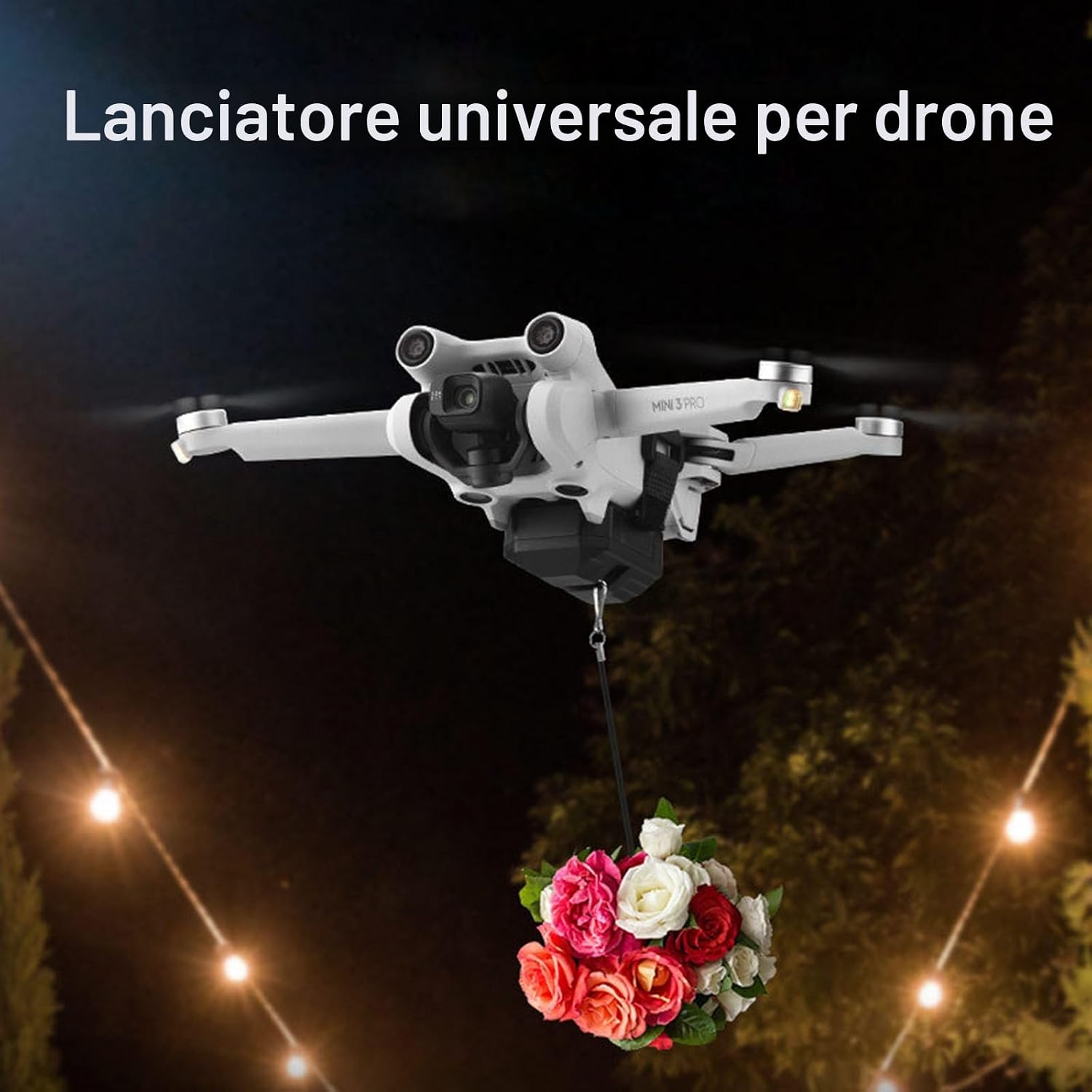
Image: Universal drone launcher in action, dropping flowers.
6. Compatibility
The LICHIFIT Universal Drone Airdrop System is designed for wide compatibility with various drone models, including but not limited to:
- DJI Mavic 3
- DJI Mini 3 Pro
- DJI Mini 3
- DJI Mini 2
- DJI Mini SE
- DJI Mavic Air 2
- DJI Air 2S
- DJI Mavic Pro
- FIMI X8SE
- And most other drones with suitable mounting space.
7. Specifications
| Feature | Specification |
|---|---|
| Launcher Dimensions | 5.3 x 5.5 x 2.5 cm |
| Remote Control Dimensions | 6 x 3.7 x 1 cm |
| Material | ABS Plastic |
| Launcher Weight | Approximately 32 Grams |
| Maximum Load Capacity | 750 Grams |
| Battery Type | 3.7V 350mAh Lithium Polymer |
| Charging Time | Approximately 90 minutes (via USB) |
| Standby Time | Approximately 12 hours |
| Connectivity Technology | 2.4GHz RF |
8. Maintenance
To ensure the longevity and optimal performance of your LICHIFIT Universal Drone Airdrop System, follow these maintenance guidelines:
- Cleaning: Wipe the launcher and remote control with a soft, dry cloth. Avoid using harsh chemicals or abrasive materials.
- Storage: Store the device in a cool, dry place away from direct sunlight and extreme temperatures.
- Battery Care: Recharge the launcher's battery periodically if not used for extended periods to maintain battery health.
- Inspection: Regularly inspect the Velcro strap and lifting rings for any signs of wear or damage. Replace if necessary.
9. Troubleshooting
If you encounter issues with your LICHIFIT Universal Drone Airdrop System, consider the following:
- Device Not Responding:
- Ensure both the launcher and the remote control are fully charged and powered on.
- Check for any obstructions between the remote control and the launcher.
- Verify that the remote control's batteries (if applicable, though the product description implies the remote is also rechargeable or has a long-lasting internal battery) are functional.
- Item Not Releasing:
- Ensure the item's weight does not exceed the maximum load capacity of 750g.
- Check if the item is properly attached to the Mounting Port and not snagged.
- Short Remote Range:
- Ensure there are no strong electromagnetic interferences in the operating area.
- Maintain a clear line of sight between the remote control and the launcher.
If problems persist, please refer to the manufacturer's support channels.
10. Safety Information
- Do not overload the airdrop system beyond its 750g capacity.
- Ensure the launcher is securely attached to the drone before flight.
- Avoid dropping items over people, animals, or sensitive property.
- Operate the drone and airdrop system in accordance with local aviation regulations and laws.
- Keep the device away from water and extreme temperatures.
- This product is intended for adult use.
11. Warranty and Support
Specific warranty information is not provided in the product details. For warranty claims, technical support, or further assistance, please contact your retailer or the manufacturer directly through their official website or customer service channels.