
Introduction
This manual provides instructions for the proper installation, use, and maintenance of your Samsung Galaxy Z Flip6 Kindsuit Case. This case is designed to protect your Samsung Galaxy Z Flip6 device while maintaining its aesthetic and functional integrity.
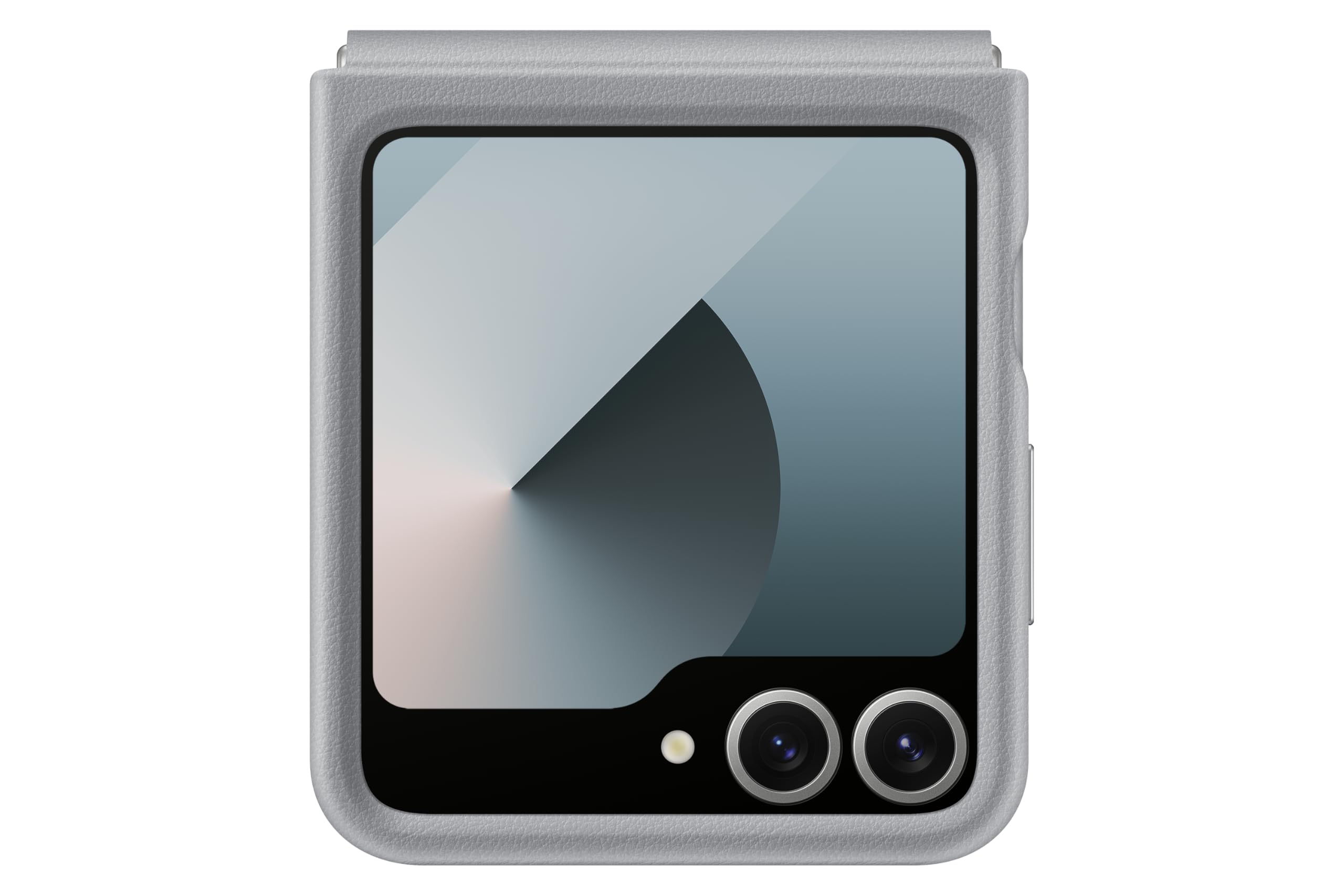
Figure 1: Samsung Galaxy Z Flip6 Kindsuit Case (Gray) on a closed device.
Setup and Installation
Follow these steps to correctly install the Kindsuit Case on your Samsung Galaxy Z Flip6.
- Prepare Your Device: Ensure your Samsung Galaxy Z Flip6 is clean and free of dust or debris.
- Align the Top Section: Gently place the top half of the case onto the upper section of your phone, ensuring the camera cutouts and button alignments match. Press firmly until it snaps into place.
- Align the Bottom Section: Slide the bottom half of the case onto the lower section of your phone. Ensure the hinge protection mechanism aligns correctly with the phone's hinge. Press firmly until it snaps into place.
- Verify Fit: Check that all edges of the case are securely attached to the phone and that all ports, buttons, and cameras are accessible and unobstructed.

Figure 2: Case installed on a partially folded Samsung Galaxy Z Flip6, highlighting hinge protection.
Operating the Case
The Kindsuit Case is designed to work seamlessly with the folding mechanism of your Samsung Galaxy Z Flip6.
- Folding and Unfolding: The case allows for full folding and unfolding of your device. The integrated hinge protection moves with the phone's hinge, providing continuous coverage.
- Button Access: All side buttons (power, volume) are accessible through precise cutouts or covered by responsive case buttons.
- Port Access: Charging port and speaker grilles are precisely cut out for unobstructed access.
- Wireless Charging: The case is compatible with wireless charging. Ensure proper alignment of your device on the wireless charger.

Figure 3: Samsung Galaxy Z Flip6 in Kindsuit Case, fully open.
Maintenance
To ensure the longevity and appearance of your Kindsuit Case, follow these maintenance guidelines:
- Cleaning: Wipe the case regularly with a soft, damp cloth. For stubborn stains, use a mild soap solution and then wipe with a clean, damp cloth. Avoid harsh chemicals or abrasive cleaners.
- Avoid Extreme Conditions: Do not expose the case to extreme temperatures, direct sunlight for prolonged periods, or sharp objects, as this may damage the material.
- Material Care: The case is made from vegan leather. Treat it with care similar to genuine leather products to maintain its finish.
Troubleshooting
If you encounter any issues with your Kindsuit Case, consider the following:
- Case Not Fitting Properly: Ensure the phone is correctly aligned within both halves of the case. Remove and re-install the case, making sure each section snaps securely.
- Hinge Protection Obstruction: Verify that no foreign objects are lodged in the hinge mechanism. The hinge protection is designed to move freely with the phone's folding action.
- Wireless Charging Issues: Confirm that your phone is centered on the wireless charging pad. Remove any metal objects or cards from between the phone and the case if present.
Specifications
| Feature | Detail |
|---|---|
| Brand | Samsung |
| Model Name | Kindsuit Case |
| Model Number | EF-VF741 (EF-VF741PJEGIN) |
| Compatible Phone Models | Samsung Galaxy Z Flip6 |
| Color | Gray |
| Material | Faux Leather (Vegan Leather) |
| Product Features | 360 Degree Protection, Hinge Protection, Soft Lining, Heavy Duty Protection, Wireless Charging Compatible, Eco-Friendly (Recycled PCM 50% PC applied, UL Certified) |
| Item Dimensions | 13 x 76 x 170 Millimeters |
| Item Weight | 26 Grams |
| Box Contents | 1 Flip case |
Warranty Information
This Samsung Galaxy Z Flip6 Kindsuit Case comes with a 3 Months Manufacturer Warranty from the date of purchase. This warranty covers manufacturing defects. Please retain your proof of purchase for warranty claims. The warranty does not cover damage caused by misuse, accidents, or unauthorized modifications.
Support and Contact
For technical assistance, warranty claims, or product inquiries, please contact Samsung customer support:
- Importer: Samsung India Electronics Pvt ltd
- Address: 6th Floor, DLF Centre, Sansad Marg, New Delhi - 110001, India
- Email: support.india@samsung.com
- Toll-Free Tel: 1800 40 7267864


