
NOTODD N600
NOTODD N600 16-inch Laptop User Manual
Model: N600
Introduction
Thank you for choosing the NOTODD N600 16-inch Laptop. This manual provides essential information to help you set up, operate, and maintain your new device. The N600 is designed for productivity and entertainment, featuring a Celeron N5095 processor, 12GB RAM, 512GB SSD, and a vibrant 16-inch Full HD display running on Windows 11. Please read this manual thoroughly to ensure optimal performance and longevity of your laptop.
What's Included
Upon unpacking your NOTODD N600 laptop, please ensure all the following items are present:
- 1 x NOTODD N600 16-inch Laptop
- 1 x Power Adapter/Charger
- 1 x Wireless Mouse
- 1 x User Manual
- 1 x Italian Silicone Keyboard Cover
Setup Guide
1. Initial Charging and Power On
Before first use, connect the power adapter to the laptop's charging port and a power outlet. Allow the laptop to charge for at least 30 minutes. Press the power button to turn on the laptop.
2. Operating System Setup (Windows 11)
Follow the on-screen instructions to complete the initial setup of Windows 11. This includes selecting your language, region, connecting to a Wi-Fi network, and creating a user account.
3. Connecting Peripherals
Your NOTODD N600 laptop supports various connections:
- USB Devices: Connect your wireless mouse receiver or other USB devices to the available USB 3.0 ports.
- External Display: Use the Mini HDMI port to connect an external monitor or projector (an adapter may be required).
- Wireless Connectivity: The laptop supports 2.4G/5G Wi-Fi and Bluetooth 4.2 for connecting to networks and wireless accessories.

Image: Side view of the NOTODD N600 laptop highlighting its connectivity ports, including USB 3.0, Mini HDMI, and a Type-C port.
4. Applying the Keyboard Cover
Place the provided silicone keyboard cover over the laptop's keyboard to protect it from dust and spills.
Operating Your Laptop
1. Display and Visuals
The N600 features a 16-inch Full HD display with a resolution of 1920 x 1200 pixels, offering clear and vibrant visuals for work, entertainment, and e-learning. The screen can be rotated up to 180 degrees for flexible viewing angles and collaborative work.

Image: The NOTODD N600 laptop with its screen rotated 180 degrees, demonstrating its flexible hinge design.
2. Performance and Storage
Powered by a Celeron N5095 quad-core processor (up to 2.9 GHz) and 12GB DDR4 RAM, the laptop handles multitasking smoothly. The 512GB M.2 SSD provides fast boot times and quick application loading. Storage can be expanded via a TF card (up to 512GB) or a 2.5-inch SSD/HDD (up to 1TB).

Image: A close-up of the NOTODD N600 laptop screen, illustrating its 1920x1200 resolution and the integrated 2MP webcam.
3. Connectivity
Enjoy reliable wireless connections with dual-band 2.4G/5G Wi-Fi and Bluetooth 4.2. The laptop also features 2x USB 3.0 ports and a Mini HDMI port for external display connections.
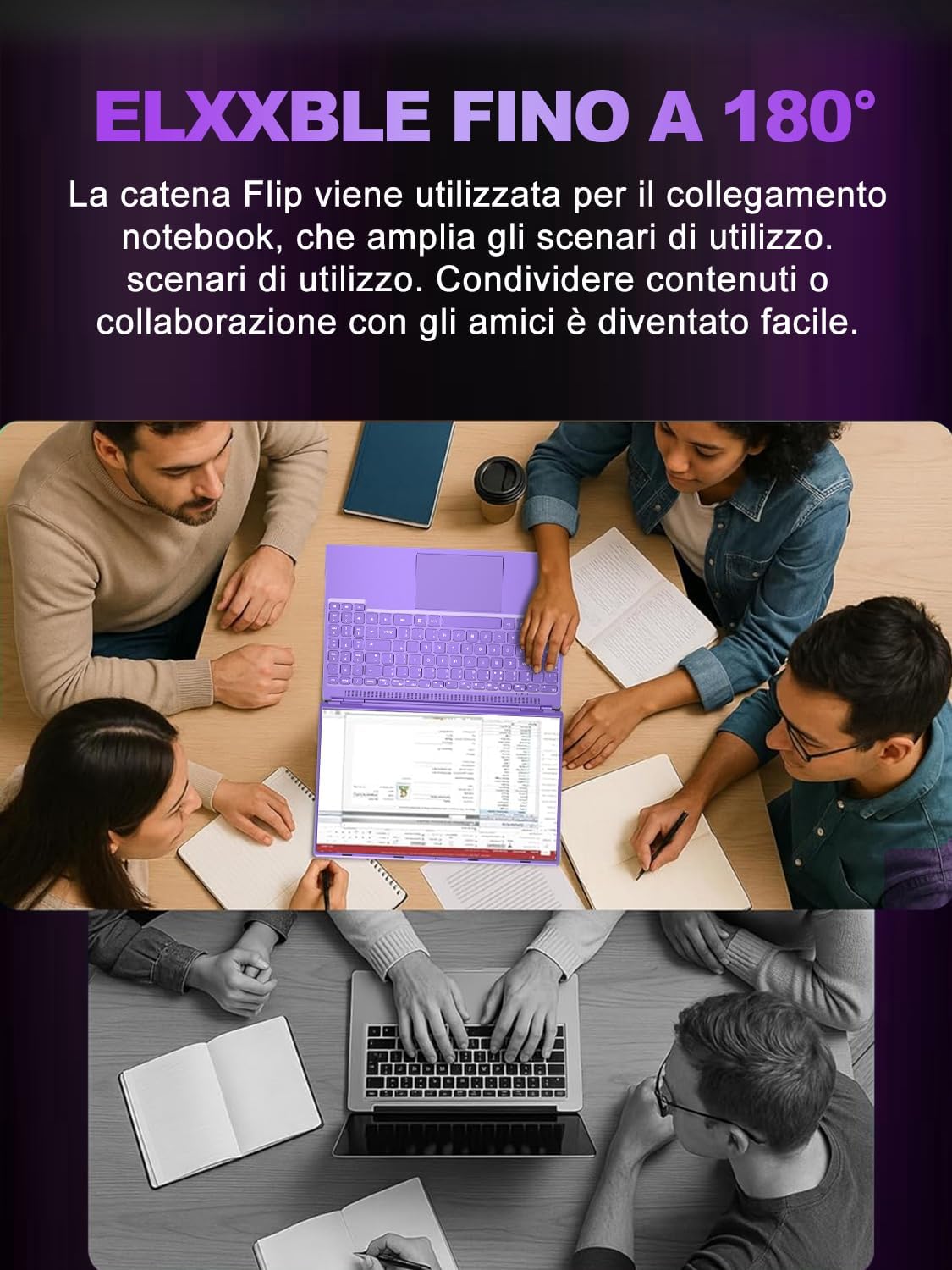
Image: The NOTODD N600 laptop connected to a larger external monitor, demonstrating its multi-screen display capability via the Mini HDMI port.
4. Keyboard and Touchpad
The laptop features a comfortable, full-size keyboard and a responsive touchpad. The included silicone keyboard cover can be used for added protection.

Image: A detailed view of the NOTODD N600 laptop's full-size keyboard, including the numeric keypad.
Maintenance and Care
1. Cleaning
- Use a soft, lint-free cloth to clean the screen and exterior.
- Avoid using harsh chemicals or abrasive cleaners.
- Gently wipe the keyboard and touchpad. The silicone keyboard cover can be removed and cleaned separately.
2. Battery Care
- To prolong battery life, avoid fully discharging the battery frequently.
- Store the laptop in a cool, dry place when not in use for extended periods.
- The 4500 mAh battery provides approximately 5-6 hours of video playback and up to 8 days of standby time.
3. Cooling System
The laptop is equipped with a fast cooling fan. Ensure that the ventilation openings are not obstructed to prevent overheating. Use the laptop on a hard, flat surface for optimal airflow.
4. Storage Expansion
If you plan to expand storage, refer to the detailed instructions for installing a TF card or a 2.5-inch SSD/HDD. Always power off the device before performing any hardware installations.
Troubleshooting
This section addresses common issues you might encounter with your NOTODD N600 laptop.
Laptop Does Not Power On
- Ensure the power adapter is securely connected to both the laptop and a working power outlet.
- Verify that the power outlet is functional by plugging in another device.
- If the battery is completely drained, allow it to charge for at least 30 minutes before attempting to power on.
No Display on Screen
- Check if the laptop is powered on (indicator lights).
- Press Fn + F1 (or the key with a display icon) to cycle through display modes if an external monitor was recently connected.
- If an external monitor is connected, ensure it is powered on and correctly configured.
Wi-Fi or Bluetooth Connectivity Issues
- Ensure Wi-Fi/Bluetooth is enabled in Windows settings.
- Restart your router/modem for Wi-Fi issues.
- For Bluetooth, ensure the device you are trying to connect to is in pairing mode and within range.
- Restart the laptop.
Slow Performance
- Close unnecessary applications running in the background.
- Check for Windows updates and install them.
- Ensure the cooling vents are not blocked to prevent thermal throttling.
- Run a disk cleanup and defragmentation (for HDD, not necessary for SSD).
Specifications
| Feature | Detail |
|---|---|
| Brand | NOTODD |
| Model Name | N600 |
| Item Model Number | N000 |
| Color | Violet |
| Operating System | Windows 11 Pro |
| Processor Brand | Other (Celeron) |
| Processor Type | Celeron N5095 |
| Processor Speed | 2 GHz (up to 2.9 GHz) |
| Number of Cores | 4 |
| RAM Size | 12 GB (DDR4) |
| Hard Drive Size | 512 GB |
| Hard Drive Technology | SSD (M.2) |
| Display Technology | LCD |
| Screen Size | 16 Inches |
| Screen Resolution | 1920 x 1200 pixels (Full HD) |
| Graphics Card Description | Integrated |
| Wireless Technology | 802.11a/b/g/n/ac (2.4G/5G Wi-Fi) |
| Bluetooth Support | Yes (Bluetooth 4.2) |
| USB 3.0 Ports | 2 |
| Other Connectors | Mini HDMI, Type-C (data transfer only) |
| Battery Life (Video Playback) | 5-6 hours |
| Standby Time | 8 days |
| Product Dimensions (L x W x H) | 35 x 2.8 x 24 cm |
| Product Weight | 1.6 Kilograms |
| Special Features | Fast cooling fan, 180-degree screen rotation |
Warranty and Support
Your NOTODD N600 laptop comes with a 1+1 year VIP service warranty. This means you receive a standard 1-year warranty, plus an additional 1-year extended service.
For technical assistance, troubleshooting beyond this manual, or warranty claims, please contact NOTODD customer support. Refer to the contact information provided with your purchase documentation or visit the official NOTODD website for support details.
Related documentsN600

Ask a question about this manual
Ask about setup, troubleshooting, compatibility, parts, safety, or missing instructions. Manuals+ will review the question and use this page’s manual context to help answer it.