
CMF BY NOTHING CMF Buds Pro 2
CMF Buds Pro 2 Wireless Earbuds User Manual
Model: CMF Buds Pro 2 | Brand: CMF BY NOTHING
Introduction
Welcome to the CMF Buds Pro 2 user manual. These wireless earbuds are designed to provide a superior audio experience with advanced features such as Hybrid Active Noise Cancellation, Hi-Res Audio with LDAC, Ultra Bass Technology 2.0, and crystal-clear calls. This manual will guide you through the setup, operation, maintenance, and troubleshooting of your CMF Buds Pro 2 to ensure optimal performance and longevity.

Image: CMF Buds Pro 2 earbuds nestled in their charging case, showcasing the sleek blue design.
Package Contents
Ensure all items are present in your package:
- CMF Buds Pro 2 Earbuds (Left and Right)
- Charging Case
- Ear tips in sizes S, M, L
- Safety Information Guide
Setup
1. Charging the Case and Earbuds
Before first use, fully charge the charging case and earbuds.
- Place the earbuds into the charging case.
- Connect the charging case to a power source using a USB-C cable (not included).
- The indicator light on the case will show charging status. A full charge provides up to 43 hours of total playback with the case.
2. Pairing with Your Device
The CMF Buds Pro 2 support Bluetooth 5.3 for stable connectivity and offer Google Fast Pair and Microsoft Swift Pair for quick setup.
- Open the charging case. The earbuds will automatically enter pairing mode (indicator light will flash).
- On your device (smartphone, tablet, computer), enable Bluetooth.
- Select "CMF Buds Pro 2" from the list of available devices.
- Once connected, a confirmation sound will play, and the indicator light will turn solid.
For subsequent use, the earbuds will automatically connect to the last paired device when taken out of the case.

Image: Visual representation of CMF Buds Pro 2 battery life (up to 43 hours total playback) and dual-device connection capability.
Operating Instructions
1. Wearing the Earbuds
Choose the ear tips that provide the best seal and comfort for optimal sound quality and noise cancellation. Insert the earbuds gently into your ear canal and twist slightly to secure them.

Image: A woman demonstrating the proper fit of the CMF Buds Pro 2 earbud in her ear, highlighting the Hi-Res Audio Wireless and LDAC support.
2. Touch Controls
The CMF Buds Pro 2 feature intuitive touch controls on each earbud. You can customize these controls via the Nothing X app.
3. Smart Dial Control (on Charging Case)
The charging case features a unique Smart Dial for quick and intuitive sound control.
- Twist: Adjust volume.
- Press: Manage playback, control noise cancellation, activate Voice Assistant, switch to gaming mode, or mute microphone during meetings. Functions are customizable via the Nothing X app.

Image: Close-up of the CMF Buds Pro 2 charging case featuring the customizable Smart Dial for intuitive navigation and control.
4. Noise Cancellation and Transparency Mode
The CMF Buds Pro 2 offer Hybrid Active Noise Cancellation (ANC) up to 50 dB and a Transparency Mode.
- ANC: Reduces ambient noise for an immersive listening experience.
- Transparency Mode: Allows you to hear your surroundings while still enjoying your audio.
- Adaptive Mode: Automatically detects and compensates for noise leakage, ensuring optimal noise cancellation. Activate this in the Nothing X app.
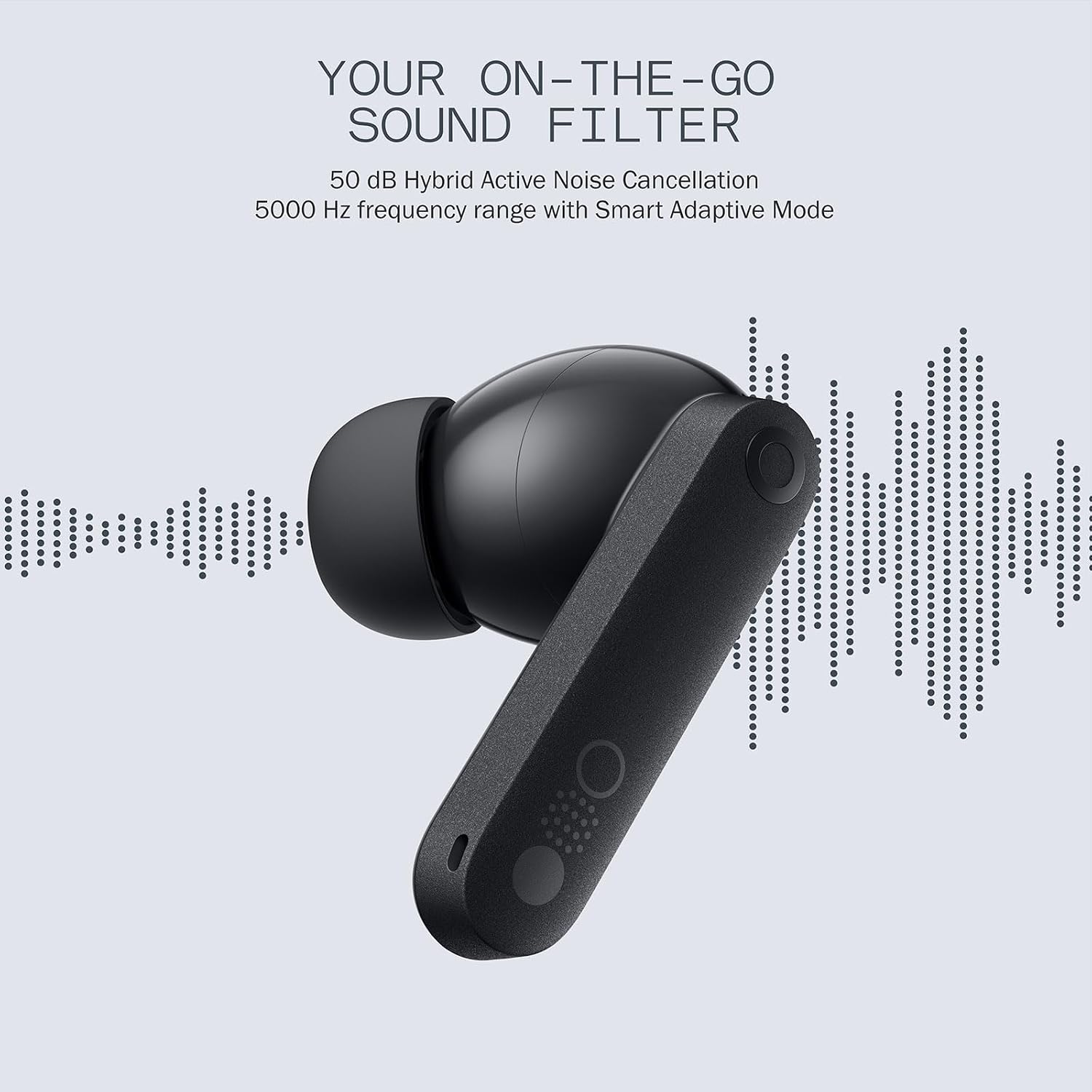
Image: An illustration of the CMF Buds Pro 2 earbud demonstrating its "On-The-Go Sound Filter" capability with 50 dB Hybrid Active Noise Cancellation.

Image: Diagram illustrating how Smart Active Noise Cancellation in CMF Buds Pro 2 automatically adjusts to optimize noise reduction.
5. Audio Features
- Hi-Res Audio with LDAC: Experience superior sound quality with a transmission rate up to 990 kbps/24 bits/96 kHz.
- Ultra Bass Technology 2.0: Dynamically enhances low frequencies in real-time. Five adjustable levels are available in the Nothing X app.
- Dual Drivers: Equipped with an 11mm bass driver and a 6mm tweeter for rich, detailed sound.
- Spatial Audio Effect: Provides a cinematic, immersive sound experience.

Image: Exploded view diagram of the CMF Buds Pro 2 showcasing its 11mm bass driver and 6mm tweeter for high-fidelity sound.

Image: Diagram illustrating the 360° Spatial Audio Effect provided by the CMF Buds Pro 2 earbuds.
6. Calls and Microphones
The earbuds feature 6 HD microphones with Clear Voice Technology 2.0 and Wind Noise Reduction 2.0 for crystal-clear calls.

Image: A woman using CMF Buds Pro 2 for a call, emphasizing the crystal-clear call quality provided by the 6 HD microphones.
7. Nothing X App
Download the Nothing X app from the App Store or Google Play to unlock full customization options, including:
- Customizing touch controls and Smart Dial functions.
- Adjusting equalizer settings and Ultra Bass levels.
- Enabling Adaptive ANC mode.
- Performing ear tip fit tests.
- Accessing ChatGPT integration (with compatible CMF and Nothing phones).

Image: Screenshots of the Nothing X app interface, showing options for ChatGPT integration, equalizers, and customizable controls for CMF Buds Pro 2.
Maintenance
- Cleaning: Regularly clean the earbuds and charging case with a soft, dry, lint-free cloth. Do not use harsh chemicals or abrasive materials.
- Ear Tips: Remove ear tips and clean them with water and mild soap if necessary. Ensure they are completely dry before reattaching.
- Storage: Store the earbuds in their charging case when not in use to protect them and keep them charged.
- Water Resistance: The earbuds are IP55 water and dust resistant. Avoid prolonged exposure to water or extreme conditions. Do not submerge them.
Troubleshooting
Specifications
Warranty and Support
For warranty information and customer support, please refer to the official CMF BY NOTHING website or contact their customer service directly. Keep your proof of purchase for warranty claims.
Official Brand Store: CMF BY NOTHING Store on Amazon
Related documentsCMF Buds Pro 2


Ask a question about this manual
Ask about setup, troubleshooting, compatibility, parts, safety, or missing instructions. Manuals+ will review the question and use this page’s manual context to help answer it.