1. Introduction
Thank you for choosing the Elikliv SW-211R0 Dual Laser Distance Meter. This device is designed for precise and efficient measurement of distances, areas, volumes, and angles. It features both unidirectional and bidirectional laser measurement capabilities, making it suitable for a wide range of applications in construction, renovation, and DIY projects. Please read this manual carefully before using the device to ensure safe and optimal operation.
2. Safety Information
WARNING: This is a Class II laser product. Output <1mW. Do not stare directly into the laser beam. Avoid direct eye exposure. Use caution when operating the device.
- Do not attempt to modify or disassemble the device.
- Keep the device out of reach of children.
- Do not use the device in explosive environments or near flammable materials.
- Ensure the device is clean and dry before use.
3. Package Contents
Verify that all items are present in the package:
- Elikliv SW-211R0 Dual Laser Distance Meter
- USB Type-C Charging Cable
- User Manual (this document)
4. Product Overview
The Elikliv SW-211R0 is a robust and versatile laser distance meter designed for accuracy and ease of use. Key features include:
- Dual Laser Measurement: Enables bidirectional and unidirectional measurements up to 656 feet (200 meters).
- Multiple Measurement Modes: Includes distance, area, volume, angle, wall area, and four Pythagorean modes.
- Backlit LCD Display: Large, clear display for easy reading in various lighting conditions.
- Electronic Angle Sensor: Provides accurate horizontal and vertical alignment.
- Auto-Rotating Screen: The display automatically rotates for optimal viewing, with a lock function for stability.
- Data Storage: Stores up to 100 sets of measurements.
- Rechargeable Battery: Integrated 850mAh Lithium-Ion battery, offering over 5500 measurements per charge, with Type-C fast charging.
- Durable Design: Compact, rubberized shell for enhanced grip, anti-slip, anti-vibration, and anti-fall protection.

Image 1: The Elikliv SW-211R0 Dual Laser Distance Meter, showcasing its display and control buttons.

Image 2: The device highlighting its powerful magnetism for secure attachment to metal surfaces and its portable, compact design.
5. Setup
5.1 Charging the Battery
The device is powered by an internal 850mAh Lithium-Ion battery. Before first use, or when the battery indicator shows low power, charge the device using the provided USB Type-C cable.
- Connect the Type-C end of the charging cable to the device's charging port.
- Connect the USB-A end to a standard USB power adapter (not included) or a computer's USB port.
- The charging indicator on the screen will show the charging status. A full charge takes approximately 1.5 hours.

Image 3: The Elikliv SW-211R0 connected to a Type-C charging cable, illustrating its 850mAh Lithium-Ion battery.
5.2 Powering On/Off
- To Power On: Press the MEAS button. The display will light up.
- To Power Off: Press and hold the OFF/CLEAR button for a few seconds. The device will also automatically power off after a period of inactivity to conserve battery.
6. Operating Instructions
6.1 Basic Measurement
The SW-211R0 supports both unidirectional and bidirectional measurements.
- Select Measurement Mode: Press the FUN/RECORD button to cycle through available measurement modes until the desired mode is displayed.
- Position the Device: Place the device at the starting point of your measurement. For bidirectional measurement, position it between the two points you wish to measure.
- Initiate Measurement: Press the MEAS button. The laser will activate, and the measurement will be displayed on the screen.
- Clear Measurement: Press the OFF/CLEAR button once to clear the current measurement.

Image 4: Comparison illustrating the efficiency of dual laser measurement compared to traditional tape measures or unidirectional laser meters.
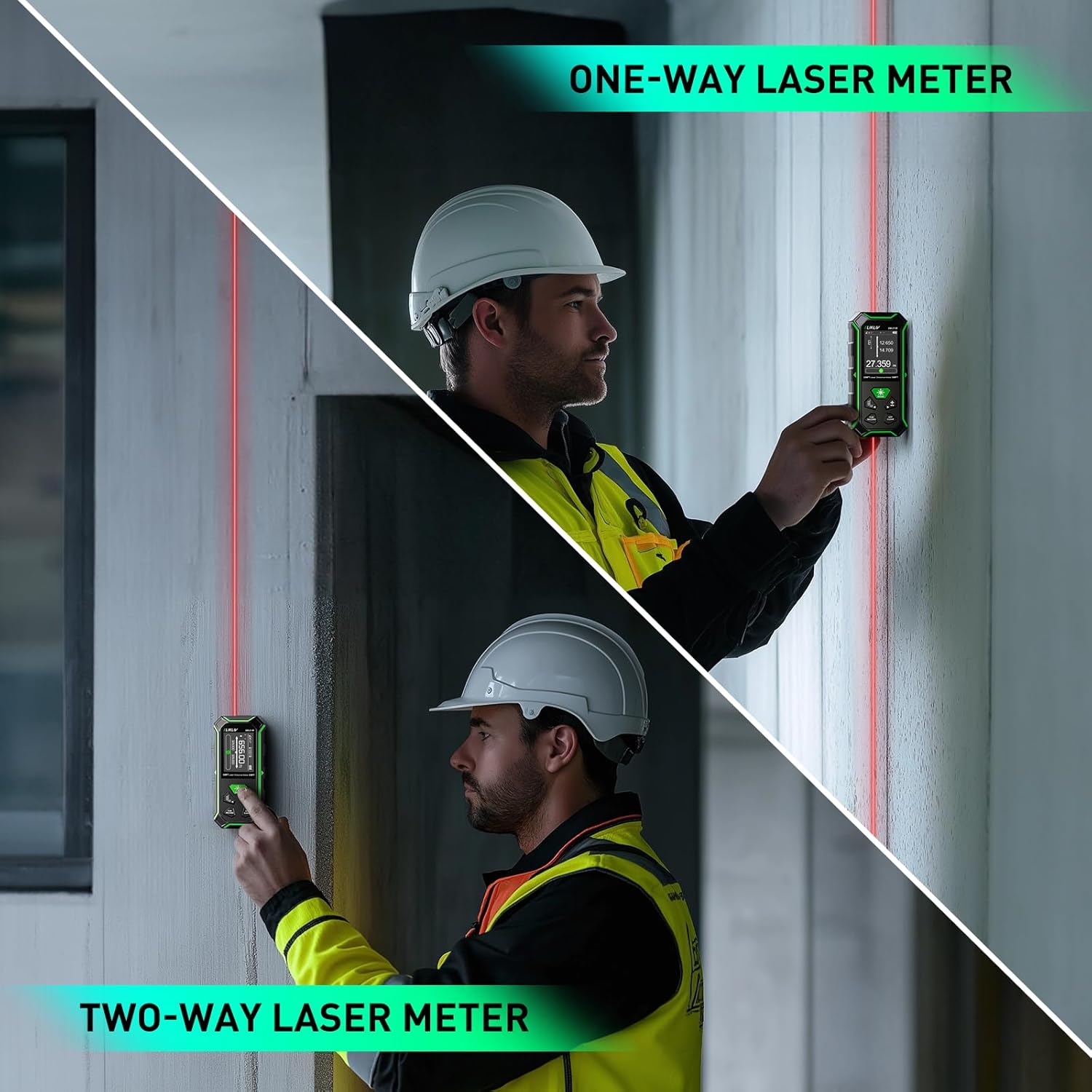
Image 5: Visual representation of the difference between one-way and two-way laser measurement methods.
6.2 Unit Conversion
To change the measurement units (e.g., feet, meters, inches), press and hold the +/- button. The unit will cycle through the available options.
6.3 Auto-Rotating Screen
The device features an auto-rotating backlit LCD screen for clear readings in any orientation. To lock the screen orientation, press and hold the +/- button while in a measurement mode. Repeat to unlock.

Image 6: The large color backlit screen demonstrating its auto-rotating capability for clearer readings from different angles.
7. Measurement Modes
The SW-211R0 offers a variety of measurement functions:
- Distance Measurement: Single or continuous measurement of length.
- Area Measurement: Calculates the area of a surface after measuring two sides.
- Volume Measurement: Calculates the volume of a space after measuring three dimensions.
- Angle Measurement: Utilizes the electronic angle sensor for precise angle readings.
- Wall Area Measurement: Calculates the total area of multiple walls.
- Pythagorean Modes (4 types): For indirect measurement of heights or distances using the Pythagorean theorem.

Image 7: An overview of the various measurement functions available on the Elikliv SW-211R0, including area, volume, wall area, angle, and Pythagorean measurements.

Image 8: The device displaying its angle indication feature, which replaces traditional bubble levels for more intuitive measurements.
8. Data Management
8.1 Storing Measurements
After a measurement is taken, it is automatically stored. The device can store up to 100 sets of measurements.
8.2 Recalling Stored Data
Press the FUN/RECORD button repeatedly to cycle through the stored measurements. The display will show the record number and the corresponding measurement.
8.3 Addition and Subtraction
In certain measurement modes, you can add or subtract measurements. Press the +/- button to switch between addition and subtraction modes before taking a subsequent measurement.
9. Maintenance
- Cleaning: Use a soft, damp cloth to clean the device. Do not use abrasive cleaners or solvents.
- Storage: Store the device in a cool, dry place, away from direct sunlight and extreme temperatures.
- Battery Care: For long-term storage, ensure the battery is partially charged (around 50%) and recharge it every few months to maintain battery health.
10. Troubleshooting
- Device not powering on: Ensure the battery is charged. Connect the device to a power source using the Type-C cable.
- Inaccurate measurements: Check for obstructions in the laser path. Ensure the target surface is reflective enough. Calibrate the device if necessary (refer to advanced settings in the full manual, if applicable).
- Display issues: If the screen is dim or flickering, recharge the battery. If the issue persists, contact customer support.
11. Specifications
| Specification | Value |
|---|---|
| Model Number | SW-211R0 |
| Measuring Range | Up to 656 feet (200 meters) |
| Laser Class | Class II, <1mW |
| Battery Type | Lithium-Ion |
| Battery Capacity | 850mAh |
| Charging Port | USB Type-C |
| Charging Time | Approx. 1.5 hours |
| Measurements per Charge | Over 5500 |
| Data Storage | 100 sets |
| Material | Acrylonitrile Butadiene Styrene |
| Product Dimensions | 15.24 x 15.24 x 6.35 cm |
| Item Weight | 170.1 g (6 Ounces) |
| Color | Black and Green |
12. Warranty and Support
Elikliv products are designed for reliability and performance. For warranty information, technical support, or service inquiries, please refer to the contact information provided with your purchase or visit the official Elikliv website. Please retain your proof of purchase for warranty claims.