Introduction
The MAHANCRIS APTHR40KE01 is a versatile 3-tier mobile printer cart designed for office and home use. It features a stable structure, ample storage, integrated power outlets with USB ports, and a rustic brown finish. This manual provides instructions for assembly, operation, and maintenance to ensure optimal use of your printer cart.
Product Features
- Integrated Power Outlets: Equipped with a 150cm power cord, two standard AC outlets, and two USB ports for convenient charging of electronic devices.
- Ample Storage: Three open shelves provide significant space for printers, paper, office supplies, or other items.
- Mobile or Stationary Use: Includes both 4 universal wheels (2 lockable) for easy mobility and 4 adjustable foot pads for stable stationary placement.
- Multi-purpose Design: Can function as a printer stand, kitchen cart, living room side table, or bedroom nightstand, adapting to various decor styles.
- Durable Construction: Made from engineered wood and a thick metal frame, ensuring strength and stability.
- Easy Assembly: Comes with detailed and clear instructions for straightforward setup.
Package Contents
Please check the package carefully to ensure all components are present and undamaged.
- 1 x MAHANCRIS APTHR40KE01 Printer Cart
- 1 x Accessory Kit (includes screws, tools, S-hooks, foot pads, and wheels)
- 1 x Instruction Manual
Setup and Assembly Instructions
Follow these steps to assemble your MAHANCRIS APTHR40KE01 printer cart. It is recommended to assemble on a soft, clean surface to prevent scratches.
- Unpack Components: Carefully remove all parts from the packaging and lay them out. Verify against the package contents list.
- Attach Frame: Connect the metal frame pieces according to the provided diagrams in the accessory kit. Ensure all connections are secure.
- Install Shelves: Place the engineered wood shelves onto the frame. Secure them using the designated screws. The middle shelf includes the integrated power strip.
- Choose Base Option:
- For Mobile Use: Attach the 4 universal wheels to the bottom of the frame. Ensure the 2 lockable wheels are positioned for easy access.
- For Stationary Use: Attach the 4 adjustable foot pads to the bottom of the frame. Adjust them to ensure stability on uneven surfaces.
- Attach S-Hooks: Hang the two S-hooks on the side bars of the cart for additional storage of headphones or other small items.
- Final Check: Ensure all screws are tightened and the cart is stable before placing any items on it.

Figure 1: Assembled MAHANCRIS APTHR40KE01 Printer Cart in an office environment.

Figure 2: Detailed dimensions and individual shelf weight capacity of the printer cart.
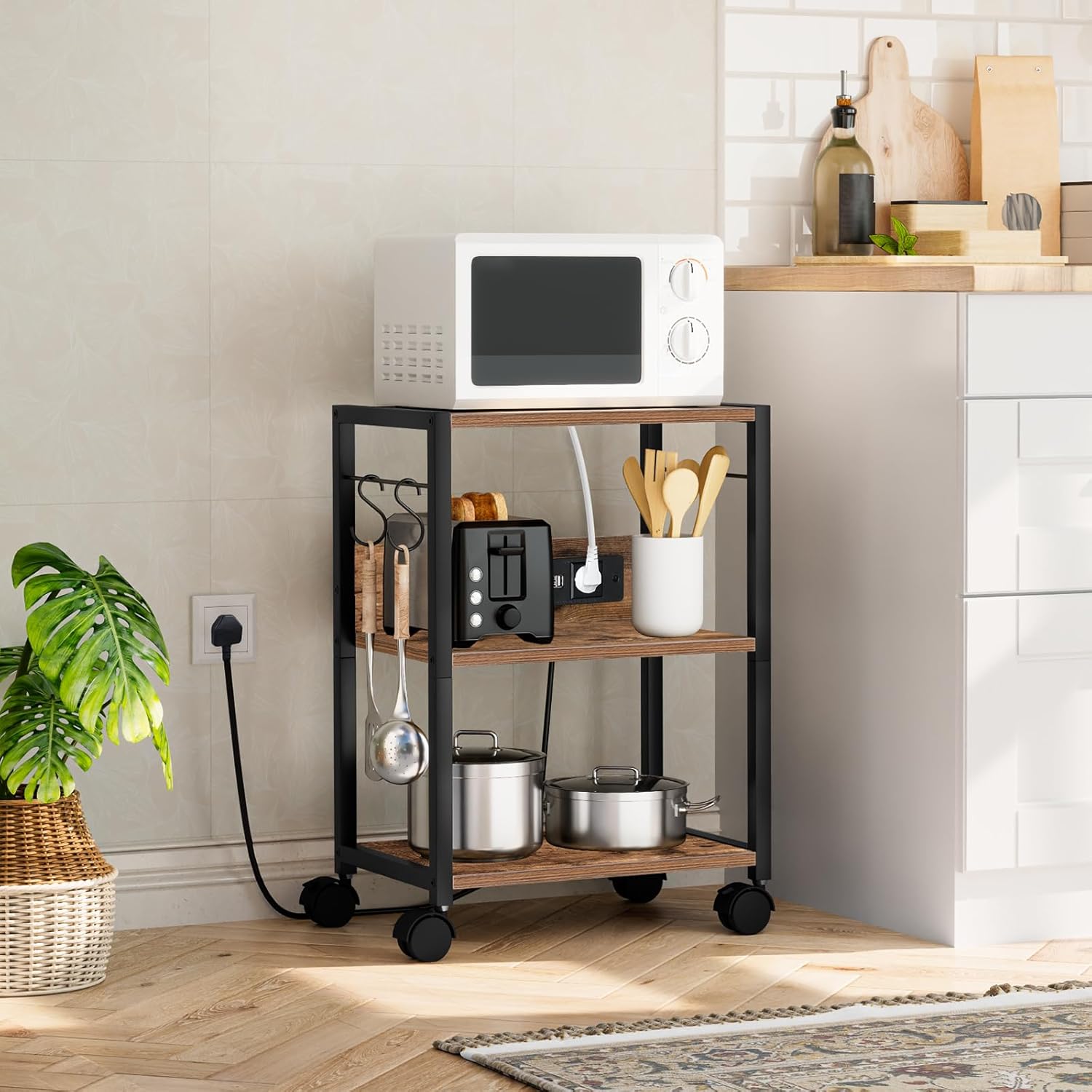
Figure 3: Illustration of the lockable wheels for securing the cart in place.

Figure 4: The included S-hooks provide convenient hanging storage.
Operating Instructions
The MAHANCRIS APTHR40KE01 printer cart is designed for ease of use and versatility.
Using the Power Outlets and USB Ports
- Connect to Power: Plug the cart's 150cm power cord into a standard wall outlet.
- Charge Devices: Use the two AC outlets to power your printer, laptop, or other electronic devices. The two USB ports can be used to charge smartphones, tablets, or other USB-powered gadgets.
- Safety: Do not overload the power strip. Ensure devices are properly plugged in.
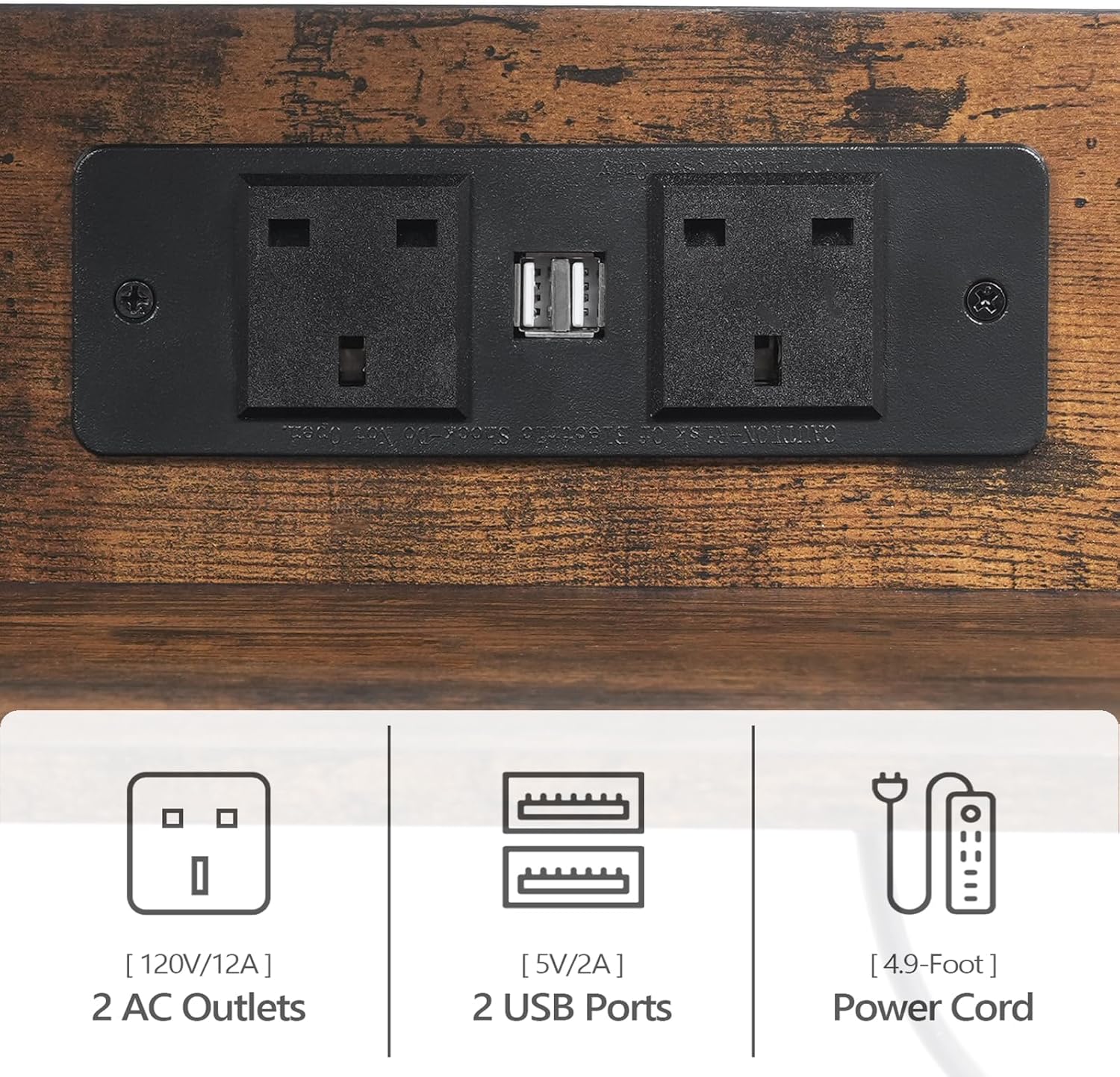
Figure 5: The integrated power strip with AC outlets and USB ports.
Mobility and Stability
- Moving the Cart: If using wheels, unlock the two lockable wheels before moving the cart. Push or pull the cart gently to its desired location.
- Securing the Cart: Once in position, lock the two lockable wheels to prevent unintended movement. If using foot pads, ensure they are adjusted to provide maximum stability.
Multi-purpose Use
The cart's design allows it to serve various functions:
- Office Printer Stand: Place your printer on the top shelf and store paper, ink, and other office supplies on the lower shelves.
- Kitchen Cart: Use it to hold small appliances, cookbooks, or kitchen essentials.
- Side Table: Position it next to a sofa or bed to hold lamps, books, or personal items.

Figure 6: The cart functioning as a dedicated printer stand in an office setup.

Figure 7: The cart serving as a stylish side table in a living room.
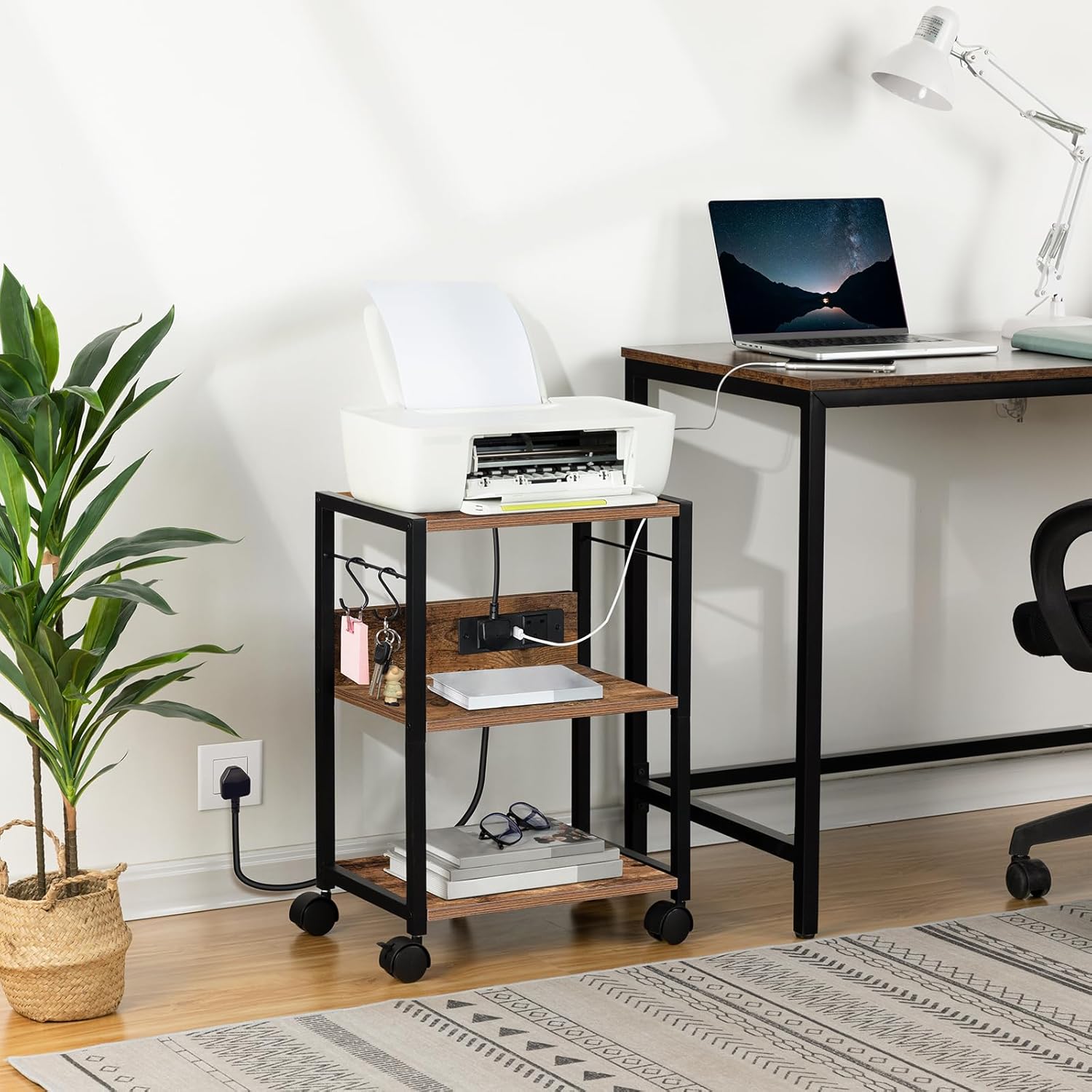
Figure 8: The cart utilized as a functional kitchen cart for appliances and utensils.
Maintenance
To ensure the longevity and appearance of your MAHANCRIS printer cart, follow these simple maintenance guidelines:
- Cleaning: Wipe surfaces with a soft, damp cloth. Avoid harsh chemicals or abrasive cleaners, which can damage the finish.
- Spills: Clean up spills immediately to prevent staining or damage to the engineered wood.
- Fasteners: Periodically check all screws and fasteners to ensure they are tight. Re-tighten if necessary to maintain stability.
- Weight Capacity: Do not exceed the maximum weight capacity of 20 kg (44 lbs) per shelf to prevent structural damage.
Troubleshooting
If you encounter any issues with your printer cart, refer to the following common problems and solutions:
- Cart is Unstable/Wobbly:
- Ensure all assembly screws are securely tightened.
- If using foot pads, adjust them to level the cart on uneven floors.
- If using wheels, ensure the lockable wheels are unlocked when moving and locked when stationary.
- Power Outlets/USB Ports Not Working:
- Verify that the cart's main power cord is securely plugged into a functioning wall outlet.
- Check if the wall outlet itself is receiving power (test with another device).
- Ensure devices are properly connected to the outlets/USB ports.
- Avoid overloading the power strip with too many high-power devices.
- Wheels Not Rolling Smoothly:
- Check for any debris or hair caught in the wheels.
- Ensure the lockable wheels are in the unlocked position.
Specifications
| Brand | MAHANCRIS |
|---|---|
| Model Number | APTHR40KE01 |
| Product Dimensions (L x W x H) | 42 x 28 x 60 cm (16.5 x 11 x 23.6 inches) |
| Item Weight | 5 Kilograms (11 lbs) |
| Material | Engineered Wood, Metal |
| Color | Rustic Brown |
| Assembly Required | Yes |
| Shelf Weight Capacity | Up to 20 kg (44 lbs) per shelf |
| Power Cord Length | 150 cm (4.9 feet) |
| Power Outlets | 2 AC Outlets (120V/12A) |
| USB Ports | 2 USB Ports (5V/2A) |
Warranty Information
Warranty information for the MAHANCRIS APTHR40KE01 printer cart is not explicitly provided in the product details. Please refer to your purchase receipt or contact the retailer for specific warranty terms and conditions.
Support
For further assistance, questions, or to report missing/damaged parts, please contact MAHANCRIS customer support through the retailer's platform where the product was purchased. Keep your order number and product model (APTHR40KE01) ready for faster service.


