
1. Introduction
The TESSAN 200W Car Power Inverter is designed to convert your vehicle's 12V DC power into 110V AC power, providing versatile charging options on the go. This device is equipped with 2 AC outlets and 4 USB ports, including PD 30W and QC 18W fast charging capabilities, making it an essential accessory for road trips, camping, and mobile work environments. It supports 12V vehicles and 16V Tesla models produced after November 2021.

Image 1: TESSAN 200W Car Power Inverter with its integrated cigarette lighter plug.
2. Safety Information
This power inverter incorporates a multi-protection system to ensure the safety of your devices and the vehicle's electrical system. Please adhere to the following guidelines:
- Over Voltage Protection: Prevents damage from excessive input voltage.
- Under Voltage Protection: Safeguards against low input voltage conditions.
- Overload Protection: Automatically shuts down if connected devices exceed the 200W limit.
- Short Circuit Protection: Protects against electrical shorts.
- Over Temperature Protection: A built-in cooling fan and thermal sensors prevent overheating.
- Always ensure the vehicle's engine is running when using high-power devices to avoid draining the car battery.
- Do not expose the inverter to water, moisture, or extreme temperatures.
- Keep out of reach of children.

Image 2: Visual representation of the inverter's comprehensive safety protections.
3. Product Features
- 6-in-1 Power Solution: Features 2 standard 110V AC outlets and 4 USB charging ports (1x USB-C PD 30W, 1x USB-A QC 18W, 2x USB-A 2.4A).
- High Power Output: Delivers up to 200W of continuous power.
- Fast Charging: USB-C port with Power Delivery (PD) 30W and USB-A port with Quick Charge (QC) 3.0 18W for rapid device charging.
- Real-time Voltage Display: An LED screen shows the current input voltage from your vehicle.
- Integrated Cooling Fan: Automatically activates to dissipate heat and maintain optimal operating temperature.
- Compact and Portable Design: Measures 5.9 x 3 x 1.38 inches, designed for easy storage and minimal space occupation.

Image 3: Overview of the inverter's multiple power and charging ports.

Image 4: Detailed view of the fast-charging USB ports.

Image 5: The inverter features an internal cooling fan for heat dissipation.
4. Setup
- Locate Vehicle DC Power Socket: Identify the 12V DC power socket (cigarette lighter outlet) in your vehicle.
- Insert Inverter Plug: Firmly insert the inverter's cigarette lighter plug into the vehicle's DC power socket. Ensure a secure connection.
- Power On: Press the power button on the inverter. The LED display will illuminate, showing the current vehicle voltage, and the blue indicator light for the AC outlets will turn on.

Image 6: Connecting the inverter to the vehicle's DC power socket.
5. Operating Instructions
5.1 Using AC Outlets
- Once the inverter is powered on, plug your 110V AC devices (e.g., laptops, small fans) into the two AC outlets.
- Ensure the total wattage of connected AC devices does not exceed 200W.
5.2 Using USB Charging Ports
- Connect your USB-powered devices (e.g., smartphones, tablets, digital cameras) to the appropriate USB ports.
- Use the USB-C PD 30W port for devices supporting Power Delivery fast charging.
- Use the USB-A QC 18W port for devices supporting Quick Charge 3.0.
- The two standard USB-A 2.4A ports are suitable for general USB charging.
5.3 LED Real-time Voltage Display
- The digital LED display shows the current input voltage from your vehicle's battery.
- Monitor this display to ensure the voltage remains within the safe operating range (11V-17V DC).

Image 7: The LED display shows the real-time vehicle voltage.
6. Usage Scenarios
The TESSAN 200W Car Power Inverter is ideal for various situations where portable AC and USB power are needed:
- Road Trips: Keep laptops, tablets, and phones charged for entertainment or navigation.
- Camping: Power small appliances like portable fans, lights, or charge outdoor gear.
- Mobile Office: Use your laptop and other office electronics directly from your car.
- Emergency Power: A reliable power source for essential devices during unexpected outages or travel delays.
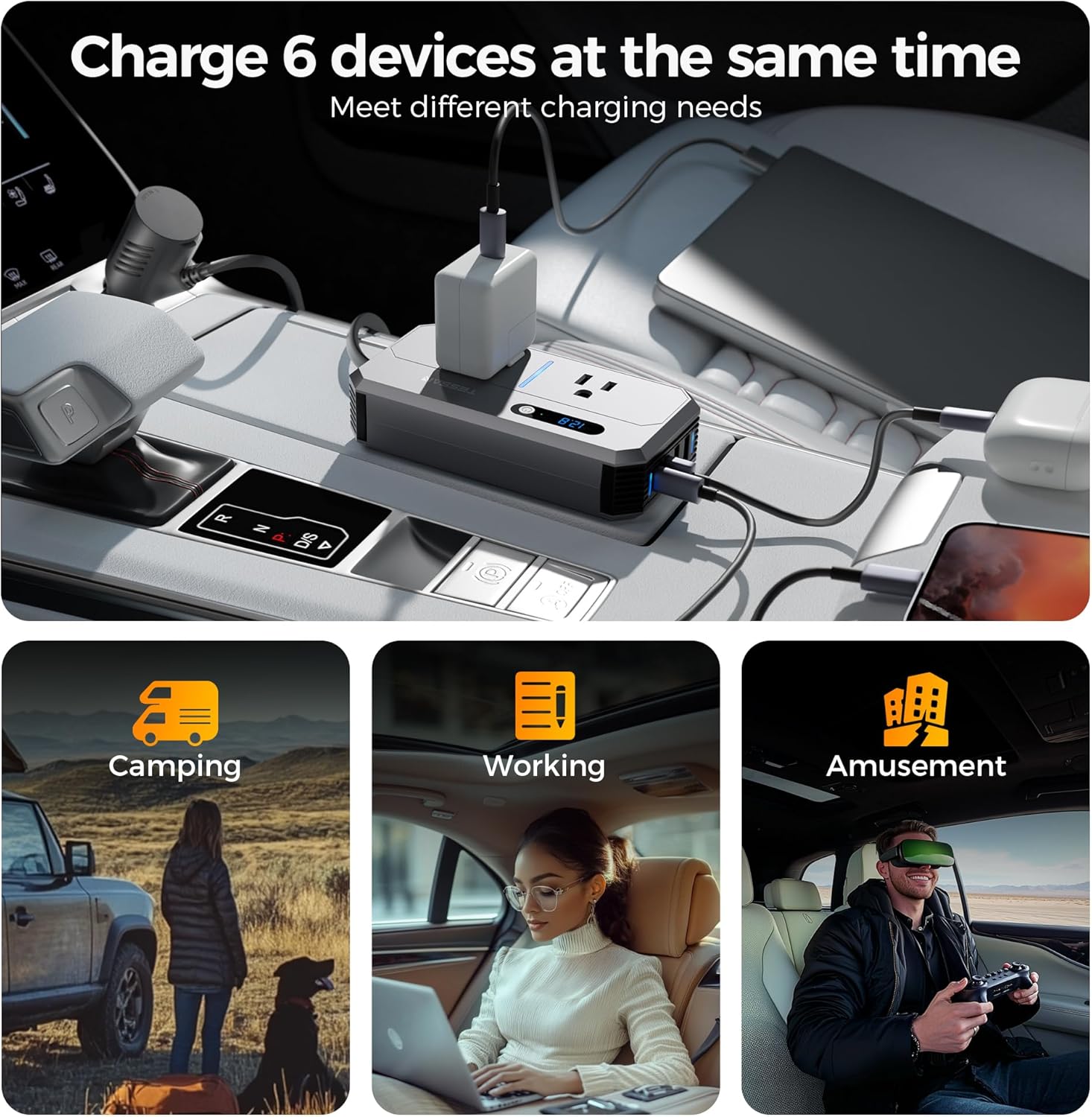
Image 8: The inverter supports charging multiple devices for diverse activities.
Video 1: Official TESSAN video demonstrating the 200W Car Power Inverter's features and ease of use in a vehicle.
7. Specifications
| Product Dimensions | 5.9 x 3 x 1.38 inches |
| Item Weight | 12.6 ounces |
| Model Number | 7711 |
| Brand | TESSAN |
| Power Source | Vehicle DC Power Socket |
| Wattage | 200 watts |
| Input Voltage | 11V~17V DC |
| Output Voltage | 110V AC |
| USB-C Output | PD 30W |
| USB-A Output (QC) | QC 18W |
| USB-A Output (Standard) | 2.4A (x2) |

Image 9: The compact size of the inverter for easy portability.
8. Maintenance
- Keep the inverter clean and free from dust and debris. Use a soft, dry cloth for cleaning.
- Ensure proper ventilation around the device, especially around the cooling fan vents, to prevent overheating.
- Store the inverter in a cool, dry place when not in use.
- Avoid dropping or subjecting the device to strong impacts.
9. Troubleshooting
- Inverter not powering on:
- Check if the cigarette lighter plug is fully inserted into the vehicle's socket.
- Ensure the vehicle's engine is running (some vehicles require this for power to the socket).
- Verify the vehicle's 12V DC power socket is functional.
- Devices not charging/powering:
- Confirm the inverter is powered on (LED display active).
- Check if the total wattage of connected devices exceeds 200W. Disconnect some devices if overloaded.
- Ensure cables are securely connected to both the inverter and the device.
- For USB charging, ensure your device is compatible with the specific USB port (PD, QC, standard).
- Inverter overheating:
- Ensure the cooling fan vents are not obstructed.
- Reduce the load by disconnecting some devices.
- Allow the inverter to cool down before resuming use.
10. Warranty and Support
For warranty information, technical support, or any product-related inquiries, please refer to the contact details provided on the product packaging or visit the official TESSAN website. Keep your purchase receipt for warranty claims.