
Introduction
The CMF Buds Pro 2 Wireless Earbuds are engineered to deliver high-quality audio and advanced features for various lifestyles. This manual provides essential information for setting up, operating, maintaining, and troubleshooting your earbuds to ensure optimal performance.
Key features include Hi-Res Audio Wireless with LDAC technology, Ultra Bass Technology 2.0, a Smart Dial for intuitive control, 50dB Adaptive Hybrid Active Noise Cancellation (ANC), 6 AI-enhanced HD microphones for clear calls, and a long-lasting battery life.
What's in the Box
- User Manual
- Wireless Charging Case
- Ear tips in sizes S, M, L
- Safety information

Image: CMF Buds Pro 2 Wireless Earbuds in their orange charging case. The earbuds are visible inside the open case.
This image displays the CMF Buds Pro 2 Wireless Earbuds in their vibrant orange charging case. The earbuds are nestled securely within the case, which is open to reveal their design. The compact and sleek design of both the earbuds and the case is highlighted.
Setup
1. Initial Pairing
- Ensure the earbuds are in the charging case and the case has sufficient battery.
- Open the charging case. The earbuds will automatically enter pairing mode.
- On your device (smartphone, tablet, PC), go to Bluetooth settings and select "CMF Buds Pro 2" from the list of available devices.
- Follow any on-screen prompts to complete the pairing process.
2. Nothing X App Installation
For full customization and access to all features, download the Nothing X app from your device's app store (App Store for iOS, Google Play Store for Android).
- Install the app and follow the on-screen instructions to connect your CMF Buds Pro 2.
- The app allows for EQ customization, ANC mode selection, control remapping, and more.
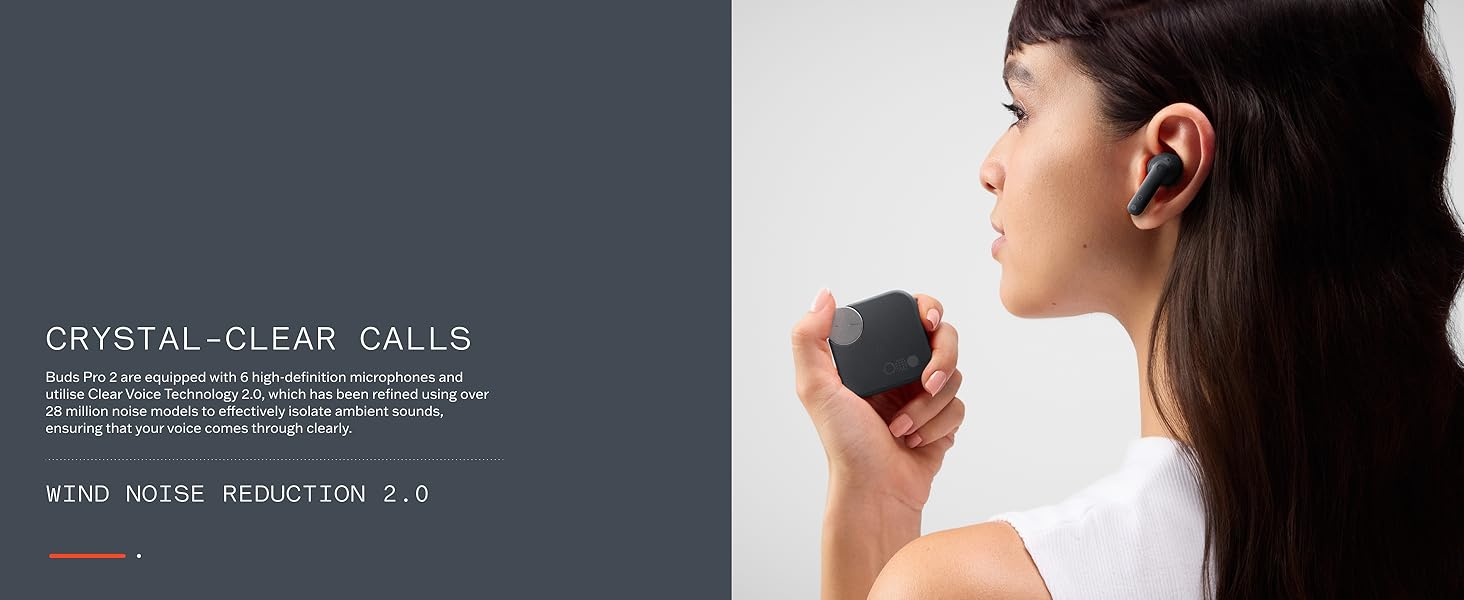
Image: Screenshot of the Nothing X App interface, demonstrating various customization options for the earbuds.
This image illustrates the user interface of the Nothing X App, showcasing the extensive customization options available for the CMF Buds Pro 2. Users can adjust equalizer settings, manage controls, and access device-specific features through this application.
3. Dual Device Connection
The earbuds support multipoint Bluetooth 5.3, allowing connection to two devices simultaneously.
- Pair the earbuds with your first device.
- Put the earbuds back into pairing mode and connect to your second device.
- The earbuds will intelligently switch between devices based on audio playback.
Video: Demonstration of seamless device switching with CMF Buds Pro 2.
This video demonstrates the ease with which the CMF Buds Pro 2 can switch between multiple connected devices, highlighting the convenience of its dual connection feature.
Operating
1. Smart Dial Controls
The charging case features a Smart Dial for quick control over various functions.
- Press the dial: Control noise cancellation modes (ANC, Transparency, Off), access voice assistant, enable low-latency mode, or mute the microphone.
- Rotate the dial: Adjust volume or playback (customizable via Nothing X app).
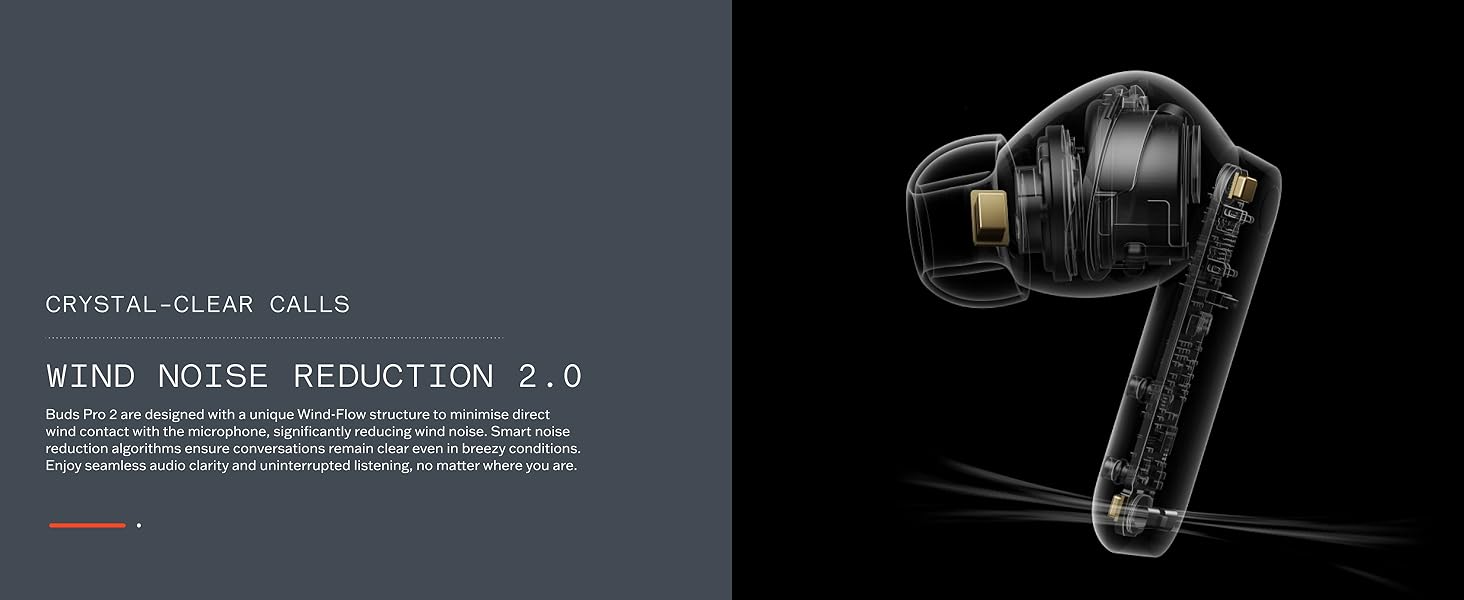
Image: A detailed view of the Smart Dial integrated into the CMF Buds Pro 2 charging case.
This image provides a close-up of the innovative Smart Dial on the CMF Buds Pro 2 charging case, illustrating its tactile design for intuitive control.
2. Touch Controls
The earbuds themselves feature touch-sensitive areas for direct control.
- Functions like play/pause, skipping tracks, and answering calls can be controlled with taps.
- These controls are customizable through the Nothing X app.
3. Active Noise Cancellation (ANC)
The CMF Buds Pro 2 feature 50dB Adaptive Hybrid ANC.
- Automatically detects noise leakage and compensates for optimal performance.
- Smart ambient sound recognition allows for intelligent environment-based silencing.
- Switch between ANC, Transparency, and Off modes via the Smart Dial or Nothing X app.

Image: A CMF Buds Pro 2 earbud is shown with visual representations of sound waves, highlighting its 50dB Hybrid Active Noise Cancellation capability.
This image visually represents the 50dB Hybrid Active Noise Cancellation feature of the CMF Buds Pro 2. An earbud is depicted with sound wave patterns around it, symbolizing its ability to filter out external noise and provide an immersive audio experience.
4. Sound Features
- Dual Drivers: 11mm ultra bass driver and 6mm tweeter for rich sound.
- LDAC & Hi-Res Audio: Triples transmission bandwidth for lossless audio detail.
- Ultra Bass Technology 2.0: Dynamically enhances lows.
- Dirac Master Tuning: Refines rhythms and offers EQ customization via the Nothing X app.
- Spatial Audio Effect: Provides a 360-degree cinematic sound experience.

Image: An exploded view of the CMF Buds Pro 2 earbud, showcasing its internal dual-driver acoustic architecture.
This image presents an exploded diagram of a CMF Buds Pro 2 earbud, revealing its internal components, specifically highlighting the 11mm bass driver and 6mm tweeter that constitute its dual-driver system for enhanced audio quality.
5. Call Quality
Equipped with 6 AI-enhanced HD microphones and Clear Voice Technology 3.0, the earbuds ensure crystal-clear calls even in noisy environments.
6. Battery Life
- Up to 10 hours of playback on a single charge (earbuds only).
- Up to 43 hours of total runtime with the charging case.
- Fast charging: 10 minutes of charge provides 3 hours of playback.
Maintenance
1. Water and Dust Resistance
The earbuds are IP54 rated for water and dust resistance, making them suitable for workouts and light rain.
- Avoid submerging the earbuds in water.
- Wipe them dry after exposure to sweat or rain.
2. General Care
- Clean the earbuds and charging case regularly with a soft, dry cloth.
- Ensure charging contacts are free from debris.
- Store in the charging case when not in use to protect them and maintain battery life.
Troubleshooting
1. Earbuds not pairing
- Ensure Bluetooth is enabled on your device.
- Check if the earbuds are charged.
- Place earbuds in the case, close the lid, wait a few seconds, then open to re-enter pairing mode.
- Forget the device from your phone's Bluetooth settings and try pairing again.
2. Sound quality issues
- Ensure ear tips provide a secure seal. Try different sizes if needed.
- Clean ear tips and earbud nozzles to remove any wax or debris.
- Adjust EQ settings in the Nothing X app.
- Ensure your audio source is playing high-quality audio.
3. ANC not effective
- Verify ANC mode is active in the Nothing X app or via the Smart Dial.
- Ensure a proper fit with the correct ear tip size to minimize noise leakage.
- Update earbud firmware via the Nothing X app.
4. Battery draining quickly
- Ensure earbuds are properly seated in the charging case when not in use.
- Close the charging case lid to ensure earbuds disconnect and charge.
- Reduce volume or disable ANC when not needed to conserve battery.
Specifications
| Feature | Specification |
|---|---|
| Model Name | CMF Buds Pro 2 |
| Item Model Number | B172 |
| Brand | CMF BY NOTHING |
| Connectivity Technology | Wireless (Bluetooth 5.3) |
| Noise Control | 50dB Adaptive Hybrid Active Noise Cancellation |
| Audio Driver Type | Dual Dynamic Driver (11mm Bass, 6mm Tweeter) |
| Audio Codec | LDAC (Hi-Res Audio Wireless certified) |
| Microphones | 6 AI-enhanced HD Mics with Clear Voice Technology 3.0 |
| Battery Life (Earbuds) | Up to 10 hours |
| Battery Life (Total with Case) | Up to 43 hours |
| Fast Charging | 10 min charge for 3 hours playback |
| Water Resistance Level | IP54 (Earbuds) |
| Control Type | Smart Dial, Touch |
| Compatible Devices | Cellphones |
| Item Weight | 3.53 ounces |
| Product Dimensions | 1.97 x 0.79 x 1.97 inches |
Warranty and Support
For detailed warranty information and customer support, please refer to the official CMF BY NOTHING website or the documentation included in your product packaging.
Typically, CMF BY NOTHING products come with a limited warranty covering manufacturing defects. Keep your proof of purchase for any warranty claims.


