1. Introduction
This manual provides detailed instructions for the setup, operation, and maintenance of your Stealth Cam Deceptor MAX Cellular Trail Camera. Designed for outdoor surveillance, this camera captures high-resolution photos and videos, offering advanced features for monitoring wildlife or property.

Figure 1: Stealth Cam Deceptor MAX Cellular Trail Camera with included accessories.
2. Key Features
- High-Resolution Imaging: Captures up to 40MP photos and 1440P QHD videos with audio.
- No-Glo LED Technology: Features a 36-piece 940nm No-Glo LED array for invisible detection and flash range up to 80 feet, ensuring discreet operation.
- Rapid Trigger Speed: Achieves a lightning-fast 0.4-second trigger speed and a 2-59-second recovery time to minimize missed events.
- Burst Mode: Capable of taking up to 9 photos in a single burst.
- Dual SIM Connectivity: Equipped with 2 pre-installed SIM cards for seamless connection to AT&T and Verizon network signals.
- COMMAND Pro App Integration: Allows remote viewing, sharing, and customization of camera settings from any app-enabled mobile device or web interface.
- Flexible Power Options: Operates on 16 AAA batteries (not included) and includes a 12V DC auxiliary jack for external power sources. Compatible with rechargeable battery cartridges (sold separately) and includes solar panels for extended field life.
- Durable Design: Features a robust, weatherproof housing suitable for outdoor use.
- Versatile Mounting: Includes a 1/4"-20 threaded insert and a multi-position mount for various installation scenarios.
3. Setup Guide
3.1. Battery Installation
- Open the camera housing latch.
- Locate the battery compartment.
- Insert 16 fresh AAA batteries, ensuring correct polarity.
- Close the battery compartment securely.
3.2. SD Card Insertion
- Locate the SD card slot inside the camera.
- Insert a 32GB Lexar SD card (included) into the slot until it clicks into place. Ensure the card is formatted before first use.

Figure 2: Internal view of the camera, highlighting battery and SD card slots.
3.3. Network Activation (Quick Scan QR Setup)
- Download the COMMAND Pro App from your mobile device's app store.
- Create an account or log in.
- Follow the in-app instructions to add a new camera. This typically involves scanning the QR code located inside the camera's battery compartment.
- The camera features pre-installed dual SIM cards for AT&T and Verizon. The app will guide you through activating the appropriate network plan.
- Once activated, the camera will attempt to establish a connection. Monitor the status lights inside the camera for successful connection (Battery, Network, Account).
4. Operating Instructions
4.1. Basic Operation
- After successful setup, close the camera housing securely.
- The camera will enter monitoring mode and begin capturing images/videos based on its configured settings when motion is detected.
- The No-Glo LED ensures that the camera operates without emitting visible light, making it ideal for discreet wildlife observation.
4.2. Remote Control via COMMAND Pro App
The COMMAND Pro App provides comprehensive remote control over your Deceptor MAX camera:
- View Images/Videos: Access captured media directly from your phone.
- Share Media: Easily share photos and videos with others.
- Customize Settings: Adjust photo resolution (up to 40MP), video resolution (1440P QHD), PIR delay (2-59 seconds recovery time), burst mode (up to 9 photos), and other operational parameters.
- Receive Notifications: Get instant alerts when new activity is detected.
Video 1: Overview of the Stealth Cam Deceptor MAX features and app integration.
5. COMMAND Pro App
The COMMAND Pro App is your central hub for managing your Stealth Cam Deceptor MAX. It offers a user-friendly interface to:
- Remote Access: View images and videos from your camera without physically visiting its location.
- Real-time Notifications: Receive alerts on your mobile device when the camera is triggered.
- Settings Management: Adjust all camera settings, including resolution, trigger delay, and burst mode, directly from the app.
- Data Management: Organize, filter, and download your captured media.
Video 2: Demonstration of the COMMAND Pro App features, including live view and image management.
6. Power Options
The Deceptor MAX offers flexible power solutions to ensure continuous operation:
- Internal Batteries: Requires 16 AAA batteries (not included). For optimal performance, use high-quality alkaline or lithium batteries.
- External Power: Features a 12V DC auxiliary jack for connecting external power sources.
- Solar Panels: The package includes Stealth Cam Durable Solar Battery Packs, which can be connected to extend the camera's battery life and reduce the need for frequent battery changes.
- Rechargeable Battery Cartridge: Compatible with a rechargeable battery cartridge (sold separately) for an eco-friendly and cost-effective power solution.
7. Mounting the Camera
Proper mounting is crucial for effective surveillance. The Deceptor MAX offers several mounting options:
- Strap Mounting: Use the included strap to secure the camera to a tree or pole. Ensure the camera is stable and pointed towards the desired area.
- Threaded Insert: A 1/4"-20 threaded insert allows for compatibility with various camera mounts, such as tripods or specialized tree mounts.
- Multi-Position Mount: The integrated multi-position mount provides flexibility in adjusting the camera's angle and direction.
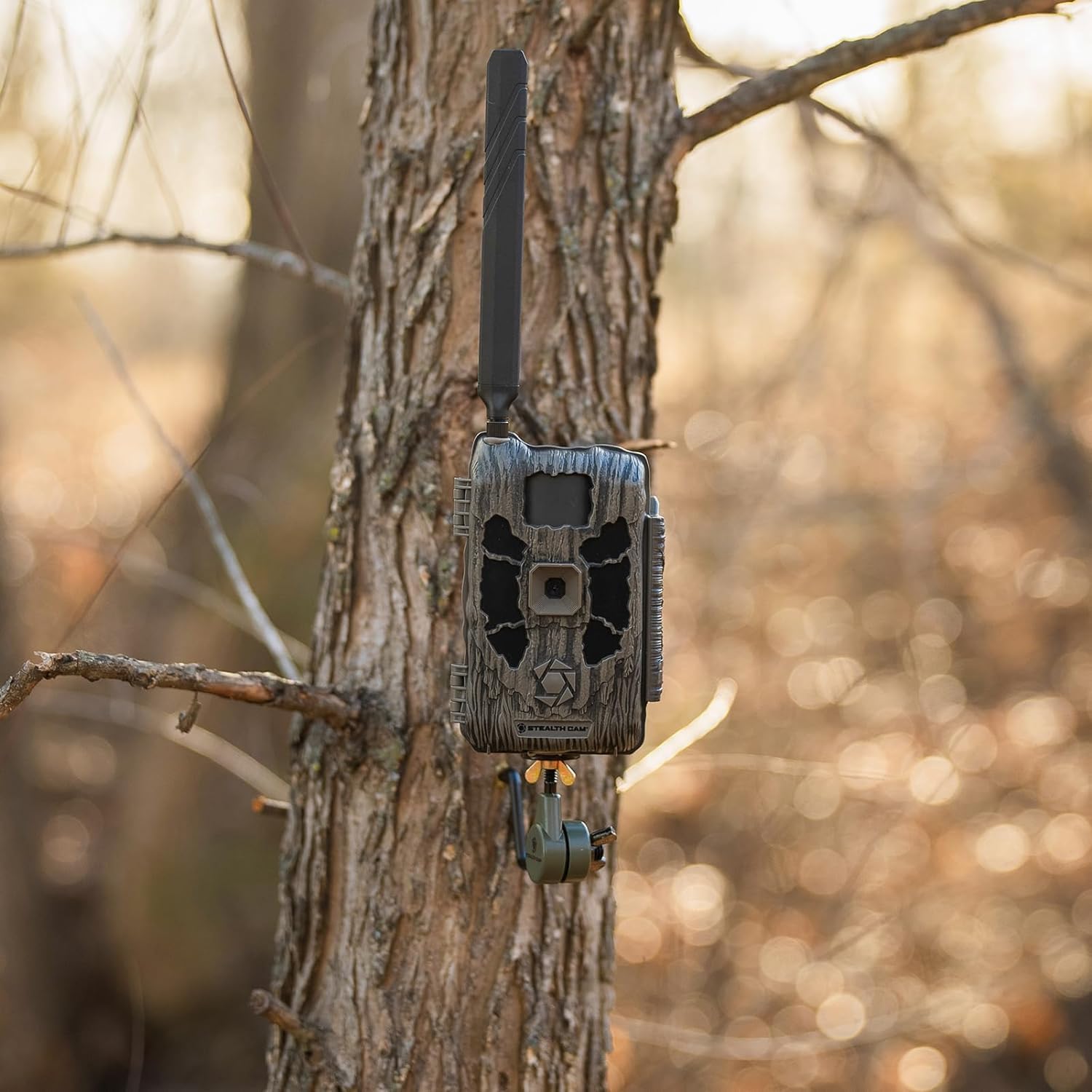
Figure 3: Stealth Cam Deceptor MAX securely mounted on a tree.
8. Specifications
| Feature | Specification |
|---|---|
| Model Name | Deceptor MAX |
| Item Model Number | STC-DCPTRX-2PK |
| Indoor/Outdoor Usage | Outdoor |
| Effective Still Resolution | 40 MP |
| Video Capture Resolution | 1440P QHD |
| Connectivity Technology | Wireless (Cellular, Wi-Fi) |
| Connectivity Protocol | Cellular |
| Power Source | Battery Powered (16 AAA, not included), 12V DC Auxiliary Jack |
| Special Feature | Motion Sensor, No-Glo LED |
| Trigger Speed | 0.4 seconds |
| Detection Range | 80 feet |
| Item Dimensions L x W x H | 3.5 x 1 x 5 inches |
| Item Weight | 7.04 pounds |
9. Troubleshooting
- No Power: Ensure batteries are correctly installed and fully charged. Check external power connections if applicable.
- No Network Connection: Verify SIM card activation through the COMMAND Pro App. Check signal strength in the camera's location. Relocate the camera if signal is weak.
- No Photos/Videos: Ensure the SD card is properly inserted and formatted. Check camera settings for correct capture mode and trigger sensitivity.
- Poor Image Quality: Adjust photo/video resolution settings in the COMMAND Pro App. Ensure the lens is clean and free from obstructions.
10. Maintenance
- Cleaning: Regularly clean the camera lens and PIR sensor window with a soft, lint-free cloth. Avoid abrasive materials.
- Battery Check: Periodically check battery levels via the COMMAND Pro App or by inspecting the camera. Replace or recharge batteries as needed.
- Firmware Updates: Check the COMMAND Pro App for any available firmware updates to ensure optimal performance and access to new features.
- Storage: When not in use, store the camera in a cool, dry place with batteries removed.
11. Warranty and Support
For warranty information, technical support, or service inquiries, please refer to the official Stealth Cam website or contact their customer service department. Keep your purchase receipt as proof of purchase for warranty claims.
Online Resources: Visit the Stealth Cam Store for additional product information and support.


