
CONOPU DH-CS13
CONOPU Dehumidifier DH-CS13 User Manual
Model: DH-CS13
1. Introduction
Thank you for choosing the CONOPU DH-CS13 Dehumidifier. This appliance is designed to efficiently remove excess moisture from your indoor environment, creating a more comfortable and healthier living space. With its advanced dual semiconductor technology, quiet operation, and smart features like automatic defrost and auto shut-off, the DH-CS13 is an ideal solution for managing humidity in various room sizes.
Please read this manual thoroughly before operating the dehumidifier to ensure safe and optimal performance. Keep this manual for future reference.
2. Safety Instructions
To reduce the risk of fire, electric shock, or injury when using your dehumidifier, basic safety precautions should always be followed, including the following:
- Read all instructions before using the appliance.
- Only use the dehumidifier with the provided power adapter.
- Do not operate the dehumidifier if the power cord or plug is damaged.
- Keep the appliance away from heat sources, direct sunlight, and flammable materials.
- Ensure the dehumidifier is placed on a stable, level surface to prevent tipping.
- Do not block the air inlets or outlets. Maintain adequate clearance around the unit for proper airflow.
- Do not immerse the appliance, power cord, or plug in water or other liquids.
- Unplug the dehumidifier before cleaning, moving, or performing any maintenance.
- Do not allow children or pets to play with or near the dehumidifier.
- This appliance is designed for indoor use only.
- Empty the water tank regularly to prevent overflow and maintain efficiency.
3. Product Overview
The CONOPU DH-CS13 Dehumidifier is a compact and efficient unit designed for optimal moisture removal.

Figure 3.1: Front view of the CONOPU DH-CS13 Dehumidifier, showcasing its sleek white design and top control panel.
Key Components:
- Air Inlet Grille: Located on the sides, where humid air is drawn in.
- Air Outlet Grille: Located on the top, where dry air is expelled.
- Control Panel: Top-mounted panel with touch buttons for power, mode, timer, and light control.
- Water Tank: Removable 3000ml capacity tank at the bottom for collecting condensed water. Features a transparent window for easy level monitoring.
- Built-in Handles: Integrated side handles for convenient portability.
- Power Port: Located at the back for connecting the power adapter.
4. Setup
Follow these steps to set up your dehumidifier for the first time:
- Unpack: Carefully remove the dehumidifier and all packaging materials from the box. Retain the packaging for future storage or transport.
- Placement:
- Place the dehumidifier on a firm, level surface.
- Ensure there is at least 20 cm (8 inches) of space around all sides of the unit to allow for proper airflow. Avoid placing it directly against walls or furniture.
- The optimal operating environment temperature is between 15°C and 40°C (59°F and 104°F).
- This unit is suitable for rooms ranging from 5 m² to 30 m².

Figure 4.1: Illustrates suitable room sizes (5m² to 30m²) and proper placement for optimal dehumidification.
- Power Connection: Insert the power adapter into the power port on the back of the dehumidifier, then plug the adapter into a suitable electrical outlet.
- Water Tank: Ensure the water tank is correctly inserted into the unit. The dehumidifier will not operate if the tank is full or improperly seated.
5. Operating Instructions
The CONOPU DH-CS13 Dehumidifier offers various modes and settings for efficient moisture control.
5.1 Control Panel
The control panel is located on the top of the unit and features touch-sensitive buttons and indicator lights.
- Power Button: Turns the unit ON/OFF.
- Mode Button: Cycles through different operating modes (e.g., L1, L2, Sleep).
- Timer Button: Sets the operating timer (6, 12, or 24 hours).
- Lights Button: Turns the indicator lights ON/OFF, especially useful for Sleep Mode.
- Defrost Indicator: Illuminates when automatic defrost is active.
- Full Tank Indicator: Blinks red when the water tank is full or removed.
5.2 Powering On/Off
Press the Power Button once to turn the dehumidifier ON. Press it again to turn the unit OFF.
5.3 Dehumidification Modes and Speeds
The dehumidifier features dual semiconductor modules and fans for enhanced efficiency, capable of collecting up to 800ml of water per 24 hours.

Figure 5.1: Illustrates the dual semiconductor technology and improved humidity levels (e.g., from 80% to 45%).
- Continuous Speed (L1/L2): Press the Mode Button to cycle between L1 and L2 speeds. L2 provides faster dehumidification for quicker results.
- Sleep Mode: Press the Mode Button until Sleep Mode is activated. In this mode, the dehumidifier operates at a low noise level of approximately 30 dB, making it ideal for use in bedrooms or quiet environments. You can also press the Lights Button to turn off the indicator lights for an undisturbed sleep.

Figure 5.2: The dehumidifier operating in Sleep Mode, demonstrating its low noise level of 30dB, suitable for nighttime use.
5.4 Timer Function
Set the dehumidifier to operate for a specific duration:
- Press the Timer Button repeatedly to select 6, 12, or 24 hours.
- The unit will automatically turn off once the set time has elapsed.
5.5 Automatic Defrost
The dehumidifier is equipped with an automatic defrost function. If frost builds up on the internal components in colder temperatures, the unit will automatically activate defrost mode. The Defrost Indicator light will illuminate. Dehumidification will resume once the defrost cycle is complete.

Figure 5.3: Visual representation of the automatic defrost process, showing frost accumulation and subsequent melting on the cooling fins.
6. Maintenance
Regular maintenance ensures the longevity and efficient operation of your dehumidifier.
6.1 Emptying the Water Tank
The dehumidifier features a 3000ml water tank and an automatic shut-off function when the tank is full or removed. The Full Tank Indicator will blink red.
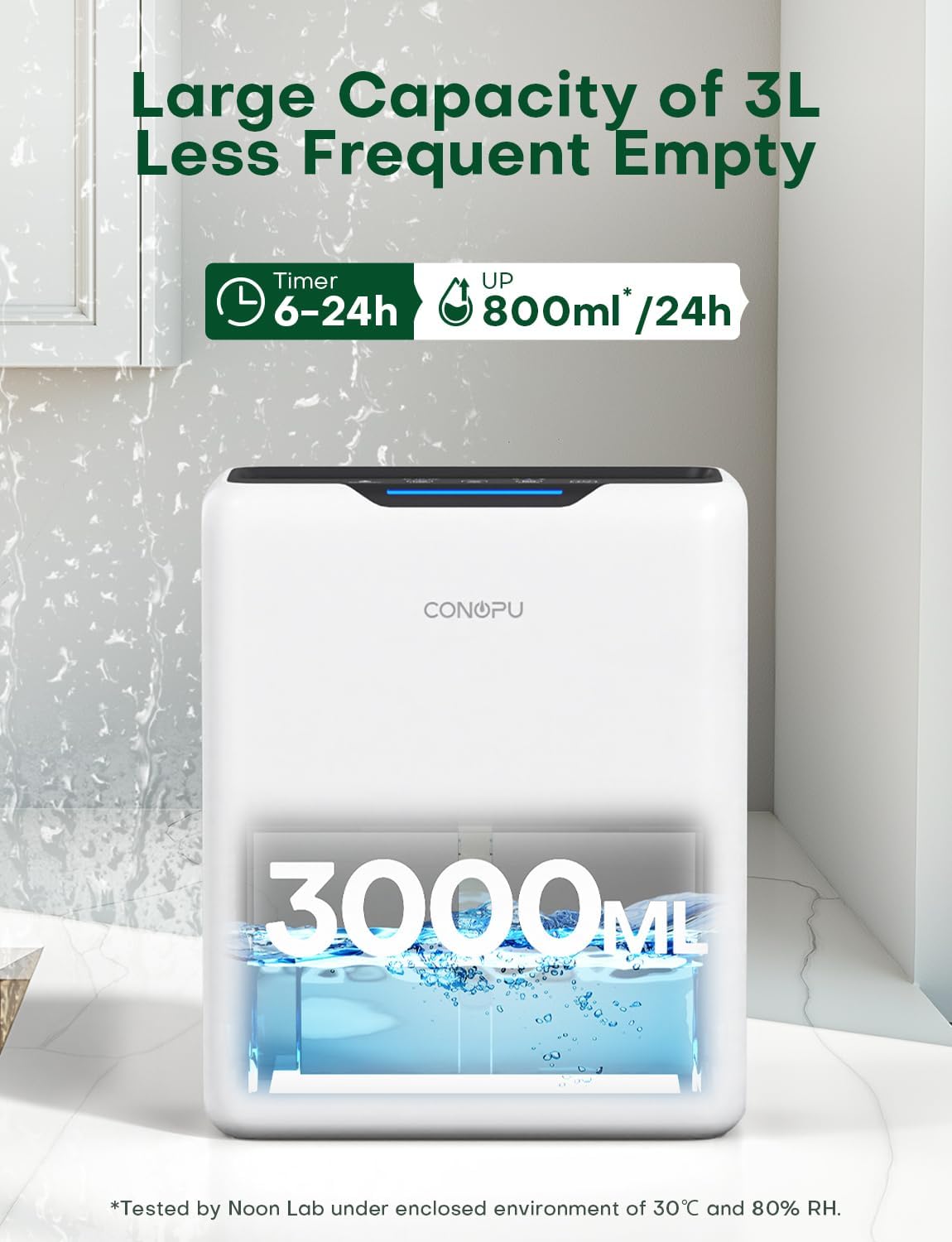
Figure 6.1: The dehumidifier's 3000ml water tank, indicating its large capacity and the amount of water collected per day.
- When the Full Tank Indicator blinks, gently pull out the water tank from the unit.
- Carefully carry the tank to a sink or drain.
- Pour out the collected water.
- Rinse the tank with clean water if necessary. Do not use harsh detergents or abrasive cleaners.
- Slide the empty water tank back into the dehumidifier until it clicks into place. The unit will resume operation automatically.
6.2 Cleaning the Unit
- Exterior: Wipe the exterior of the dehumidifier with a soft, damp cloth. Do not use abrasive cleaners or solvents.
- Air Inlets/Outlets: Use a soft brush or vacuum cleaner attachment to gently remove dust and debris from the air inlet and outlet grilles. Ensure the unit is unplugged before cleaning.
7. Troubleshooting
If you encounter issues with your dehumidifier, please refer to the following common problems and solutions:
| Problem | Possible Cause | Solution |
|---|---|---|
| Dehumidifier does not turn on. |
|
|
| No water collected or low dehumidification. |
|
|
| Unit is noisy. |
|
|
| Full Tank Indicator blinks but tank is not full. |
|
|
8. Specifications
| Feature | Specification |
|---|---|
| Brand | CONOPU |
| Model Number | DH-CS13 |
| Color | White |
| Product Dimensions (L x W x H) | 33.5 x 17.5 x 27.5 cm |
| Weight | 3.07 kg |
| Water Tank Capacity | 3000 ml (3 Liters) |
| Dehumidification Capacity | Up to 800 ml/day (at 30°C, 80% RH) |
| Power Consumption | Less than 1.3 kWh/day |
| Number of Speeds | 2 (L1, L2) |
| Noise Level (Sleep Mode) | Approx. 30 dB |
| Coverage Area | 5 - 30 m² |
| Special Features | Automatic Defrost, Auto Shut-off (Full Tank), Timer (6/12/24h), Dual Semiconductor Technology |
| Manufacturer | SC-EU |
9. Warranty and Support
CONOPU products are manufactured to the highest quality standards. For any questions, technical support, or warranty claims, please contact our customer service team. Please have your model number (DH-CS13) and purchase information ready when contacting support.
For the most up-to-date warranty information and contact details, please refer to the official CONOPU website or your purchase documentation.
Related documentsDH-CS13

Ask a question about this manual
Ask about setup, troubleshooting, compatibility, parts, safety, or missing instructions. Manuals+ will review the question and use this page’s manual context to help answer it.