
1. Introduction
This manual provides detailed instructions for the safe and effective operation of your Daxiongmao 4.3" Endoscope Camera. This device is designed for visual inspection in hard-to-reach areas, featuring a two-way articulating borescope and a high-definition display.
1.1 What's in the Box
- 1 x Daxiongmao 4.3" Endoscope Camera with Light
- 1 x User Manual
- 1 x Type-C Charging Cable
- 1 x Hook Attachment
- 1 x Magnet Attachment
- 1 x Side Mirror Attachment

Image: The Daxiongmao 4.3" Endoscope Camera alongside its accessories, including the charging cable, hook, magnet, and side mirror attachments.
2. Safety Information
Please read all safety warnings and instructions before using this product to ensure safe operation and prevent damage to the device or injury.
- Do not immerse the main display unit in water. Only the camera probe is IP67 waterproof.
- Keep the device away from extreme temperatures, direct sunlight, and corrosive liquids.
- Do not attempt to disassemble or modify the device. Repairs should only be performed by qualified personnel.
- Ensure the Type-C charging cable is properly connected during charging to prevent electrical hazards.
- Avoid bending the semi-rigid cable excessively beyond its intended flexibility to prevent internal damage.
- This device is for inspection purposes only and should not be used for medical or personal examination.
3. Product Components
Familiarize yourself with the main parts of your endoscope camera:
- Display Unit: Features a 4.3-inch color LCD screen for real-time viewing. Includes control buttons for operation.
- Camera Probe: The flexible, semi-rigid cable with the camera lens and LED lights at its tip.
- Articulating Mechanism: Allows the camera tip to bend bidirectionally up to 180 degrees for comprehensive inspection.
- LED Lights: 8 adjustable LED lights integrated around the camera lens for illumination in dark environments.
- Control Buttons: Buttons on the display unit for power, light adjustment, articulation control, and menu navigation.
- USB Type-C Port: For charging the device.

Image: A detailed view of the Daxiongmao Endoscope Camera, showing the handheld display unit connected to the long, flexible camera probe with its illuminated tip.
4. Setup Guide
4.1 Charging the Device
Before first use, fully charge the endoscope camera. The device is equipped with a 2000mAh capacity battery.
- Connect the provided Type-C charging cable to the USB Type-C port on the display unit.
- Connect the other end of the cable to a standard USB power adapter (not included) or a computer USB port.
- The charging indicator will show the charging status. A full charge typically takes approximately 3.5 hours.

Image: An illustration highlighting the 2000mAh battery capacity and the approximate 3.5-hour charging time of the endoscope camera.
4.2 Powering On/Off
- To power on, press and hold the power button on the display unit until the screen illuminates.
- To power off, press and hold the power button again until the screen turns off.
5. Operating Instructions
5.1 Display and Controls
The 4.3-inch IPS color display provides a clear, real-time view of the inspection area. The control buttons allow for easy manipulation of the camera and settings.
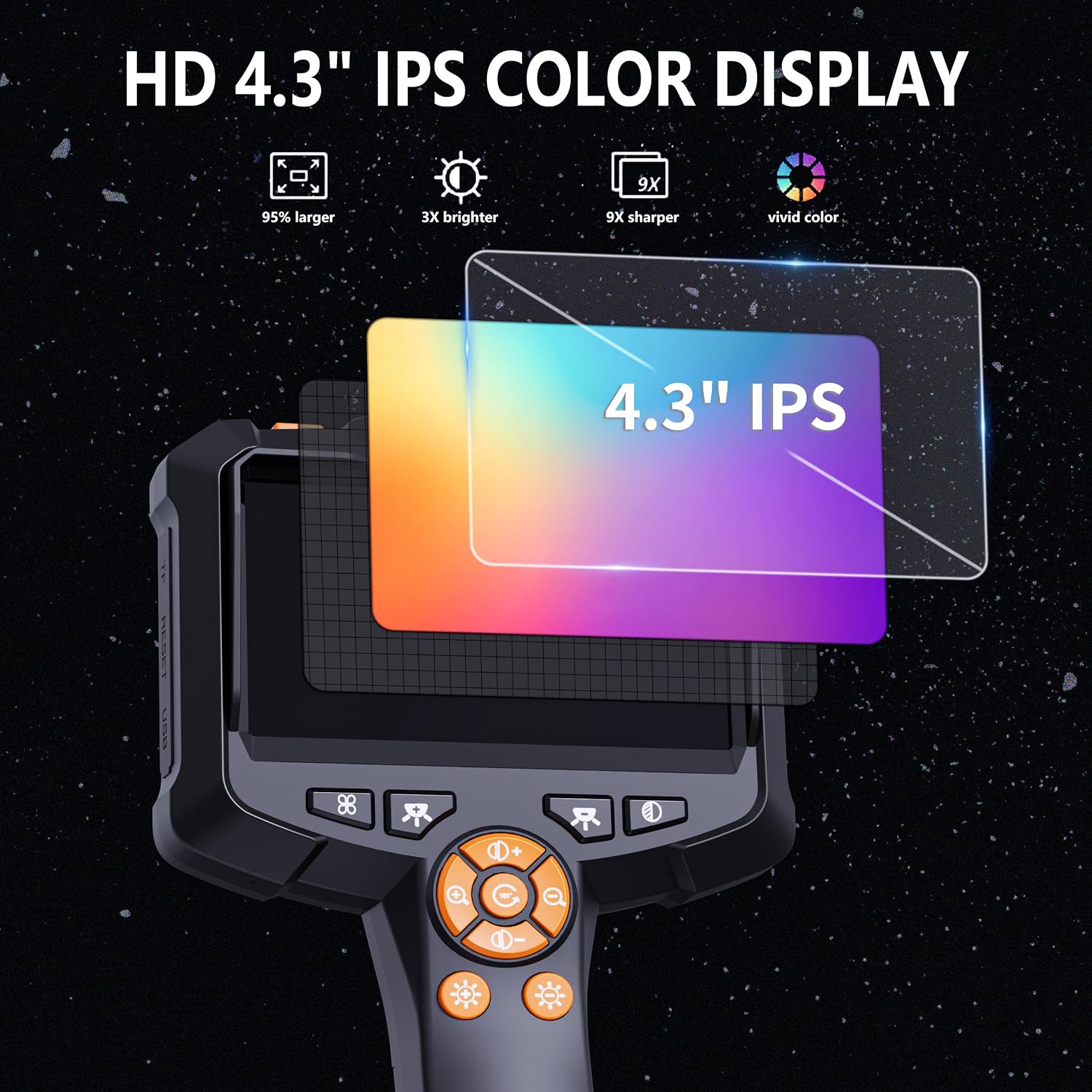
Image: A graphic illustrating the features of the 4.3-inch IPS color display, emphasizing its size, brightness, sharpness, and vivid color reproduction.

Image: A visual representation of the 1080P HD larger and vivid screen, enhancing the inspection experience.
5.2 Adjusting LED Lights
The camera probe is equipped with 8 adjustable LED lights to illuminate dark inspection areas.
- Use the dedicated light adjustment buttons on the display unit to increase or decrease the brightness of the LED lights.
- Adjust the brightness to achieve optimal visibility without glare.
5.3 Articulating the Camera Probe
The two-way articulating mechanism allows for flexible navigation and viewing angles.
- Use the articulation control knob or buttons on the display unit to bend the camera tip up to 180 degrees in two directions.
- This feature is particularly useful for inspecting complex systems like engine interiors, allowing you to view around corners or obstacles.
5.4 Optimal Viewing Distance
For the clearest image, maintain an observation distance between 1.5 inches and 5 inches (3.8 cm - 12.7 cm) from the object being inspected.
5.5 Image Quality and Limitations
The endoscope features a 1080p HD camera for clear visuals. However, please note:
- The endoscope cannot take pictures or record videos. It provides real-time viewing only.
- The 4x magnification function allows for closer examination of diagnostic details on the screen.

Image: A diagram illustrating the 1080P HD pixel technology, showing how every detail is presented clearly through the lens system.

Image: A detailed diagram showcasing the 1080P Ultra High Definition capabilities of the endoscope camera's lens and sensor system.
5.6 Using Attachments
The included hook, magnet, and side mirror attachments can be affixed to the camera tip for specialized tasks:
- Hook: For retrieving small objects from confined spaces.
- Magnet: For picking up metallic items like screws or nuts.
- Side Mirror: For viewing at a 90-degree angle to the camera's direct view.
6. Maintenance
6.1 Cleaning
- Camera Probe: The camera probe is IP67 waterproof. After use in wet or dirty environments, wipe it clean with a damp cloth. For stubborn dirt, a mild detergent can be used, followed by rinsing with clean water and drying thoroughly.
- Display Unit: Clean the display unit and control buttons with a soft, dry cloth. Do not use abrasive cleaners or immerse the unit in water.
- Lens: Gently wipe the camera lens with a lens cleaning cloth to remove dust or smudges.
6.2 Storage
Store the endoscope camera in a cool, dry place, away from direct sunlight and extreme temperatures. Keep it in its original packaging or a protective case to prevent damage.
7. Troubleshooting
| Problem | Possible Cause | Solution |
|---|---|---|
| Device does not power on. | Battery is low or depleted. | Charge the device fully using the provided Type-C cable. |
| Image on screen is blurry or unclear. | Incorrect observation distance; dirty lens; insufficient lighting. | Adjust the distance to the object (1.5-5 inches). Clean the camera lens. Increase LED light brightness. |
| LED lights are not working. | Lights are turned off or brightness is set to minimum. | Use the light adjustment buttons to increase brightness. |
| Camera probe articulation is not responding. | Mechanism jammed or damaged; controls not properly used. | Ensure no physical obstruction. Refer to section 5.3 for correct articulation control usage. If problem persists, contact customer service. |
8. Specifications
| Feature | Detail |
|---|---|
| Display Size | 4.3-inch IPS Color LCD |
| Camera Resolution | 1080p HD |
| Articulating Angle | Bidirectional 180° |
| Macro Focus Range | 1.5 in - 5 in (3.8 cm - 12.7 cm) |
| LED Lights | 8 adjustable LEDs |
| Waterproof Rating | IP67 (for camera probe only) |
| Battery Capacity | 2000mAh |
| Charging Time | Approx. 3.5 hours |
| Working Time | Approx. 3.0 hours |
| Cable Length | 5M (approx. 16.4 ft) Semi-Rigid Cable |
| Color | Black |
| Manufacturer | Daxiongmao |
9. Warranty and Support
9.1 Warranty Information
Your Daxiongmao Endoscope Camera comes with a worry-free 12-month warranty from the date of purchase. This warranty covers manufacturing defects and ensures the product functions as intended under normal use.
Please retain your proof of purchase for warranty claims. The warranty does not cover damage caused by misuse, accidents, unauthorized modifications, or improper maintenance.
9.2 Customer Service
For any questions, technical assistance, or warranty claims, please contact our friendly customer service team. Refer to the contact information provided on the product packaging or the official Daxiongmao website.