
1. Introduction
This manual provides detailed instructions for the setup, operation, and maintenance of your Horion 86" Smart Board M6APro Interactive Display. This device is designed to enhance collaboration and productivity in various environments, including classrooms and offices, by integrating multiple functionalities into a single, user-friendly unit.
The M6APro is Google EDLA Certified, ensuring seamless access to Google apps and services, and features a 4K UHD interactive display, a 48MP camera with an 8-microphone array, and runs on Android 13.0.

Figure 1: The Horion M6APro Smart Board, illustrating its integration of computer, TV, display, whiteboard, monitor, projector, audio system, and camera functionalities.
2. Safety Information
Please read all safety instructions carefully before using the device. Keep this manual for future reference.
- Ensure the device is installed on a stable surface or securely wall-mounted to prevent tipping.
- Use only the power adapter and cables provided by the manufacturer.
- Do not expose the device to water, moisture, or extreme temperatures.
- Avoid blocking ventilation openings to prevent overheating.
- Do not attempt to repair the device yourself. Contact qualified service personnel for assistance.
3. Package Contents
Verify that all items are present in the package:
- Horion 86" Smart Board M6APro Interactive Display
- Wall Mount Bracket (if included in package)
- Power Cable
- Smart Pen
- Remote Control
- User Manual (this document)
- Eraser
- Marker
4. Setup and Installation
4.1 Mounting Options
The Horion M6APro can be installed using a wall mount or a mobile stand (Tabletop Mount). Ensure the chosen mounting method is secure and appropriate for the device's size and weight.

Figure 2: The Horion M6APro Smart Board mounted on a mobile stand, suitable for flexible room arrangements.
4.2 Initial Power-On and Network Connection
- Connect the power cable to the display and a power outlet.
- Press the power button to turn on the device.
- Follow the on-screen prompts to complete the initial setup, including language selection and network configuration (Wi-Fi 6 supported).
- For optimal performance, connect to a stable Wi-Fi network or via Ethernet.
5. Operating Instructions
5.1 Google EDLA Certification and App Access
The M6APro is Google EDLA Certified, providing a secure and optimized experience. This certification grants access to the official Google Play Store, allowing users to download and install a wide range of applications directly onto the device.
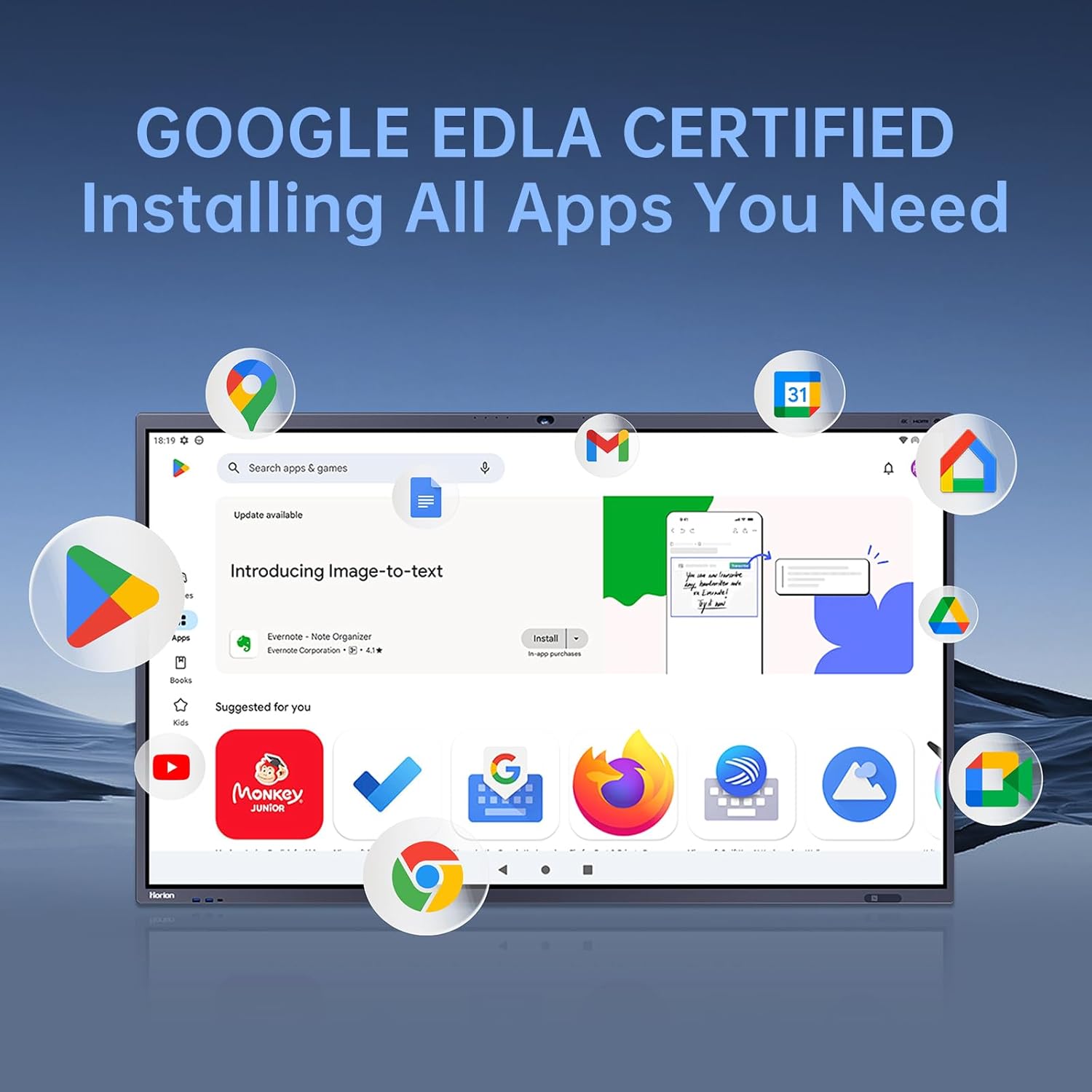
Figure 3: The Google Play Store interface on the Horion M6APro, highlighting the ability to download and install applications.
5.2 Interactive Whiteboard
The interactive whiteboard offers an infinite canvas for creativity and collaboration.
- Dual-Color Pen: Use the provided double-ended pen to write in two different colors simultaneously.
- Handwriting Recognition: The board automatically recognizes handwriting in over 20 languages, converting it to text.
- Easy Erasing: Erase content by simply using the back of your hand or selecting the erase tool.
- Insert Media: Easily insert images, graphics, and other media directly into your whiteboard session.
- Google Search Integration: Perform Google searches directly from the whiteboard interface to quickly find information.
- Split-Screen Writing: Collaborate with multiple users by splitting the screen into two or three independent writing areas.
- Portable Whiteboard: Access a small, portable whiteboard for quick notes or ideas.
- Whiteboard Collaboration: Engage in remote whiteboard sessions with other participants.

Figure 4: Multiple users interacting with the Horion M6APro, demonstrating wireless screen casting and multi-touch capabilities.

Figure 5: Scanning a QR code on the Horion M6APro to save or share whiteboard content to a mobile device.
For more detailed information on whiteboard features, refer to the official Horion documentation: Horion Whiteboard Documentation.
5.3 Screen Mirroring and Casting
Share content from your personal devices seamlessly.
- One-Click Screen Projection: Use the Horion screen mirroring device for instant projection from laptops.
- Two-Way Control: Control your projected content directly from the interactive display.
- Screen Grouping: Duplicate content across multiple Horion displays simultaneously.
- GoogleCast: Cast content from compatible mobile devices using GoogleCast.
- Multi-Device Display: Display content from up to 9 devices simultaneously on the screen.
5.4 Video Conferencing
The M6APro is equipped for high-quality video conferencing.
- 48MP Camera: Features a 48MP Ultra HD camera with a 102° wide-angle lens for comprehensive views.
- 8-Array Microphone: An 8-array Bluetooth speakerphone with a 12m pickup range and AI noise reduction ensures clear audio.
- AI Sound Source Localization: Focuses on the speaker's voice for enhanced clarity.
- Auto-Framing & Speaker Tracking: Automatically adjusts the camera to frame participants and track the active speaker.
- Software Compatibility: Compatible with leading video conferencing software like Zoom and Microsoft Teams.

Figure 6: A video conference in progress on the Horion M6APro, demonstrating auto-framing and speaker tracking capabilities.
5.5 System Features
- Dual System: Easily switch between Android 13.0 and an optional Windows 11 OPS system.
- NFC Screen Unlocking: Unlock the screen quickly using NFC technology.
- Horion Transfer: Facilitates easy file sharing between devices and the interactive display.
- Welcome Page: Customize a welcome page for visitors or specific events.
- High-Performance Hardware: Equipped with a Flagship ARM Processor, 8GB RAM, and 128GB storage (expandable via TF card).
- Connectivity: Features Wi-Fi 6 for faster, more stable connections and Bluetooth 5.3.
- USB-C Power Delivery: Supports 60W fast charging for connected devices via USB-C.

Figure 7: Comparison of Horion M6APro features against other models, emphasizing its advanced capabilities.
5.6 Smart Pen Usage
The smart pen enhances interaction and presentation capabilities.
- Automatic Whiteboard Switch: The display automatically switches to whiteboard mode when the pen is picked up.
- Presentation Control: During presentations, use the smart pen to turn pages, activate a spotlight, or make annotations with a single click.
5.7 Comprehensive Feature Demonstration
Video 1: A detailed demonstration of the Horion M6APro's interactive features, including whiteboard functions, Google Search, split-screen, QR code sharing, portable whiteboard, remote collaboration, video conferencing, smart pen controls, wireless mirroring, file transfer, dual display, welcome page customization, and quick Windows system access.
6. Maintenance
- Cleaning: Use a soft, lint-free cloth to clean the screen and exterior surfaces. Avoid abrasive cleaners or solvents.
- Software Updates: The device receives regular Google updates to ensure optimal performance and security. Check for system updates periodically through the settings menu.
- Storage: When not in use for extended periods, store the device in a cool, dry place.
7. Troubleshooting
If you encounter any issues, refer to the following common solutions:
- No Power: Ensure the power cable is securely connected and the power outlet is functional.
- No Display: Check all cable connections (HDMI, DisplayPort, etc.) and ensure the correct input source is selected.
- Touchscreen Unresponsive: Restart the device. If the issue persists, check for software updates.
- Network Connectivity Issues: Verify Wi-Fi settings or Ethernet cable connection. Restart your router if necessary.
- Audio Problems: Check volume settings and ensure external audio devices are correctly connected.
For further assistance, please contact Horion customer support.
8. Specifications
| Feature | Specification |
|---|---|
| Model Number | M6APro |
| Product Dimensions | 218.44 x 218.44 x 218.44 cm |
| Item Weight | 58.51 kg (129 Pounds) |
| Brand | Horion |
| Color | White |
| Material | Metal |
| Operating System | Android 13.0 (Google EDLA Certified) |
| Camera | 48MP Ultra HD, 102° Wide-Angle |
| Microphone | 8-Array Bluetooth Speakerphone, 12m Pickup Range, AI Noise Reduction |
| Touch Points | Up to 50 touch points |
| Storage | 8GB RAM + 128GB Internal Storage (Supports TF card) |
| Wireless Connectivity | Wi-Fi 6, Bluetooth 5.3, NFC |
| USB-C Power Delivery | 60W Fast Charging |
| Mounting Type | Tabletop Mount (compatible with wall mount) |
| Recommended Uses | Bar, Church, Gym, Office, Restaurant, School |
9. Warranty and Support
For warranty information and customer support, please refer to the documentation included with your product or visit the official Horion website.
You can also visit the Horion Store on Amazon for more information: Horion Amazon Store.


