
1. Introduction
The iGear Trinity is a versatile, portable audio device combining an MP3 player, a 3-band radio (FM/AM/SW), and a Bluetooth speaker. Designed for convenience and eco-friendliness, it features a 1200 mAh rechargeable battery and an integrated solar charging panel, ensuring continuous entertainment wherever you go. This manual provides detailed instructions for safe and effective use of your iGear Trinity.
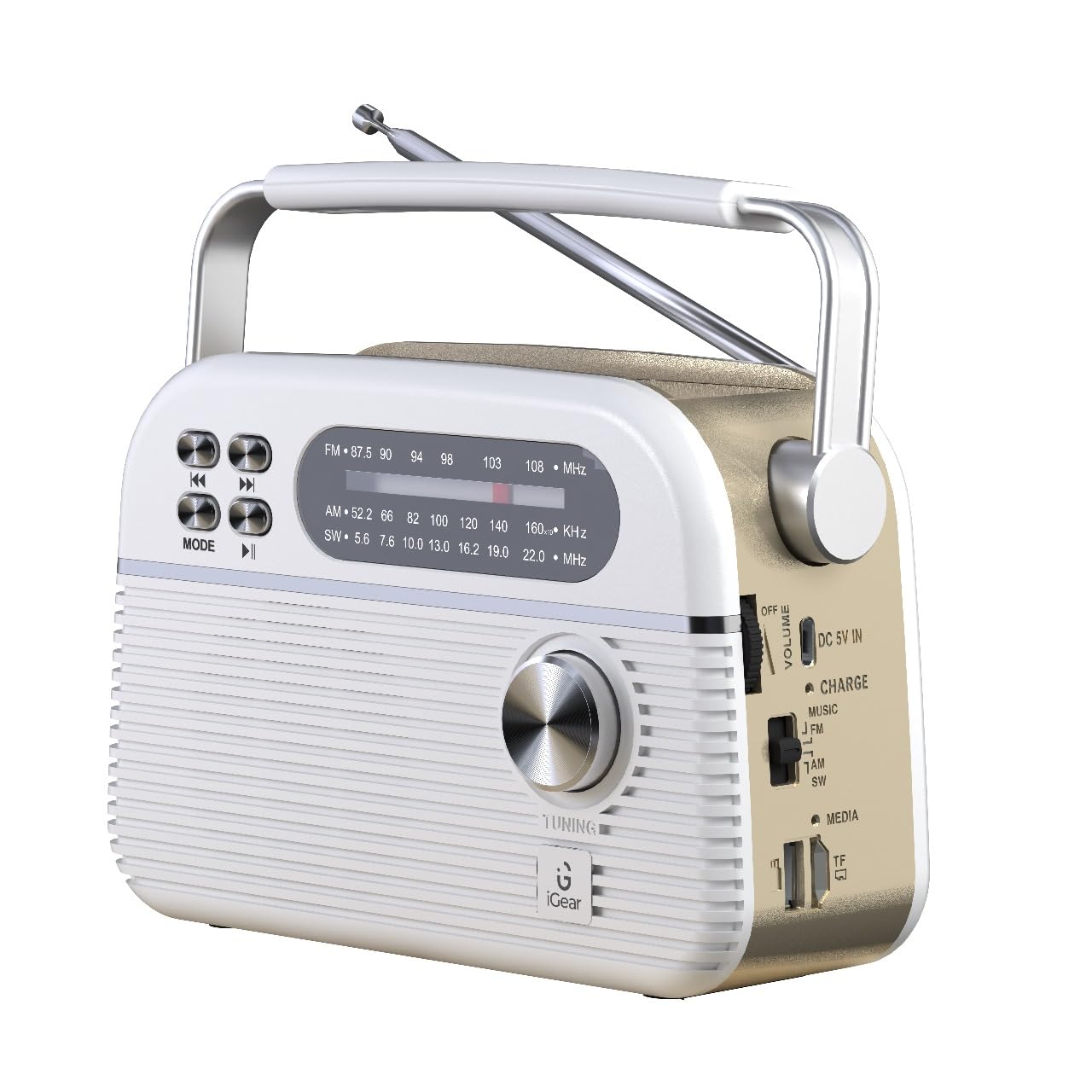
Figure 1: iGear Trinity device overview.
2. Product Features
- All-in-One Audio Solution: Integrates FM/AM/SW radio, MP3 player, and Bluetooth speaker.
- Multi-Connectivity: Supports Bluetooth 5.0, USB, and TF/SD card for diverse music sources.
- Eco-Friendly Charging: Equipped with a 1200mAh rechargeable battery and a solar panel for convenient charging.
- Portable Design: Compact and durable construction, ideal for indoor and outdoor use.
3. Package Contents
Please check the box for the following items:
- iGear Trinity Solar-Powered MP3 Player & 3-Band Radio
- Owner's Manual (this document)
- Charging Cable (USB Type-C)
4. Device Layout

Figure 2: Front and side view of the iGear Trinity, highlighting connectivity options.
- FM/AM/SW Dial: Displays current radio frequency.
- Tuning Knob: Adjusts radio frequency.
- Mode Button: Switches between FM/AM/SW radio, Bluetooth, MP3 (USB/TF/SD).
- Playback Control Buttons: Skip back, skip forward, play/pause.
- Volume Control: Adjusts audio output level.
- USB Port: For USB drive playback.
- TF/SD Card Slot: For TF/SD card playback.
- DC 5V IN Port: For external power charging.
- Solar Panel: Located on top for solar charging.
- Antenna: Extendable for improved radio reception.
5. Setup
Before first use, fully charge the iGear Trinity using the provided USB Type-C cable. Connect the cable to the DC 5V IN port on the device and a standard USB power adapter (not included). The charging indicator will illuminate during charging and turn off or change color when fully charged.
6. Operating Instructions
6.1 Power On/Off
To power on the device, rotate the volume knob clockwise. To power off, rotate it counter-clockwise until it clicks.
6.2 Radio Operation (FM/AM/SW)
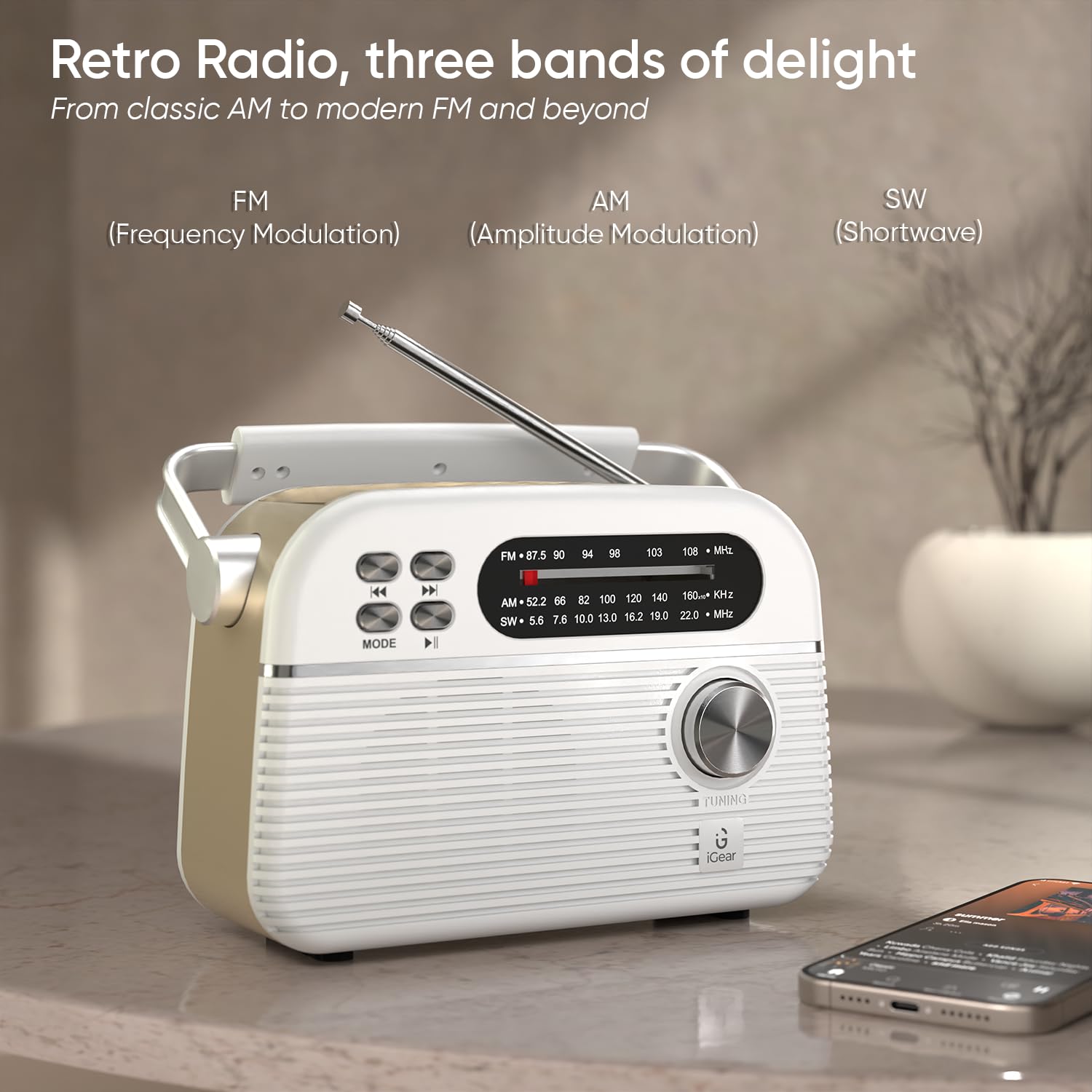
Figure 3: Radio mode with extended antenna for optimal reception.
- Select Band: Use the mode switch on the side to select FM, AM, or SW.
- Tune Station: Rotate the tuning knob to scan for radio stations.
- Adjust Antenna: Extend and adjust the telescopic antenna for best reception, especially for FM and SW bands.
6.3 Bluetooth Mode
- Activate Bluetooth: Switch the mode to Bluetooth. The device will enter pairing mode, indicated by a flashing light or audio prompt.
- Pair Device: On your smartphone or other Bluetooth-enabled device, search for "iGear Trinity" and select it to pair.
- Play Music: Once paired, you can play audio from your connected device. Use the playback control buttons on the Trinity or your device to manage music.
6.4 MP3 Playback (USB/TF/SD Card)
- Insert Media: Insert a USB drive into the USB port or a TF/SD card into the corresponding slot.
- Select Mode: Switch the mode to MP3 (often labeled as "MUSIC" or similar). The device will automatically detect and play audio files.
- Control Playback: Use the playback control buttons (skip back, skip forward, play/pause) to navigate your music.
7. Charging the Device
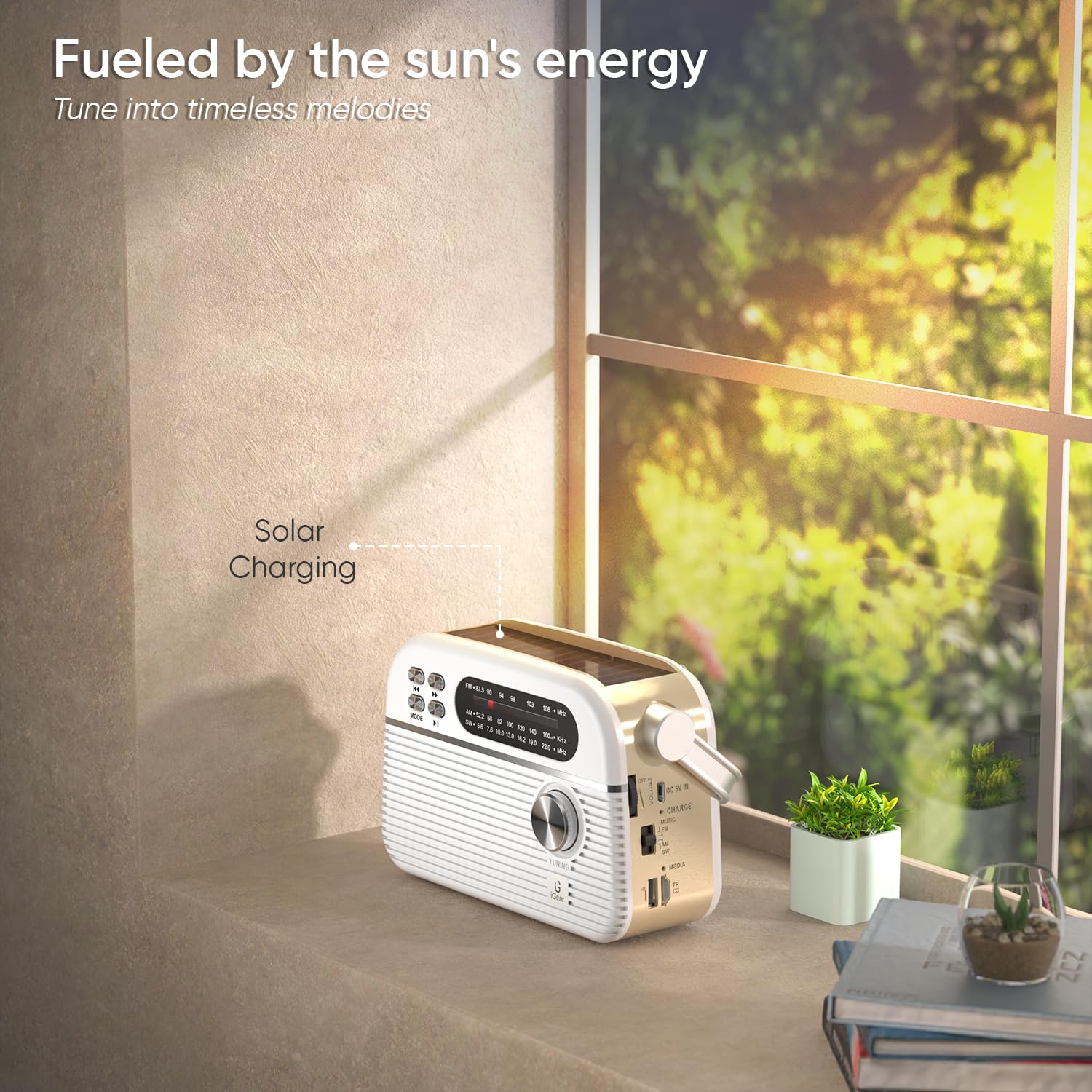
Figure 4: Solar panel charging in direct sunlight.
The iGear Trinity offers two charging methods:
- USB Type-C Charging: Connect the provided USB Type-C cable to the DC 5V IN port and a compatible USB power source. This is the fastest charging method.
- Solar Charging: Place the device in direct sunlight. The integrated solar panel on top will convert solar energy into electrical energy to charge the internal battery. Solar charging is slower than USB charging and is best for maintaining charge or for emergency power.
The charging indicator light will show the charging status.
8. Maintenance
- Clean the device with a soft, dry cloth. Do not use abrasive cleaners or solvents.
- Keep the device away from water and excessive moisture. It is not water-resistant.
- Avoid exposing the device to extreme temperatures or direct heat sources.
- When not in use for extended periods, store the device in a cool, dry place and charge it periodically to maintain battery health.
9. Troubleshooting
| Problem | Possible Cause | Solution |
|---|---|---|
| Device does not power on. | Battery is depleted. | Charge the device using the USB Type-C cable or solar panel. |
| Poor radio reception. | Antenna not extended or poor signal area. | Extend the telescopic antenna fully and adjust its position. Try moving to an open area. |
| Bluetooth not connecting. | Device not in pairing mode or already connected to another device. | Ensure the Trinity is in Bluetooth mode and not connected to another device. Restart Bluetooth on both devices. |
| MP3 playback not working. | Incorrect file format or faulty USB/TF/SD card. | Ensure audio files are in a compatible format (e.g., MP3). Check if the USB drive or TF/SD card is properly inserted and functional. |
10. Specifications
- Brand: iGear
- Model Number: iG-1112 (Trinity)
- Colour: White
- Connectivity Technology: Bluetooth, USB
- Product Dimensions (L x W x H): 19.2 x 7.9 x 12.2 Centimeters
- Item Weight: 660 Grams
- Tuner Type: AM, FM
- Radio Bands Supported: AM/FM/SW
- Frequency: Up to 108 MHz (FM)
- Power Source: Battery Powered (1200 mAh rechargeable battery)
- Hardware Interface: USB
- Display Type: LCD
- Water Resistance Level: Not Water Resistant
11. Warranty and Support
Warranty: A 1-year limited warranty is provided. This warranty is non-transferable and valid for 1 year from the original date of purchase. The warranty does not cover damage caused by mishandling, water, fire, or normal wear and tear.
Customer Support: For any queries or support, please contact iGear Tech Private Limited.
Contact Information:
- Manufacturer/Importer: iGear Tech Private Limited, Goregaon East, Mumbai 400063.
- Phone: +919324058553