
Introduction
Thank you for choosing the IDEAPLAY J8 Portable Car Battery Jump Starter. This device is designed to provide a reliable solution for jump-starting vehicles with dead batteries, as well as serving as a portable power bank for electronic devices and an emergency LED flashlight. Please read this manual thoroughly before use to ensure safe and optimal operation.
Package Contents
Upon opening your IDEAPLAY J8 package, please verify that all the following items are included:
- 1 x IDEAPLAY J8 Portable Battery Jump Starter
- 1 x Intelligent Jumper Cable Clamps
- 1 x USB-C Fast Charging Cable
- 1 x Carrying Case
- 1 x User Manual

Image: The IDEAPLAY J8 Jump Starter, intelligent jumper cable clamps, USB-C charging cable, and carrying case.
Product Features
The IDEAPLAY J8 is equipped with several key features for versatility and safety:
- High Peak Current: Delivers 1500A peak current for jump-starting vehicles.
- Wide Engine Compatibility: Suitable for 12V vehicles with up to 7.0L gas engines and 5.5L diesel engines, including hybrid and electric cars, motorcycles, ATVs, UTVs, RVs, boats, trucks, lawn mowers, and snowmobiles.
- Large Battery Capacity: Features a 12000mAh battery, capable of up to 15 jump starts on a full charge with a standby time of up to 6 months.
- Portable Power Bank: Includes two USB-A 18W Quick Charge ports and one 30W two-way USB-C port for charging phones, tablets, cameras, and other electronic devices.
- Integrated LED Flashlight: Offers three modes: continuous light, SOS strobe, and continuous flash for various emergency and utility lighting needs.
- Intelligent Display: Digital screen indicates battery percentage and charging status.

Image: Close-up view of the IDEAPLAY J8 Jump Starter showing the indication display, power button, LED flashlight, and various output/input ports (Output 1, Output 2, In/Out USB-C).
Safety Information
The IDEAPLAY J8 is designed with advanced safety features. Adhere to the following guidelines to prevent injury or damage:
- This device is UL2743 certified, incorporating protections against short circuits, over-load, over-current, reverse polarity, over-discharge, and high temperatures.
- Do not attempt to jump-start a vehicle if the jump starter's battery level is below 20%.
- Ensure proper connection of the intelligent jumper cable clamps: Red clamp to positive (+) terminal and Black clamp to negative (-) terminal of the vehicle battery.
- The intelligent jumper cables will provide an audible buzz and a blinking red light if an incorrect connection is detected. Correct the connection immediately.
- Do not connect the red and black clamps together.
- Keep the device away from children.
- Do not expose the device to extreme temperatures or moisture.
- Do not disassemble or modify the device.
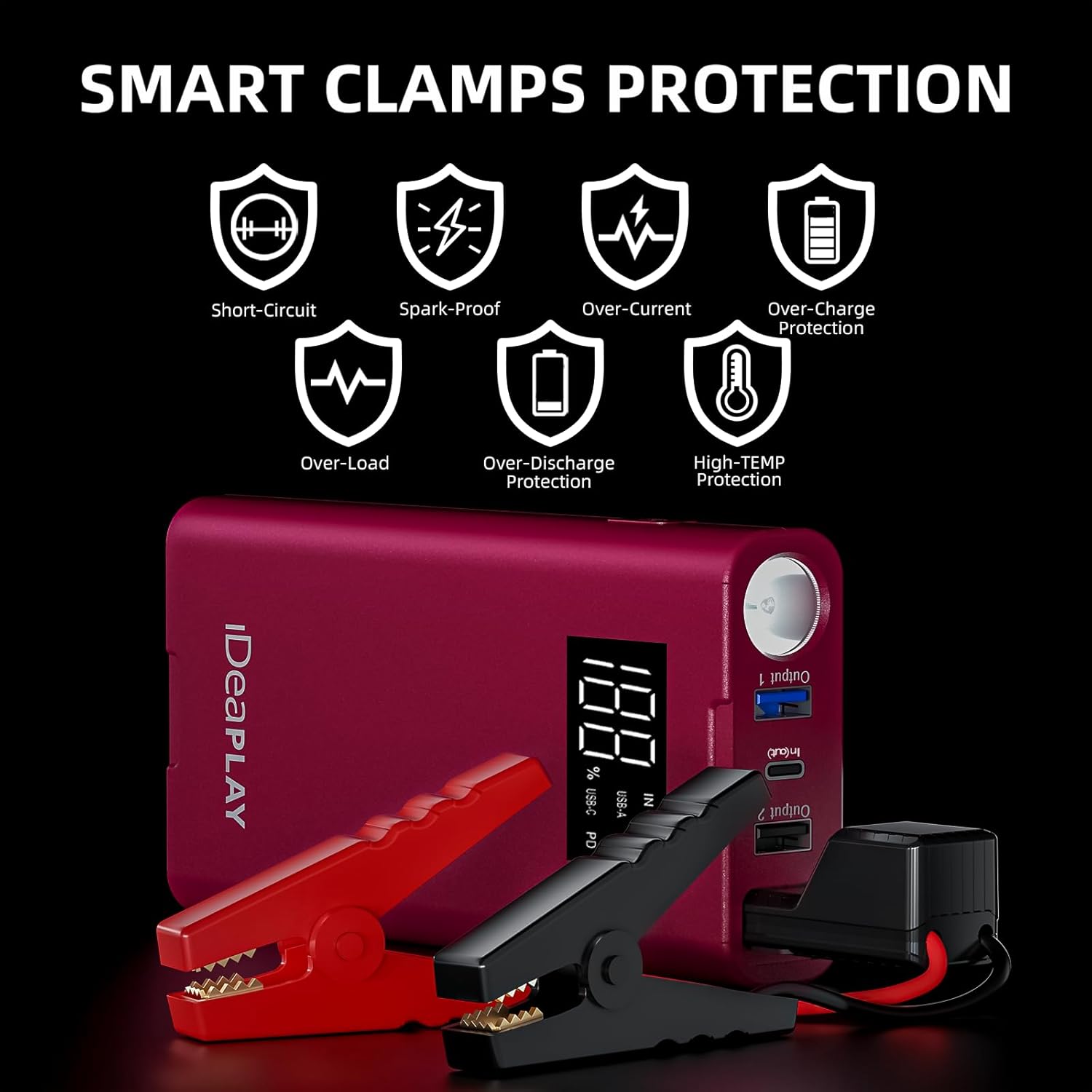
Image: Visual representation of the smart clamps protection features, including short-circuit, spark-proof, over-current, over-charge, over-load, over-discharge, and high-temperature protection.
Setup
Before first use, fully charge the IDEAPLAY J8 Jump Starter.
- Connect the provided USB-C charging cable to the 'IN/OUT' USB-C port on the jump starter.
- Connect the other end of the USB-C cable to a compatible USB wall adapter (not included) or a powered USB port.
- The digital display will show the charging progress. Charge until the display indicates 100%.
Operating Instructions
1. Jump Starting a Vehicle
Follow these steps to safely jump-start your vehicle:
- Ensure the jump starter has at least 20% battery charge.
- Turn off your vehicle's ignition and all accessories.
- Connect the red (+) clamp of the intelligent jumper cables to the positive (+) terminal of your vehicle's battery.
- Connect the black (-) clamp of the intelligent jumper cables to the negative (-) terminal of your vehicle's battery.
- Insert the blue plug of the intelligent jumper cables into the jump starter's jump start port.
- Once connected correctly, the indicator on the intelligent clamps should show a solid green light. If it buzzes or blinks red, check your connections.
- Start your vehicle's engine.
- Once the engine starts, immediately remove the blue plug from the jump starter.
- Then, disconnect the black (-) clamp, followed by the red (+) clamp from the vehicle battery.
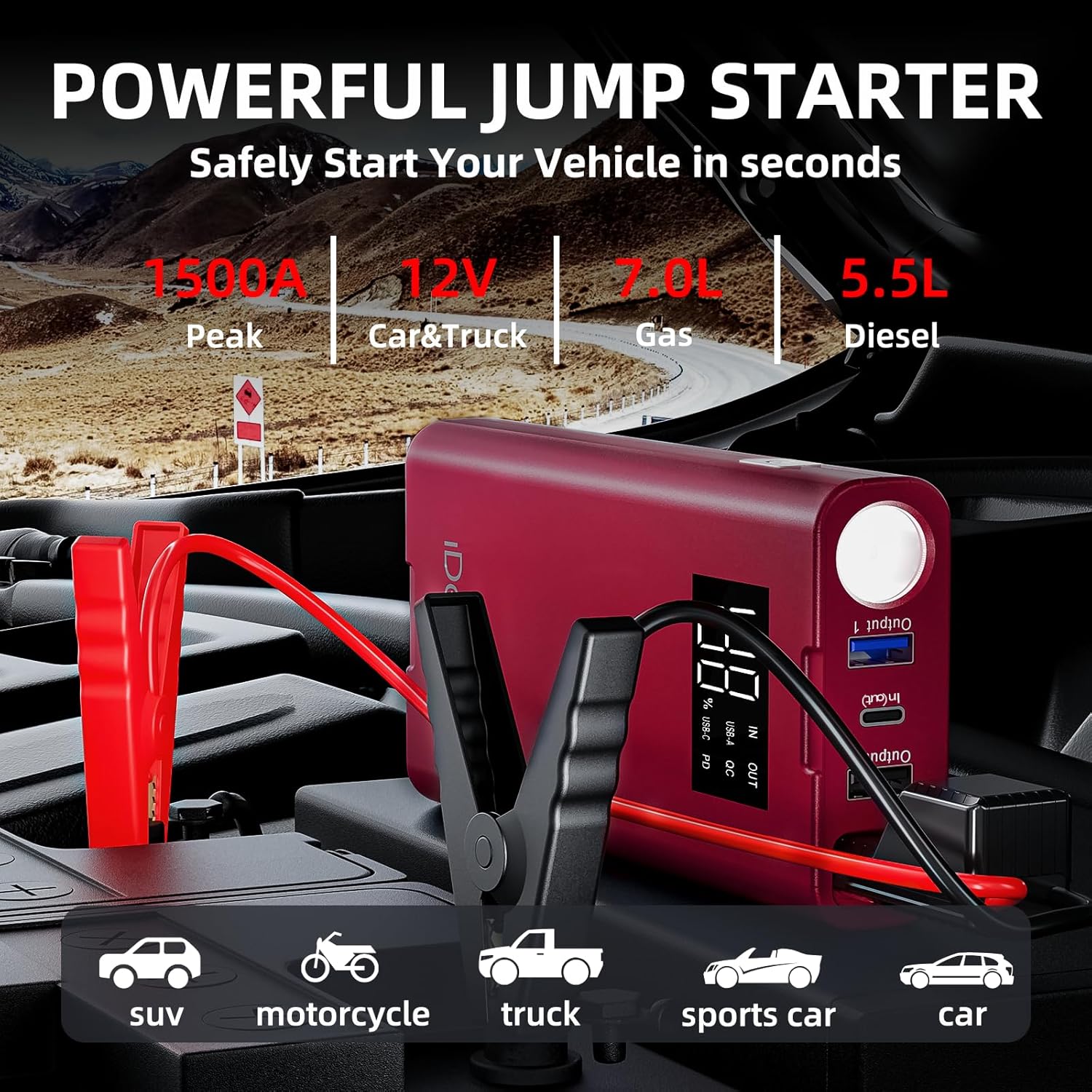
Image: The IDEAPLAY J8 Jump Starter with its intelligent clamps connected to a car battery, demonstrating the jump-starting process.
2. Charging Electronic Devices
The IDEAPLAY J8 can charge various electronic devices:
- Connect your device's USB charging cable to one of the USB-A (18W Quick Charge) or the USB-C (30W two-way PD) output ports on the jump starter.
- The jump starter will automatically begin charging your device.
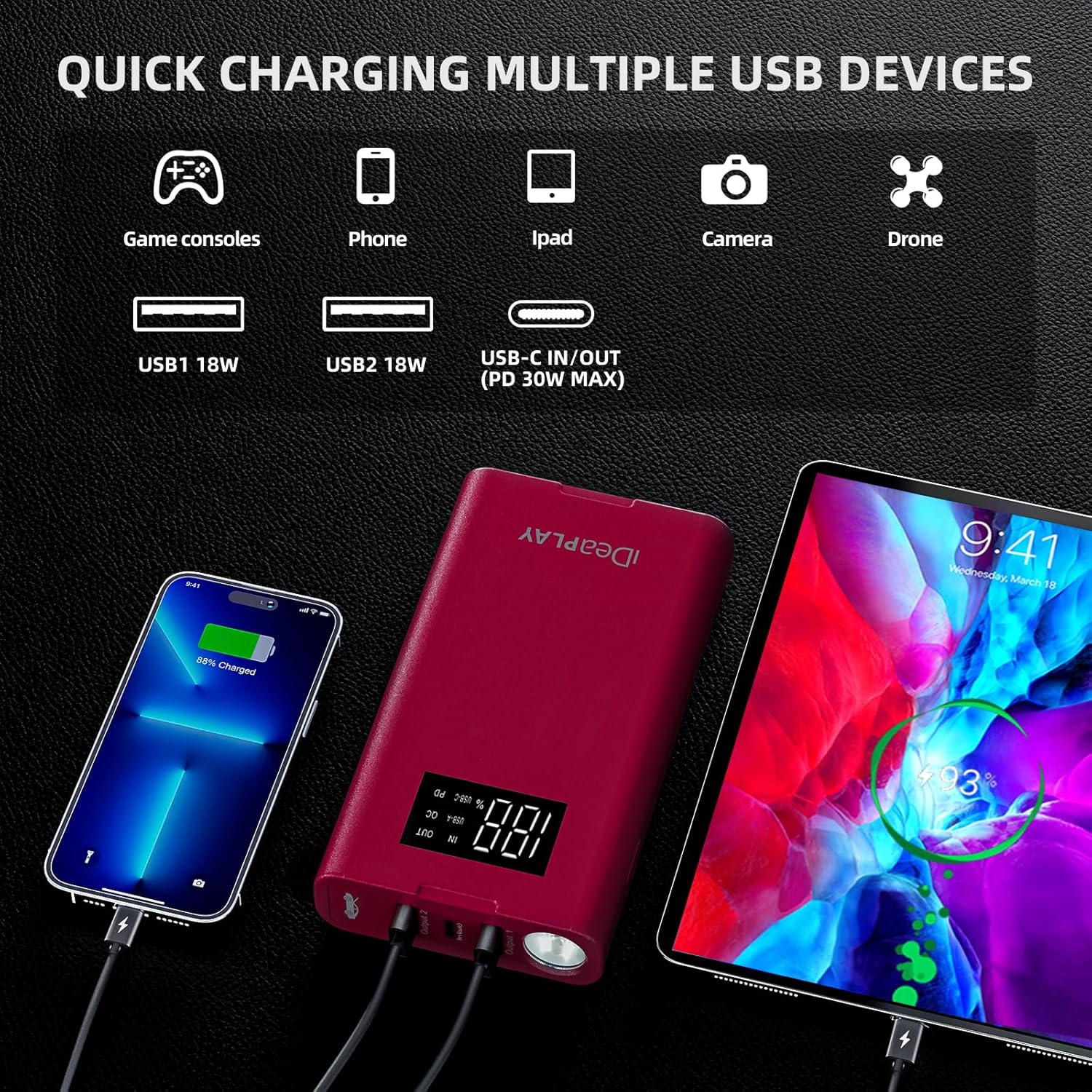
Image: The IDEAPLAY J8 Jump Starter simultaneously charging a smartphone and a tablet via its USB-A and USB-C ports.
3. Using the LED Flashlight
The built-in LED flashlight offers three modes:
- Press and hold the power button for 3 seconds to turn on the continuous light mode.
- Press the power button once more to switch to SOS strobe mode.
- Press the power button again to activate the continuous flash mode.
- Press and hold the power button for 3 seconds to turn off the flashlight.

Image: The IDEAPLAY J8 Jump Starter's LED flashlight demonstrating its continuous light, SOS strobe, and continuous flash modes, along with examples of its use as a rescue light, for camping, night walking, and household lighting.
Charging the Jump Starter
To recharge the IDEAPLAY J8:
- Use the provided USB-C fast charging cable.
- Connect one end to the 'IN/OUT' USB-C port on the jump starter.
- Connect the other end to a USB wall adapter (5V/3A recommended for fastest charging) or a powered USB port.
- The digital display will show the charging percentage. A full charge typically takes several hours depending on the power source.
Maintenance and Storage
Proper maintenance ensures the longevity and performance of your IDEAPLAY J8:
- Charging: Recharge the jump starter every 3-6 months, even if not used, to maintain optimal battery health.
- Cleaning: Wipe the device with a dry, soft cloth. Do not use harsh chemicals or abrasive materials.
- Storage: Store the jump starter in its carrying case in a cool, dry place, away from direct sunlight and extreme temperatures. The recommended storage temperature is between -20°C to 60°C (-4°F to 140°F).
- Battery Level: For best long-term storage, keep the battery charge level between 50% and 80%.
Troubleshooting
If you encounter issues with your IDEAPLAY J8, refer to the following common problems and solutions:
| Problem | Possible Cause | Solution |
|---|---|---|
| Jump starter does not turn on. | Battery is completely discharged. | Charge the jump starter fully. |
| Vehicle does not start after jump-starting. | Incorrect clamp connection; vehicle battery severely damaged; engine issue. | Check clamp connections (red to +, black to -). Ensure jump starter has sufficient charge. If issues persist, consult a mechanic. |
| Intelligent clamps buzz or blink red. | Reverse polarity connection; clamps not properly attached. | Disconnect and re-attach clamps correctly (red to +, black to -). Ensure clamps have good contact with battery terminals. |
| Device not charging. | Faulty cable or adapter; port issue. | Try a different USB-C cable and wall adapter. Ensure the cable is fully inserted into the 'IN/OUT' port. |
Specifications
| Feature | Detail |
|---|---|
| Brand | IDEAPLAY |
| Model | J8 |
| Peak Output Current | 1500 Amps |
| Battery Capacity | 12000mAh |
| Engine Compatibility | Up to 7.0L Gas, 5.5L Diesel (12V) |
| USB-A Output | 2 x 18W Quick Charge |
| USB-C Input/Output | 30W Two-Way Power Delivery |
| Product Dimensions | 3.35"D x 1.47"W x 6.5"H |
| Item Weight | 1.16 Pounds |
| UPC | 810052543376 |
Warranty and Support
The IDEAPLAY J8 Portable Car Battery Jump Starter comes with a 2-Year Protection Plan. For any questions, concerns, or technical assistance, please contact IDEAPLAY customer service. IDEAPLAY products are designed in the USA and offer 24/7 service.
Contact information can typically be found on the product packaging or the official IDEAPLAY website.


