
1. Introduction
Thank you for choosing the KQLKJ H13 True HEPA Air Purifier Model KQ-31. This manual provides essential information for the safe and efficient operation, maintenance, and troubleshooting of your air purifier. Please read this manual thoroughly before use and retain it for future reference.
This air purifier is designed to improve indoor air quality by effectively removing airborne particles and odors, creating a healthier environment in your home, office, or dorm room.
2. Product Overview and Features
The KQLKJ H13 True HEPA Air Purifier Model KQ-31 features a compact design with advanced filtration technology to deliver clean air.
- H13 True HEPA Filtration: Captures 99.97% of airborne particles as small as 0.3 microns, including dust, pollen, smoke, pet dander, and mold spores.
- 360-Degree Air Intake: Ensures efficient purification by drawing air from all directions.
- Aromatherapy Function: Includes a built-in compartment for adding essential oils (not included) to diffuse a pleasant scent while purifying the air.
- Ultra-Quiet Operation: Operates at a low noise level of 20 dB in sleep mode, ensuring minimal disturbance.
- Energy-Saving Design: Low power consumption, costing approximately 0.75W per week for continuous operation.
- Effective Coverage: Purifies air in spaces up to 588 sq.ft (54.6m²) per hour.
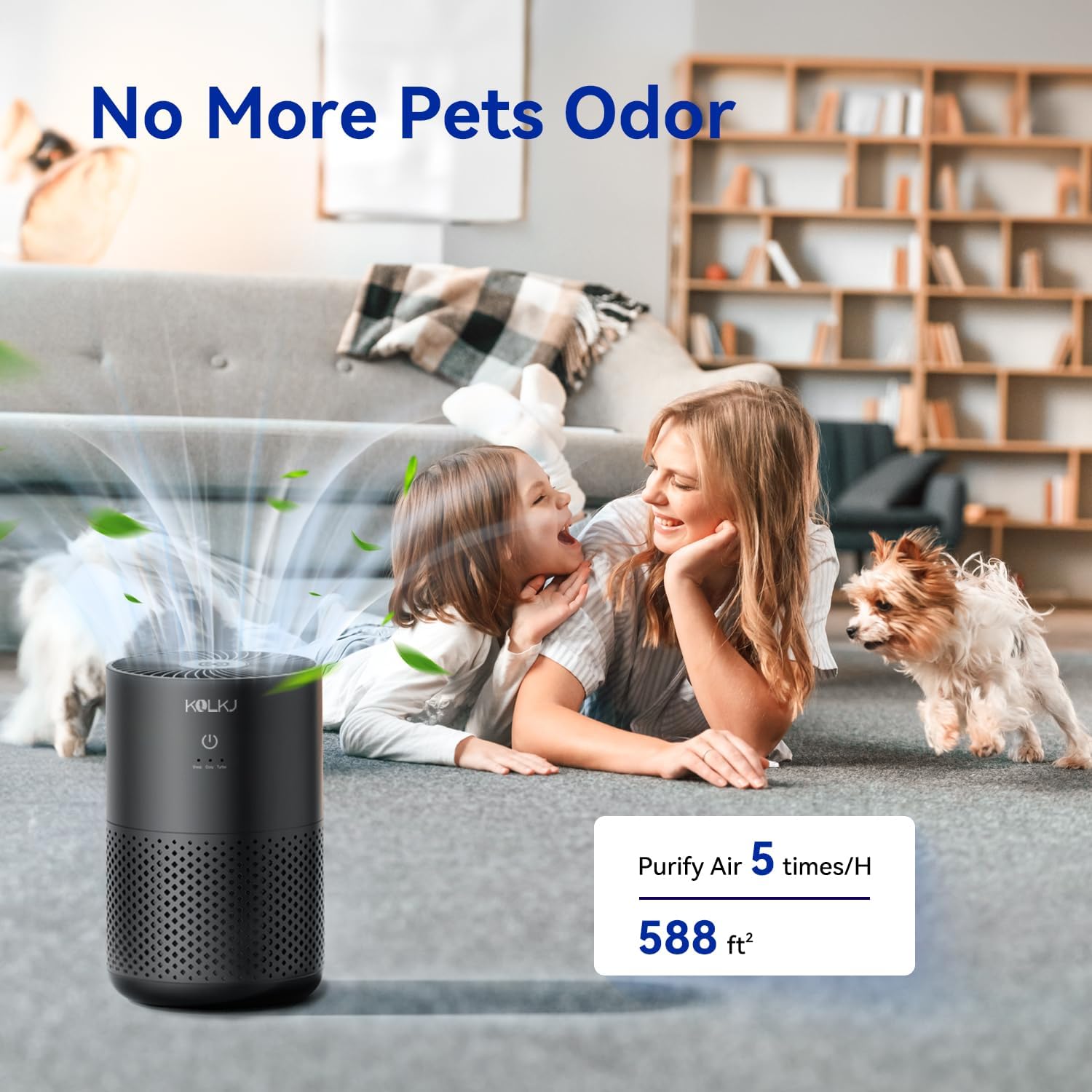
Image: The KQLKJ H13 True HEPA Air Purifier in a modern living room, demonstrating its compact size and suitability for various home environments.

Image: A diagram illustrating the multi-layer filtration system, including pre-filtration, HEPA filtration, and activated carbon filtration, designed to capture various pollutants.
3. Package Contents
Please check the package for the following items:
- KQLKJ H13 True HEPA Air Purifier Unit (Model KQ-31)
- H13 True HEPA Filter (pre-installed or separate)
- Power Adapter
- User Manual
4. Setup Instructions
- Unpack the Unit: Carefully remove the air purifier and all accessories from the packaging.
- Install/Check Filter:
- Turn the air purifier upside down.
- Twist the base cover counter-clockwise to unlock and remove it.
- Remove the plastic packaging from the HEPA filter.
- Place the filter back into the unit.
- Replace the base cover and twist clockwise to lock it securely.

Image: A visual guide demonstrating the process of unlocking the base, removing the old filter, and inserting a new filter into the air purifier.
- Placement: Place the air purifier on a flat, stable surface. Ensure there is at least 15 cm (6 inches) of space around all sides for optimal airflow. Avoid placing it near walls, curtains, or furniture that might obstruct air intake or output.
- Power Connection: Plug the power adapter into the air purifier's power port, then plug the adapter into a standard electrical outlet.
5. Operating Instructions
The air purifier features a simple one-button control interface.

Image: The KQLKJ air purifier in a home setting, emphasizing its user-friendly one-button control for easy operation.
- Power On/Off:
- Touch the power button (U) once to turn the unit on. The default fan speed is usually 'Cozy'.
- Touch and hold the power button for 3 seconds to turn the unit off.
- Adjust Fan Speed:
- While the unit is on, touch the power button repeatedly to cycle through the fan speed settings: Sleep → Cozy → Turbo.
- Sleep Mode: Operates at the lowest noise level (20 dB) for undisturbed rest.
- Cozy Mode: A balanced setting for general daily use.
- Turbo Mode: Provides maximum purification for quick air cleaning.

Image: The KQLKJ air purifier in a bedroom at night, illustrating its quiet operation in sleep mode (20 dB) and no light interference for restful sleep.
- Aromatherapy Function:
- Locate the aromatherapy compartment, typically at the bottom or side of the unit.
- Open the compartment and add a few drops of your preferred essential oil (not included) onto the aroma pad.
- Close the compartment. The fragrance will be diffused with the purified air.

Image: The KQLKJ air purifier on a desk, showcasing its dual function as an air purifier and aromatherapy diffuser, ideal for small apartments or offices.
6. Maintenance
Regular maintenance ensures optimal performance and extends the lifespan of your air purifier.
Filter Replacement
The HEPA filter should be replaced every 3-6 months, depending on usage frequency and air quality. A dirty filter can reduce purification efficiency.
- Replacement Filter Model: Search for B0CNX4T2JT on Amazon to purchase original replacement filters.
- Replacement Steps: Follow the same steps as outlined in Section 4, 'Install/Check Filter'.

Image: A KQLKJ replacement HEPA filter, essential for maintaining the air purifier's performance.
Cleaning the Unit
- Always unplug the air purifier before cleaning.
- Wipe the exterior of the unit with a soft, dry cloth.
- Do not use abrasive cleaners, waxes, or solvents.
- Clean the air intake and output vents with a soft brush or vacuum cleaner attachment to remove dust buildup.
7. Troubleshooting
If you encounter issues with your air purifier, please refer to the following common problems and solutions:
| Problem | Possible Cause | Solution |
|---|---|---|
| Unit does not turn on | No power supply; Power adapter not connected properly | Ensure the power adapter is securely plugged into both the unit and a working electrical outlet. |
| Weak airflow or no air output | Filter is clogged; Air intake/output blocked | Replace the HEPA filter. Ensure no obstructions are blocking the air intake or output vents. |
| Unusual noise during operation | Filter not installed correctly; Foreign object inside unit | Check if the filter is properly seated and the base cover is locked. Unplug the unit and carefully check for any foreign objects. |
| Odor persists or is not reduced | Filter needs replacement; Room size exceeds capacity | Replace the HEPA filter. Ensure the air purifier is suitable for the room size. |
If the problem persists after trying these solutions, please contact KQLKJ customer support for assistance.
8. Specifications
| Model Number | KQ-31 |
| Dimensions (D x W x H) | 5" x 5" x 8" (12.7 cm x 12.7 cm x 20.3 cm) |
| Item Weight | 2 Pounds (0.91 kg) |
| Power Source | DC (Power Adapter Included) |
| Filter Type | H13 True HEPA Filter |
| Coverage Area | Up to 588 sq.ft (54.6 m²) per hour |
| Noise Level | 20 dB (Sleep Mode) |
| Color | Black |
9. Warranty and Support
KQLKJ is committed to providing quality products and customer satisfaction. The brand offers lifetime service for its products.
For any questions, concerns, or support needs regarding your KQLKJ H13 True HEPA Air Purifier, please contact KQLKJ customer service directly. Refer to the contact information provided with your purchase or visit the official KQLKJ website for support details.
10. Safety Information
- Read all instructions before using the appliance.
- Always unplug the air purifier before moving, cleaning, or performing any maintenance.
- Do not operate the unit with a damaged cord or plug.
- Keep the power cord away from heated surfaces.
- Do not use the appliance in wet or damp environments, such as bathrooms.
- Do not insert fingers or foreign objects into the air inlets or outlets.
- This appliance is not intended for use by persons (including children) with reduced physical, sensory, or mental capabilities, or lack of experience and knowledge, unless they have been given supervision or instruction concerning use of the appliance by a person responsible for their safety.
- Children should be supervised to ensure that they do not play with the appliance.
- Use only KQLKJ original replacement filters.