
Transformers TF-T23
Transformers Wireless Earbuds User Manual
Model: TF-T23 (TFT2301-Yellow)
Brand: Transformers
1. Introduction and Overview
Welcome to the user manual for your new Transformers Wireless Earbuds, Model TF-T23. These earbuds combine cutting-edge audio technology with an iconic Transformers-inspired design, featuring a unique rotating headphone compartment and dynamic lighting accents. Designed for comfort, durability, and superior sound, they are perfect for daily use, fitness, gaming, and calls.
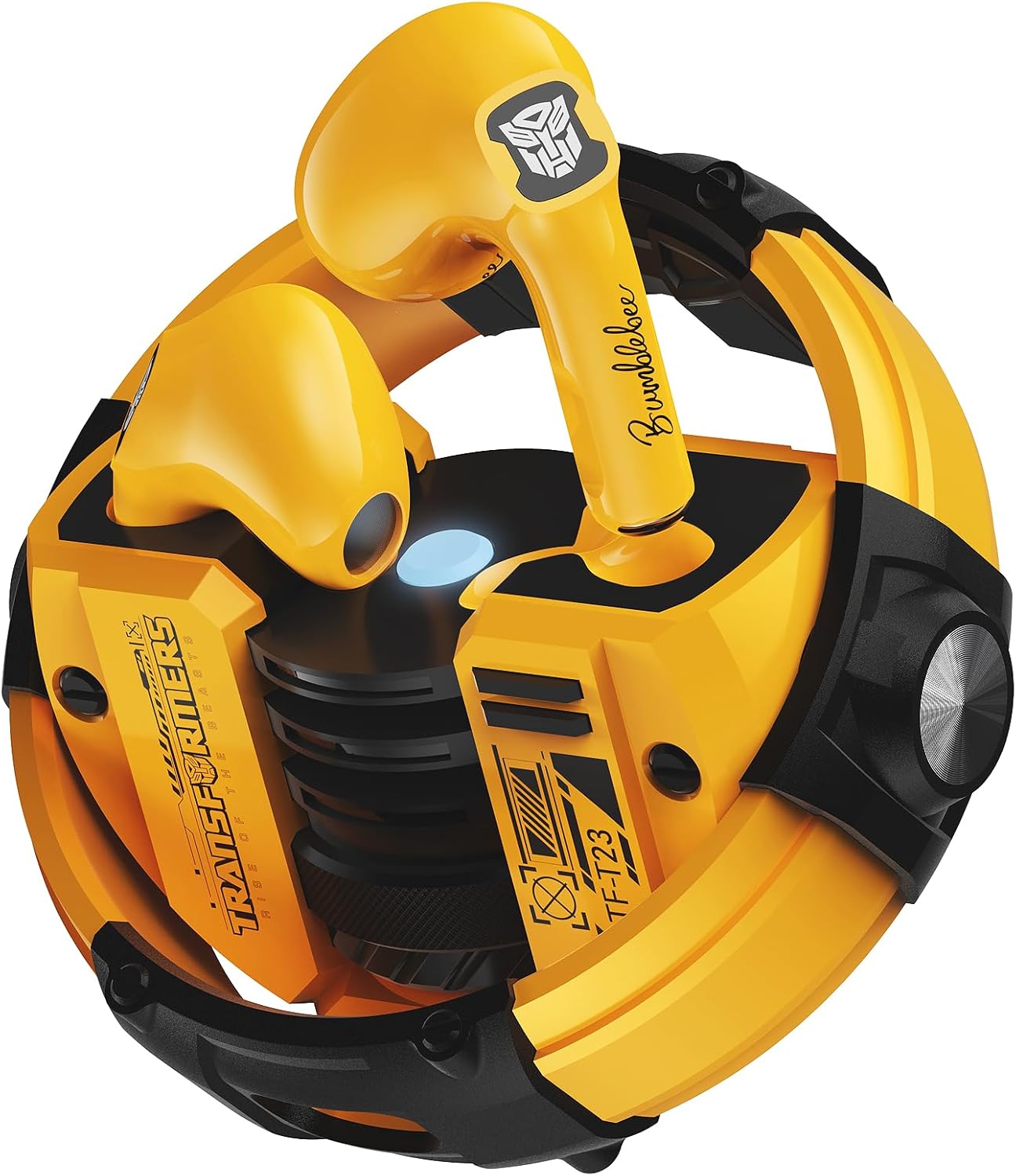
Image: The Transformers Wireless Earbuds, yellow in color, securely placed within their distinctive circular charging case. The case features a rotating mechanism and a central light indicator.
2. Package Contents
Upon opening your product package, please ensure all the following items are present:
- Transformers Wireless Earbuds (Left and Right)
- Transformers Themed Charging Case
- USB Type-C Fast Charging Cable
- User Manual (this document)

Image: The complete package contents laid out, showing the yellow earbuds, their unique charging case, a USB-C charging cable, and the user manual, alongside the product's retail box.
3. Product Features
- Transformers-Inspired Design: Features a unique rotating headphone compartment that is magnetic for secure storage. Dynamic lighting accents enhance the futuristic aesthetic.

Image: An illustrative graphic highlighting key features such as comfort, IPX5 waterproofing, Bluetooth 5.4, and smart touch controls, all within the Transformers design theme.
- Comfortable and Secure Fit: Ergonomically designed to stay securely in place, even during intense activities. The earbuds are small and skin-friendly for comfortable wear.

Image: A close-up of a person wearing the yellow earbuds, emphasizing their comfortable and ergonomic fit within the ear.
- Bluetooth 5.4 Technology: Provides superior audio-video synchronization, ultra-low latency, and enhanced interference rejection for a seamless listening experience.
- Smart Touch Control: Effortlessly manage music playback and calls with intuitive touch commands directly on the earbuds.
- Extended Battery Life: Enjoy up to 60 hours of total playtime with the charging case. Each earbud offers 5-6 hours of continuous use on a single charge. The case fully charges in just 1.5 hours via Type-C fast charging.

Image: A visual representation of the earbuds' impressive battery performance, detailing single-charge playtime and total playtime with the charging case.
- High-Definition Audio: Equipped with 13mm oversized dynamic drivers, delivering clear 3D stereo sound and a frequency range of 20 Hz - 20,000 Hz. Features a sensitive microphone for HD calls.

Image: A detailed diagram illustrating the 13mm oversized audio driver, highlighting its components for immersive sound quality.

Image: A visual demonstrating the earbuds' capability for high-definition calls, with a phone displaying an incoming call and the earbuds prominently featured.
- IPX5 Waterproof Rating: Built to withstand sweat and light splashes, making them suitable for workouts and outdoor activities.
4. Setup
4.1. Charging the Earbuds and Case
Before first use, fully charge the earbuds and the charging case. Place the earbuds into their respective slots in the charging case. Connect the provided USB Type-C cable to the charging port on the case and plug the other end into a compatible USB power source (e.g., wall adapter, computer USB port). The indicator light on the case will show charging status. A full charge takes approximately 1.5 hours for the case.
Video: An official product video demonstrating the charging process and the indicator lights of the Transformers Wireless Earbuds and their case.
4.2. Bluetooth Pairing
The Transformers Wireless Earbuds feature one-step pairing for convenience. Once removed from the charging case, they will automatically enter pairing mode. The earbuds will automatically connect to the last paired device when taken out of the case after the initial pairing.
- Ensure the charging case is charged and open the lid. The earbuds will power on and enter pairing mode.
- On your device (smartphone, tablet, etc.), enable Bluetooth and search for available devices.
- Select "TF-T23" from the list of available devices to connect.
- Once connected, a voice prompt will confirm successful pairing.

Image: A visual guide to the one-step Bluetooth 5.4 pairing, emphasizing quick connection, low latency, and efficient data transmission.

Image: This image showcases the unique design of the charging case, the auto-reconnect functionality of the earbuds, and a glimpse of the package contents.
5. Operating Instructions (Touch Controls)
The Transformers Wireless Earbuds feature intuitive touch controls on both the left (L) and right (R) Multi-Function Buttons (MFB). Familiarize yourself with the following commands:
| Function | Action (L/R MFB) |
|---|---|
| Play/Pause Music | Double Click |
| Answer/End Call | Double Click |
| Reject Call | Long Press 2s |
| Previous Track | Three Strikes (Left MFB) |
| Next Track | Three Strikes (Right MFB) |
| Volume Up/Down | Click (Left/Right MFB) |
| Activate/Deactivate Voice Assistant | Long Press 2s |
| Music/Game Mode Toggle | Long Press 2s (Right MFB) |

Image: A comprehensive visual guide to all touch control gestures for managing music, calls, and modes on the earbuds.
6. Maintenance and Care
To ensure the longevity and optimal performance of your Transformers Wireless Earbuds, follow these care guidelines:
- Cleaning: Regularly clean the earbuds and charging case with a soft, dry, lint-free cloth. Do not use abrasive cleaners, alcohol, or chemical solvents.
- Water Resistance: While IPX5 rated (sweat and splash resistant), do not submerge the earbuds in water or expose them to heavy rain. Dry them thoroughly if they get wet.
- Storage: Store the earbuds in their charging case when not in use to protect them and keep them charged. Avoid storing in extreme temperatures or high humidity.
- Charging: Use only the provided Type-C charging cable. Avoid using damaged cables or chargers.
- Handling: Handle the earbuds and case gently. Avoid dropping them or subjecting them to strong impacts.
7. Troubleshooting
If you encounter any issues with your Transformers Wireless Earbuds, please refer to the following common troubleshooting steps:
- Earbuds not pairing/connecting:
- Ensure both earbuds are fully charged.
- Place both earbuds back into the charging case, close the lid, wait a few seconds, then open the lid again.
- Turn off and then turn on Bluetooth on your device.
- Forget/delete "TF-T23" from your device's Bluetooth list and attempt to re-pair.
- Ensure your device is within the effective Bluetooth range (approx. 10 meters).
- Only one earbud working:
- Ensure both earbuds are charged.
- Place both earbuds back into the case, close the lid, and then open it again. This often re-syncs them.
- If the issue persists, try resetting the earbuds (refer to specific reset instructions if available in a more detailed manual, or perform a full re-pairing).
- Charging issues:
- Check if the charging cable is securely connected to both the case and the power source.
- Try a different USB port or power adapter.
- Ensure the charging contacts on the earbuds and inside the case are clean and free of debris.
- Poor sound quality:
- Ensure the earbuds are properly seated in your ears for an optimal seal.
- Clean any earwax or debris from the earbud nozzles.
- Move closer to your connected device to avoid interference.
- Try playing audio from a different source or application.
If these steps do not resolve your issue, please contact customer support for further assistance.
8. Specifications
| Feature | Detail |
|---|---|
| Model Name | TFT2301 |
| Connectivity Technology | Wireless (Bluetooth 5.4) |
| Noise Control | Passive Noise Cancellation |
| Water Resistance Level | IPX5 Waterproof |
| Battery Life (Earbuds) | Up to 5-6 Hours (continuous use) |
| Carrying Case Battery Life | Up to 60 Hours (total playtime) |
| Carrying Case Battery Capacity | 280 Milliamp Hours |
| Carrying Case Charging Time | 1.5 Hours (Type-C) |
| Audio Driver Size | 13 Millimeters |
| Frequency Range | 20 Hz - 20,000 Hz |
| Impedance | 32 Ohm |
| Control Type | Touch Control |
| Material | Plastic |
| Compatible Devices | Cellphones (Android, iOS) |
9. Warranty and Support
For warranty information and customer support, please refer to the documentation provided at the point of purchase or contact the retailer. Keep your proof of purchase for any warranty claims.
Additional Resources
Explore more about the Transformers Wireless Earbuds through these official videos:
Video: An official product video showcasing the Transformers headphones earbuds, highlighting their design and features.
Related documentsTF-T23


Ask a question about this manual
Ask about setup, troubleshooting, compatibility, parts, safety, or missing instructions. Manuals+ will review the question and use this page’s manual context to help answer it.