
1. Introduction
Thank you for purchasing the Philips 10000mAh MagSafe Compatible Magnetic Power Bank, model DLP2717QB. This device is designed to provide convenient and efficient charging for your compatible smartphones and other devices. Please read this manual carefully before use to ensure proper operation and to maximize the product's lifespan.
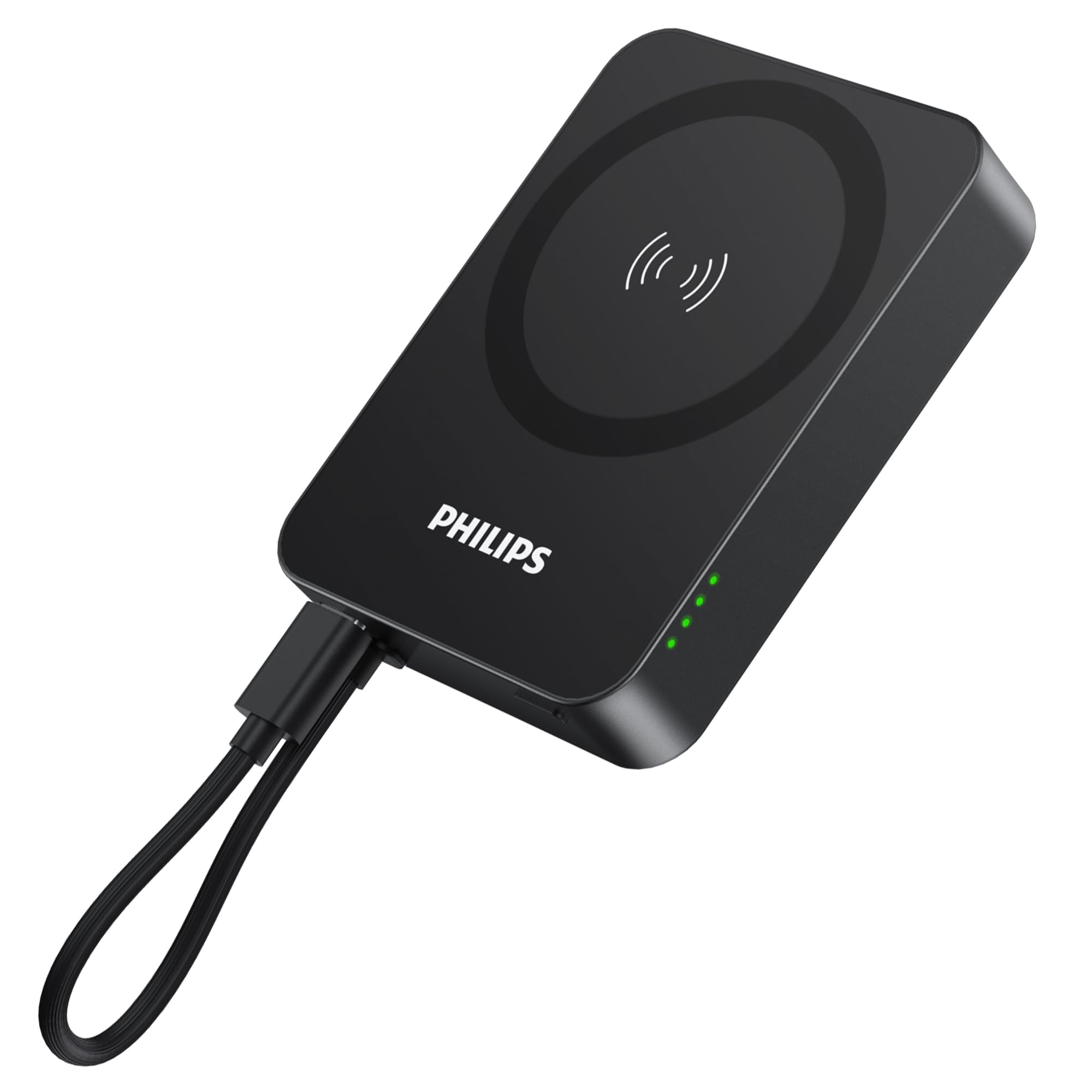
Image 1.1: Philips 10000mAh MagSafe Compatible Magnetic Power Bank (Black)
2. Product Features
- Magnetic Attachment & 10000mAh Large Capacity: Features MagSafe compatibility for instant, secure magnetic attachment and wireless charging. Supports 5W/7.5W/10W/15W wireless output. The 10000mAh capacity can charge an iPhone 15/15 Pro approximately twice.
- Built-in Input/Output Fast Charging Cable: Includes an integrated USB-C cable that supports PD & QC3.0 fast charging with a maximum output of 20W and input of 18W. The cable can also be used as a convenient strap when not in use.
- Pass-Through Function: Allows simultaneous charging of the power bank itself (via the USB-C cable) and another device wirelessly.
- Low Current Mode: Activates by pressing and holding the power button for 3-5 seconds, providing optimized charging for low-current devices such as wireless earphones.
- Compact & Portable Design: Measuring 6.4x1.85x8.7cm and weighing 195g, this power bank is designed for portability. It fits seamlessly with MagSafe-equipped iPhones without obstructing the camera lens.
- 6-Layer Protection System: Equipped with overcharge, over-discharge, over-voltage, over-current, over-temperature, and short-circuit protection for enhanced safety and device longevity. PSE safety certified.

Image 2.1: Overview of Philips Power Bank Features
3. Package Contents
Please check the package for the following items:
- Philips 10000mAh MagSafe Compatible Magnetic Power Bank (Model DLP2717QB)
- Integrated USB-C Charging Cable
- Instruction Manual
4. Setup
4.1 Initial Charge
Before first use, fully charge the power bank. Connect the integrated USB-C cable to a compatible USB power adapter (not included) and plug it into a wall outlet. The LED indicator lights will show the charging status.
4.2 Checking Battery Level
Press the power button once to check the current battery level. The LED indicators will illuminate to show the remaining charge:
- 4 LEDs: Approximately 76% - 100%
- 3 LEDs: Approximately 51% - 75%
- 2 LEDs: Approximately 26% - 50%
- 1 LED: Approximately 1% - 25%

Image 4.1: Battery Level Indicators
5. Operating Instructions
5.1 Wireless Charging (MagSafe Compatible)
Align the power bank with the back of your MagSafe-compatible iPhone. The magnets will automatically snap into place, and charging will begin. For optimal wireless charging performance, it is recommended to use a MagSafe-compatible case or no case at all.

Image 5.1: Magnetic Wireless Charging

Image 5.2: Wireless Fast Charging up to 15W
5.2 Wired Charging
Use the integrated USB-C cable to charge compatible devices. Simply pull out the USB-C cable from its storage slot and connect it to your device's USB-C port. The power bank supports up to 20W output for fast charging.

Image 5.3: Wired Fast Charging with Built-in Cable
5.3 Pass-Through Charging
The power bank supports pass-through charging. Connect the power bank to a wall charger using its integrated USB-C cable. While the power bank is charging, you can simultaneously wirelessly charge another device by attaching it magnetically to the power bank.

Image 5.4: Pass-Through Charging in Action
5.4 Low Current Mode
To charge low-current devices like wireless earphones (e.g., AirPods), press and hold the power button for 3-5 seconds to activate low current mode. This mode provides a stable, lower current output to protect sensitive devices.

Image 5.5: Charging Low Current Devices
6. Safety Information
To ensure safe operation and prevent damage to the device or injury to yourself, please observe the following safety precautions:
- Do not expose the power bank to extreme temperatures, direct sunlight, or high humidity.
- Do not disassemble, modify, or attempt to repair the device.
- Keep out of reach of children.
- Avoid dropping or subjecting the power bank to strong impacts.
- Do not use the power bank if it is damaged or shows signs of swelling.
- Use only compatible charging cables and adapters.
- Dispose of the product responsibly according to local regulations.
7. Specifications
| Model Number | DLP2717Q |
| Brand | PHILIPS |
| Battery Capacity | 10000 mAh |
| Battery Cell Type | Lithium Polymer |
| Wireless Output | 5W / 7.5W / 10W / 15W |
| Wired Output (USB-C) | Max 20W (PD & QC3.0 compatible) |
| Input (USB-C) | Max 18W (PD & QC3.0 compatible) |
| Product Dimensions (L x W x H) | 6.4 x 8.7 x 1.9 cm |
| Item Weight | 195 grams |
| Color | Black |
| Features | LED indicator lights, Pocket size, Wireless charging, Built-in cable, Fast charging, Pass-through function, Low current mode |
| Country of Origin | China |
8. Troubleshooting
- Device not charging wirelessly:
- Ensure your device is MagSafe compatible and properly aligned with the power bank.
- Remove any non-MagSafe compatible cases or thick cases that might interfere with wireless charging.
- Check if the power bank has sufficient charge.
- Device not charging via USB-C cable:
- Ensure the USB-C cable is securely connected to both the power bank and your device.
- Verify that your device supports USB-C charging.
- Check if the power bank has sufficient charge.
- Power bank not charging:
- Ensure the integrated USB-C cable is properly connected to a working power adapter and wall outlet.
- Try a different power adapter or outlet.
- Slow charging:
- Ensure you are using a fast-charging compatible wall adapter for optimal input/output speeds.
- For wireless charging, ensure proper alignment and that no foreign objects are between the power bank and your device.
9. Warranty and Support
This Philips power bank comes with a one-year manufacturer's warranty from the date of purchase. This warranty covers defects in materials and workmanship under normal use. It does not cover damage caused by misuse, accidents, unauthorized modifications, or normal wear and tear.
For warranty claims or technical support, please contact your retailer or visit the official Philips support website. Please have your proof of purchase and product model number (DLP2717Q) ready when contacting support.
All Philips products sold by authorized retailers are genuine and meet quality standards.
10. Product Overview Video
Watch this short video for a visual overview of the Philips 10000mAh MagSafe Compatible Magnetic Power Bank, showcasing its design, features, and different color options.
Video 10.1: Philips Power Bank Product Overview (This video demonstrates the product's features, including its compact size, magnetic attachment, and available colors: silver, purple, and black. It also shows the integrated USB-C cable and charging functionality.)


