
Introduction
The MangoKit MD5 is a versatile digital radio offering DAB/DAB+, FM, and Bluetooth connectivity. It features a 2.4-inch TFT color display, 40 preset stations, dual alarms, a sleep timer, and a headphone port, designed for both mains and battery operation. This manual provides comprehensive instructions to help you get the most out of your device.
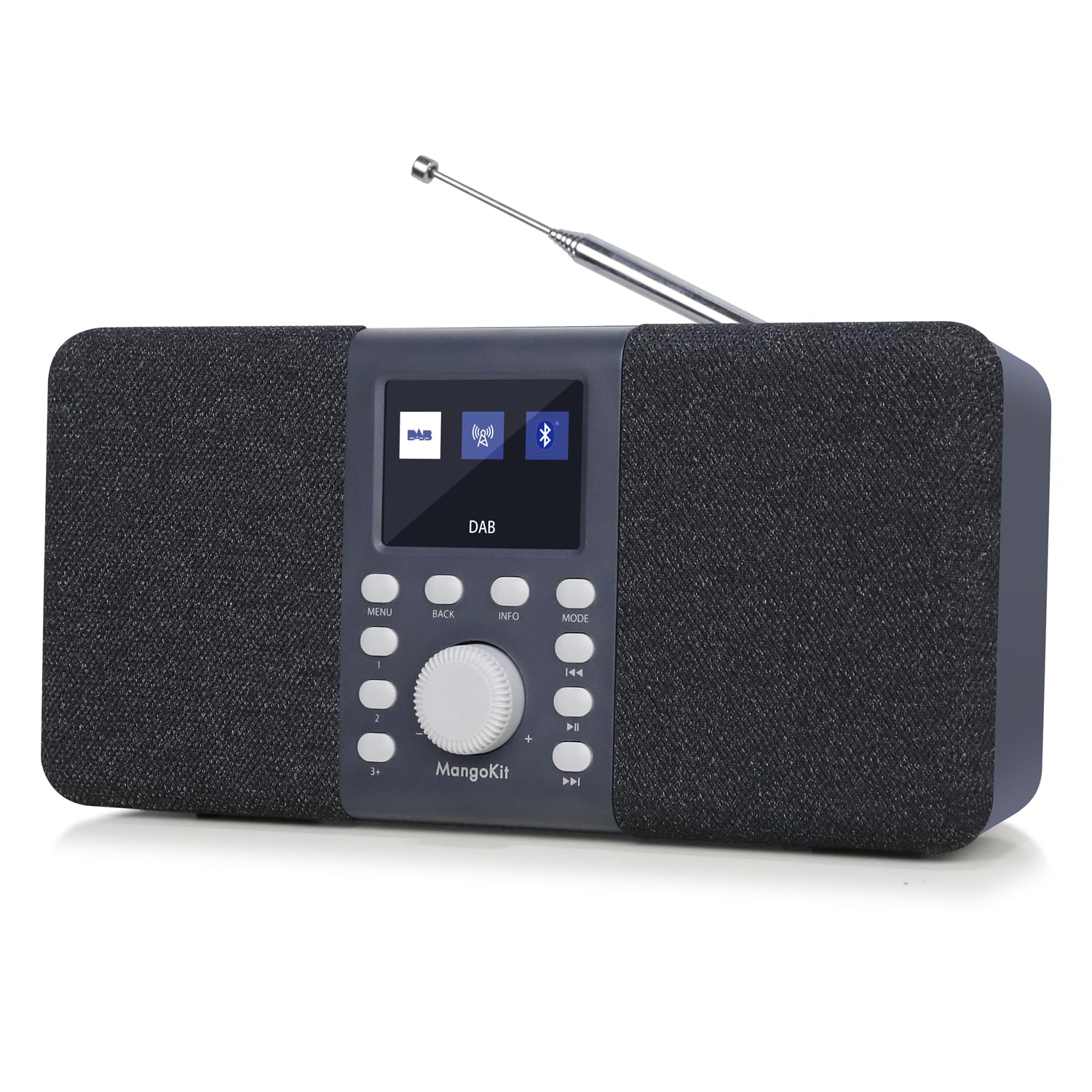
Image: Front view of the MangoKit MD5 Stereo DAB/DAB+ Digital Radio, showcasing its display and controls.
Safety Information
- Read all instructions carefully before using the device.
- Do not expose the unit to rain, moisture, or extreme temperatures.
- Use only the specified power supply.
- Do not attempt to disassemble or repair the unit yourself. Refer all servicing to qualified personnel.
- Keep the device away from strong magnetic fields.
- If using batteries, ensure they are inserted correctly and remove them if the unit will not be used for an extended period.
Package Contents
Please check that all items are present:
- MangoKit MD5 Digital Radio
- User Manual
- Quick Start Guide
- Power Supply
- USB C Cable
Product Overview
Familiarize yourself with the main components and controls of your MangoKit MD5 radio.

Image: Detailed view of the MangoKit MD5 radio's front panel, showing the display, control buttons, and rotary knob.
Controls and Display:
- 2.4-inch TFT Color Display: Shows station information, time, menu options, and settings.
- Rotary Knob: Used for volume control, menu navigation, and selection.
- Control Buttons: Include Menu, Back, Info, Mode, Preset, Play/Pause, Skip Forward/Backward.
- Telescopic Antenna: For optimal DAB/DAB+ and FM reception.
Ports:
- Headphone Port (3.5mm): For private listening.
- USB-C Port: For power input.
- Battery Compartment: Located at the rear for 4x AA batteries (not included).

Image: Rear view of the MangoKit MD5 radio, highlighting the battery compartment and overall dimensions.
Setup
1. Powering the Device
The MangoKit MD5 can be powered by mains electricity or batteries.
- Mains Power: Connect the supplied USB-C cable to the radio's USB-C port and the power supply to a wall outlet.
- Battery Power: Open the battery compartment on the rear and insert 4x AA batteries (not included), ensuring correct polarity. The radio cannot charge rechargeable batteries.
2. Initial Setup and Auto-Scan
- Extend the telescopic antenna fully for best reception.
- Press the Power button to turn on the radio.
- Upon first use, the radio will automatically perform a full scan for DAB/DAB+ stations. This may take a few minutes.
- The time and date will automatically synchronize via DAB signal once a station is found.
Operating Instructions
DAB/DAB+ Radio Mode
- Press the Mode button to select DAB radio.
- If no stations are found or you wish to rescan, navigate to the 'Full Scan' option in the menu using the rotary knob and press to confirm.
- Rotate the knob to browse available stations and press to select.

Image: The MangoKit MD5 radio displaying DAB station information on its color screen.
FM Radio Mode
- Press the Mode button to select FM radio.
- To auto-scan for stations, press and hold the Scan button (often combined with Play/Pause or a dedicated button).
- To manually tune, rotate the knob to adjust the frequency.
Storing and Accessing Presets (DAB/FM)
The radio can store up to 20 DAB and 20 FM preset stations.
- Tune to your desired station.
- Press and hold the Preset button until 'Preset Store' appears on the display.
- Rotate the knob to select a preset number (1-20) and press to confirm.
- To recall a preset, briefly press the Preset button, then rotate the knob to select the desired preset and press to confirm.
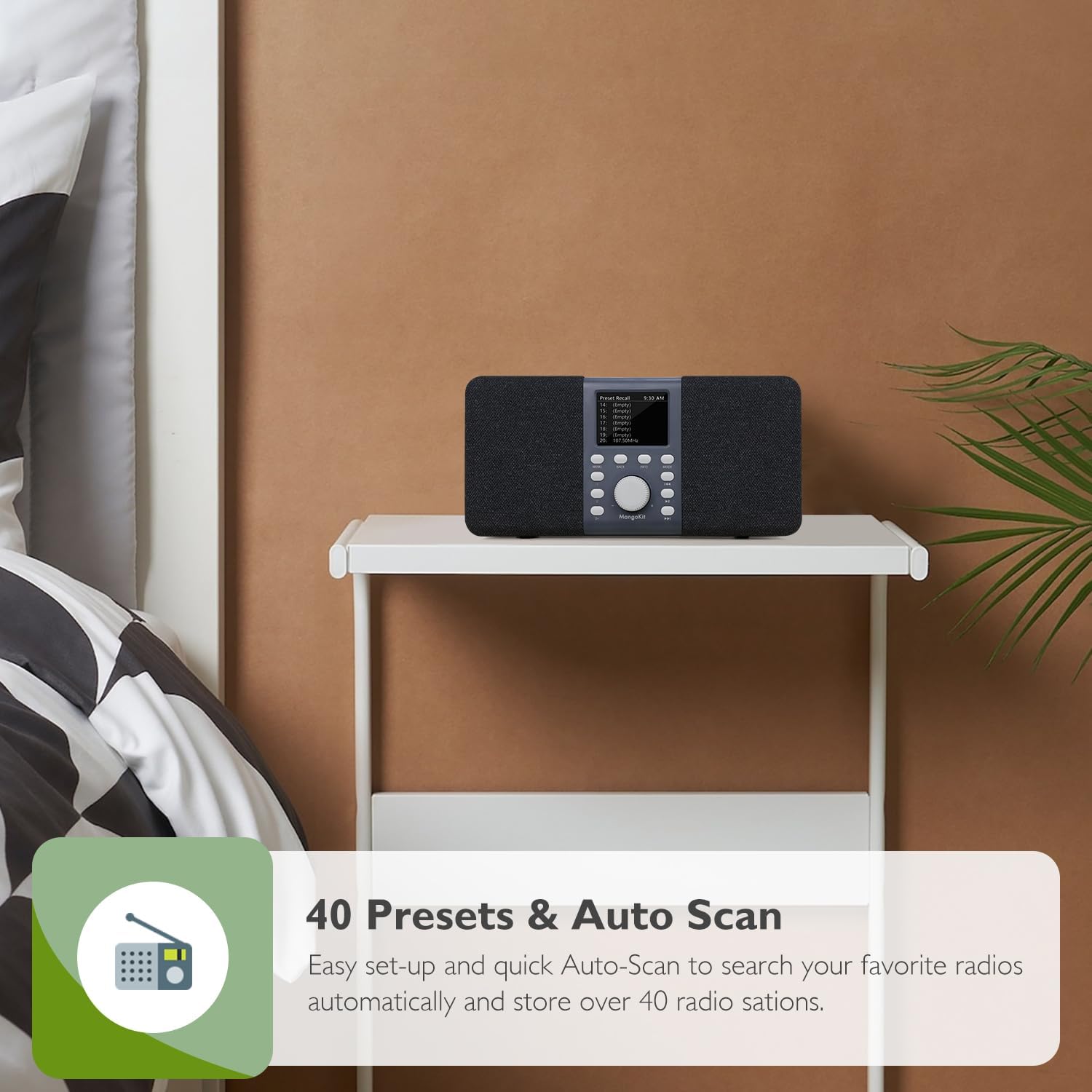
Image: The MangoKit MD5 radio showing a list of preset stations on its display.
Bluetooth Mode
Connect your smartphone or other Bluetooth-enabled device to stream audio.
- Press the Mode button to select Bluetooth. The display will show 'Bluetooth Pairing'.
- On your external device, enable Bluetooth and search for 'Stereo DAB Radio'.
- Select 'Stereo DAB Radio' to pair. Once connected, the display will show 'Bluetooth Connected'.
- You can now play audio from your device through the radio.

Image: The MangoKit MD5 radio displaying Bluetooth connection status, with a smartphone nearby.
Alarms, Sleep Timer, and Snooze
The MD5 features dual alarms and a sleep timer for convenience.
- Setting Alarms: Access the Alarm settings via the Menu button. You can set two independent alarms with customizable times, sources (DAB/FM), and recurrence (daily, weekdays, weekends).
- Sleep Timer: Set the radio to automatically turn off after a specified duration (OFF/15/30/45/60 minutes) by accessing the Sleep Timer option in the menu.
- Snooze: When an alarm sounds, press the Snooze button to temporarily silence it for a few minutes.

Image: The MangoKit MD5 radio on a bedside table, showing the time and an active alarm icon on its display.
Headphone Connectivity
For private listening, connect standard 3.5mm headphones to the headphone port on the back of the unit. The radio's speakers will automatically mute.

Image: A person wearing yellow headphones, listening to the MangoKit MD5 radio for private audio enjoyment.
Maintenance
- Cleaning: Wipe the radio with a soft, dry cloth. Do not use liquid cleaners or abrasive materials.
- Antenna Care: Handle the telescopic antenna gently to avoid damage.
- Battery Replacement: If using batteries, replace all four AA batteries at the same time. Do not mix old and new batteries or different types of batteries.
- Storage: If storing the radio for an extended period, remove the batteries to prevent leakage.
Troubleshooting
| Problem | Possible Cause | Solution |
|---|---|---|
| No power | Power cable not connected; Batteries depleted or incorrectly inserted. | Ensure power cable is securely connected. Check battery polarity and replace if necessary. |
| Poor DAB/FM reception | Antenna not extended; Weak signal area; Interference. | Fully extend the telescopic antenna. Reposition the radio to improve signal. Perform a full scan. |
| Bluetooth not connecting | Radio not in Bluetooth mode; Device not in pairing mode; Device too far. | Ensure radio is in Bluetooth mode. Put your external device in pairing mode. Move devices closer. |
| Alarm not sounding | Alarm not set correctly; Volume too low. | Verify alarm settings (time, source, recurrence). Increase the volume. |
Specifications
| Feature | Detail |
|---|---|
| Brand | MangoKit |
| Model Number | MD5 |
| Colour | Dark Grey Stereo |
| Product Dimensions (L x W x H) | 23.7L x 9.1W x 11.3H centimetres |
| Power Source | Mains and Battery Powered (4x AA, not included) |
| Tuner Technology | DAB/DAB+/FM |
| Connectivity Technology | Bluetooth 5, Headphone (3.5mm), USB C |
| Display Type | 2.4 inch TFT Color Display |
| Preset Stations | 40 (20 DAB, 20 FM) |
| Special Features | Stereo Portable DAB, DAB+, FM Radio and Bluetooth Speaker, Private EQ Setting, Dual Alarms, Sleep Timer, Snooze |
| Enclosure Material | Plastic and Fabric |
Warranty and Support
For warranty information, technical support, or service inquiries, please refer to the documentation included with your purchase or visit the official MangoKit website. Keep your proof of purchase for any warranty claims.

