
Techmade TM-GLOW
Techmade Glow Smartwatch User Manual
Model: TM-GLOW
1. Introduction
Welcome to the Techmade Glow Smartwatch user manual. This guide provides detailed instructions on how to set up, operate, and maintain your new smartwatch. The Techmade Glow combines elegant design with advanced technology, offering features such as a 1.69-inch touchscreen, Bluetooth calls, real-time notifications, comprehensive health tracking, and over 80 sport modes.
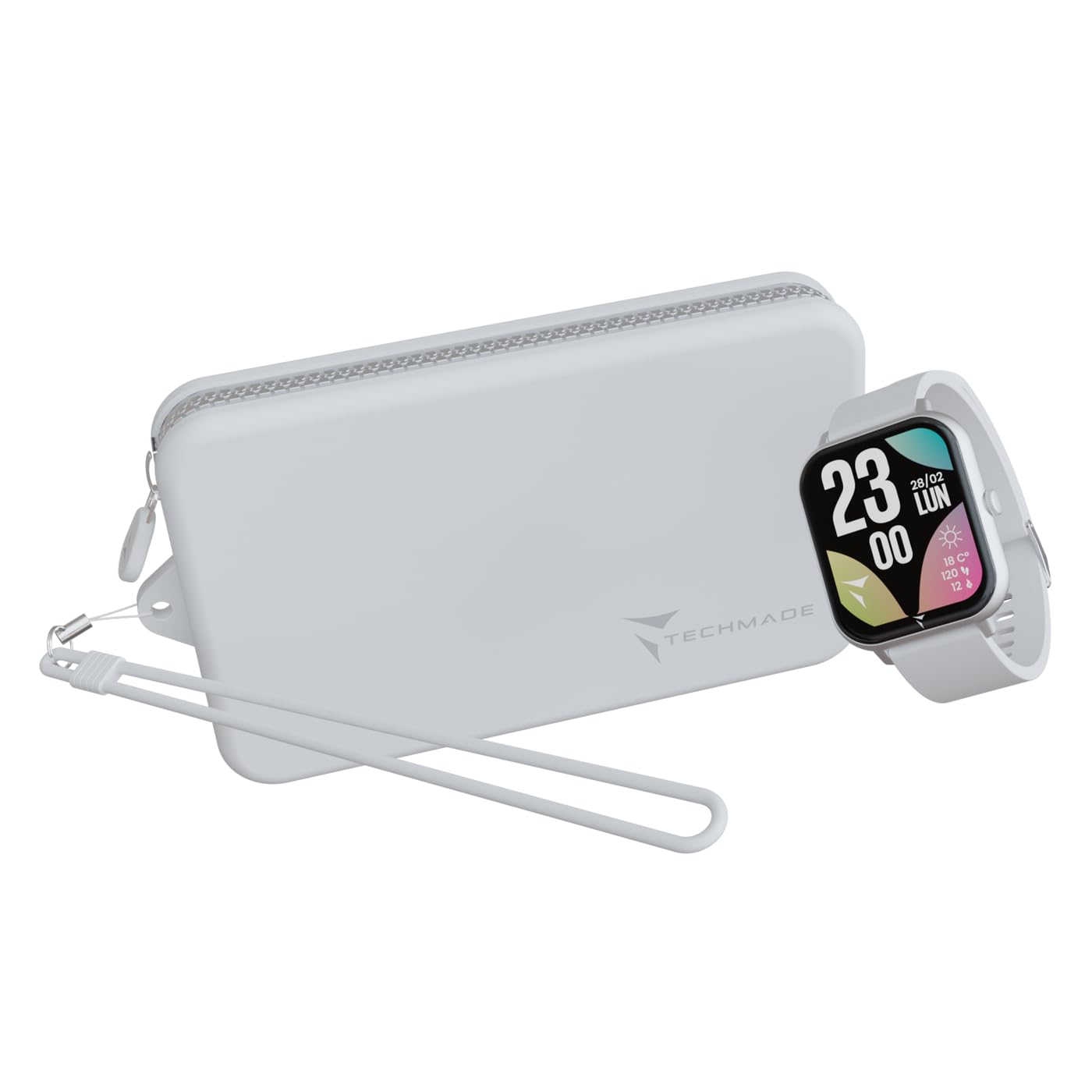
Figure 1: Techmade Glow Smartwatch
2. What's in the Box
Please check the contents of your Techmade Glow package. If any items are missing or damaged, contact customer support.
- Techmade Glow Smartwatch
- Charging Cable
- User Manual (this document)
- Matching Pouch

Figure 2: Package Contents
3. Product Overview
Familiarize yourself with the main components of your Techmade Glow Smartwatch.
- 1.69-inch Touchscreen Display: For all interactions and information display.
- Side Button: Typically used for power on/off, returning to the home screen, or accessing menus.
- Sensors: Located on the back for heart rate, blood pressure, and SpO2 monitoring.
- Charging Contacts: On the back for connecting the magnetic charging cable.
- Speaker/Microphone: For Bluetooth call functionality.
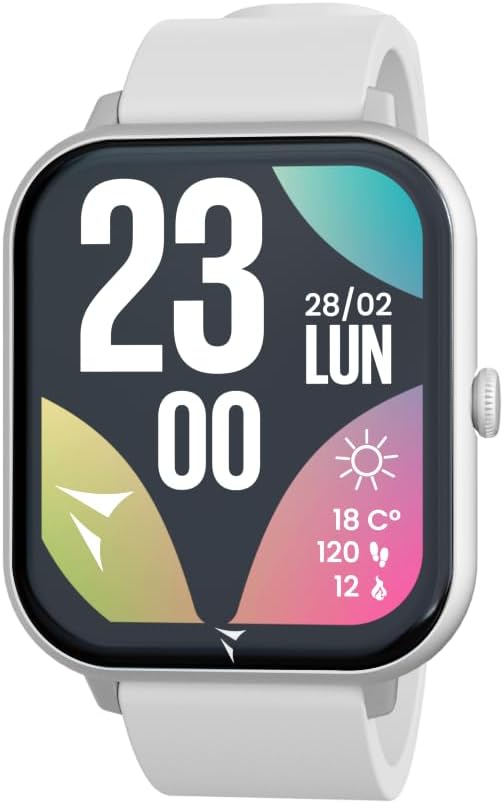
Figure 3: Smartwatch Display Interface
4. Setup
4.1. Charging the Smartwatch
Before first use, fully charge your Techmade Glow Smartwatch.
- Connect the USB end of the charging cable to a power adapter (not included) or a computer's USB port.
- Attach the magnetic end of the charging cable to the charging contacts on the back of the smartwatch. Ensure it snaps into place securely.
- The watch display will indicate charging status. A full charge typically takes 1-2 hours.
A fully charged battery provides up to 7 days of typical use.
4.2. Pairing with Your Smartphone
To unlock all features and synchronize data, pair your smartwatch with the dedicated Techmade app on your smartphone.
- Download the App: Search for the "Techmade" app in your smartphone's app store (compatible with iOS 9.0+ and Android 4.4+).
- Enable Bluetooth: Ensure Bluetooth is enabled on your smartphone.
- Open the App: Launch the Techmade app and follow the on-screen instructions to create an account or log in.
- Add Device: In the app, navigate to "Add Device" or "Pair Device".
- Select Your Watch: The app will scan for nearby devices. Select "Techmade Glow" from the list.
- Confirm Pairing: A pairing request may appear on both your phone and watch. Confirm the pairing on both devices.
Once paired, the watch will synchronize time, date, and other settings from your phone.
4.3. Initial Configuration
After pairing, use the app to set up your personal profile and preferences:
- User Profile: Enter your height, weight, age, and gender for accurate health and fitness tracking.
- Notification Settings: Choose which app notifications you want to receive on your watch.
- Watch Face Customization: Select from various watch faces available in the app.
5. Operating Instructions
5.1. Basic Navigation
- Touchscreen: Swipe left/right, up/down to navigate through menus and widgets. Tap to select.
- Side Button: Press once to return to the home screen. Press and hold to power on/off or access system options.
5.2. Calls and Notifications
With Bluetooth connectivity, you can manage calls and receive notifications directly on your wrist.
- Making/Receiving Calls: When a call comes in, you can answer or reject it from the watch. You can also dial numbers or select contacts from the watch interface.
- Notifications: Alerts for messages, social media, and other apps will appear on the watch screen. Swipe down from the top to view your notification history.

Figure 4: Receiving a Call

Figure 5: Viewing a Notification

Figure 6: SOS Calling Feature
5.3. Health Tracking
The Techmade Glow monitors various health metrics to help you stay informed about your well-being.
- Heart Rate: Continuous or on-demand heart rate monitoring.
- Blood Pressure: Measure your blood pressure (for reference only, not a medical device).
- SpO2 (Blood Oxygen): Monitor your blood oxygen saturation levels.
- Sleep Tracking: Automatically tracks your sleep patterns, including deep sleep, light sleep, and wake times.

Figure 7: Sleep Tracking Interface
5.4. Sport Modes
Choose from over 80 integrated sport modes to track your workouts accurately.
- Navigate to the "Sport" or "Workout" section on your watch.
- Select your desired activity (e.g., running, cycling, yoga, tennis).
- Start the activity. The watch will record duration, steps, calories burned, and other relevant metrics.
- End the activity when finished. Data will sync to the app.

Figure 8: Exercise Records

Figure 9: Activity Tracking
5.5. Customization
Personalize your smartwatch experience through the dedicated app.
- Watch Faces: Change your watch face from a wide selection available in the app.
- App Layout: Customize the order of apps and widgets on your watch.
- Alerts: Set alarms, sedentary reminders, and hydration alerts.
6. Maintenance
6.1. Cleaning
Keep your smartwatch clean to ensure optimal performance and hygiene.
- Wipe the screen and body with a soft, lint-free cloth.
- For stubborn dirt, slightly dampen the cloth with water. Avoid using harsh chemicals or abrasive materials.
- Clean the charging contacts regularly to ensure proper charging.
6.2. Water Resistance
The Techmade Glow Smartwatch is rated IP67 water-resistant. This means it is protected against dust ingress and can withstand immersion in water up to 1 meter for up to 30 minutes.
Important: While IP67 rated, it is not recommended for swimming, showering with hot water, or diving. Avoid exposure to high-pressure water or chemicals. Water resistance is not a permanent condition and may decrease over time with normal wear and tear.
7. Troubleshooting
| Problem | Possible Solution |
|---|---|
| Watch does not turn on. | Ensure the watch is fully charged. Connect it to the charger for at least 30 minutes. |
| Cannot pair with smartphone. |
|
| Notifications are not received. |
|
| Inaccurate health data. |
|
| Screen is unresponsive. | Try restarting the watch by pressing and holding the side button. If unresponsive, allow the battery to drain completely and then recharge. |
8. Specifications
| Feature | Detail |
|---|---|
| Model Name | TM-GLOW |
| Display | 1.69-inch LCD Touchscreen |
| Resolution | 160 x 160 pixels |
| Connectivity | Bluetooth |
| Battery Capacity | 230 mAh (Lithium-polymer) |
| Battery Life | Up to 7 days (typical use) |
| Water Resistance | IP67 (Protected against dust and immersion up to 1m for 30 min) |
| Operating System | Wear OS |
| Memory Storage Capacity | 120 KB |
| Sensors | Heart Rate, Blood Pressure, SpO2, Sleep Tracker, Pedometer |
| Compatibility | iOS 9.0+ and Android 4.4+ |
| Band Material | Silicone |
| Target Audience | Adult Unisex |
9. Warranty and Support
9.1. Warranty Information
The Techmade Glow Smartwatch comes with a Lifetime Warranty as per manufacturer specifications. Please retain your proof of purchase for warranty claims. The warranty covers manufacturing defects under normal use. It does not cover damage caused by misuse, accidents, unauthorized modifications, or normal wear and tear.
9.2. Customer Support
For any questions, technical assistance, or warranty claims, please contact Techmade customer support. Refer to the official Techmade website for the most up-to-date contact information.
Online Resources: Visit the official Techmade website for FAQs, software updates, and additional support materials.
Related documentsTM-GLOW

Ask a question about this manual
Ask about setup, troubleshooting, compatibility, parts, safety, or missing instructions. Manuals+ will review the question and use this page’s manual context to help answer it.