
1. Introduction
This manual provides essential instructions for the safe and effective operation, setup, and maintenance of your Longer RAY5 20W Laser Engraver Machine. The RAY5 20W is a high-precision laser engraving and cutting tool designed for various materials, featuring a 20W laser module, a 3.5-inch touch screen, and multiple connectivity options. This bundle includes an Air Assist Kit to enhance cutting and engraving performance.
Please read this manual thoroughly before operating the machine to ensure proper usage and to prevent damage or injury.
2. Safety Information
Operating a laser engraver involves inherent risks. Adhere to all safety precautions to prevent accidents and ensure personal safety.
- Eye Protection: Always wear certified laser safety goggles when the machine is operating. Never look directly at the laser beam or its reflection.
- Ventilation: Operate the machine in a well-ventilated area or use an appropriate fume extraction system. Laser engraving and cutting can produce smoke, fumes, and potentially harmful particles.
- Fire Hazard: Keep a fire extinguisher nearby. Do not leave the machine unattended during operation, especially when cutting flammable materials. Ensure the work area is clear of combustible materials.
- Material Safety: Only engrave or cut materials approved for laser processing. Avoid materials that produce toxic fumes or catch fire easily (e.g., PVC, certain plastics).
- Children and Pets: Keep children and pets away from the operating machine.
- Emergency Stop: Familiarize yourself with the location and operation of the emergency stop button.
- Power Supply: Use only the provided power adapter and ensure it is connected to a grounded outlet.
3. Package Contents
Verify that all components are present in your package:
- Longer RAY5 20W Laser Engraver Machine (main frame, laser module)
- Air Assist Kit (air pump, air nozzle, tubing, connectors)
- Power Adapter and Cable
- USB Cable
- TF Card
- Laser Safety Goggles
- User Manual (this document)
- Basic Tool Kit for Assembly
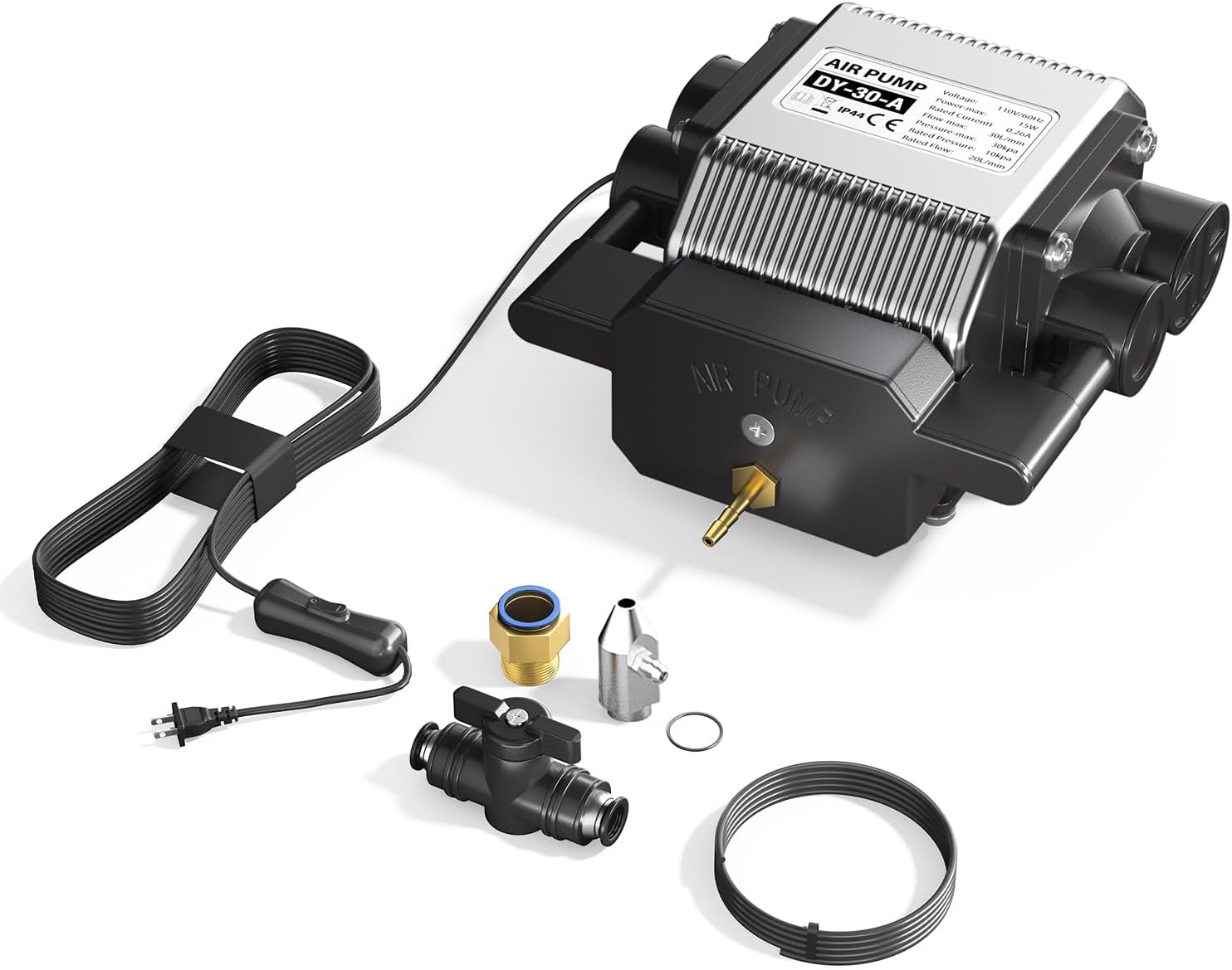
Image: Air Assist Kit components, including the air pump, tubing, and various connectors.
4. Setup and Assembly
Follow these general steps for setting up your laser engraver. Refer to the separate assembly guide for detailed instructions on frame construction.
- Frame Assembly: Assemble the main frame components according to the dedicated assembly guide. Ensure all screws are tightened securely.
- Laser Module Installation: Mount the 20W laser module onto the gantry. Connect the laser module cable to the control board.
- Air Assist Kit Installation:
- Attach the air nozzle to the laser module.
- Connect the air tubing from the air nozzle to the air pump.
- Position the air pump in a stable location near the engraver.
- Cable Connections: Connect the power adapter to the machine and a grounded power outlet. Connect the USB cable to your computer if using a wired connection.
- Software Installation: Install the recommended engraving software (LaserGRBL or LightBurn) on your computer. Drivers may be required for USB connection.

Image: Close-up view of the laser module, highlighting the attachment point for the air assist nozzle.
5. Operating Instructions
5.1 Powering On and Off
- Power On: Connect the power cable and press the power button on the machine. The touch screen will illuminate.
- Power Off: Press and hold the power button or use the software interface to shut down the machine safely. Disconnect power only after the machine has fully powered down.
5.2 Connectivity Modes
The RAY5 20W supports four connection modes:
- USB Connection: Connect the machine to your computer via the provided USB cable.
- TF Card: Load G-code files directly onto a TF card and insert it into the machine's slot for offline operation.
- WiFi Connection: Connect the machine to your local Wi-Fi network for wireless control via a computer or mobile device.
- APP Control: Use the dedicated mobile application for remote control and monitoring.
5.3 Material Preparation and Focusing
- Secure Material: Place your material on the work bed and secure it to prevent movement during operation.
- Focus the Laser: Adjust the laser module's height until the laser spot is at its smallest and most intense point on the material surface. This ensures optimal engraving and cutting quality.
5.4 Starting an Engraving/Cutting Job
- Design Preparation: Create or load your design in LaserGRBL or LightBurn.
- Parameter Settings: Adjust engraving/cutting parameters such as laser power, speed, and passes based on the material type and desired outcome. The RAY5 20W offers high precision and speeds up to 10000mm/min.
- Enable Air Assist: If cutting or engraving materials that produce significant smoke or require cleaner edges, turn on the Air Assist pump. Adjust airflow as needed (10-30L/min).
- Start Job: Initiate the job from the software or directly from the 3.5-inch touch screen if using a TF card. Monitor the process closely.
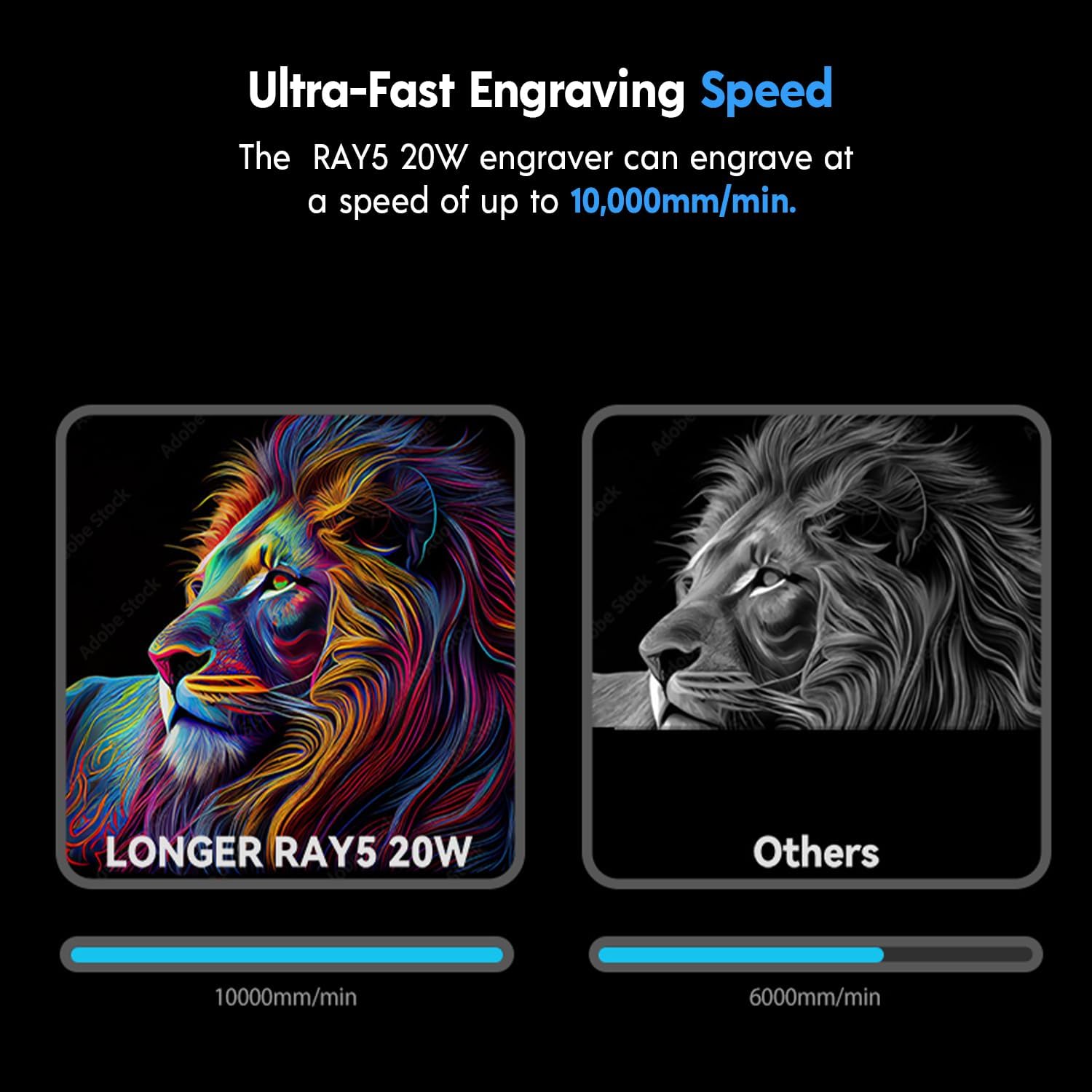
Image: The RAY5 20W laser engraver can achieve engraving speeds of up to 10,000mm/min.

Image: Comparison demonstrating the improved cutting and engraving quality with the Air Assist Kit, resulting in less yellowing and cleaner edges.

Image: Examples showcasing the machine's capability for rare color engraving on different materials.
6. Maintenance
Regular maintenance ensures optimal performance and extends the lifespan of your laser engraver.
- Clean Laser Lens: Periodically clean the laser lens with a lint-free cloth and isopropyl alcohol to remove dust and debris. A dirty lens can reduce laser power and engraving quality.
- Clean Work Area: Keep the work bed and surrounding area clean from debris and residue.
- Inspect Belts and Rails: Check the tension of the timing belts and ensure the linear rails are clean and free of obstructions. Lubricate rails if necessary according to manufacturer guidelines.
- Air Pump Filter: If your air pump has a filter, clean or replace it as recommended to maintain optimal airflow.
7. Troubleshooting
Refer to this section for solutions to common issues:
| Problem | Possible Cause | Solution |
|---|---|---|
| Laser not firing or weak output | Dirty lens, incorrect focus, low power setting, loose cable. | Clean the laser lens. Re-focus the laser. Increase laser power in software. Check all cable connections. |
| Poor engraving/cutting quality | Incorrect speed/power settings, material not flat, dirty lens, no air assist. | Adjust speed and power settings. Ensure material is flat and secured. Clean laser lens. Activate Air Assist for cutting. |
| Machine not connecting to computer/APP | Incorrect cable, driver issue, wrong WiFi settings. | Ensure correct USB cable is used. Reinstall drivers. Verify WiFi credentials and network connection. |
| Air Assist not working | Air pump not powered, tubing disconnected, clogged nozzle. | Check air pump power. Ensure tubing is securely connected. Clean the air nozzle. |
8. Specifications
- Model: Longer RAY5 20W
- Laser Power: 20W (Optical Output)
- Laser Spot Size: 0.08 x 0.1mm (Compressed Beam)
- Maximum Engraving Speed: Up to 10000mm/min
- Connectivity: USB, TF Card, WiFi, APP
- Touch Screen: 3.5-inch Color Touch Screen
- Compatible Software: LaserGRBL, LightBurn
- Cutting Capability (with Air Assist):
- Wood: Up to 25mm
- Acrylic: Up to 35mm
- Stainless Steel: Up to 0.05mm (0.002")
- Engravable Materials: Wood, Acrylic, Metal (coloring), Glass, Leather, Paper, Plastics, etc.
- Air Assist Kit: Adjustable Airflow 10-30L/min

Image: The RAY5 20W laser module features 0.01mm height accuracy and demonstrates cutting capabilities for various materials like pine, acrylic, and stainless steel.

Image: The RAY5 20W engraver is equipped with a powerful 32-bit chipset for smooth operation.
9. Warranty and Support
For warranty information, technical support, or service inquiries, please refer to the official Longer website or contact Longer customer service directly. Keep your purchase receipt as proof of purchase.
Official Website: www.longer3d.com


