
1. Introduction
Thank you for choosing the RedLemon L-Shaped Electric Standing Desk. This manual provides essential information for the safe assembly, operation, and maintenance of your new desk. Please read these instructions carefully before beginning assembly or use, and retain this manual for future reference.
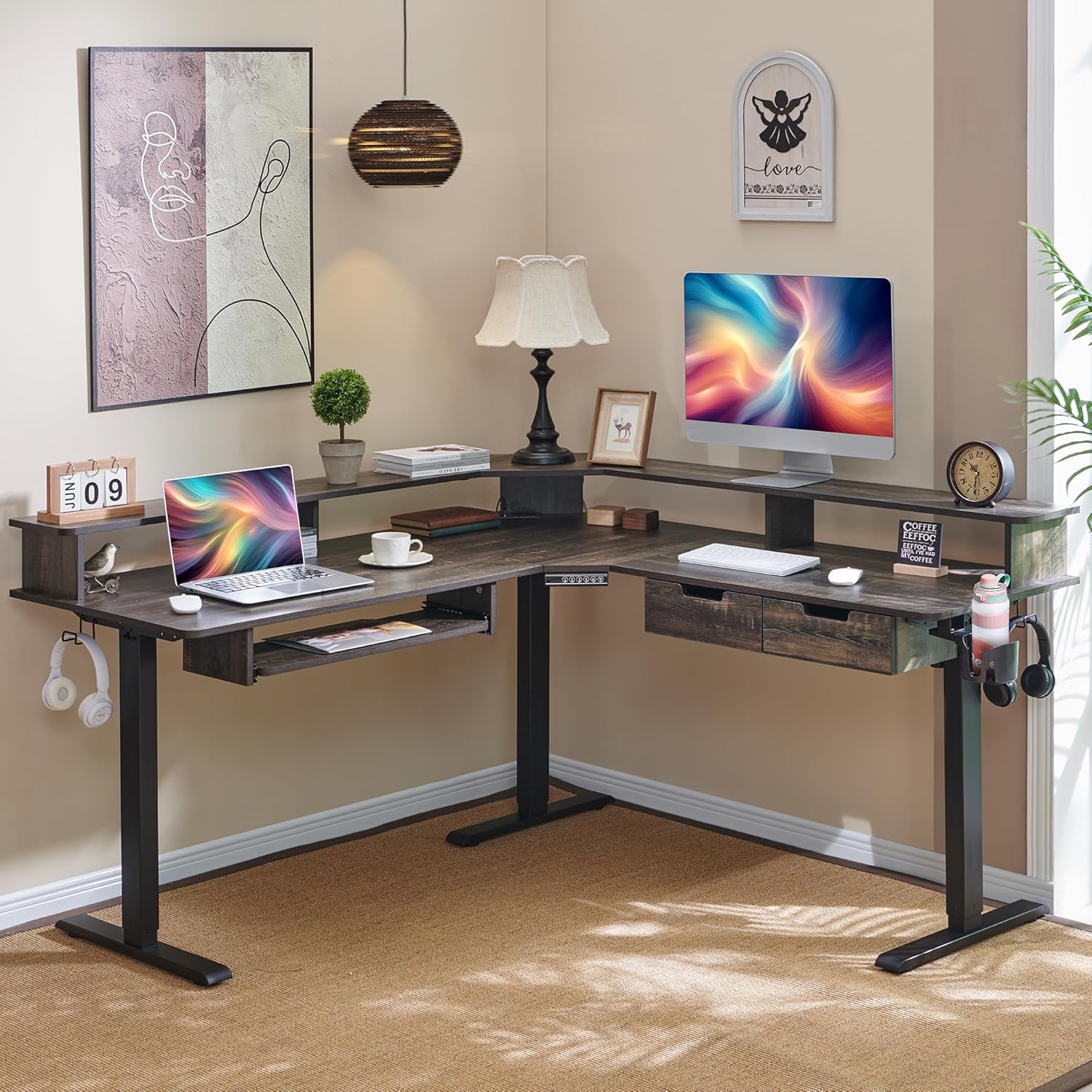
Image 1.1: The RedLemon L-Shaped Electric Standing Desk, showcasing its spacious design and integrated features in a home office environment.
2. Safety Information
Please observe the following safety precautions to prevent injury or damage to the product:
- Always ensure the desk is properly anchored to the floor to prevent tipping.
- Do not adjust the height while in use.
- Keep fingers and other body parts away from moving parts during height adjustment.
- Unplug the desk when not in use or during assembly to prevent electrical shock.
- Ensure all electrical connections are secure and free from damage.
- Do not overload the desk beyond its specified weight capacity of 175 lbs.
3. Package Contents
Verify that all components are present before beginning assembly. If any parts are missing or damaged, please contact customer support.
- Desktop Panels (L-shaped sections)
- Electric Lifting Legs (Metal Base)
- Control Panel with Memory Presets
- Power Adapter and Cables
- Keyboard Tray
- Drawers (2 units)
- Built-in Power Outlets (with USB-A and USB-C ports)
- Handy Hooks
- Cup Holder (360-degree rotating)
- Monitor Shelf
- LED Light Strip and Wireless Remote Controller
- Assembly Hardware (screws, bolts, tools)
- Instruction Manual
4. Setup and Assembly
Assembly of the RedLemon L-Shaped Electric Standing Desk is designed to be straightforward with clear instructions and labeled parts. It is recommended to have two people for assembly. Please follow the detailed assembly guide included in your package for step-by-step instructions.
Key Assembly Steps:
- Unpack all components and verify against the package contents list.
- Assemble the metal leg frames according to the diagrams.
- Attach the desktop panels to the assembled frames.
- Install the control panel, power outlets, keyboard tray, drawers, monitor shelf, hooks, and cup holder.
- Connect all electrical components, including the motor and LED light strip.
- Ensure all screws are tightened securely before use.

Image 4.1: Desk dimensions and component layout, illustrating the adjustable height range from 28.5 to 46 inches.
5. Operating Instructions
5.1. Height Adjustment
The desk features an electric motor for smooth height adjustment, allowing you to switch between sitting and standing positions. The height can be adjusted from 28 inches to 46 inches.
- Up/Down Buttons: Use the ▲ (Up) and ▼ (Down) buttons on the control panel to manually adjust the desk height.
- Memory Presets: The desk has 4 programmable height memory settings. To save a height: Adjust the desk to your desired height, then press a numbered button (1, 2, 3, or 4) until you hear a beep or see the display flash. To recall a saved height, simply press the corresponding numbered button.

Image 5.1.1: The electric control panel for height adjustment, featuring a digital display and four memory preset buttons.

Image 5.1.2: Visual representation of ergonomic benefits, demonstrating how adjustable height can alleviate discomfort and improve focus.
5.2. LED Lighting
The integrated RGB LED lighting offers 12 scene modes to customize your workspace ambiance. Control the lighting using the included wireless remote controller.
- Power On/Off: Use the power button on the remote to turn the LED lights on or off.
- Mode Selection: Cycle through 12 different scene modes using the 'MODE' button.
- Color Selection: Choose from various static colors using the color buttons on the remote.
- Brightness/Speed Adjustment: Use the 'BRIGHT' and 'SPEED' buttons to adjust the intensity of the lights or the speed of dynamic modes.
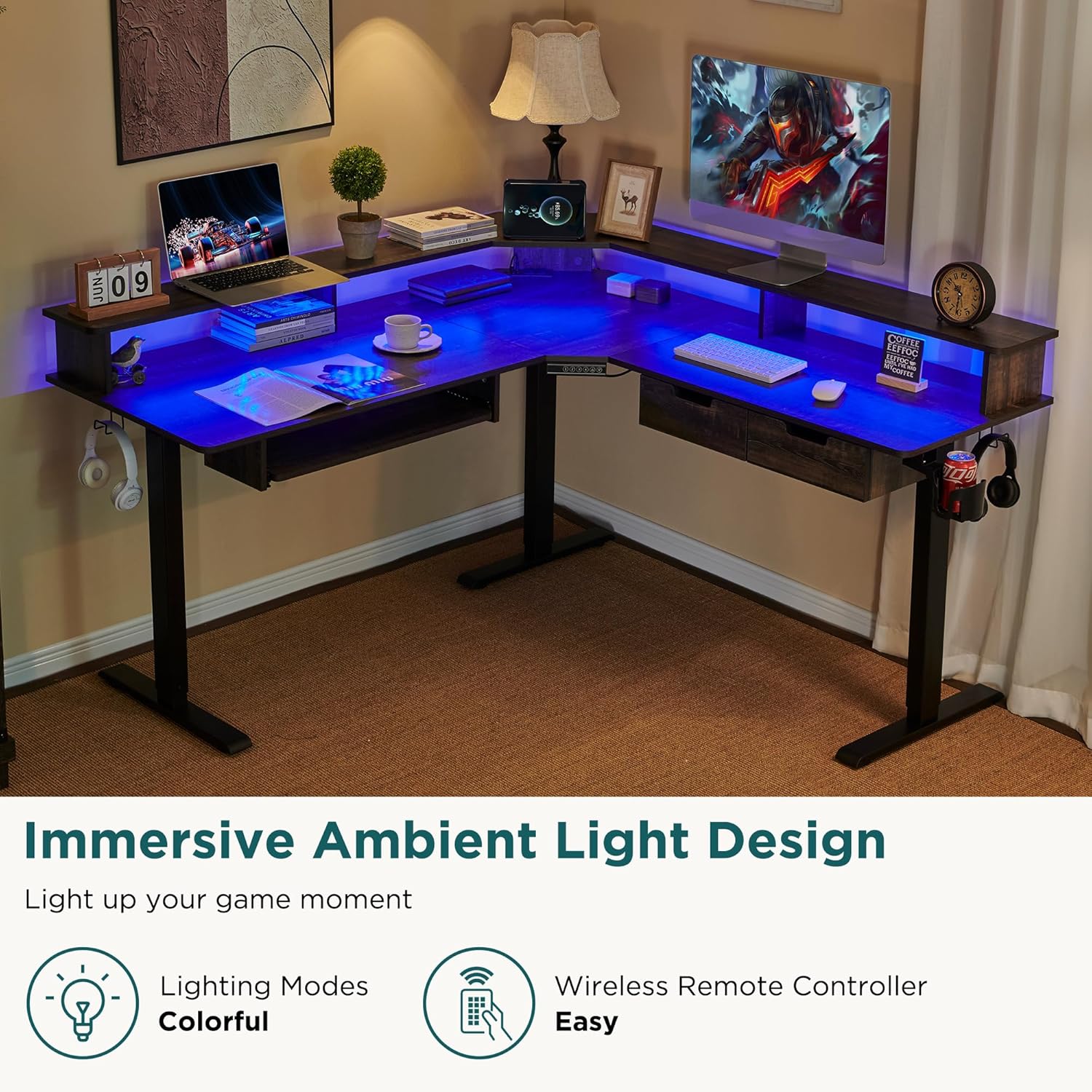
Image 5.2.1: The desk with its integrated LED lighting set to a blue hue, demonstrating the ambient light design.

Image 5.2.2: The wireless remote control for the LED lighting, shown alongside the desk with its blue LED illumination.
5.3. Integrated Features
The desk includes several convenient features to enhance your productivity and organization:
- Built-in Power Outlets: Two standard power outlets, one USB-A port, and one USB-C port are integrated into the desktop for easy device charging.
- Handy Hooks: Located on both sides of the desk, these hooks are ideal for hanging headphones, bags, or other accessories.
- 360-Degree Rotating Cup Holder: Securely holds your beverages, preventing spills and keeping your drink within reach.
- Keyboard Tray: Provides a dedicated space for your keyboard, promoting comfortable typing posture.
- Drawers: Two integrated drawers offer storage for small items, helping to keep your workspace organized.
- Monitor Shelf: Elevates your monitor to a comfortable viewing height, reducing neck strain and providing additional storage underneath.

Image 5.3.1: Detail of the built-in power strip, offering convenient charging for multiple devices.

Image 5.3.2: The 360-degree rotating cup holder, designed for convenience and spill prevention.

Image 5.3.3: The desk's integrated drawers, providing discreet storage for office supplies.
6. Maintenance
Regular maintenance ensures the longevity and optimal performance of your desk.
- Cleaning: Wipe the desk surfaces with a soft, damp cloth. Avoid harsh chemicals or abrasive cleaners that may damage the finish.
- Electrical Components: Periodically check all cables and connections for wear or damage. Ensure the power cord is not pinched or strained.
- Moving Parts: The electric lifting mechanism is designed for low maintenance. Avoid obstructing the legs during height adjustment.
- Fasteners: Occasionally check and tighten any loose screws or bolts to maintain stability.
7. Troubleshooting
If you encounter any issues with your RedLemon L-Shaped Electric Standing Desk, refer to the following common troubleshooting steps:
| Problem | Possible Cause | Solution |
|---|---|---|
| Desk does not move up or down. | Power cable disconnected; motor overload; control panel issue. | Check power connections. Unplug and replug the desk. Reduce weight on the desk. Contact customer support if issue persists. |
| LED lights are not working. | LED strip disconnected; remote control battery low; remote not paired. | Check LED strip connection. Replace remote battery. Ensure remote is pointed at the receiver. |
| Desk movement is uneven or noisy. | Loose fasteners; obstruction; uneven weight distribution. | Check and tighten all assembly screws. Remove any obstructions. Distribute weight evenly on the desktop. |
If these steps do not resolve the issue, please contact RedLemon customer support for further assistance.
8. Specifications
Key technical specifications for the RedLemon L-Shaped Electric Standing Desk:
| Feature | Specification |
|---|---|
| Brand | RedLemon |
| Model | L-Shaped Electric Standing Desk |
| Dimensions (D x W x H) | 60"D x 60"W x 27"H |
| Adjustable Height Range | 28" to 46" |
| Maximum Load Capacity | 175 lbs |
| Color | Dark Rustic Oak |
| Top Material Type | Engineered Wood |
| Base Material | Metal |
| Lifting Mechanism | Electric Motor |
| Special Features | Adjustable Height, Built-In USB Outlet, Electric, Keyboard Tray Included, LED Light |
| Number of Drawers | 2 |
| Number of Shelves | 1 (Monitor Shelf) |
9. Warranty and Support
The RedLemon L-Shaped Electric Standing Desk comes with a limited warranty. Please refer to the warranty card included in your package for specific terms and conditions.
RedLemon is committed to providing excellent after-sales service. If you have any questions, require assistance with assembly, or need troubleshooting support, please contact our customer service team:
- Website: Visit the RedLemon Store on Amazon
- Email: [Insert Customer Support Email Here]
- Phone: [Insert Customer Support Phone Number Here]
Please have your purchase receipt and product model information ready when contacting support.