
1. Introduction
Thank you for choosing the GarveeHome 30-Inch LED Wall Display. This product is designed to enhance your space with dynamic and customizable LED lighting, perfect for various settings including homes, bars, and restaurants. It features both a dedicated remote control and a smartphone application for convenient operation. This manual provides essential information for safe setup, operation, maintenance, and troubleshooting.

Figure 1.1: The GarveeHome 30-Inch LED Wall Display showcasing bottles with dynamic LED lighting.
2. Safety Information
Please read all safety instructions before using the product. Failure to follow these instructions may result in electric shock, fire, or serious injury.
- Do not expose the device to water or excessive moisture.
- Do not attempt to disassemble or modify the product. Refer all servicing to qualified personnel.
- Ensure the power adapter is compatible with your local power supply and is properly connected.
- Keep the product away from heat sources and direct sunlight.
- Use only the provided power adapter or a certified equivalent.
- This product is intended for indoor use only.
3. Package Contents
Verify that all items are present in the package:
- GarveeHome 30-Inch LED Wall Display
- RF Remote Control
- Power Adapter
- USB Power Cable
- Instruction Manual (this document)

Figure 3.1: Included accessories: RF Remote, Power Adapter, and USB Cable.
4. Setup
4.1 Placement
The GarveeHome LED Wall Display is designed for wall mounting. Ensure the chosen location is stable and can support the weight of the display and any items placed on it. No assembly is required; the unit is ready for placement out of the box.
4.2 Power Connection
The display offers two power options:
- Powered by Adapter: Connect the provided power adapter to the display's power input and then plug it into a standard wall outlet.
- Powered by Power Bank: For portable use, connect the display to a compatible power bank using the USB power cable.
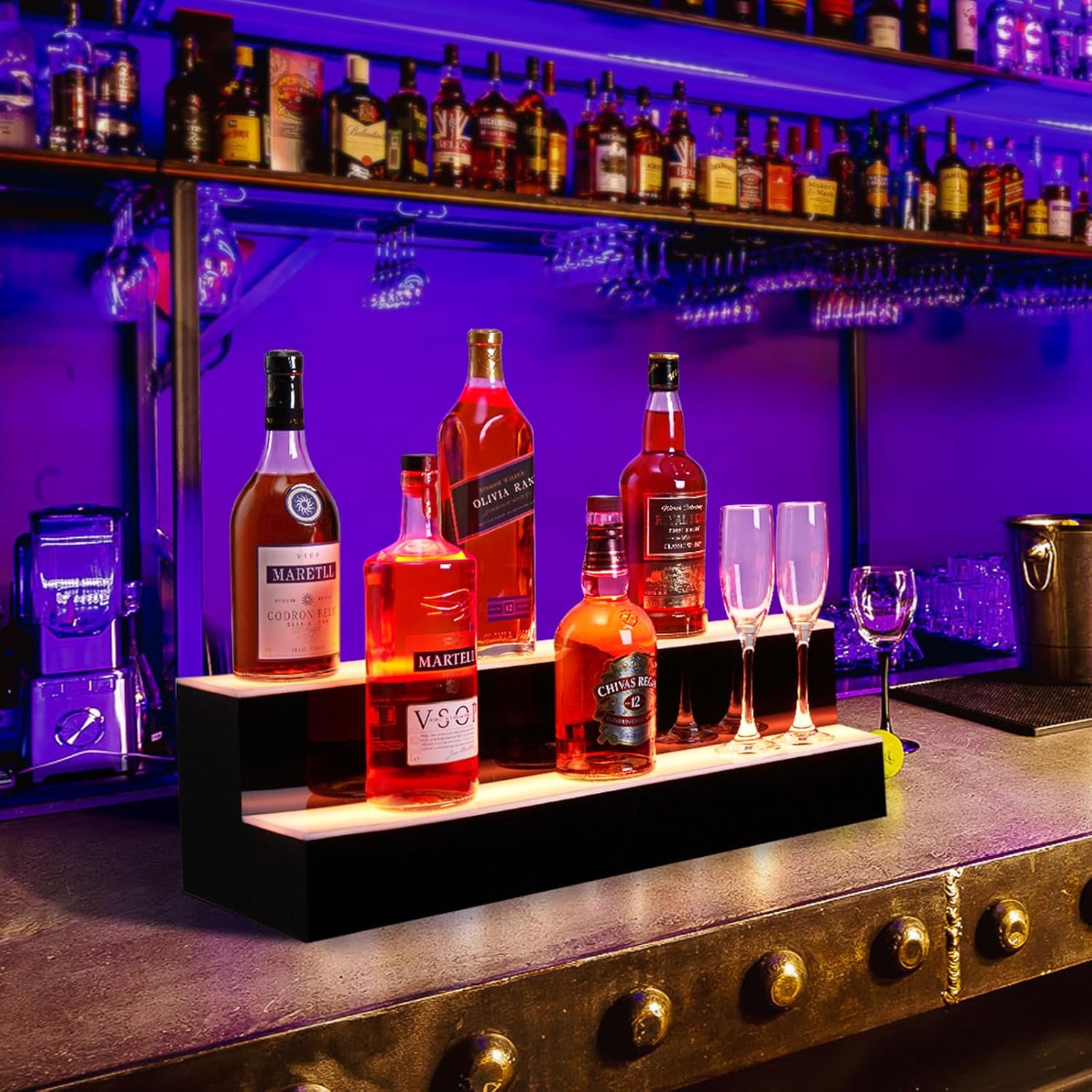
Figure 4.1: Illustration of the two optional power modes: via wall adapter or power bank.
5. Operating Instructions
The GarveeHome LED Wall Display can be controlled using the included RF remote or a smartphone application.
5.1 RF Remote Control
The RF remote allows you to adjust various settings from a distance of up to 25 feet (approximately 7.6 meters). Ensure there are no major obstructions between the remote and the display.
- Power On/Off: Press the ON/OFF button.
- Color Shift: Use the color buttons to select from 16 static colors.
- Speed Control: Adjust the speed of dynamic lighting effects.
- Music Mode: Activate lighting effects that synchronize with music.
- Brightness Adjustment: Increase or decrease the light intensity.
- Dynamic Modes: Cycle through various pre-programmed lighting patterns like fade, flash, and static.
5.2 Smartphone App Control
For advanced control and features, download the dedicated smartphone application.
- Download App: Scan the QR code provided in the product packaging or search for the GarveeHome app in your device's app store.
- Connect: Follow the in-app instructions to connect your smartphone to the LED display via Bluetooth.
- Features: The app offers additional functionalities such as:
- Microphone Mode: Lights react to ambient sounds.
- Music Synchronization: More advanced music-reactive lighting.
- Timing Function: Schedule automatic power on/off times.
- Custom Color Palettes: Create and save your own color schemes.
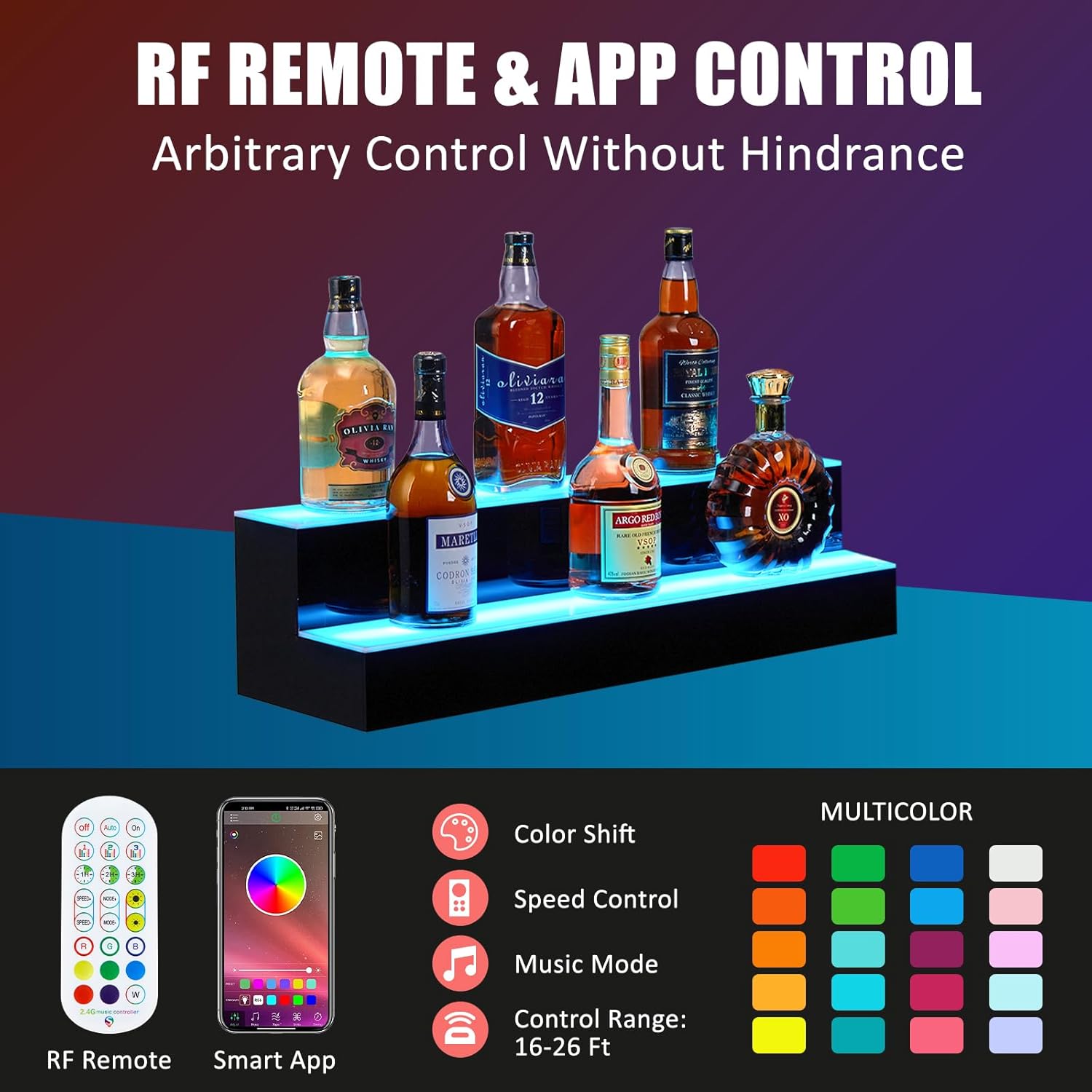
Figure 5.1: Overview of RF Remote and Smart App Control capabilities.

Figure 5.2: Detailed view of the multi-functional smart app control interface.

Figure 5.3: Demonstrating the ability to control multiple GarveeHome LED displays with a single remote or smartphone.
6. Maintenance
To ensure the longevity and optimal performance of your GarveeHome LED Wall Display, follow these simple maintenance guidelines:
- Cleaning: Gently wipe the surface with a soft, dry cloth. For stubborn marks, a slightly damp cloth can be used, followed by a dry cloth. Avoid abrasive cleaners or solvents.
- Storage: If storing the display for an extended period, disconnect it from power and store it in a cool, dry place away from direct sunlight.
7. Troubleshooting
If you encounter any issues with your GarveeHome LED Wall Display, refer to the following common problems and solutions:
| Problem | Possible Cause | Solution |
|---|---|---|
| Display does not light up. | No power connection or faulty power source. | Check if the power adapter is securely plugged into both the display and the wall outlet. Try a different outlet or power source. |
| Remote control is not working. | Remote battery is dead or remote is out of range. | Replace the remote control battery. Ensure you are within the 25-foot operating range and there are no obstructions. |
| App cannot connect to the display. | Bluetooth is off or display is already connected to another device. | Ensure Bluetooth is enabled on your smartphone. Disconnect from other devices if necessary. Restart the app and the display. |
| Lights are flickering or inconsistent. | Loose connection or power fluctuation. | Check all power connections. Ensure the power source is stable. |
If the problem persists after trying these solutions, please contact customer support.
8. Specifications
Detailed specifications for the GarveeHome LED Wall Display:

Figure 8.1: The display features a 5mm thick construction for enhanced quality and durability.

Figure 8.2: High-quality materials and construction details, including updated fabric lighting method and reinforced back panel.
| Feature | Detail |
|---|---|
| Brand | GarveeHome |
| Model | LLT-PHO_12QJI9U1Xmfm |
| Color | Black |
| Material | Plastic |
| Product Dimensions (L x W x H) | 85.5 cm x 32.5 cm x 29.5 cm (approx. 33.6 x 12.8 x 11.6 inches) |
| Item Weight | 12.9 Pounds (approx. 5.85 kg) |
| Mounting Type | Wall Mount |
| Assembly Required | No |
| Remote Control Range | 0-32 FT (approx. 0-9.75 meters) |
| Voltage | 100-240 V |
9. Warranty and Support
GarveeHome products are manufactured with quality and reliability in mind. This product comes with a standard manufacturer's warranty against defects in materials and workmanship. For specific warranty details, please refer to the warranty card included with your purchase or visit the official GarveeHome website.
For technical support, troubleshooting assistance, or to inquire about replacement parts, please contact GarveeHome customer service through the contact information provided on our website or your purchase documentation.