
Introduction
Welcome to the user manual for your new BOALZETD P08 Fitness Tracker Smart Watch. This device is designed to help you monitor your health, track your fitness activities, and stay connected. Featuring a 1.47-inch full-touch HD display and a comfortable silicone band, it offers a blend of elegant design and comprehensive functionality. Please read this manual carefully to ensure proper use and maintenance of your device.
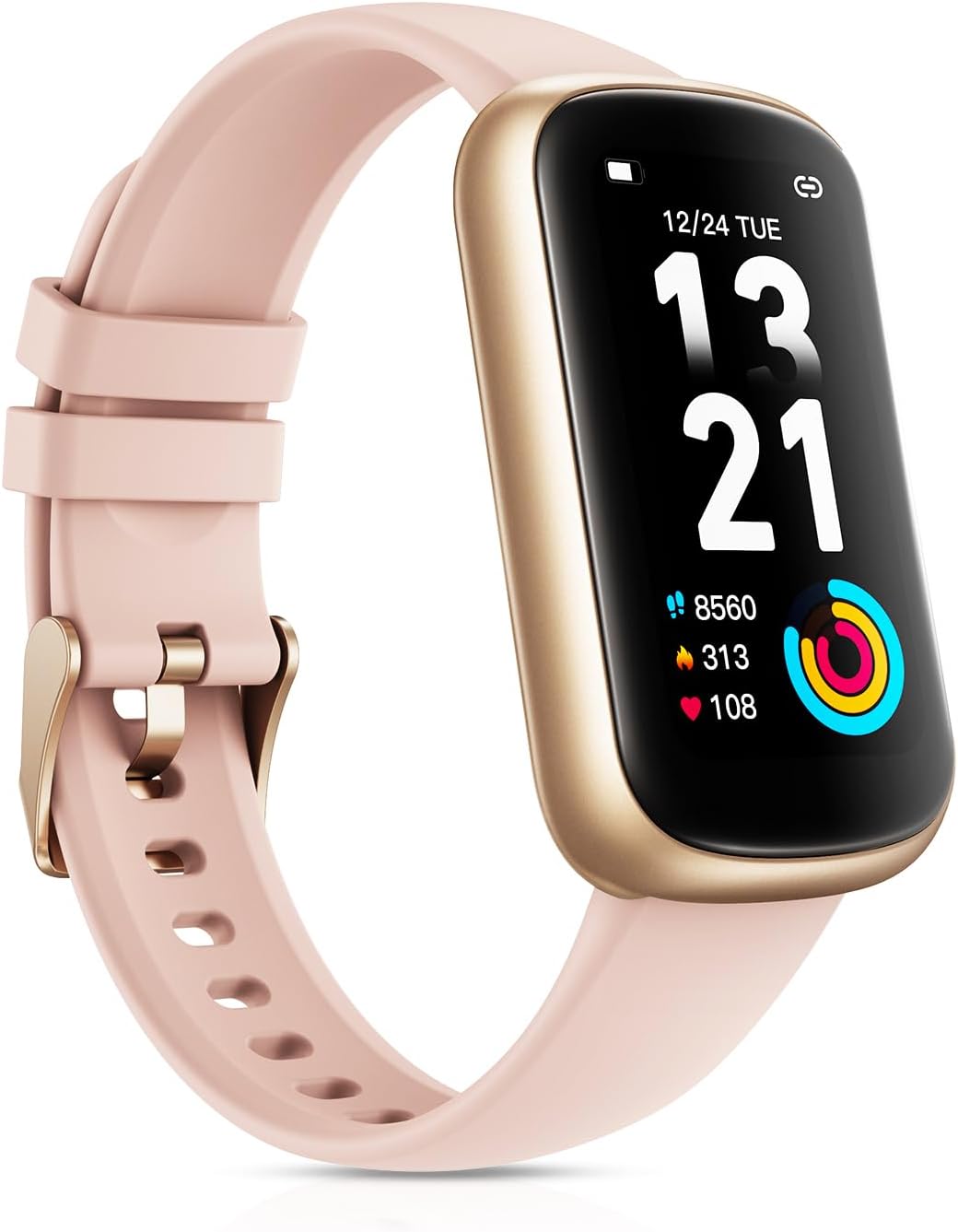
Image: The BOALZETD P08 Fitness Tracker Smart Watch in Rose Pink, showcasing its sleek design and display.
What's in the Box
Upon opening your product package, please verify that all the following items are included:
- Fitness Watch
- Watch Bands
- Charging Cable
- User Manual

Image: A visual representation of the watch dimensions and the items included in the package: the watch dial, strap, charging cable, and user manual.
Setup
1. Charging the Device
Before first use, fully charge your fitness tracker.
- Connect the magnetic charging cable to the charging contacts on the back of the watch.
- Plug the USB end of the cable into a standard USB power adapter (5V/1A recommended) or a computer USB port.
- The watch display will show a charging indicator. A full charge takes approximately 2 hours.

Image: The fitness tracker connected to its magnetic charging cable, illustrating the charging process.
2. App Download and Pairing
To unlock the full potential of your fitness tracker, download the companion app.
- Scan the QR code in the user manual or search for "GloryFit" in your smartphone's app store (compatible with iOS 9.0+ and Android 4.4+).
- Install and open the GloryFit app.
- Follow the in-app instructions to create an account and set up your personal profile.
- Enable Bluetooth on your smartphone.
- In the GloryFit app, navigate to the device section and search for your fitness tracker (P08). Select it to pair.
- Confirm the pairing request on both your phone and the watch if prompted.

Image: A smartphone screen showing the GloryFit app interface alongside the fitness tracker, indicating the app's role in managing health data.
3. Personalizing Watch Faces
Customize your watch face to match your style or mood.
- Through the GloryFit app, you can access over 165+ online watch faces.
- You can also upload your favorite photos to create a personalized watch face.

Image: A selection of diverse watch face designs, demonstrating the customization options available for the fitness tracker.
Operating the Device
Basic Navigation
The watch features a full-touch HD display for easy interaction.
- Swipe Up/Down: Scroll through menus and notifications.
- Swipe Left/Right: Access quick functions or different data screens.
- Tap: Select an item or confirm an action.
- Press Side Button: Return to the home screen or wake the device.
Smart Notifications
Receive call and message alerts directly on your wrist.
- Ensure your watch is connected to your phone via Bluetooth.
- Enable desired app notifications within the GloryFit app settings.
- The watch will vibrate and display incoming calls, SMS, and messages from supported apps (e.g., WhatsApp, Instagram, Facebook).

Image: The fitness tracker showing a message notification, demonstrating its smart notification capability.

Image: Two fitness trackers, one black and one rose pink, displaying smart notifications, with icons of various social media and messaging apps.
Music Control
Control your smartphone's music playback directly from your wrist.
- Ensure the watch is connected to your phone.
- Navigate to the music control interface on the watch.
- You can play, pause, skip tracks, and adjust volume.

Image: A woman wearing headphones and using her fitness tracker to control music playback, highlighting the convenience of wrist-based music control.
Additional Functions
The watch includes several practical features for daily convenience:
- Weather Updates: Get current weather information.
- Alarms: Set silent alarms to wake you up or remind you of tasks.
- Sedentary Reminder: Alerts you to move after periods of inactivity.
- Find Phone: Helps locate your paired smartphone.
- Timer & Stopwatch: Useful for workouts or daily tasks.
- Breathing Training: Guided breathing exercises for relaxation.
- Brightness Adjustment: Adjust screen brightness for optimal viewing.
- Hydration Reminders: Prompts you to drink water.

Image: A collection of icons illustrating various additional functions of the fitness tracker, including weather, alarm, sedentary reminder, find phone, timer, breathing training, stopwatch, and brightness adjustment.
Health Monitoring Features
The BOALZETD P08 provides comprehensive health monitoring to help you stay informed about your well-being.
24/7 Heart Rate Monitoring
Continuously monitors your heart rate throughout the day, providing real-time data and alerts for abnormal readings.

Image: Three fitness trackers showing different health metrics: heart rate, blood oxygen, and sleep duration, indicating comprehensive health monitoring.

Image: A man cycling outdoors, with a close-up of the fitness tracker displaying real-time heart rate data, emphasizing automatic heart rate monitoring.
Blood Oxygen Monitoring
Check your blood oxygen saturation levels at any time to better understand your respiratory health.

Image: The fitness tracker displaying a blood oxygen measurement, with a graph on a smartphone screen showing historical blood oxygen data.
Nighttime Sleep Analysis
Analyzes your sleep patterns, including deep sleep, light sleep, and awake times, to provide detailed insights into your sleep quality.

Image: The fitness tracker displaying sleep duration, with a smartphone screen showing a detailed sleep analysis graph, including deep and light sleep stages.
Women's Health Tracking
Record and predict menstrual and ovulation periods, helping users understand their body data more clearly.

Image: The fitness tracker displaying a women's health tracking interface, with a calendar on a smartphone screen showing predicted menstrual and ovulation periods.
Sports Modes
The fitness tracker offers 24 versatile sport modes to help you track and analyze your workouts effectively.
- Measure exercise time, distance, speed, real-time heart rate, calorie burn, and step count.
- Data analysis helps enhance your workout efficiency.

Image: A woman running outdoors, with icons representing various sports modes such as running, walking, cycling, and more, highlighting the tracker's versatility.

Image: A collage of individuals participating in different sports like tennis, running, and strength training, illustrating the wide range of sports modes supported by the tracker.
Battery Life
The BOALZETD P08 is equipped with a 200mAh battery designed for extended use.
- Charging Time: Approximately 2 hours for a full charge.
- Regular Use: Provides 10-15 days of battery life.
- Standby Time: Up to 30 days.

Image: The fitness tracker screen showing "Fully charged" and text indicating 2 hours charging time, 15 days daily use, and 30 days standby time, emphasizing its long battery life.
Waterproofing
The BOALZETD P08 features a 3ATM waterproof design, making it suitable for daily life and workout scenarios.
- It can withstand sweat, handwashing, and light rain.
- Important Note: This device is not suitable for swimming or diving. Avoid prolonged submersion in water.

Image: The fitness tracker partially submerged in water, illustrating its 3ATM waterproof capability for daily activities.

Image: A woman running in the rain while wearing the fitness tracker, accompanied by icons indicating resistance to sweat, bath, rain, and handwashing.
Maintenance
To ensure the longevity and optimal performance of your fitness tracker, follow these maintenance guidelines:
- Cleaning: Regularly clean the watch and strap with a soft, damp cloth. Avoid using harsh chemicals or abrasive materials. Ensure the charging contacts are clean and dry before charging.
- Storage: Store the device in a cool, dry place when not in use. Avoid extreme temperatures.
- Avoid Impact: Protect the watch from strong impacts or drops, which can damage the screen or internal components.
- Charging: Use only the provided charging cable.
Troubleshooting
If you encounter issues with your fitness tracker, try the following steps:
| Issue | Possible Solution |
|---|---|
| Watch not turning on/charging | Ensure the charging cable is securely connected to both the watch and the power source. Try a different USB port or adapter. Allow the watch to charge for at least 10 minutes before attempting to turn it on. |
| Cannot pair with smartphone | Ensure Bluetooth is enabled on your phone. Make sure the watch is sufficiently charged. Restart both the watch and your phone. Try unpairing and re-pairing the device in the GloryFit app. Ensure the app has necessary permissions. |
| Inaccurate health data (HR, SpO2, Sleep) | Ensure the watch is worn snugly but comfortably on your wrist, about one finger's width above the wrist bone. Avoid excessive movement during measurements. Clean the sensor on the back of the watch. |
| Notifications not received | Check Bluetooth connection. Verify notification permissions for the GloryFit app in your phone's settings. Ensure notifications are enabled for specific apps within the GloryFit app. Keep the app running in the background. |
| Short battery life | Reduce screen brightness. Turn off continuous heart rate monitoring if not needed. Limit the number of active notifications. Ensure the watch is fully charged each time. |
If the issue persists, please refer to the GloryFit app's help section or contact BOALZETD customer support for further assistance.
Specifications
| Feature | Detail |
|---|---|
| Model Number | P08 |
| Display Size | 1.47 Inches |
| Product Dimensions | 1.81 x 1.02 x 0.39 inches |
| Item Weight | 2.89 ounces |
| Battery Capacity | 200 Milliamp Hours (Lithium Polymer) |
| Connectivity | Bluetooth |
| Water Resistance | 3ATM (Splash, rain, handwashing resistant; not for swimming/diving) |
| Operating System Compatibility | Android & iOS |
| Special Features | Heart Rate/Blood Oxygen Monitor, Step Counter, Calorie Consumption, Weather Forecast, Music/Camera Control, Fitness & Activity Tracker, Calls & Messages Notification, Sleep Tracker |
| Manufacturer | Shenzhen DOOGEE Hengtong Technology CO.,LTD |
| Country of Origin | China |
Warranty and Support
For warranty information and customer support, please refer to the documentation included with your purchase or contact the seller directly. You can also visit the official BOALZETD brand store on Amazon for more information and contact options:BOALZETD Store.
Please retain your proof of purchase for any warranty claims.