
1. Introduction
This manual provides essential instructions for the safe and effective operation, maintenance, and care of your DEKO PRO 12V Cordless Drill Set. Please read this manual thoroughly before using the tool and retain it for future reference.
The DEKO PRO 12V Cordless Drill is designed for drilling into wood and plastic, as well as for tightening and loosening screws. Its compact and lightweight design makes it suitable for various household and DIY tasks.
2. Package Contents
Verify that all items listed below are present in your package:
- 1 x DEKO PRO 12V Cordless Drill
- 1 x Type-C Charge Cable
- 1 x Magnetic Bit Holder (60 mm)
- 6 x Twisted Drill Bits (2, 2.5, 3, 4, 5, 6 mm)
- 6 x Screwdriver Bits (SL4, SL6, PH1, PH2, PZ1, PZ2)
- 1 x User Manual (this document)

Image 2.1: The DEKO PRO 12V Cordless Drill Set, including the drill, charging cable, and various bits, all contained within a portable carrying case.

Image 2.2: A visual representation of the drill, Type-C charging cable, twisted drill bits, magnetic bit, and screwdriver bits included in the package.
3. Product Features and Components
Familiarize yourself with the key components of your cordless drill:

Image 3.1: Diagram illustrating the main components: 3/8-inch Keyless Chuck, LED Light, Variable Speed Control Trigger, Forward/Reverse Switch, Soft Grip Handle, Charging Input Port, and Battery Charge Indicator Light.
- 3/8-inch Keyless Chuck: Allows for quick and easy bit changes without a key.
- LED Light: Illuminates the work area for improved visibility in dark spaces.
- Variable Speed Control Trigger: Provides precise control over drilling speed based on pressure applied.
- Forward/Reverse Switch: Changes the rotation direction for drilling or screw driving/removal.
- Soft Grip Handle: Ergonomically designed for comfortable and secure handling.
- Charging Input Port: USB Type-C port for convenient battery charging.
- Battery Charge Indicator Light: Displays the current battery level.

Image 3.2: The battery indicator lights show charge levels: Red (>90%), Orange (>66%), Blue (<33%).
4. Setup
4.1 Charging the Battery
The drill is powered by a built-in rechargeable battery. Before first use, ensure the battery is fully charged.
- Locate the Type-C charging input port at the base of the drill handle.
- Connect the provided Type-C charging cable to the drill.
- Plug the other end of the cable into a universal USB charger or USB output (not included).
- The battery indicator lights will show charging progress. Charge until the indicator shows a full charge.
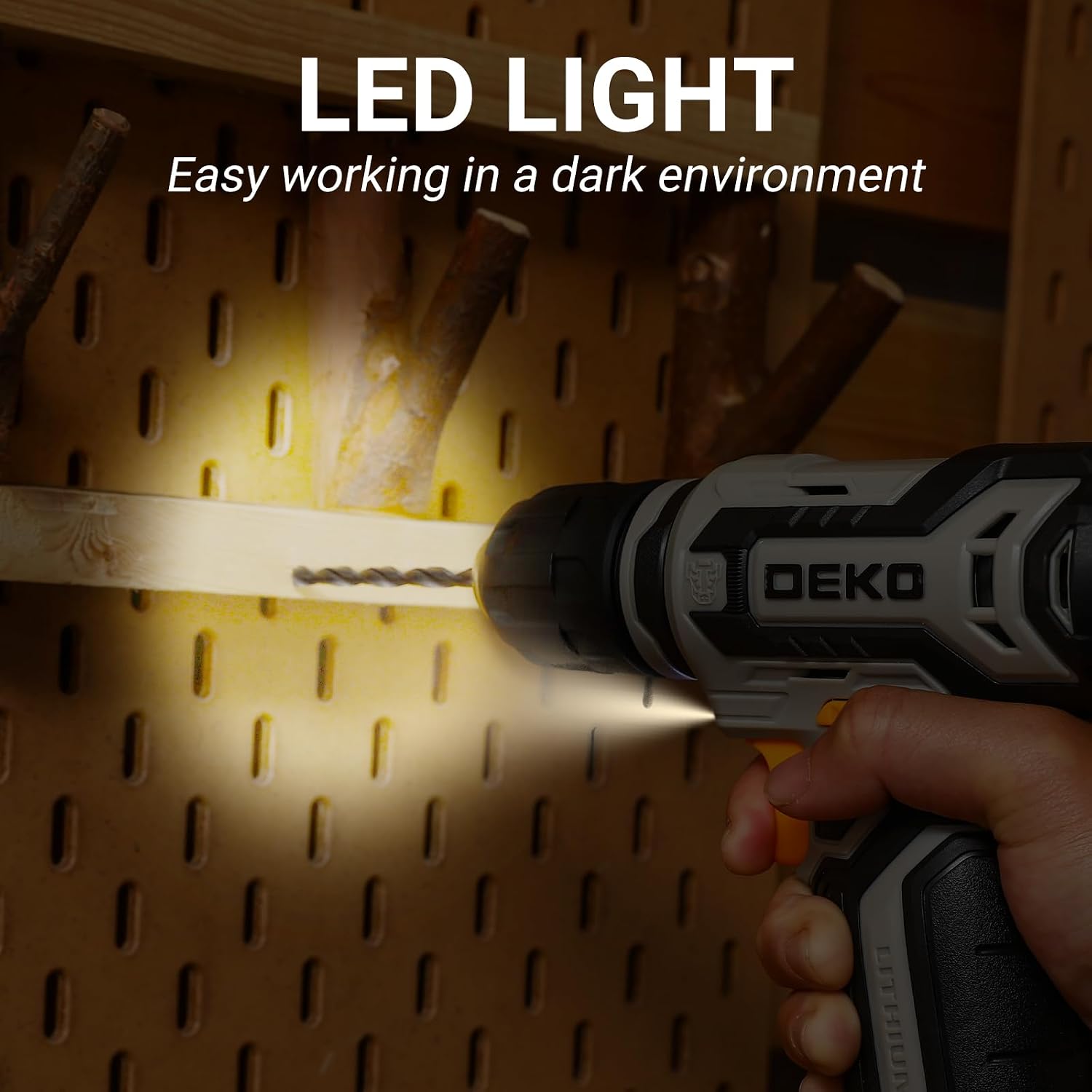
Image 4.1: The cordless drill with its Type-C charging cable connected, ready for charging.
4.2 Inserting and Removing Bits
The 3/8-inch keyless chuck allows for quick and secure bit changes.
- To Insert a Bit: Rotate the chuck counter-clockwise to open the jaws. Insert the desired drill bit or screwdriver bit into the chuck. Rotate the chuck clockwise to tighten the jaws securely around the bit. Ensure the bit is centered and firmly held.
- To Remove a Bit: Rotate the chuck counter-clockwise to loosen the jaws, then pull the bit out.
For screwdriver bits, you can use the magnetic bit holder for extended reach and easier bit changes.

Image 4.2: Visual guide on using the keyless chuck: rotate forward to lock the drill chuck and reverse to remove screws or release stuck bits.

Image 4.3: The electric drill connected with a screwdriver bit through the magnetic bit holder.
5. Operating Instructions
5.1 Power On/Off and Speed Control
The drill features a variable speed control trigger.
- To start the drill, press the variable speed control trigger.
- The speed of the drill increases as you apply more pressure to the trigger.
- To stop the drill, release the trigger.

Image 5.1: The orange variable speed control trigger, which regulates the drill's rotational speed.
5.2 Forward/Reverse Operation
The forward/reverse switch controls the direction of rotation.
- To rotate clockwise (for drilling or driving screws), push the switch to the left.
- To rotate counter-clockwise (for removing screws or backing out bits), push the switch to the right.
- When the switch is in the center position, the trigger is locked, preventing accidental startup.

Image 5.2: The forward/reverse switch, located above the trigger, allows for changing the direction of rotation.
5.3 LED Work Light
The built-in LED light automatically activates when the trigger is pressed, illuminating your work area for better visibility, especially in dimly lit conditions.

Image 5.3: The LED light provides illumination for working in dark environments.
5.4 Applications
The DEKO PRO 12V Cordless Drill is suitable for a variety of tasks:
- Drilling: Use appropriate drill bits for materials like wood and plastic.
- Screw Driving: Use screwdriver bits to tighten or loosen screws.

Image 5.4: The drill in use for drilling screws and drilling into wood.

Image 5.5: Examples of multiple usage scenarios: screw driving, drilling wood, and drilling metal.
6. Maintenance
Regular maintenance ensures the longevity and optimal performance of your drill.
- Cleaning: Keep the ventilation openings clear and clean. Use a soft, damp cloth to wipe down the tool. Do not use harsh chemicals or abrasive cleaners.
- Storage: Store the drill and its accessories in a dry, secure place, away from direct sunlight and extreme temperatures. Keep out of reach of children.
- Battery Care: Avoid fully discharging the battery frequently. Recharge the battery before it is completely depleted to prolong its lifespan.
7. Troubleshooting
If you encounter issues with your drill, refer to the following common problems and solutions:
| Problem | Possible Cause | Solution |
|---|---|---|
| Drill does not start | Battery is discharged Forward/Reverse switch is in center (locked) position | Charge the battery Move the switch to the forward or reverse position |
| Bit slips in chuck | Chuck not tightened sufficiently Bit shank is dirty or damaged | Tighten the chuck firmly by hand Clean the bit shank or replace the bit |
| Reduced power or speed | Low battery charge | Recharge the battery |
| Overheating | Continuous heavy use Blocked ventilation slots | Allow the drill to cool down Clear any obstructions from the ventilation slots |
8. Specifications
| Feature | Specification |
|---|---|
| Brand | DEKOPRO |
| Model Number | DKCD12XL02G-S2 |
| Power Source | Battery Powered |
| Voltage | 12 Volts |
| Maximum Rotational Speed | 800 RPM |
| Amperage | 25 Amps |
| Maximum Power | 600 Watts |
| Chuck Size | 3/8-inch Keyless |
| Drilling Capacity (Wood) | 0.38 Inches |
| Battery Cell Type | Lithium Ion |
| Item Weight | 1.51 Kilograms (approx. 3.32 pounds) |
| Product Dimensions | 10.6"L x 2.3"W x 7.4"H |
9. Safety Information
Always follow basic safety precautions when using power tools to reduce the risk of injury.
- Wear appropriate personal protective equipment, such as safety glasses, hearing protection, and gloves.
- Ensure your work area is well-lit and clear of obstructions.
- Secure the workpiece firmly before drilling or driving.
- Do not operate the drill in damp or wet conditions.
- Keep hands and loose clothing away from moving parts.
- Disconnect the drill from the power source (charging cable) before making any adjustments, changing accessories, or storing the tool.
- Do not force the tool; let the tool do the work at its intended speed.