
1. Introduction
This manual provides essential instructions for the safe and efficient operation, maintenance, and troubleshooting of your RYOBI ONE+ 1800-Watt Power Station Battery Inverter. Please read this manual thoroughly before using the product and retain it for future reference. Proper understanding of these instructions will ensure optimal performance and extend the lifespan of your power station.
Important Safety Information
- Always operate the power station in a well-ventilated area.
- Do not expose the unit to rain or wet conditions.
- Ensure all connections are secure before operation.
- Use only RYOBI ONE+ 18V batteries with this power station.
- Keep children and pets away from the operating unit.
- Refer to the battery manufacturer's instructions for battery safety and charging.
2. Product Overview and Features
The RYOBI ONE+ 1800-Watt Power Station is a versatile battery inverter designed to provide portable power for various applications. It features multiple outlets and advanced technology for reliable performance.

Figure 2.1: Overview of the RYOBI ONE+ 1800-Watt Power Station with key features labeled. This image highlights the external LED light, LCD screen, Bluetooth capability, battery compartments, and various output ports.
Key Features:
- High Power Output: Provides 1800 running watts and 3000 starting watts to power a wide range of devices and small appliances.
- Battery Compatibility: Compatible with all RYOBI 18V ONE+ batteries, with capacity for up to eight batteries for extended runtime.
- Hot-Swappable Batteries: Allows for battery replacement without interrupting power output.
- Pure Sine Wave Technology: Ensures clean and stable power, safe for sensitive electronics.
- Integrated LCD Screen: Displays real-time battery levels and load information.
- Bluetooth GENCONTROL™ App: Monitor battery status and load levels, and control the power station remotely via a smartphone app.
- Multiple Output Ports: Includes AC outlets, USB-A, and 60W USB-C ports.
- Solar Charging Capable: Supports solar panel input for convenient recharging (solar panel and charging adaptor sold separately).
- External LED Light: Provides illumination for convenience.
- Portable Design: Equipped with handles for easy transport.
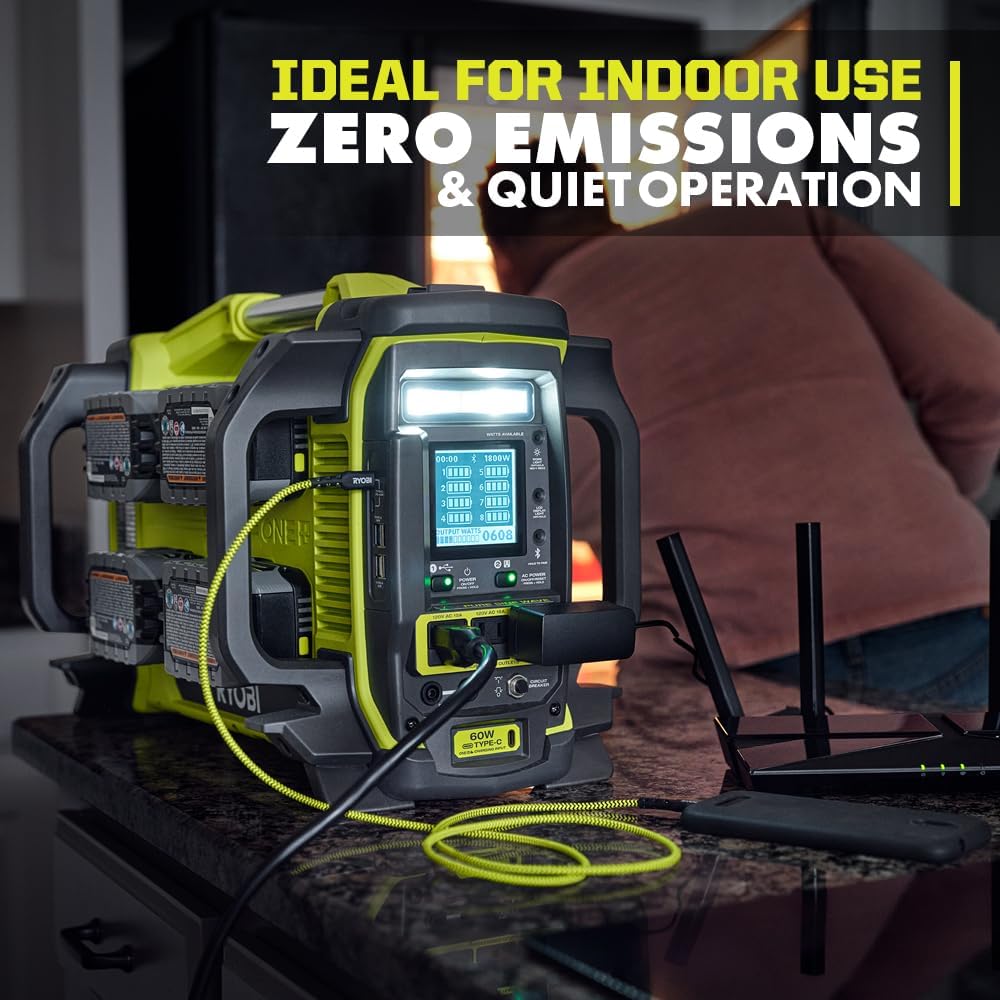
Figure 2.2: The power station operating indoors, demonstrating its quiet operation and zero emissions, making it suitable for indoor use.
3. Setup
3.1 Unpacking and Inspection
Carefully remove the power station from its packaging. Inspect the unit for any signs of damage that may have occurred during shipping. If any damage is found, do not operate the unit and contact customer support immediately.
3.2 Battery Installation
- Ensure the power station is turned off.
- Open the battery compartments located on the sides of the unit.
- Insert fully charged RYOBI 18V ONE+ batteries into the slots. The unit can accommodate up to eight batteries. For optimal performance, it is recommended to use batteries of similar charge levels and capacities.
- Close the battery compartment covers securely.
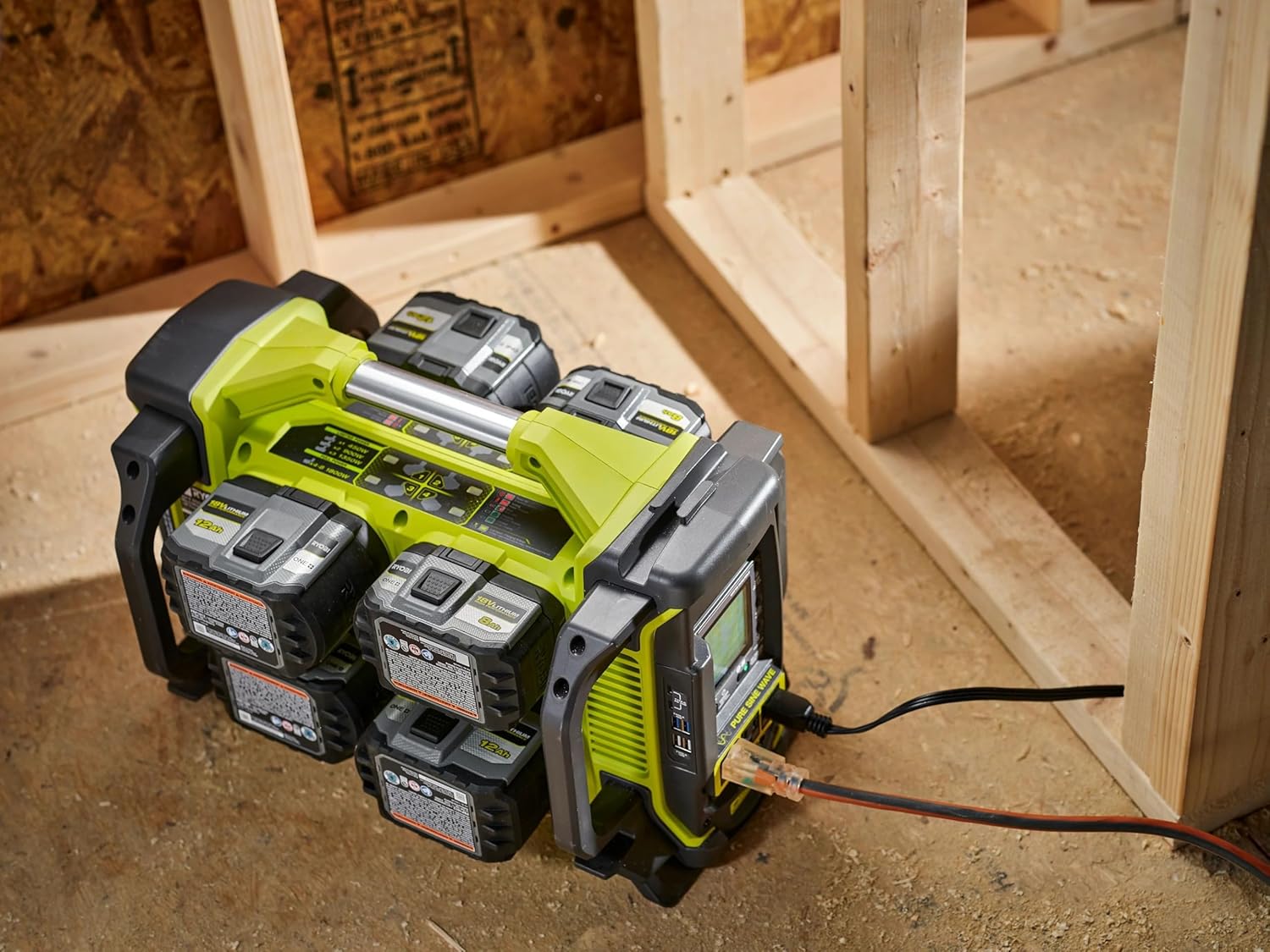
Figure 3.1: The power station with multiple RYOBI ONE+ 18V batteries inserted into its compartments, ready for operation.
3.3 Initial Power On
Press the main power button on the control panel. The LCD screen will illuminate, displaying battery levels and system status. The unit is now ready for operation.
4. Operation
4.1 Connecting Devices
The power station offers various output options:
- AC Outlets: Plug in standard household appliances and tools. Ensure the total wattage does not exceed the unit's running watt capacity (1800W).
- USB-A Ports: Connect and charge USB-powered devices such as smartphones and tablets.
- USB-C Port (60W): For faster charging of compatible USB-C devices.
To activate the AC outlets, press the AC power button on the control panel. Similarly, activate the USB ports if they do not automatically power on when a device is connected.

Figure 4.1: The power station actively supplying power to various devices and small appliances, demonstrating its multi-port functionality.
4.2 Monitoring with GENCONTROL™ App
The RYOBI GENCONTROL™ app allows you to monitor and control your power station remotely via Bluetooth.
- Download the RYOBI GENCONTROL™ app from your device's app store.
- Ensure Bluetooth is enabled on your smartphone.
- Turn on the power station.
- Open the app and follow the on-screen instructions to pair your device with the power station.
- Once connected, you can view battery levels, output wattage, and remotely turn AC power on/off.

Figure 4.2: A smartphone screen showing the RYOBI GENCONTROL™ app, which displays battery status and output wattage, allowing remote monitoring and control.
4.3 Charging Batteries (with optional adaptor)
The power station can charge 18V ONE+ batteries using a compatible charging adaptor (sold separately). Connect the adaptor to the designated charging port on the power station and plug it into a wall outlet. The LCD screen will indicate charging status.
4.4 Solar Charging (with optional solar panel)
For convenient portable power, the unit is solar charging capable. Connect a compatible solar panel (sold separately) to the designated solar input port. Ensure the solar panel is positioned to receive maximum sunlight. The LCD screen will show charging progress.
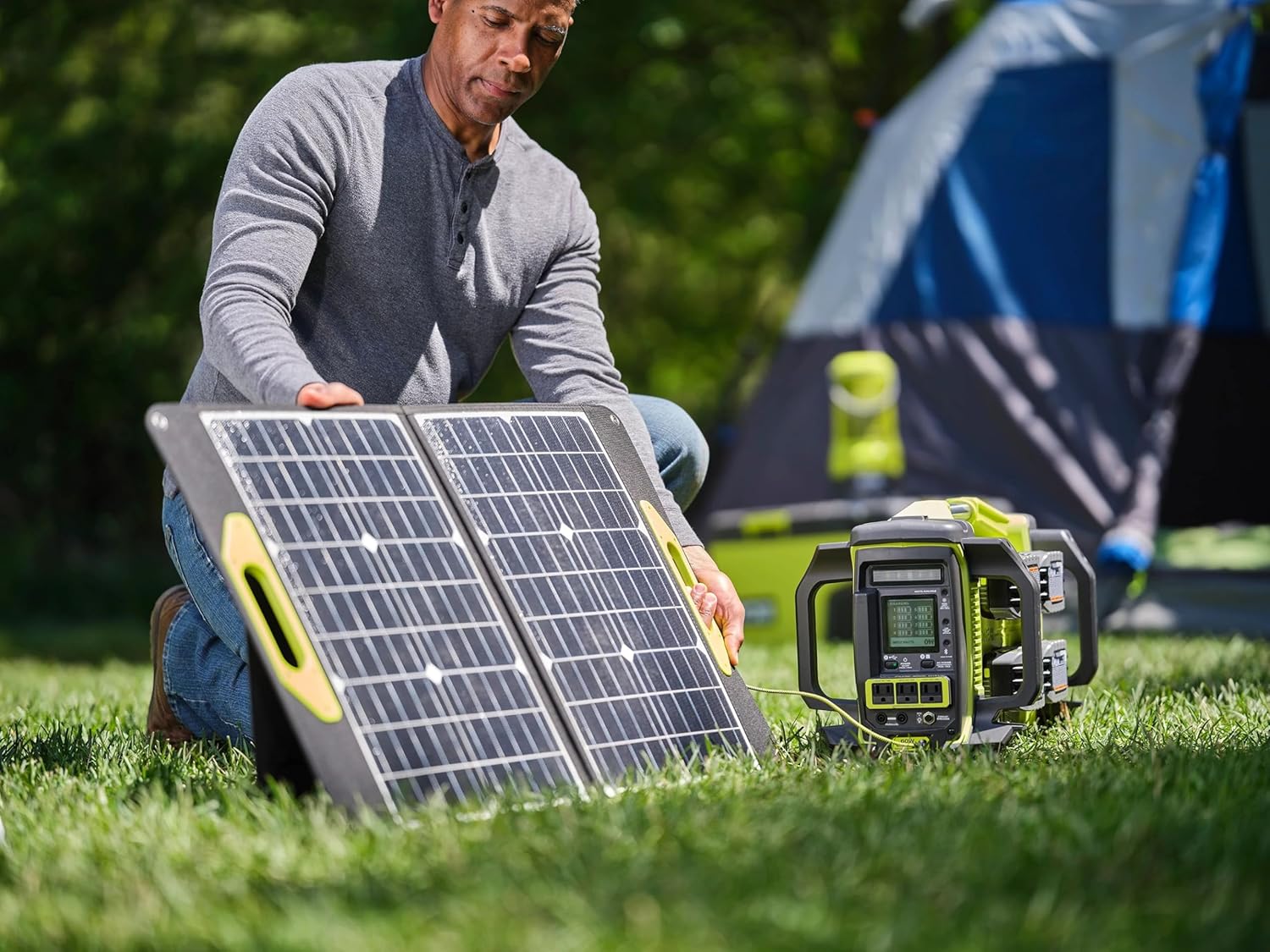
Figure 4.3: The power station connected to a portable solar panel, demonstrating its solar charging capability for off-grid power replenishment.
5. Maintenance
5.1 Cleaning
- Always disconnect all devices and turn off the power station before cleaning.
- Use a soft, dry cloth to wipe down the exterior of the unit.
- Do not use abrasive cleaners, solvents, or immerse the unit in water.
- Keep ventilation openings clear of dust and debris.
5.2 Storage
- Store the power station in a cool, dry place away from direct sunlight and extreme temperatures.
- Remove batteries if storing for extended periods. Store batteries separately according to their manufacturer's instructions.
- Ensure the unit is clean and dry before storage.
5.3 Battery Care
- Regularly charge and discharge batteries to maintain their health, even if not frequently used.
- Avoid fully draining batteries repeatedly, as this can reduce their lifespan.
- Refer to your RYOBI 18V ONE+ battery manual for specific care and charging instructions.
6. Troubleshooting
If you encounter issues with your power station, refer to the following common problems and solutions:
| Problem | Possible Cause | Solution |
|---|---|---|
| Power station does not turn on. | Batteries are not installed correctly or are fully discharged. | Ensure batteries are properly seated and charged. Replace with fully charged batteries if necessary. |
| No power output from AC outlets. | AC power button not activated; Overload; Low battery. | Press the AC power button. Reduce the connected load. Check battery levels and replace/recharge if low. |
| Batteries drain quickly. | High power draw from connected devices; Batteries are old or damaged; Inefficient battery usage. | Reduce the number or power consumption of connected devices. Consider using higher capacity batteries. Ensure batteries are in good condition. |
| GENCONTROL™ app not connecting. | Bluetooth is off; Power station is off; App issue. | Ensure Bluetooth is enabled on your phone and the power station is on. Restart the app or power station. |
| Unit is not charging via solar. | Solar panel not connected correctly; Insufficient sunlight; Incompatible solar panel. | Verify solar panel connection. Ensure panel is in direct sunlight. Use a compatible solar panel and charging adaptor. |
7. Specifications
Technical specifications for the RYOBI ONE+ 1800-Watt Power Station Battery Inverter:

Figure 7.1: Dimensional view of the RYOBI ONE+ 1800-Watt Power Station, showing its length, width, and height.
| Feature | Detail |
|---|---|
| Brand | RYOBI |
| Model Name | 1800-WATT POWER STATION |
| Model Number | RYi818BT |
| Running Watts | 1800 Watts |
| Starting Watts | 3000 Watts |
| Voltage | 18 Volts (Battery System) |
| Power Source | Battery Powered (RYOBI 18V ONE+ batteries) |
| Number of Outlets | 3 AC outlets, Multiple USB ports (USB-A, 60W USB-C) |
| Special Features | Portable, USB Port, Pure Sine Wave, Bluetooth GENCONTROL™ App, Solar Charging Capable, External LED Light |
| Item Weight | 19.4 Pounds |
| Item Dimensions (L x W x H) | 20.4 x 12.7 x 14 inches |
| Recommended Uses | Residential, Portable Power, Backup Power |
| UPC | 046396039798 |
8. Warranty and Support
8.1 Warranty Information
This RYOBI ONE+ 1800-Watt Power Station is covered by a 3 Year Manufacturer Warranty. This warranty covers defects in material and workmanship under normal use. For specific terms, conditions, and limitations, please refer to the official warranty documentation provided with your product or contact RYOBI customer service.
8.2 Customer Support
For technical assistance, warranty claims, or to purchase accessories and replacement parts, please contact RYOBI customer support. Contact information can typically be found on the manufacturer's official website or in the product packaging.
Manufacturer: RYOBI


