
Visiofire Green Laser Bore Sight Kit (B0D7T9H1RL)
Visiofire USB Rechargeable Green Laser Bore Sight Kit Instruction Manual
Introduction
The Visiofire USB Rechargeable Green Laser Bore Sight Kit is designed to assist in quickly and accurately sighting firearms. This kit includes 64 upgraded adapters, making it compatible with a wide range of calibers from .17 to 12 GA. The professional-grade green laser provides high visibility for efficient calibration, saving time and ammunition during the zeroing process. Its USB rechargeable battery ensures convenience and extended use.
What's in the Box
- 1 x Green Laser Bore Sighter
- 64 x Adapters (fits all guns from .17 to 12 GA)
- 64 x Updated Screws
- 1 x Arbor
- 1 x Upgraded Suit Case
- 2 x Enhanced High-Capacity CR2 Batteries
- 1 x Adjustment Hexagonal Key
- 1 x Screwdriver
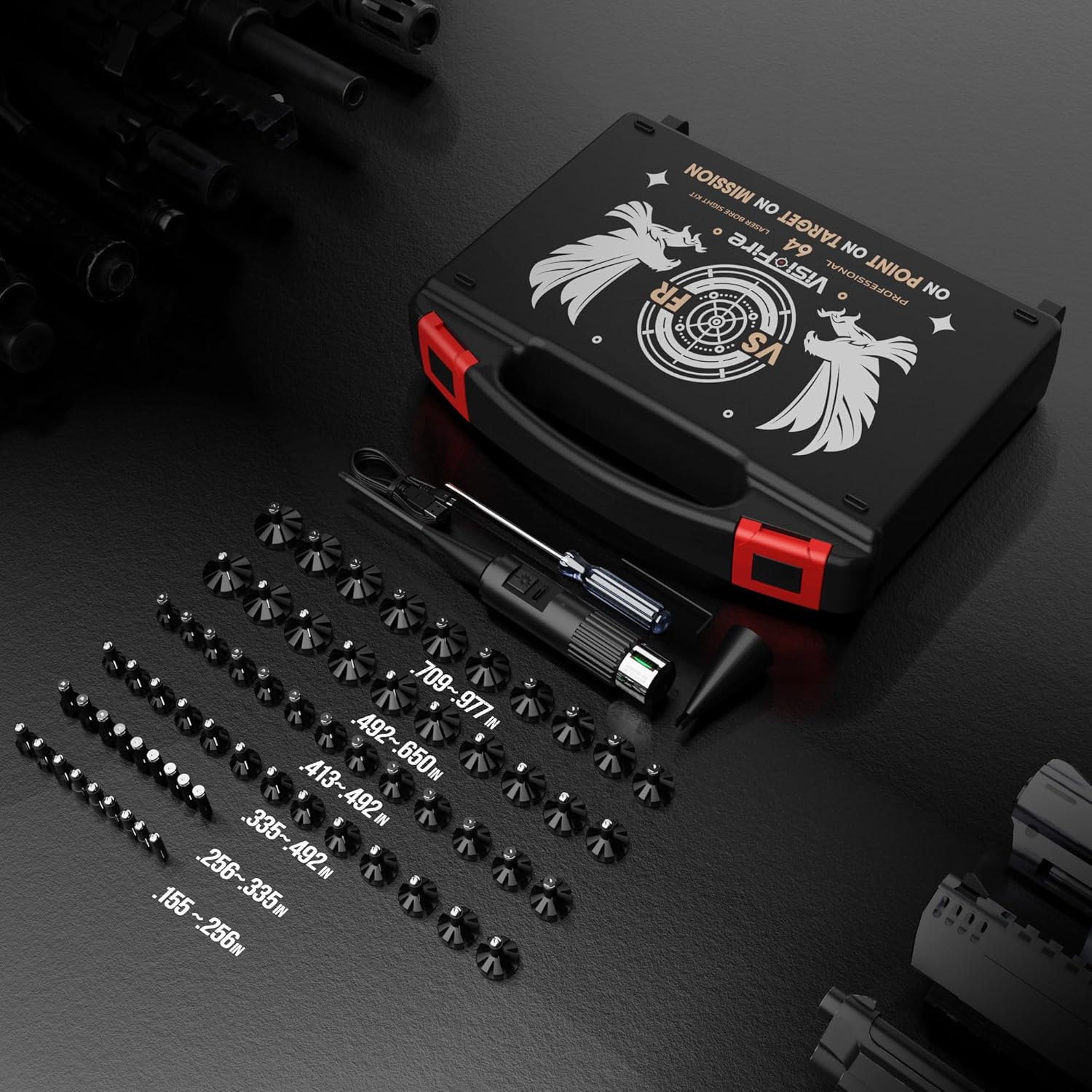
Image: The complete Visiofire Laser Bore Sight Kit contents, showcasing the laser unit, 64 adapters, and accessories within its protective case.
Setup
Charging the Laser Bore Sighter
Before initial use, ensure the laser bore sighter is fully charged. Connect the provided USB cable to the charging port on the laser unit and to a compatible USB power source. The charging indicator will show the charging status. A full charge provides approximately 72 hours of continuous use.

Image: Detailed view of the laser bore sighter, highlighting its USB charging capability and battery life display.
Selecting and Attaching Adapters
Identify the correct adapter for your firearm's caliber. Each of the 64 adapters is marked with a serial number for easy identification. Attach the selected adapter to the laser bore sighter using the manual knob screw design, ensuring a secure fit. The innovative design allows for quick and accurate adapter replacement.
Installing the Bore Sighter into the Barrel
Once the adapter is securely attached, carefully insert the bore sighter into the firearm's barrel from the muzzle end. Ensure the bore sighter is seated firmly and straight within the barrel. For enhanced stability, especially with 5.51-12GA calibers, utilize the included arbor to create two contact points within the barrel.
Video: An overview demonstrating the tool-free setup and operation of the Visiofire Green Laser Bore Sight Kit, including adapter attachment and insertion into a firearm barrel.
Video: A product overview of the Visiofire 64 adapter kit, illustrating the variety and selection of adapters for different calibers.
Operating Instructions
Zeroing Your Firearm
- Safety First: Always ensure your firearm is unloaded and pointed in a safe direction before handling.
- Install Bore Sighter: Follow the setup instructions to install the bore sighter into your firearm's barrel.
- Activate Laser: Press the switch on the bore sighter to activate the green laser beam.
- Position Target: Place a target at your desired zeroing distance (e.g., 25 yards for initial adjustment, 100 yards for final zero). The green laser is visible up to 400 yards.
- Align Optics: Adjust your firearm's scope or sights until the reticle aligns with the laser dot on the target. Make precise adjustments using the windage and elevation knobs on your optic.
- Verify Zero: After initial laser zeroing, it is recommended to fire a few live rounds at the range to confirm and fine-tune your zero. The laser provides a close approximation, reducing the number of live rounds needed.
- Remove Bore Sighter: Once zeroing is complete, turn off the laser and carefully remove the bore sighter from the barrel.

Image: Illustrates the precision of the bore sighter in aligning a firearm's optics with a target.
Compatible Firearms
This laser bore sight kit is compatible with a wide array of firearms, including rifles, shotguns, handguns, and revolvers, covering calibers from .17 to 12 GA.
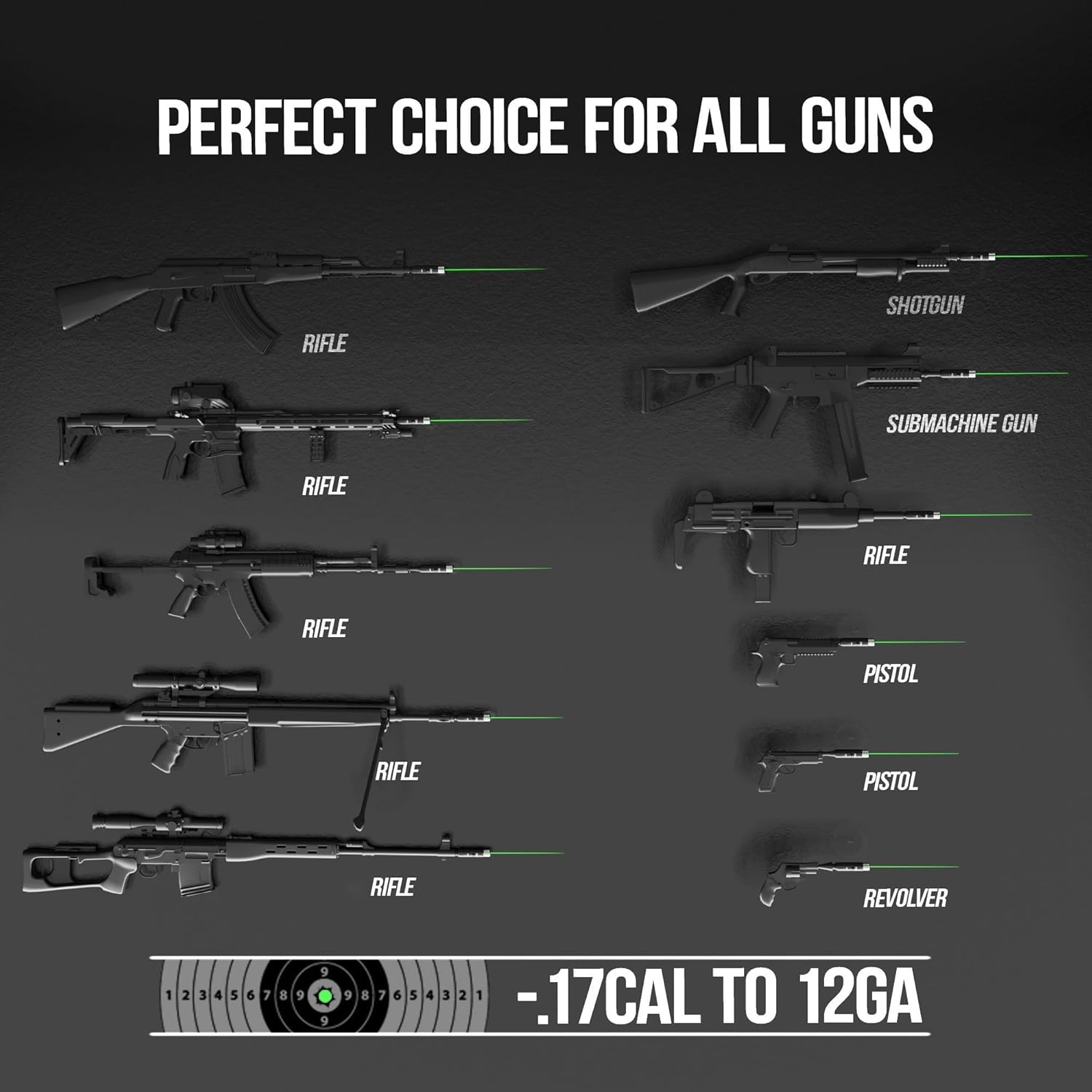
Image: Demonstrates the bore sighter's compatibility with different firearm types, from rifles to handguns.
Maintenance
Cleaning
Keep the laser bore sighter clean and free from debris. Use a soft, dry cloth to wipe the exterior. Avoid using harsh chemicals or abrasive materials that could damage the laser lens or housing.
Battery Care
Recharge the bore sighter regularly to maintain optimal performance. Store the device in its protective case in a cool, dry place when not in use to prolong battery life and prevent damage.
Troubleshooting
- Laser Not Activating: Ensure the bore sighter is fully charged. Check the power switch for proper engagement.
- Dim Laser Beam: Recharge the device. A dim beam often indicates a low battery.
- Inaccurate Sighting:
- Verify that the correct adapter is used for your firearm's caliber.
- Ensure the adapter is securely attached to the laser unit.
- Confirm the bore sighter is seated firmly and straight within the barrel.
- Check for any obstructions in the barrel or on the laser lens.
- Environmental factors like extreme heat or cold can affect laser performance.
- Adapter Fit Issues: Double-check the adapter serial number against your firearm's caliber. Ensure the manual knob screw is tightened appropriately without over-tightening.
Specifications
| Brand | Visiofire |
| Model Name | Laser Bore Sight Kit |
| Color | Green Laser |
| Material | Aluminum |
| Product Dimensions | 9.45"L x 1.8"W x 7.68"H |
| Compatible Devices | Shotgun, Handgun, Rifle |
| Number of Adapters | 64 |
| Reticle Type | Dot |
| Laser Class | Class IIIA (less than 5mW) |
Warranty Information
This Visiofire Laser Bore Sight Kit is covered by a 2-Year Manufacturer Warranty. Please retain your proof of purchase for any warranty claims.
Customer Support
For further assistance, technical support, or warranty inquiries, please contact Visiofire customer service through the retailer's platform or the official Visiofire website. Have your product model and purchase date available when contacting support.
Ask a question about this manual
Ask about setup, troubleshooting, compatibility, parts, safety, or missing instructions. Manuals+ will review the question and use this page’s manual context to help answer it.