1. Introduction
This manual provides detailed instructions for the setup, operation, and maintenance of your Audiosavings Bundle, featuring the JBL VMA1240 Commercial/Restaurant 240W 70v Bluetooth Mixer/Amplifier and Rockville RockSlim 70B Black 5.25" 70v Commercial Restaurant Wall Speakers. This system is designed for commercial and restaurant environments, offering robust audio performance and versatile connectivity.

Figure 1: Complete Audiosavings Audio System Bundle.
2. Important Safety Instructions
- Read these instructions thoroughly before operation.
- Keep these instructions for future reference.
- Heed all warnings on the product and in the operating instructions.
- Follow all instructions.
- Do not use this apparatus near water.
- Clean only with a dry cloth.
- Do not block any ventilation openings. Install in accordance with the manufacturer's instructions.
- Do not install near any heat sources such as radiators, heat registers, stoves, or other apparatus (including amplifiers) that produce heat.
- Do not defeat the safety purpose of the polarized or grounding-type plug.
- Protect the power cord from being walked on or pinched.
- Only use attachments/accessories specified by the manufacturer.
- Unplug this apparatus during lightning storms or when unused for long periods of time.
- Refer all servicing to qualified service personnel.
3. Setup and Installation
3.1 JBL VMA1240 Amplifier Installation
The JBL VMA1240 amplifier can be installed in a rack or placed on a flat surface. A rack mount kit is included for rack installation.

Figure 2: Rear panel of the JBL VMA1240 Amplifier with various connection points.
3.1.1 Connecting Speakers to the Amplifier
The VMA1240 amplifier supports 70V and 100V constant voltage outputs, as well as low impedance (4 Ohm or 8 Ohm) outputs. For the Rockville RockSlim 70B speakers, use the 70V output terminals.
- Locate the OUTPUTS section on the rear panel of the amplifier.
- Connect the positive (+) terminal of each speaker to the 70V terminal on the amplifier.
- Connect the negative (-) terminal of each speaker to the COM (common) terminal on the amplifier.
- Ensure all connections are secure.
3.1.2 Connecting Audio Sources
The amplifier features multiple input options:
- Euroblock Inputs (INPUT1, INPUT2, INPUT3, INPUT4): For balanced audio signals from professional equipment.
- RCA Input (MUSIC1): For unbalanced stereo audio sources like CD players or media players.
- 1/4" Input (FRONT PANEL): A convenient input on the front panel for quick connections.
- USB Drive: For playing audio files directly from a USB storage device.
- Bluetooth: For wireless audio streaming from compatible devices.
Connect your desired audio sources to the appropriate input terminals on the amplifier.
3.2 Rockville RockSlim 70B Speaker Installation
The Rockville RockSlim 70B speakers are designed for easy wall mounting.
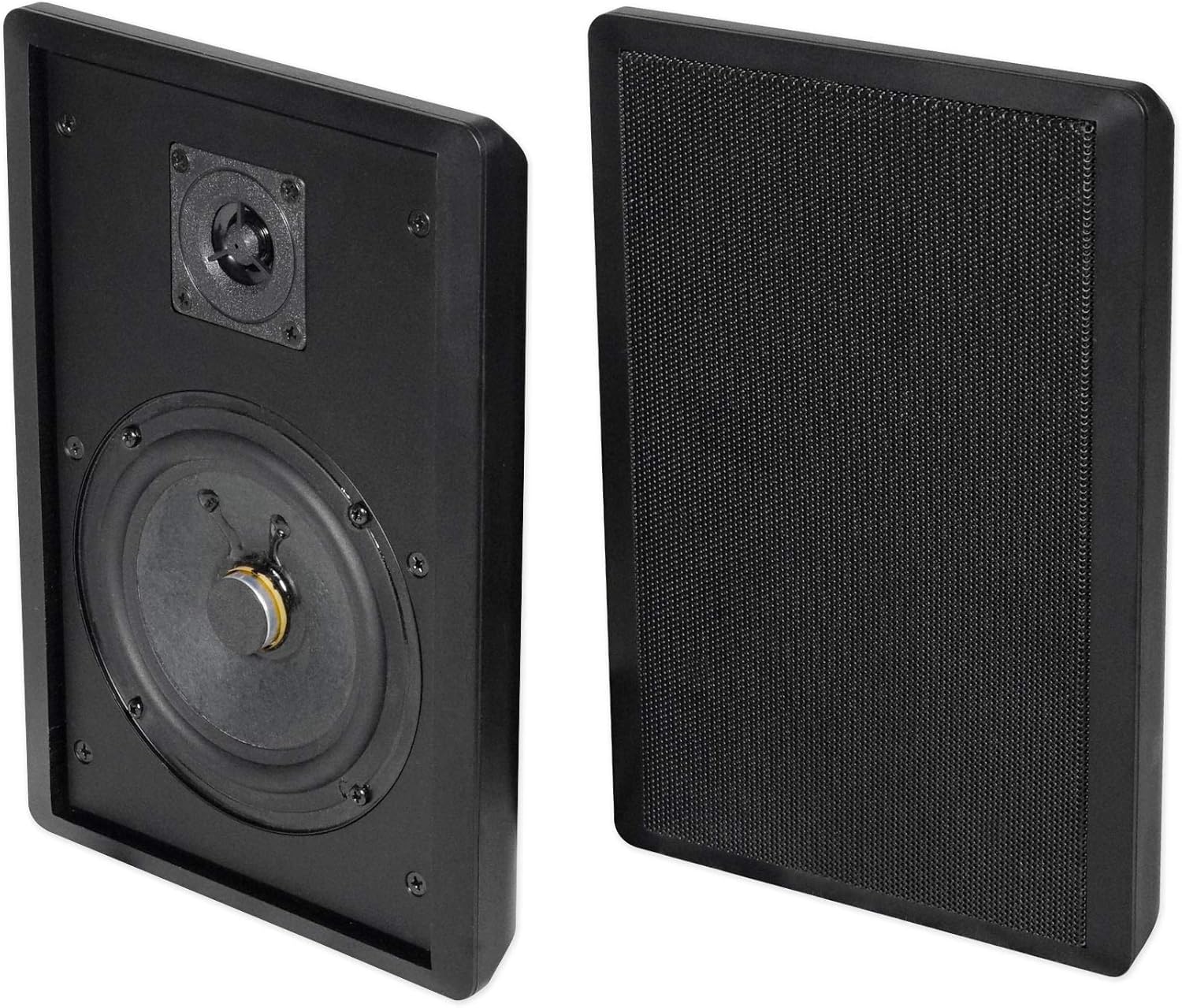
Figure 3: Rockville RockSlim 70B speakers installed on a wall.
- Identify the desired mounting location on a wall.
- The speaker features a molded hanging bracket for simple installation, similar to hanging a picture.
- Use appropriate wall anchors and screws (not included) to secure the speakers.
- Connect the speaker wires to the recessed spring-loaded terminals on the back of the speaker. The RockSlim 70B has two separate input terminals allowing selection of 4W or 8W (70V) power options. Ensure the correct wattage is selected based on your system design.
- Utilize the molded speaker wire groove to seamlessly hide wires behind the speaker for a clean installation.
4. Operation
4.1 Front Panel Controls (JBL VMA1240)

Figure 4: Front panel of the JBL VMA1240 Amplifier.
- Input Selectors (1-4, MUSIC): Use these buttons to select the active audio input.
- Volume Knobs (1-4, MUSIC): Adjust the individual volume levels for each input channel.
- Master Volume (MASTER): Controls the overall output volume of the amplifier.
- Bass and Treble Controls: Non-detented potentiometers on each channel allow for individual bass and treble adjustments (±14 dB @ 50 Hz for Bass, ±14 dB @ 10 kHz for Treble).
- Bluetooth Button: Activates Bluetooth pairing mode.
- USB Port: For connecting USB drives to play audio files.
- Front Panel Display: Shows current status, input selection, and Bluetooth pairing information.
- Media Playback Controls: Buttons for play/pause, skip track, etc., when using USB or Bluetooth.
4.2 Bluetooth Connectivity
- Press the Bluetooth button on the front panel of the VMA1240 amplifier. The display will indicate "Bluetooth on Paired" or "Pairing".
- On your Bluetooth-enabled device (e.g., smartphone, tablet), navigate to the Bluetooth settings.
- Select the JBL VMA1240 from the list of available devices to pair.
- Once paired, audio from your device will stream wirelessly to the amplifier.
4.3 Voice-Activated Ducking
The JBL VMA1240 features voice-activated ducking. This function automatically lowers the volume of background music when a signal is detected on a designated priority input (e.g., a microphone input for announcements). Refer to the full JBL VMA series operation manual for detailed configuration of this feature.
5. Maintenance
To ensure the longevity and optimal performance of your audio system, follow these general maintenance guidelines:
- Cleaning: Use a soft, dry cloth to clean the surfaces of the amplifier and speakers. Avoid using abrasive cleaners, solvents, or chemical sprays, as these can damage the finish.
- Ventilation: Ensure that the amplifier's ventilation openings are not blocked. Adequate airflow is crucial to prevent overheating.
- Connections: Periodically check all cable connections to ensure they are secure and free from corrosion. Loose connections can lead to poor sound quality or intermittent operation.
- Environment: Operate the system within the specified temperature and humidity ranges (32°F to 95°F, 95% RH humidity for the amplifier). Avoid exposing the equipment to extreme temperatures, direct sunlight, or excessive moisture.
6. Troubleshooting
If you encounter issues with your audio system, refer to the following common troubleshooting steps:
| Problem | Possible Cause | Solution |
|---|---|---|
| No sound output |
|
|
| Distorted or poor sound quality |
|
|
| Bluetooth pairing issues |
|
|
If the problem persists after trying these steps, please contact customer support or refer to the detailed JBL VMA series operation manual for more advanced troubleshooting.
7. Specifications
7.1 JBL VMA1240 Commercial Mixer/Amplifier
- Output Power Per Channel: 240 Watts into 4 Ohms or 8 Ohms
- Insertion Loss (70V/100V Outputs): 1 dB Max
- Input Channels: 5
- Output Channels: 1
- Tone Control: Bass (±14 dB @ 50 Hz), Treble (±14 dB @ 10 kHz)
- Input Sensitivity: Mic Input: 5.5 mVrms; Line Input: 1.3 Vrms; RCA Input: 130 mVrms
- Total Harmonic Distortion (THD): <0.5%, 20 Hz to 20 kHz
- Nominal Input Voltage: 100, 120, 220, 220 to 240 VAC, 50/60 Hz
- Minimum Load Impedance: 4 Ohms
- Operating Temperature: 32°F to 95°F (0°C to 35°C)
- Humidity: 95% RH
- Storage Temperature: -4°F to 185°F (-20°C to 85°C)
- Dimensions (H x W x D): 3.5" x 17" x 16.3" (88 x 432 x 415 mm)
- Weight: 25.5 Lbs (11.6 kg)
- Connectivity Protocol: Bluetooth
- Controller Type: Button
7.2 Rockville RockSlim 70B Commercial Wall Speakers

Figure 5: Internal components of the Rockville RockSlim 70B speaker.
- Speaker Type: Wall-mounted, 70V Commercial
- Woofer Size: 5.25" with Paper Cone
- Tweeter: 0.5" Mylar Dome
- 70V Power Options: 8W, 4W (selectable via terminals)
- Sensitivity: 89 dB
- Frequency Response (±3dB): 100Hz - 20kHz
- Dimensions (H x W x D): 10.8" x 7.3" x 1.38" inches (27.4 x 18.5 x 3.5 cm)
- Cabinet Material: ABS
- Color: Black
- Product Weight: 2 Lbs (Per Speaker)
- Speaker Wire Length: 11.8 Feet (included)
- Mounting: Integrated hanging bracket
8. Warranty Information
For detailed warranty information regarding your JBL VMA1240 Mixer/Amplifier and Rockville RockSlim 70B Speakers, please refer to the warranty card included with your product or visit the official websites of JBL and Rockville. Warranty terms and conditions may vary and are subject to the manufacturer's policies.
9. Customer Support
If you require further assistance or have questions not covered in this manual, please contact the manufacturer's customer support:
- JBL Professional Support: Visit the JBL Professional website for support resources, FAQs, and contact information for the VMA series.
- Rockville Support: Visit the Rockville website for product support and contact details for the RockSlim series speakers.
- Audiosavings Support: For bundle-specific inquiries or general assistance, contact Audiosavings customer service.
Always provide your product model numbers (JBL VMA1240, Rockville RockSlim 70B) and purchase details when contacting support.


