
1. Introduction
Thank you for choosing the V-Guard Crystal TT 100 Plus TV Stabilizer. This device is designed to protect your valuable electronic appliances, such as Smart TVs (up to 203 cm / 80"), Set-top Boxes, Home Theatre Systems, and Gaming Consoles, from voltage fluctuations. It ensures a stable power supply, enhancing the lifespan and performance of your equipment.
2. Important Safety Instructions
- Read all instructions carefully before using the stabilizer.
- Do not open the stabilizer casing. There are no user-serviceable parts inside. Refer all servicing to qualified service personnel.
- Ensure the stabilizer is placed in a well-ventilated area, away from direct sunlight, heat sources, and moisture.
- Do not expose the stabilizer to water or any other liquids.
- Connect the stabilizer only to a properly grounded electrical outlet.
- Do not overload the stabilizer beyond its specified capacity (3 A).
- Keep out of reach of children.
- Unplug the stabilizer from the wall outlet before cleaning or if it will be unused for an extended period.
3. Package Contents
The V-Guard Crystal TT 100 Plus package includes:
- V-Guard Crystal TT 100 Plus TV Stabilizer
- Wall Mount Bracket

Image: The retail packaging box for the V-Guard Crystal TT 100 Plus Stabilizer, showing the product image and key features.
4. Product Features
The V-Guard Crystal TT 100 Plus TV Stabilizer incorporates several features for optimal performance and protection:
- Digital Display: A 3-digit seven-segment display provides real-time voltage readings.
- Wide Working Range: Operates effectively within an input voltage range of 90V AC to 290V AC.
- Advanced IC Technology: Ensures precise voltage correction for stable output.
- Built-in Thermal Overload Protection: Automatically disconnects power during excessive temperature conditions to prevent appliance damage.
- Metal Oxide Varistor (MOV) Spike Protection: Guards against sudden voltage spikes and surges.
- User-Friendly Status Indication: Clear indicators for operational status.
- Compact Design: Black ABS cabinet with wall mounting facility for flexible placement.
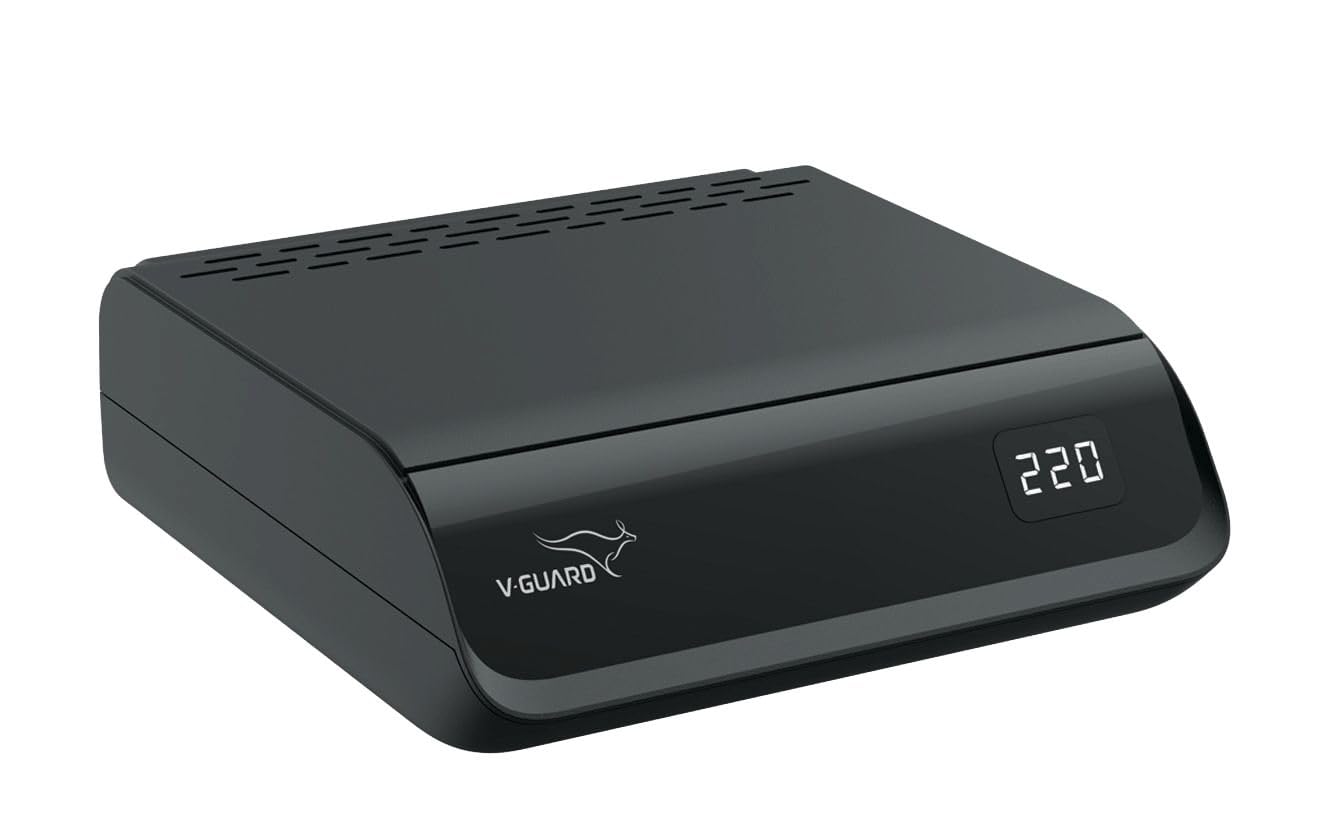
Image: Front view of the V-Guard Crystal TT 100 Plus Stabilizer, showcasing its sleek black design and the digital display.
5. Installation
5.1 Unpacking
Carefully remove the stabilizer and its accessories from the packaging. Inspect for any signs of damage. If any damage is found, do not use the product and contact customer support.
5.2 Placement
Choose a suitable location for the stabilizer. It can be placed on a flat, stable surface or mounted on a wall using the provided bracket. Ensure adequate ventilation around the unit.
5.3 Connections
- Connect the stabilizer's integrated 3-pin power plug (6 A) into a standard wall power outlet.
- Connect your television, set-top box, home theatre system, or gaming console to the output sockets on the stabilizer. The stabilizer features one multi-pin 16 A socket and one 3-pin 6 A socket. Ensure that the total load of connected devices does not exceed 3 A.
- Verify all connections are secure before powering on.

Image: Rear view of the V-Guard Crystal TT 100 Plus Stabilizer, showing the power input cord and the output sockets for connecting appliances.
6. Operation
6.1 Powering On
Once all connections are made, switch on the power supply to the wall outlet. The stabilizer will automatically power on, and the digital display will show the input voltage, followed by the regulated output voltage.
6.2 Digital Display
The 3-digit seven-segment display continuously shows the voltage. This allows you to monitor the incoming and outgoing voltage levels, confirming the stabilizer's operation.
6.3 Protection Features
- Voltage Correction: The stabilizer automatically adjusts the output voltage to a safe range (200V-240V) when the input voltage fluctuates between 90V AC and 290V AC.
- Thermal Overload: If the stabilizer detects an internal temperature rise beyond safe limits, it will automatically cut off power to protect itself and connected appliances.
- Spike Protection: The Metal Oxide Varistor (MOV) absorbs sudden high voltage spikes, preventing them from reaching your sensitive electronics.
7. Maintenance
- Cleaning: Use a soft, dry cloth to clean the exterior of the stabilizer. Do not use liquid cleaners, aerosols, or solvents.
- Ventilation: Ensure that the ventilation slots on the stabilizer are not blocked to prevent overheating.
- Connections: Periodically check all power connections to ensure they are tight and secure.
- Storage: If storing the stabilizer for an extended period, unplug it and store it in a cool, dry place.
8. Troubleshooting
| Problem | Possible Cause | Solution |
|---|---|---|
| Stabilizer not powering on / No display | No power from wall outlet; Loose power cord connection. | Check the wall outlet with another appliance. Ensure the stabilizer's power cord is securely plugged in. |
| Connected appliance not receiving power | Appliance not switched on; Loose connection to stabilizer; Stabilizer in protection mode (e.g., thermal overload). | Ensure the appliance is switched on. Check the connection between the appliance and the stabilizer. If the stabilizer is hot, unplug it and allow it to cool down. |
| Stabilizer is overheating | Blocked ventilation; Overloaded stabilizer. | Ensure ventilation slots are clear. Reduce the load by disconnecting some appliances if the total current exceeds 3 A. |
| Digital display shows unusual readings | Extreme voltage fluctuation; Internal fault. | If voltage is extremely high or low, wait for it to stabilize. If the issue persists, contact customer support. |
If the problem persists after attempting these solutions, please contact V-Guard customer support.
9. Technical Specifications
- Model Name: V-Guard Crystal TT 100 Plus
- Capacity: 3 A
- Input Voltage Working Range: 90V AC - 290V AC
- Regulated Output Voltage: Yes
- Maximum Boosting: 40V
- Maximum Bucking: 48V
- Indicator: 3 Digit Seven Segment Display
- Plug Type: 3 Pin Plug of 6 A
- Socket Type: One Multi-pin of 16 A & One 3 Pin of 6 A
- Cord Length (Outside): 1.1 m
- Item Weight: 1 kg 860 g
- Item Dimensions (LxWxH): 8.7 x 20.6 x 24 Centimeters
- Cabinet Material: ABS Plastic
- Color: Black
- Included Components: TV Stabilizer, Wall Mount
10. Warranty and Support
10.1 Warranty Information
The V-Guard Crystal TT 100 Plus TV Stabilizer comes with a 3-year warranty from the date of purchase. Please retain your purchase receipt for warranty claims. The warranty covers manufacturing defects under normal use conditions. It does not cover damage due to misuse, improper installation, unauthorized repairs, or acts of nature.
10.2 Customer Support
For any queries, technical assistance, or warranty claims, please contact V-Guard customer support:
- Manufacturer: V-GUARD INDUSTRIES LTD.
- Registered Office: 42/962, Vennala High School Road, Vennala, Kochi - 682028
- Phone: +91 484 433 5000
- Fax: +91 484 300 5100
- Email: mail@vguard.in


