
Introduction
The Rampage Crack H11 is a versatile wireless gaming headset designed for an immersive audio experience across multiple platforms. It features dual connectivity options (2.4GHz wireless and Bluetooth 5.2), 7.1 virtual surround sound, a detachable microphone, and a lightweight design for extended comfort during long gaming sessions. This manual provides essential information for setting up, operating, maintaining, and troubleshooting your headset.
Package Contents
Before you begin, please ensure all items are present in the package:
- Rampage Crack H11 Wireless Gaming Headset
- USB 2.4GHz Wireless Receiver
- Detachable Microphone
- Type-C Charging Cable (1.8 meters, braided)
- User Manual / Warranty Certificate
Setup
1. Charging the Headset
Before first use, fully charge the headset. Connect the supplied Type-C charging cable to the headset's charging port and the other end to a USB power source (e.g., computer USB port, USB wall adapter). The charging time is approximately 2.5 hours for a full charge.
2. Connecting via 2.4GHz Wireless (USB Receiver)
- Insert the USB 2.4GHz wireless receiver into an available USB port on your PC, PlayStation 4, or PlayStation 5.
- Turn on the headset by pressing and holding the power button.
- The headset should automatically connect to the receiver. If there is no sound or the microphone is not working, double-press the power button rapidly to switch between 2.4GHz and Bluetooth modes until the correct mode is selected.
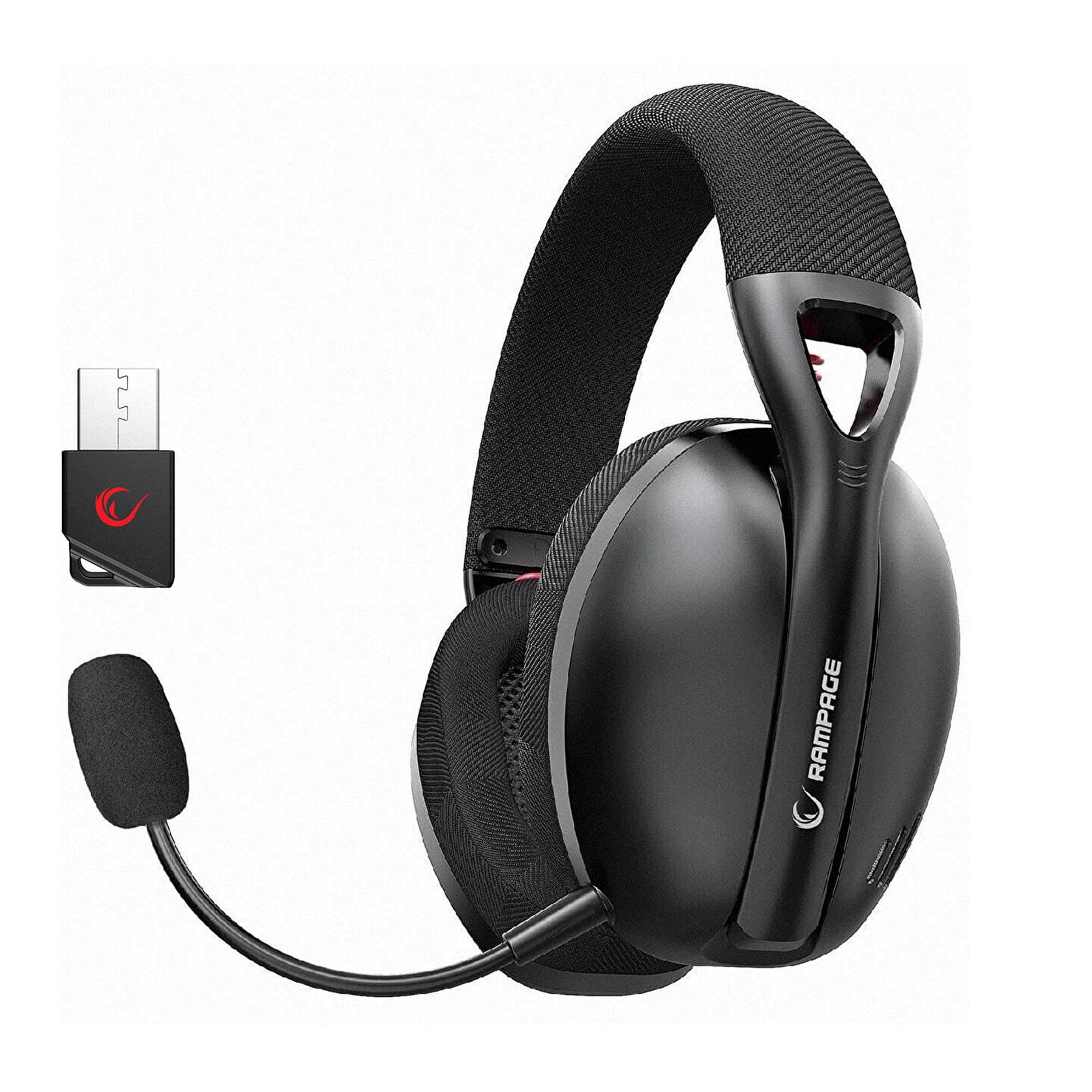
Image: Rampage Crack H11 headset highlighting 2.4GHz wireless and Bluetooth connectivity. It also shows the instruction to double-press the power button if sound or microphone issues arise when connected via USB.
3. Connecting via Bluetooth 5.2
- Turn on the headset.
- If the headset is not in Bluetooth mode, double-press the power button to switch to Bluetooth mode. The indicator light will typically flash to indicate pairing mode.
- On your smartphone or other Bluetooth-enabled device, go to Bluetooth settings and search for available devices.
- Select "Rampage Crack H11" from the list to pair.
4. Attaching the Microphone
The microphone is detachable. Insert the microphone into the designated port on the left earcup. Adjust its position for optimal voice pickup. The flexible design allows you to find the most suitable position.

Image: The Rampage Crack H11 headset featuring its detachable and adjustable microphone, emphasizing user flexibility.
Operating Instructions
Power On/Off
Press and hold the power button for a few seconds to turn the headset on or off.
Mode Switching
To switch between 2.4GHz wireless mode and Bluetooth mode, double-press the power button rapidly. An audible cue or indicator light change will confirm the mode switch.
Volume Control
Use the volume control wheel or buttons located on the earcup to adjust the audio output level.
Microphone Mute
Locate the microphone mute button on the headset to quickly mute or unmute your microphone.
7.1 Virtual Surround Sound
The headset features 7.1 virtual surround sound for an immersive gaming experience. This technology enhances directional audio, allowing you to perceive in-game sounds more accurately and gain a competitive edge.

Image: The Rampage Crack H11 headset showcasing its Virtual 7.1 Surround 360° Sound System, designed for an immersive audio experience.
Maintenance
Cleaning
- Wipe the headset with a soft, dry cloth.
- Do not use harsh chemicals, cleaning solvents, or strong detergents.
- Ensure the headset is dry before storing or charging.
Storage
Store the headset in a cool, dry place away from direct sunlight and extreme temperatures. Avoid placing heavy objects on the headset.
Battery Care
- Avoid fully discharging the battery frequently.
- Charge the headset regularly, even if not in use, to maintain battery health.
- Do not expose the battery to high temperatures.

Image: The Rampage Crack H11 headset's fabric ear pads, designed for high comfort and effective sound isolation during extended use.
Troubleshooting
No Sound or Microphone Not Working (2.4GHz Wireless)
- Ensure the USB receiver is properly inserted into the device.
- Double-press the power button on the headset rapidly to cycle through modes. Ensure the headset is in 2.4GHz wireless mode.
- Check your device's audio settings to ensure the headset is selected as the default input/output device.
Bluetooth Connection Issues
- Ensure the headset is in Bluetooth pairing mode (indicator light flashing).
- Make sure Bluetooth is enabled on your device.
- Try unpairing and re-pairing the headset from your device's Bluetooth settings.
- Ensure the headset is within the effective range of your Bluetooth device.
Sound Quality Issues (e.g., Muffled Sound)
- Check the audio source and ensure the volume is not too high, causing distortion.
- Ensure the earcups are properly seated on your ears for optimal sound delivery.
- Test the headset with a different audio source or device to rule out source-related issues.
Intermittent Disconnections
- Ensure there are no obstructions or strong interference sources (e.g., Wi-Fi routers, other wireless devices) between the headset and the connected device.
- Keep the headset within the recommended operating range.
- Ensure the headset is fully charged. Low battery can sometimes affect connection stability.
Specifications
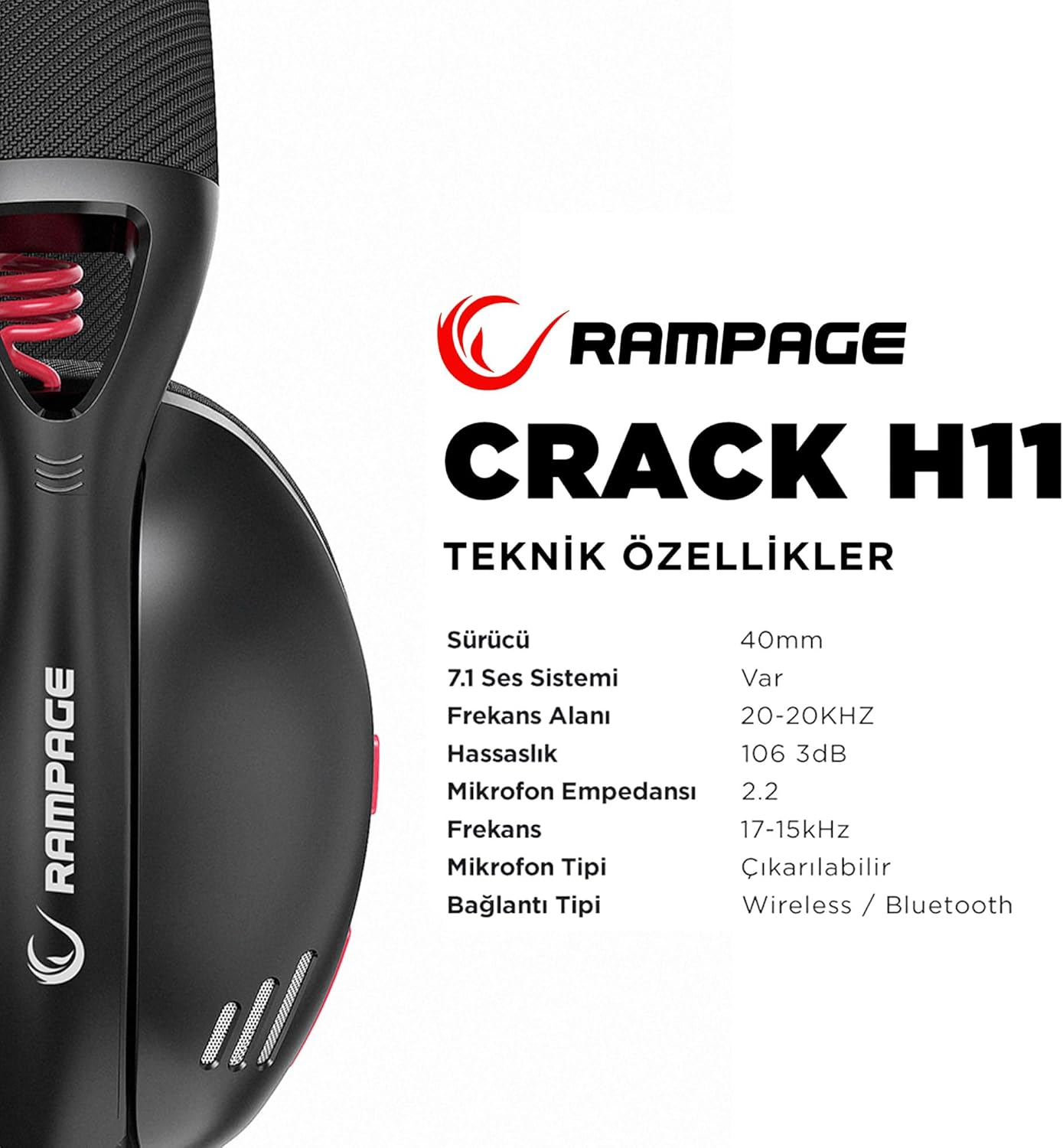
Image: Technical specifications for the Rampage Crack H11 headset, detailing audio and connectivity features.
| Feature | Specification |
|---|---|
| Brand | Rampage |
| Model | Crack H11 |
| Color | Black |
| Connectivity | 2.4GHz Wireless, Bluetooth 5.2 |
| Driver Size | 40mm |
| 7.1 Sound System | Yes (Virtual Surround) |
| Impedance | 17±15% Ohm |
| Sensitivity | 106±3dB |
| Frequency Response | 20Hz - 20kHz |
| Microphone Sensitivity | -42+2dB |
| Microphone Direction | Directional |
| Microphone Impedance | 2.2k OHM |
| Battery Capacity | 400mAH 3.7V |
| Charging Port | Type-C |
| Charging Time | 2.5 hours |
| Weight | 177 Grams |
| Compatibility | PC, PS4, PS5, Smart Phones |

Image: An overview of the Rampage Crack H11 headset's main features, including immersive 7.1 sound, high-quality 40mm drivers, flexible dual connectivity, and efficient charging.
Warranty and Support
Warranty Information
The Rampage Crack H11 headset comes with a 24-month warranty from the date of purchase. Please retain your proof of purchase for warranty claims. The warranty covers manufacturing defects and malfunctions under normal use. It does not cover damage caused by misuse, accidents, unauthorized modifications, or normal wear and tear.
Customer Support
For technical assistance, troubleshooting, or warranty inquiries, please contact Rampage customer support through their official website or the retailer where the product was purchased. Please have your product model number (Crack H11) and proof of purchase ready when contacting support.

